
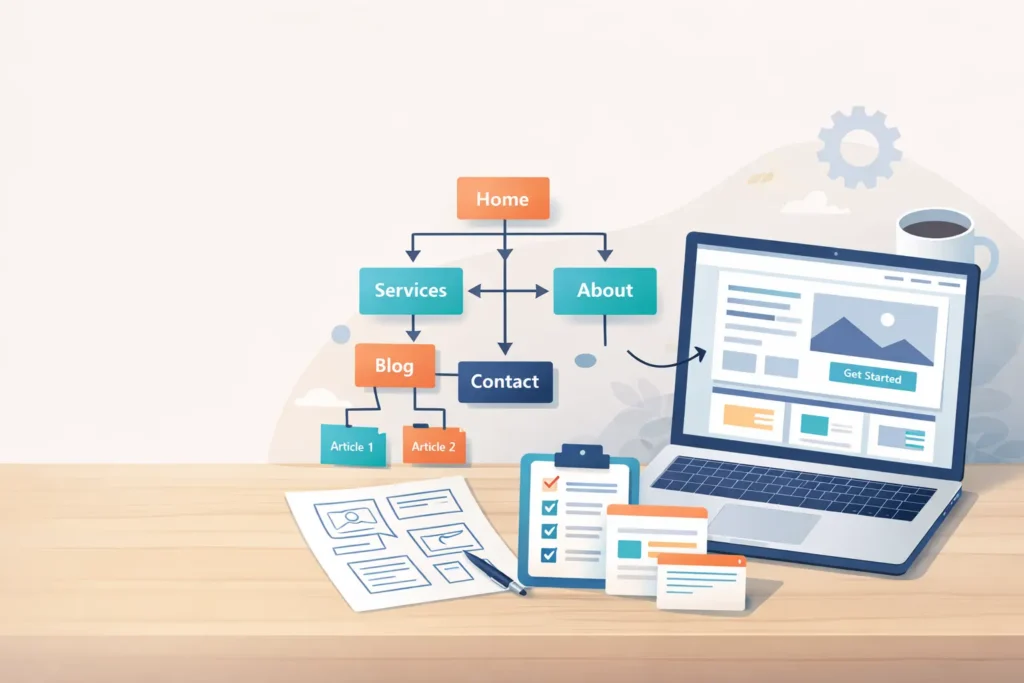
Web design content strategy is the blueprint that connects your brand goals to the real questions your customers ask. It shapes what to publish, how each page looks, and how users move from first visit to contact or purchase. In this guide, you’ll see why it matters, how to build it step by step, and which options fit different budgets and timelines.
Throughout, we’ll include simple examples, a pair of quick-reference tables, and clear internal paths to help you take action. If you need hands-on help, see our web design services at Salt Web Designer.
Why a Content Strategy Should Lead Your Web Design
Design catches attention. Strategy keeps it. When content and layout are planned together, you avoid common problems like duplicated pages, thin copy, and confusing menus. You also create a site that answers user intent, which search engines reward.
Three business outcomes improve immediately:
- Findability. Structured content and intuitive navigation reduce friction. Resources like Nielsen Norman Group explain how strong information scent and clear labeling lift task success rates. See: https://www.nngroup.com/articles/information-scent/
- Conversion. Each key page supports a specific action, with copy that reduces doubt and design elements that guide the eye. For practical on-page tactics, check our internal guide on web design conversion tips: https://saltwebdesigner.com/web-design-conversion-tips/
- Maintainability. A simple content model makes updates easier and prevents inconsistent messaging. Routine updates are part of healthy sites, as covered in our small business website maintenance guide: https://saltwebdesigner.com/small-business-website-maintenance/
How To Build Your Web Design Content Strategy
Below is a streamlined process you can apply whether you are redesigning or launching your first site.
1. Define business outcomes and ICPs
Clarify one to three measurable goals, such as demo requests or booked calls. Outline your ideal customer profiles and their top questions. Tip: Gather three recent support emails and three sales call notes. These real phrases become your headings and FAQs.
2. Map the core content model
A content model lists your essential page types and the fields each page must include. Keep it lean for small teams.
- Homepage. Value prop, proof, primary CTA, secondary path.
- Services or Offerings. One index page plus a focused page per service.
- Work or Results. Case studies with problem, approach, outcome, and testimonial.
- About. Mission, team, photo, credibility markers.
- Resource Hub. Articles that address objections and educate.
- Contact / Book. Short form, alternate contact, reassurance copy.
Need examples? Browse our sample work to see how content and layout pair up.
3. Plan information architecture and navigation
Keep the top navigation to 5–7 items. Use labels that your customers say, not internal jargon. If you have long-form resources, group them with plain-language categories. A tidy footer repeats key paths and adds trust links like privacy and terms.
4. Create page briefs before any mockups
For each key page, write a one-page brief: goal, audience, key questions, one core CTA, secondary CTA, and the 5–7 subheadings that will structure the copy. Designers can then prototype layouts that serve those messages rather than squeezing copy into a pretty frame.
5. Write for clarity, then design for flow
Lead with the answer. Use short paragraphs, descriptive subheadings, and specific proof. Then support the copy visually with scannable blocks, whitespace, and button hierarchy. If you want AI-aligned guidance, Google’s helpful content documentation reinforces clarity and people-first phrasing: https://developers.google.com/search/docs/fundamentals/creating-helpful-content
6. Prototype, test, refine
Test three tasks with two users. Example tasks: “Find pricing,” “See if they’ve built in my industry,” “Book a call.” Note where users pause or scroll back. Fix labels, spacing, or CTAs accordingly.
Table 1: Page Type, Goal, and Must-Have Elements
| Page Type | Primary Goal | Must-Have Elements | Practical Tip |
| Homepage | Route to top tasks | Clear value prop, proof badges, 1 primary CTA, 1 secondary path | Put proof above the fold if competitors have similar claims |
| Service Page | Generate inquiries | Problem-solution, deliverables, process, pricing cue, CTA | Use a “who it is for” box to pre-qualify |
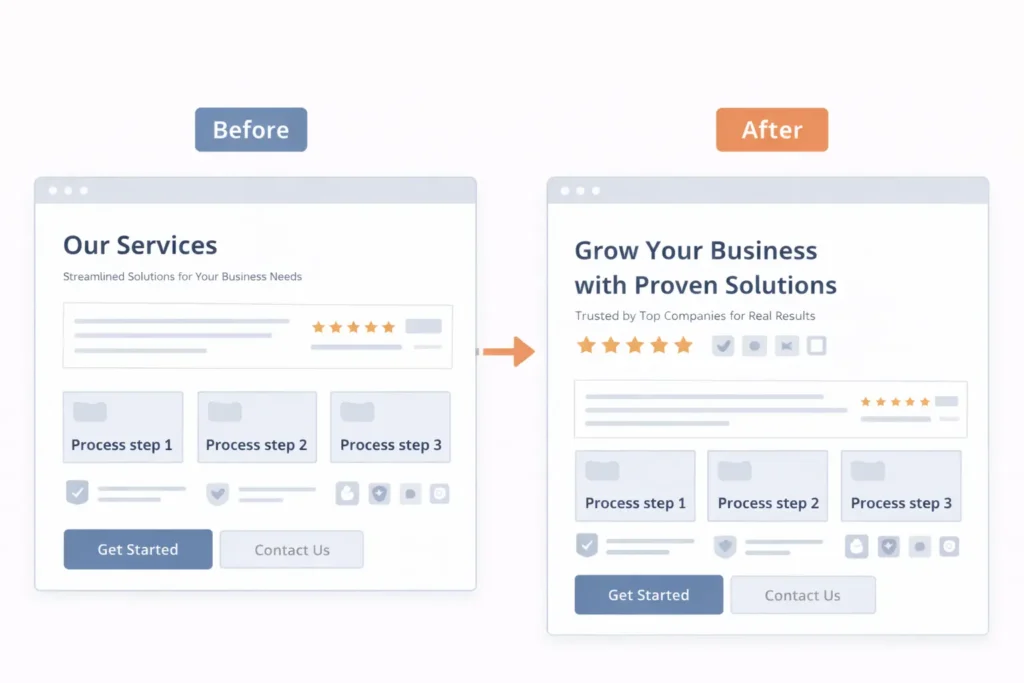
| Case Study | De-risk choice | Metrics, screenshots, testimonial, lessons learned | Show before and after with one visual |
| Resource Article | Build trust and SEO | Problem statement, steps, examples, internal links | End with a contextual CTA, not a generic one |
| Contact / Book | Start conversation | Short form, alternatives, expectation-setting | Add response time and what happens next |
Which Option Is Best For You? Three Common Paths
Every team has different constraints. Choose the path that fits your timeline, budget, and appetite for iteration.
A. “Quick Win” Launch, then Improve
Best when you need a site live within 4 weeks.
How it works: Launch 5 pages with strong basics, then publish one article each week for 8–12 weeks.
Why it works: You capture demand early and build topical depth over time. Pair with our small business landing pages guide for focused campaigns.
B. “Depth First” for Competitive Niches
Best when you compete on expertise.
How it works: Build 8–12 core pages with case studies and 6 cluster articles that answer specific objections.
Why it works: Rich proof and topic coverage signal quality to users and search engines. External inspiration on structuring content and UX: https://contentdesign.london/blog/
C. “Local Leader” GEO/AEO Focus
Best when your primary traffic is local.
How it works: Create location pages with service variants, embed FAQs in schema, and add genuine local proof like partnerships or press mentions.
Why it works: Clear signals for local intent plus Answer Engine Optimization features like concise answers and scannable FAQs help you appear in voice and AI summaries.
How To Prioritize Topics That Actually Convert
- Mine existing demand. Review the last 20 inquiries. Turn recurring objections into articles and comparison pages.
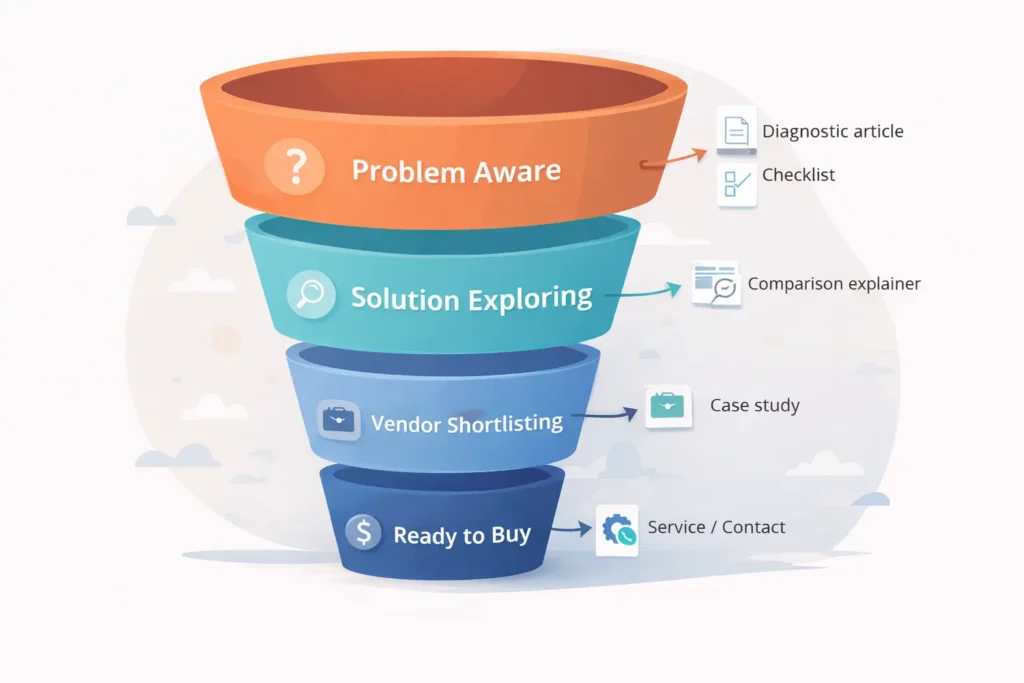
- Cover the buyer journey. Create one page per stage: problem, solution, proof, decision.
- Own the “how”. Tutorials and checklists build trust. Link them from service pages to lift conversions.
- Refresh winners quarterly. Update stats and examples. Add a new internal link to a relevant service.
For example, if many leads ask about speed and conversions, publish or update articles that speak to that outcome, then link to a relevant service block and a matching case study. Our write-up on web design conversion tips is a good internal reference.
Table 2: Content Type by Funnel Stage
| Funnel Stage | Visitor Question | Content Type | Sample Headline |
| Problem aware | “Why is my site not converting?” | Diagnostic article or checklist | “7 Signals Your Site Is Leaking Leads.” |
| Solution exploring | “What fixes this?” | Comparison or explainer | “CRO vs Redesign: Which Moves the Needle Faster?” |
| Vendor shortlisting | “Can you do it for my niche?” | Case study | “From 1.2% to 3.8%: B2B SaaS Form Lift in 45 Days” |
| Decision | “What happens if I reach out?” | Service page with process | “Our 3-Week Launch Plan For Busy Founders” |
On-Page Structure That Works For GEO and AEO
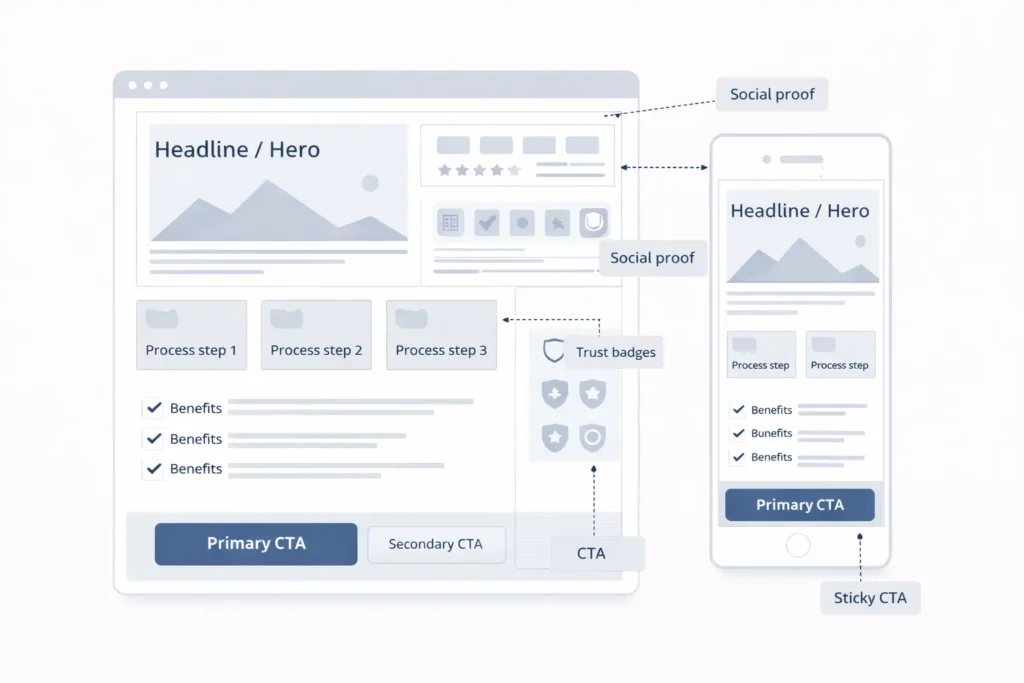
- Concise answers up top. State the outcome in your first two sentences. This supports answer engines and featured snippets.
- Descriptive subheadings. Replace vague titles with the terms people actually search.
- Internal links in context. Place links where the reader needs the next step, not in a block at the bottom. See our services page when you are ready to plan: https://saltwebdesigner.com/services/
- Local signals. Mention service areas, add map embeds, and include local proof.
Clear CTAs. One primary action per page. Secondary actions for browsers that are not ready yet.
Practical Tips That Make A Noticeable Difference
- Write the CTA first. If you cannot define the action, the page probably does not need to exist.
- Use real numbers. Replace “fast” with “<2 seconds LCP on key pages.”
- Proof stack. Place a testimonial near each CTA.
- One topic per URL. If a page tries to do three jobs, split it.
- Accessibility is SEO. Legible contrast, keyboard navigation, and descriptive alt text help users and rankings.
Maintenance cadence. Assign owners for each page. Update semiannually, or sooner for pricing and process pages. More on upkeep: https://saltwebdesigner.com/small-business-website-maintenance/
Putting It All Together On A 5-Page Launch
- Homepage. State the transformation, provide proof, show the plan, and add a simple “Book a call” button.
- Service index. Summarize offers and route to service details.
- One key service page. Include process, deliverables, timeline, and an FAQ.
- Case study. Problem, approach, outcome, visual proof, testimonial.
- Contact. Short form, response time, and alternate contact method.
When you are ready to see what this looks like live, compare layouts in our sample work gallery.
External Resources To Inform Your Approach
- NN/g on navigation labels and information scent: https://www.nngroup.com/articles/information-scent/
- Google’s helpful content principles: https://developers.google.com/search/docs/fundamentals/creating-helpful-content
- Content Design London on evidence-based content design:https://contentdesign.london/blog/
Summary: Choose Strategy First, Then Design
A durable web design content strategy begins with user questions and business outcomes. Plan your content model, define page briefs, and design layouts that serve the message. Launch lean, improve weekly, and let real questions steer your roadmap. If you prefer a guided build, our team at Salt Web Designer can plan, design, and maintain it with you.
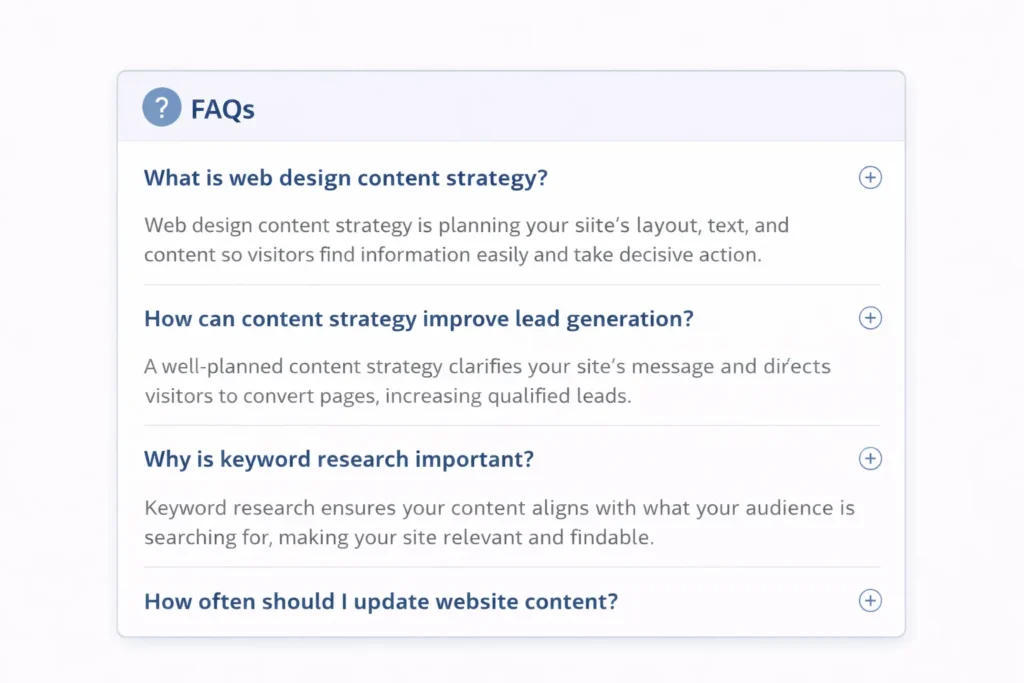
Frequently Asked Questions
What is content strategy in web design?
Content strategy in web design is the plan that determines what information your site presents, how it is structured, and how users move to action. It covers messaging, page architecture, voice and tone, media choices, and internal linking. The outcome is a site that answers visitor questions clearly, reduces friction, and supports measurable goals like demos or bookings. Strong strategies also include a maintenance plan with specific owners.
What are the 7 C’s of web design?
Clarity, Consistency, Credibility, Context, Convenience, Conversion, and Continuity are a practical set for small business sites. Clarity means plain language and specific benefits. Consistency keeps patterns and labels predictable. Credibility adds proof and policies. Context ties content to user intent. Convenience focuses on speed and accessibility. Conversion uses hierarchy and CTAs to guide action. Continuity ensures ongoing updates and support across channels and campaigns.
What are the 5 pillars of content strategy?
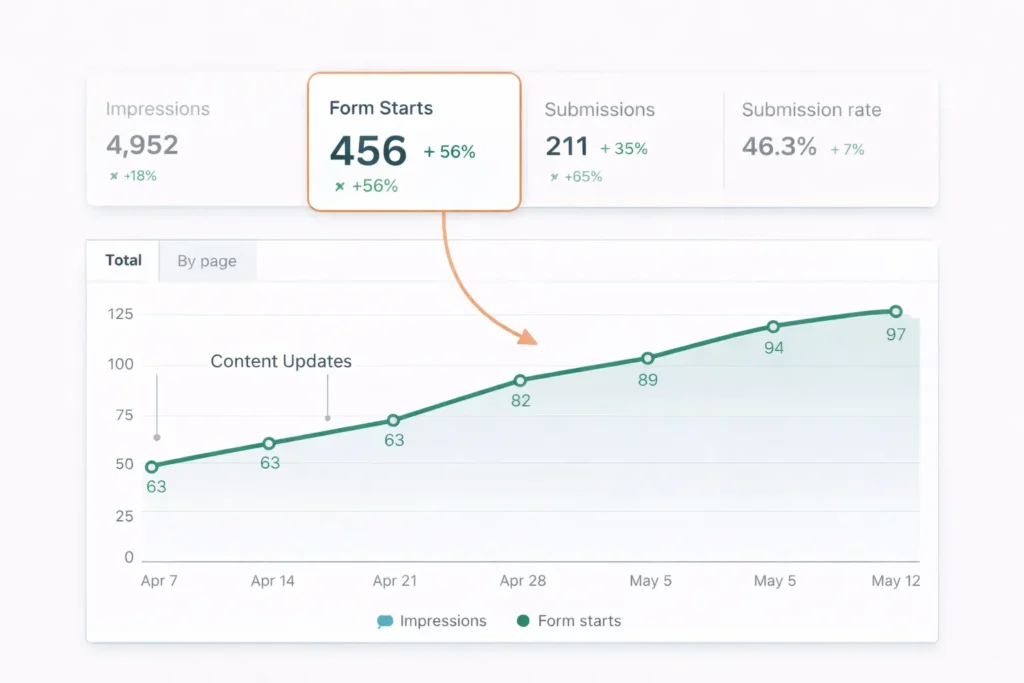
Goals, Audience, Content Model, Workflow, and Measurement. Goals define success in numbers. Audience clarifies questions and objections. The Content Model lists page types and required fields. Workflow sets ownership, tools, and cadence for production and updates. Measurement pairs each page with a metric like form starts, time to first CTA, or calls booked. With these pillars, teams avoid random acts of content and build momentum.
What are the 3 C’s of content strategy?
The 3 C’s are Content, Context, and Conversion. Content is the message and media you publish. Context connects that message to the visitor’s stage and device. Conversion defines the one action each page pursues and removes distractions. Many teams add a fourth C, Credibility, to keep proof close to CTAs. Apply the 3 C’s to every page brief to keep design choices aligned with outcomes.
Next Steps
- Review your top 5 pages and add a one-line goal and primary CTA to each.
- Create two missing assets that users request most often, such as a pricing explainer or a process overview.
- Plan a 90-day content calendar. Publish one article per week that addresses a real sales objection, and internally link it to a relevant service.
If you want expert help implementing this plan, talk with us here: https://saltwebdesigner.com/ or explore our web design services: https://saltwebdesigner.com/services/
Conclusion: web design content strategy
When strategy leads design, small business sites become easier to navigate, faster to trust, and more profitable. Your next win is likely one clear page brief and one focused service page away. Launch lean, refine weekly, and tie every design choice back to the goals and questions that matter most.
