
Why wordpress SEO for business matters for lead generation
WordPress SEO for business works best when your site is fast, clear, crawlable, and built around service pages that answer real customer questions. For most small brands, the biggest gains come from better page structure, stronger local relevance, and content that moves visitors from search to inquiry.
That is why a business site should never treat SEO like a plugin setting alone. WordPress gives you flexibility, but rankings usually improve when your homepage, service pages, supporting blogs, portfolio, and contact pages all work together. A clean site can bring in traffic, but a strategic site turns that traffic into calls, form fills, and booked projects.
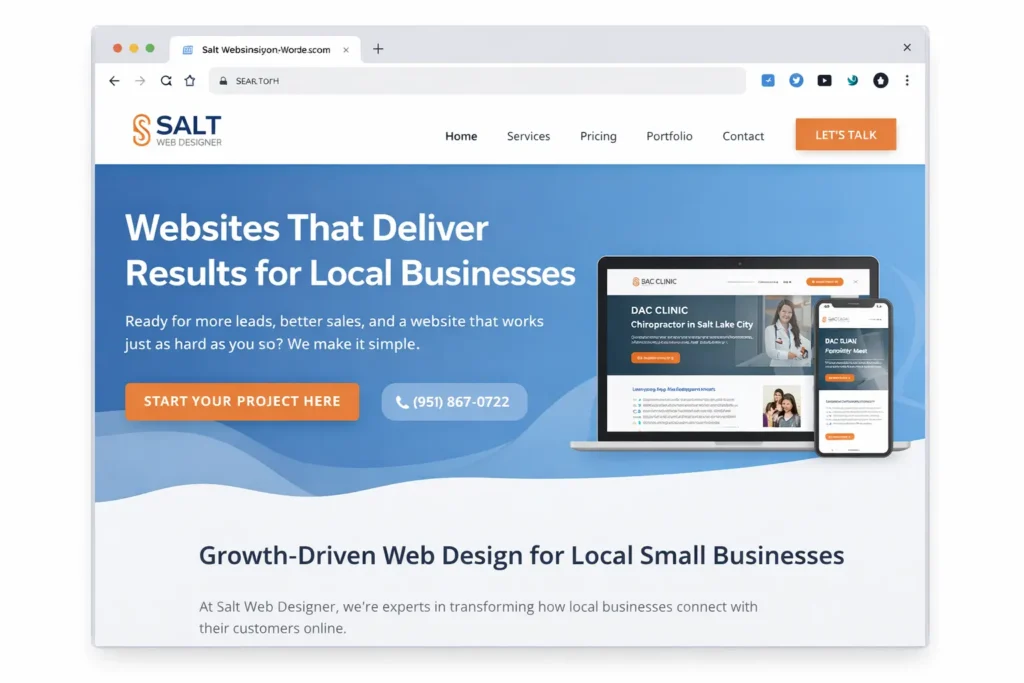
Before you publish more articles, make sure your core pages send the right message. Your positioning, service structure, proof, and internal links should all support the same search intent. If you want a strong example of that kind of positioning, study how small business web design experts, website design & development services, and portfolio highlights can work together to move a visitor from curiosity to action.
Why WordPress still works well for SEO
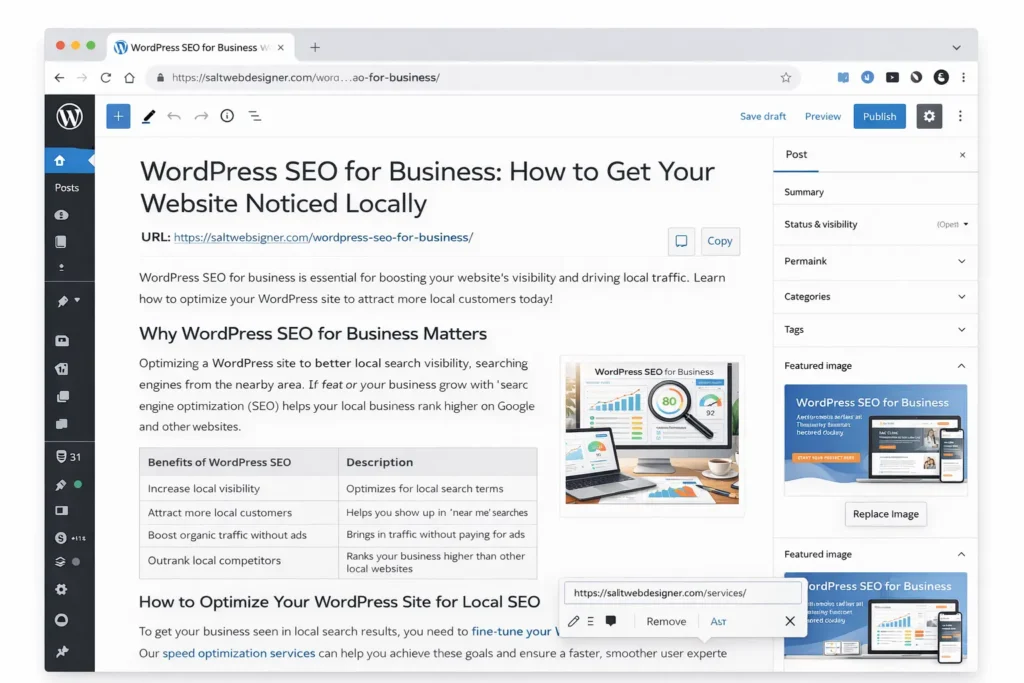
WordPress is still a strong platform for business SEO because it makes the important things easier to manage. You can control page titles, headings, slugs, image alt text, internal links, category structure, and schema settings without rebuilding the whole site every time you publish something new. That matters for small businesses because the speed of execution often decides whether a site grows or stays stuck.
The bigger advantage is not the platform alone. It is the way WordPress lets you organize pages around real buyer journeys. A visitor can land on a blog, move to a service page, view a proof page, and then submit a form within the same session. When that path is clear, your content does more than rank. It helps pre-qualify the lead.
For official baseline guidance, it is worth reviewing Google’s SEO Starter Guide and the official WordPress SEO guide. Both are useful for keeping your optimization grounded in practical fundamentals rather than trend chasing.
What actually improves rankings for a business site
A lot of business owners think rankings improve because they add a focus keyword to a page and wait. In reality, the pages that gain steady visibility usually do a few simple things better than competitors.
✅ They target a clear service or search intent per page
✅ They use headings that help users scan quickly
✅ They link related pages together naturally
✅ They show trust through examples, proof, and clear contact paths
✅ They load fast enough to keep visitors engaged on mobile
The simplest way to think about it is this. Search performance improves when your site becomes easier to understand for both users and search engines. A page should immediately tell people what you do, who you help, where you help them, and what the next step is.
How to build the right foundation inside WordPress
Start with crawlability and site settings
Your SEO work gets weaker when search engines cannot easily access the right pages. Check your Reading settings, make sure the site is public, and avoid launching with accidental noindex issues or blocked resources. This sounds basic, but many small business sites lose momentum because the site was built in staging, migrated fast, and never fully cleaned up.
Next, tidy up your permalink structure. Use short, readable slugs that reflect the topic of the page. Keep them human, not stuffed. A service page should look like a service page. A blog post should describe the question it answers. Clean URLs are easier to trust, easier to share, and easier to maintain when the site grows.
Build pages around one main purpose
Each core page should have one job. Your homepage should frame your offer. Your service page should explain outcomes, process, proof, and next steps. A location page should connect that service to a specific area. A blog post should answer a question that supports the commercial page.
This is where many business sites dilute their own relevance. One page tries to rank for three services, two locations, and five keyword angles. Instead of becoming stronger, it becomes vague. A better approach is to let each page own one main topic and then support it with internal links.
Write titles and headings for people first
A good title is specific, readable, and commercially relevant. Your H1 should match the main topic clearly. Your H2s should break the article into the exact questions a potential client would ask before hiring you. That format does two useful things. It improves readability, and it increases the chance of being cited or summarized in AI-driven answers.
You do not need clever wording to win. Plain language often performs better because it matches how people search. Compare “Digital Growth Elevation Solutions” with “Website redesign for service businesses.” The second one is clearer, easier to trust, and easier to connect with intent.
Use media and internal links with purpose
Images should support understanding, not decorate empty space. On service pages, use screenshots, process visuals, before and after examples, or portfolio proof. Add descriptive alt text that explains what the image shows in normal language.
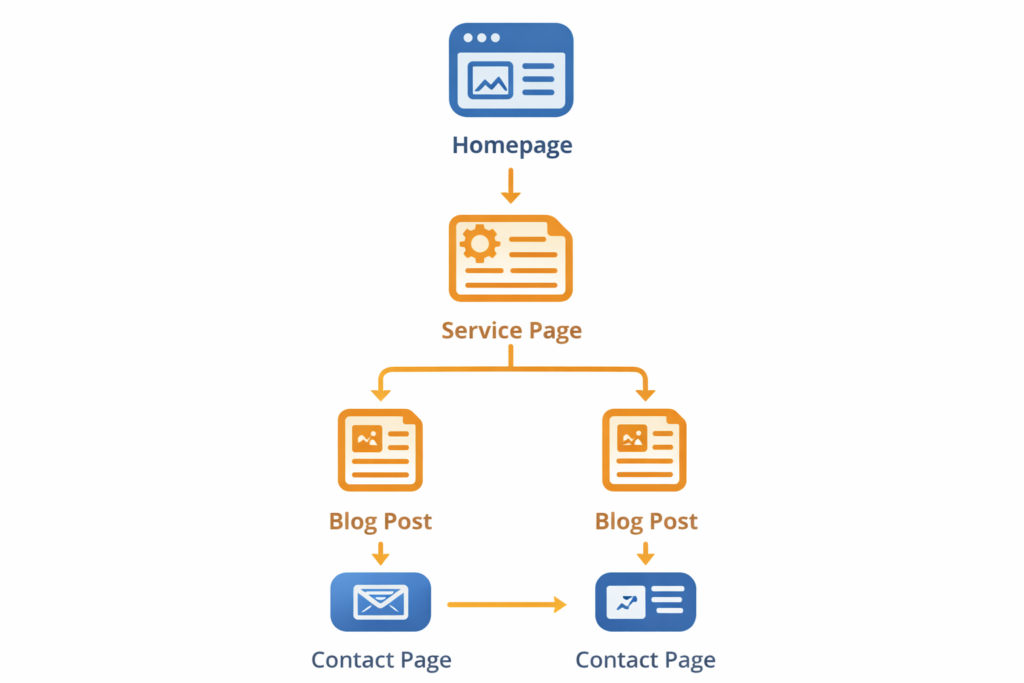
Internal links should also be intentional. Link from blog posts to related services, from service pages to case studies, and from proof pages back to contact or quote forms. This keeps users moving and helps reinforce topic relationships across the site.
The page types that matter most
Not every page on your WordPress site carries the same SEO weight. A small business usually grows faster when it focuses on the pages closest to money first, then adds supporting content around them.
| Page Type | Main Goal | What It Should Include | Best Link Direction |
|---|---|---|---|
| Homepage | Clarify brand and offer | Main positioning, top services, proof, CTA | Link to services and portfolio |
| Service Page | Convert commercial intent | Problem, solution, outcomes, FAQs, CTA | Link to proof pages and contact |
| Location Page | Capture local relevance | Service plus city context, trust signals, CTA | Link to related service page |
| Blog Post | Support topical authority | Direct answer, examples, internal links | Link to service page |
| Portfolio or Case Study | Build trust | Challenge, process, result, visuals | Link to the service and inquiry page |
| Contact Page | Remove friction | Clear form, service options, trust cues | Link from every high-intent page |
For most small businesses, the service page deserves the most attention. It usually attracts the visitor closest to hiring. The mistake is publishing ten blog posts while the main money page is still thin, generic, or unclear.
That is why a better order often looks like this: fix homepage, strengthen service pages, improve portfolio proof, then build supporting blog content. Once those are solid, every new article has a stronger place to send traffic.
How supporting blog content should work
Business blogging works best when it strengthens a commercial page instead of drifting into unrelated topics. A helpful article answers a search question, gives the reader a practical next step, and then points them to the most relevant service or proof page.
For example, if you want more leads for design or SEO work, your supporting content should stay close to the same buying journey. That is why posts like local SEO for small business website and SEO-friendly website guide make sense in the same ecosystem. They expand topical relevance while still feeding users back toward your commercial pages.
A simple content cluster for a service business might look like this:
✅ One main service page
✅ One location page per priority area
✅ Two to four blog posts that answer nearby questions
✅ One case study or proof page tied to the same service
✅ One FAQ section that removes objections
That structure is easier to manage than publishing random articles every week. It also creates a cleaner path for visitors who land on informational content but are closer to hiring than they first appear.
Which SEO setup is the best option for most businesses
A lot of owners ask whether they should do everything themselves, hire an SEO agency, or use a plugin and handle the basics in house. The best option depends on the size of the site, the competitiveness of the market, and how quickly you need results, but there is a clear middle ground that fits most small businesses.
| Option | Best For | Strengths | Watch Out For |
| Basic DIY | Very small sites with low competition | Cheap, simple, good for learning | Easy to miss technical and content gaps |
| DIY with Rank Math and Search Console | Most service businesses | Strong balance of control, structure, and cost | Needs consistency and a clear content plan |
| Done with your consultant or agency | Competitive markets or multi-location sites | Faster strategy, audits, and execution | Higher cost and requires good collaboration |
For most small business websites, the best practical option is a lean WordPress setup, one SEO plugin, Google Search Console, and a page plan built around services, locations, and supporting articles. That setup is easier to maintain than a bloated stack of overlapping tools.
If you are using Rank Math, keep the basics clean. Set one main focus keyword, write a clear SEO title, create a useful meta description, add internal links, optimize images, and only use FAQ or other schema when it truly matches the page. The goal is not to chase a perfect plugin score. The goal is to make the page genuinely better.
Common mistakes that slow down business SEO
One of the biggest mistakes is writing pages that sound polished but say very little. A page can look professional and still fail because it never clearly answers what the service is, who it is for, or why your business is the right choice.
Another common issue is weak page hierarchy. The homepage tries to say everything. Service pages overlap each other. Blog posts do not link back to conversion pages. Contact pages feel disconnected from the rest of the site. When that happens, even good content struggles to perform.
Watch for these issues:
✅ Thin service pages with no real differentiation
✅ Blog posts with no internal links back to money pages
✅ Generic titles and headings that could fit any competitor
✅ Slow mobile pages caused by oversized images or heavy themes
✅ No visible proof such as examples, testimonials, or case studies
✅ Publishing content without a clear next step for the reader
The fix is usually not more content. It is a better architecture. Stronger page relationships, clearer messaging, and better proof will often move the needle faster than adding ten extra posts.
Practical tips that make this easier to execute
Start with your top three revenue-driving services. Rewrite those pages first. Give each one a clear promise, a short process section, a proof element, a simple FAQ, and one obvious call to action.
Next, review your internal links. Every helpful blog post should point toward a relevant service page. Every service page should connect to proof, examples, or related questions. If a page has traffic but no business outcome, improve the bridge to the next step.
Then review your media. Compress large images, rename files descriptively, and remove decorative media that adds weight without improving understanding. A lighter page often feels more trustworthy because it gets to the point faster.
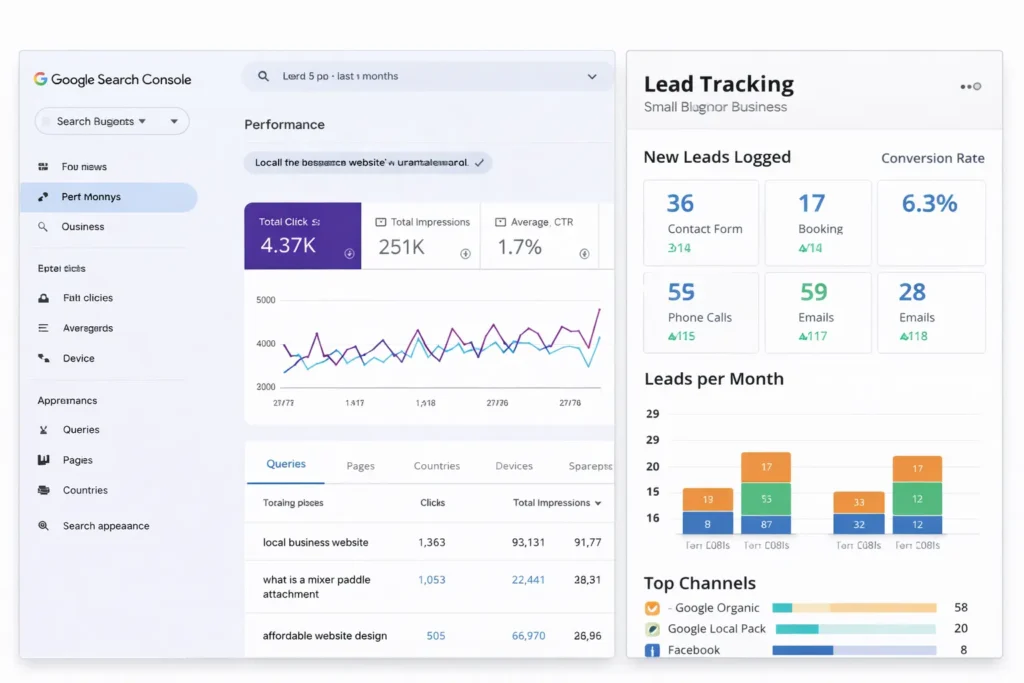
Finally, track the right outcomes. Do not measure success by rankings alone. Look at impressions, clicks, contact form submissions, qualified leads, and whether visitors are reaching service pages after landing on your blogs. That is what tells you whether the SEO work is improving the business, not just the graph.
If you want to see how a conversion-focused site is structured in practice, visit our studio and review how the pages guide users from search to inquiry.
Businesses that want stronger page structure, speed, and conversion paths can get a free website audit before changing their WordPress setup.
To add more trust and proof to your commercial pages, link readers to your project gallery so they can see real examples of business website work.
For a clear overview of crawlability, indexing, and page-quality basics, Google explains the essentials in Google’s SEO Starter Guide.
WordPress users can also review the official WordPress SEO guide for help with visibility settings, meta descriptions, and image optimization.
Final Take
When done well, wordpress SEO for business is not about publishing more pages than everyone else. It is about building the clearest path between search intent, trust, and conversion so the right visitor lands on the right page and knows what to do next.
If you want stronger results, tighten your site structure first, improve the pages closest to revenue, and then publish supporting content that feeds those pages instead of competing with them. That is the kind of setup that tends to rank better, convert better, and stay easier to manage over time.
Frequently Asked Questions
1. Is SEO dead or evolving in 2026?
SEO is evolving, not dead. Search behavior has expanded beyond traditional blue-link results, but people still need search engines and AI tools to find reliable businesses, compare options, and make decisions. What has changed is the standard. Thin pages and vague content are easier to ignore now, while clear answers, strong trust signals, and well-structured pages are easier to surface. Businesses that focus on usefulness, expertise, and conversion paths still benefit from SEO in 2026.
2. Can I do SEO with WordPress?
Yes, you can absolutely do SEO with WordPress. In fact, WordPress is one of the most practical platforms for small businesses because it gives you direct control over titles, headings, URLs, image alt text, blog publishing, and internal links. You do not need an enterprise stack to get results. What you do need is a clean theme, a sensible plugin setup, a clear page hierarchy, and content that supports your services instead of distracting from them.
3. Is SEO being phased out?
No, SEO is not being phased out. It is becoming more integrated with content quality, user experience, local relevance, and structured answers. That means businesses can no longer rely on keyword repetition alone. Search visibility now depends more on how clearly a page solves a problem, how easily users can navigate the site, and how much trust the business creates once someone lands on the page. The channel is changing shape, but the need to be discoverable is not disappearing.
4. Is WordPress still good for SEO?
Yes, WordPress is still good for SEO. It remains a strong choice because it is flexible, scalable, and friendly to ongoing content work. Small businesses can update service pages, publish blog posts, improve metadata, manage internal links, and add schema without rebuilding the site from scratch. WordPress becomes especially effective when the site is kept lightweight, the structure is intentional, and every page has a clear role in moving a visitor toward inquiry or purchase.
