
Shopify vs wordpress for small business usually comes down to one simple choice: Shopify is better for selling products fast, while WordPress is better for flexible content, SEO, and custom growth.
If your small business needs an easy online store, choose Shopify. If you want more control over design, search rankings, content, and long-term website ownership, WordPress is often the stronger option.
In this guide, we’ll compare cost, setup, SEO, ecommerce features, design control, maintenance, and which platform fits different business goals.
Need help choosing the right website platform? Start with small business web design experts who can guide your next move.
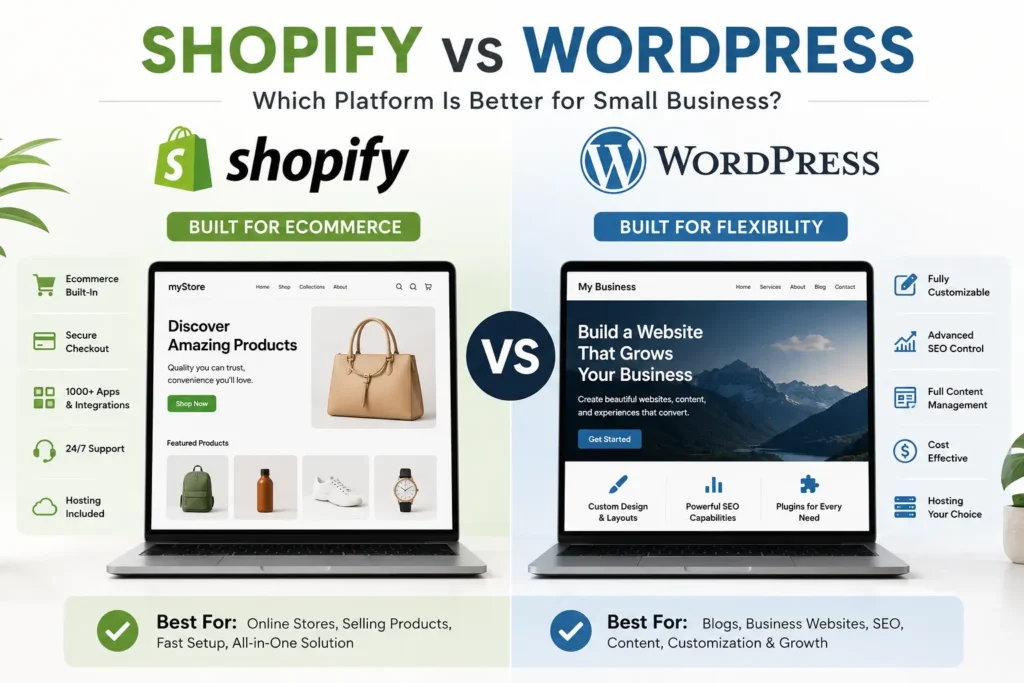
Quick Comparison: Shopify vs WordPress
| Feature | Shopify | WordPress |
|---|---|---|
| Best for | Online stores | Service sites, blogs, SEO, custom websites |
| Ease of use | Very beginner-friendly | More flexible but needs setup |
| Ecommerce | Built in | Requires WooCommerce or plugins |
| SEO control | Good basic SEO | Stronger advanced SEO control |
| Monthly cost | Predictable monthly plans | Varies by hosting, plugins, and support |
| Design freedom | Limited by themes and apps | Highly customizable |
| Maintenance | Shopify handles most of it | Owner or developer manages it |
Shopify is a hosted ecommerce platform with built-in selling tools and pricing plans listed on Shopify’s official pricing page. WordPress is open-source software that needs hosting, HTTPS, and a proper server setup to run well.
What Is Shopify?
Shopify is an all-in-one ecommerce platform made for selling products online. It includes hosting, checkout, inventory tools, product pages, payment options, themes, and apps in one system.
This makes it attractive for small businesses that want to launch a store without dealing with hosting, plugin conflicts, or technical updates.
You can sell physical products, digital products, subscriptions, and even connect in-person sales using Shopify POS. For many product-based businesses, Shopify feels simple because most ecommerce tools are already built in.
The tradeoff is control. You are building inside Shopify’s ecosystem, so deeper customization usually needs paid apps, custom code, or a Shopify developer.
Shopify’s official pricing page explains its ecommerce plans, monthly costs, and selling features in more detail: https://www.shopify.com/pricing
What Is WordPress?
WordPress is a flexible content management system that powers websites, blogs, landing pages, portfolios, and ecommerce stores. With WooCommerce, WordPress can also become a full online store.
The biggest advantage is control. You can choose your hosting, design system, SEO plugins, content layout, checkout tools, analytics, forms, speed setup, and integrations.
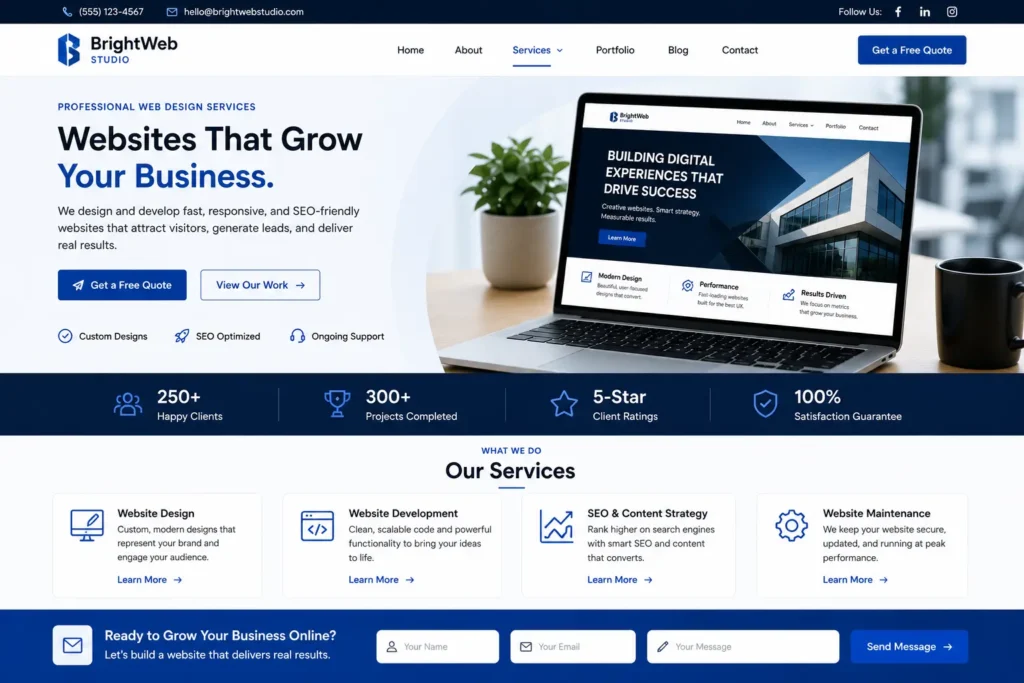
This is why many service businesses, local companies, consultants, agencies, and content-driven brands prefer WordPress. It gives you more room to build a website around search traffic, landing pages, blog content, lead generation, and custom conversion paths.
If ranking content is part of your growth plan, read this guide on how to rank a small business website.
WordPress.org explains the hosting and technical requirements needed to run a WordPress website properly: https://wordpress.org/about/requirements/
Which Platform Is Easier for Small Business Owners?
Shopify is easier for beginners who mainly want to sell products. The setup is guided, the dashboard is clean, and the essential store features are already included.
WordPress takes more setup because you need hosting, a theme, plugins, security, backups, and performance optimization. However, once it is built properly, it can be easy to manage day to day.
Here’s the practical way to think about it:
| Business Goal | Better Option | Why |
|---|---|---|
| Sell products quickly | Shopify | Ecommerce tools are already built in |
| Rank blog content | WordPress | More SEO and content flexibility |
| Build a service website | WordPress | Better landing page and lead generation control |
| Avoid technical work | Shopify | Hosting and updates are handled |
| Customize everything | WordPress | More design, plugin, and code freedom |
| Keep costs lean long term | WordPress | Costs can be controlled with the right setup |
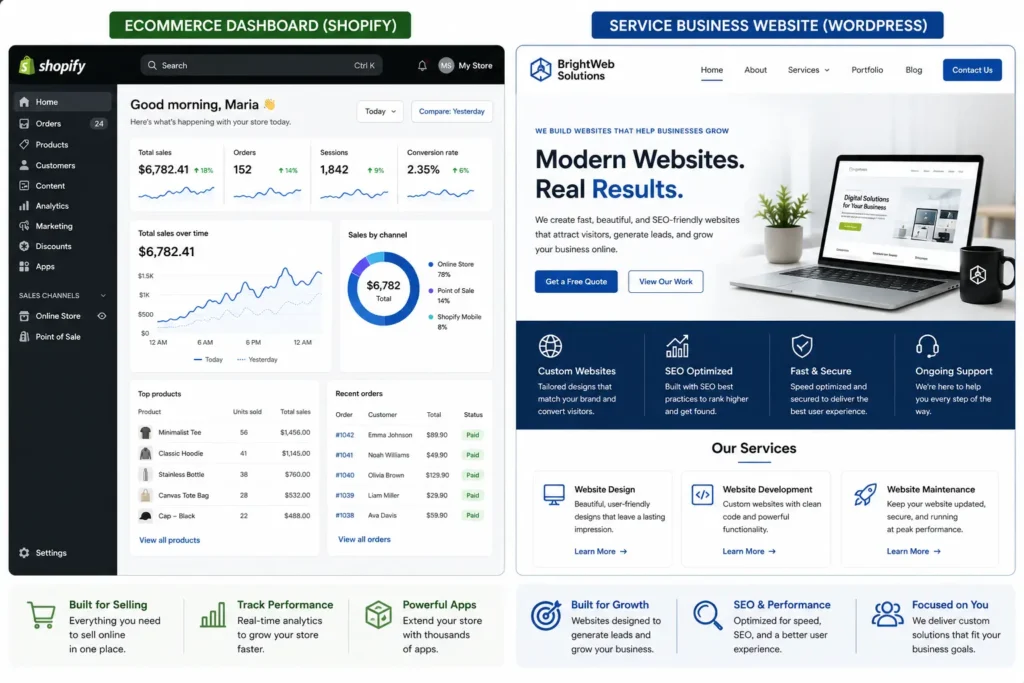
For a service business, WordPress often gives more value because your website needs to educate, rank, capture leads, and build trust. For a retail business, Shopify may be the faster path because the store features are already there.
Want a professional build instead of guessing? Explore website design & development services.
Cost Comparison: Which One Is Cheaper?
WordPress can be cheaper, but only if you manage it carefully. Shopify is more predictable, but it can become expensive as your store grows.
Shopify usually has a monthly platform fee, payment fees, theme costs, and app costs. Shopify’s pricing page also notes discounts for yearly subscriptions on selected plans.
WordPress itself is free, but you still pay for hosting, domain, premium plugins, themes, developer help, security tools, or maintenance. WordPress.org also explains that WordPress needs a proper web server and HTTPS to run correctly.
Example Cost Scenario
A small bakery selling cakes online may choose Shopify because checkout, product pages, inventory, and payment tools are ready. That business may spend more monthly, but it saves time on setup.
A local service company may choose WordPress because it needs service pages, location pages, blog content, contact forms, testimonials, and SEO control. The monthly cost can stay lower if the website is built cleanly.
✅ Best budget choice for a simple service site: WordPress
✅ Best budget choice for a simple online store: Shopify
✅ Best long-term SEO investment: WordPress
✅ Best fast ecommerce launch: Shopify
SEO Comparison: Which Platform Ranks Better?
WordPress usually gives small businesses stronger SEO control. You can customize site structure, URLs, schema, internal links, content layouts, speed tools, image optimization, and technical SEO plugins.
Shopify can still rank well, especially for ecommerce keywords. It lets you edit titles, meta descriptions, product descriptions, alt text, and blog posts. However, Shopify has more limits in URL structure and deeper technical customization.
For RankMath-style optimization, WordPress is often easier because you can use tools like Rank Math, build custom content sections, add schema, optimize breadcrumbs, and control internal links more precisely.
If SEO is your priority, use a clear structure like this:
✅ One main keyword per page
✅ Short URL slug
✅ Strong first paragraph answer
✅ Internal links to service pages and blogs
✅ Helpful comparison tables
✅ FAQ section with direct answers
✅ Image alt text using related terms
For deeper WordPress optimization, visit this guide on WordPress SEO for business.
Ecommerce Features: Why Shopify Wins for Selling Products
Shopify is built for ecommerce first. That means product management, checkout, payment processing, abandoned cart recovery, shipping settings, discounts, and inventory tools are part of the platform.
This is why Shopify is often better for:
✅ Clothing stores
✅ Beauty brands
✅ Digital product shops
✅ Subscription products
✅ Dropshipping stores
✅ Retail businesses with online and offline sales
WordPress can do ecommerce through WooCommerce, but it requires more setup. You may need plugins for payments, tax, shipping, subscriptions, product filters, checkout improvements, and email automation.
That flexibility is powerful, but it also means more moving parts. For a small business owner who does not want to manage plugins, Shopify feels easier.
For example, a candle business with 40 products may launch faster on Shopify. A wellness clinic selling five digital guides but also needing service pages, appointment forms, and blog SEO may fit better on WordPress.
Design and Customization: Why WordPress Wins for Flexibility
WordPress gives more design freedom. You can build custom layouts for services, landing pages, blogs, case studies, portfolios, pricing pages, and local SEO pages.
Shopify themes are clean and professional, but customization is usually tied to theme settings or paid apps. If your business needs a very custom layout, advanced content blocks, or unique landing pages, Shopify may need extra development.
WordPress is stronger for businesses that need:
✅ Custom service pages
✅ Lead capture landing pages
✅ Local city pages
✅ Long-form SEO blogs
✅ Portfolio layouts
✅ Advanced forms
✅ Custom calls to action
✅ Flexible homepage sections
Want to see real design examples? Browse the project gallery.
Ownership and Control
WordPress gives you more ownership because you can move your site to another host, change your theme, edit code, change plugins, and control your database.
Shopify gives you ownership of your content and products, but your store runs on Shopify’s hosted system. You can buy or connect a domain, but the store platform itself remains inside Shopify.
This matters when your business grows. If you want full control over technical SEO, database access, custom functions, and hosting choices, WordPress is better. If you prefer not to worry about hosting and updates, Shopify is simpler.
Maintenance and Security
Shopify handles hosting, security updates, and platform maintenance. That is one of its biggest advantages for busy store owners.
WordPress needs more care. You must update themes, plugins, WordPress core, security tools, and backups. This is not a problem if you have a maintenance plan or developer, but it can become stressful if ignored.
A neglected WordPress site can become slow, outdated, or vulnerable. A well-maintained WordPress site can be fast, secure, and powerful.
For small businesses, the smart move is to decide whether you want convenience or control.
✅ Choose Shopify if you want less maintenance
✅ Choose WordPress if you want more control
✅ Choose professional support if you want WordPress power without technical stress
For platform planning, you can also compare this related guide on WordPress vs Wix for business.
Which Option Is Best for Your Small Business?
The best platform depends on how your business makes money.
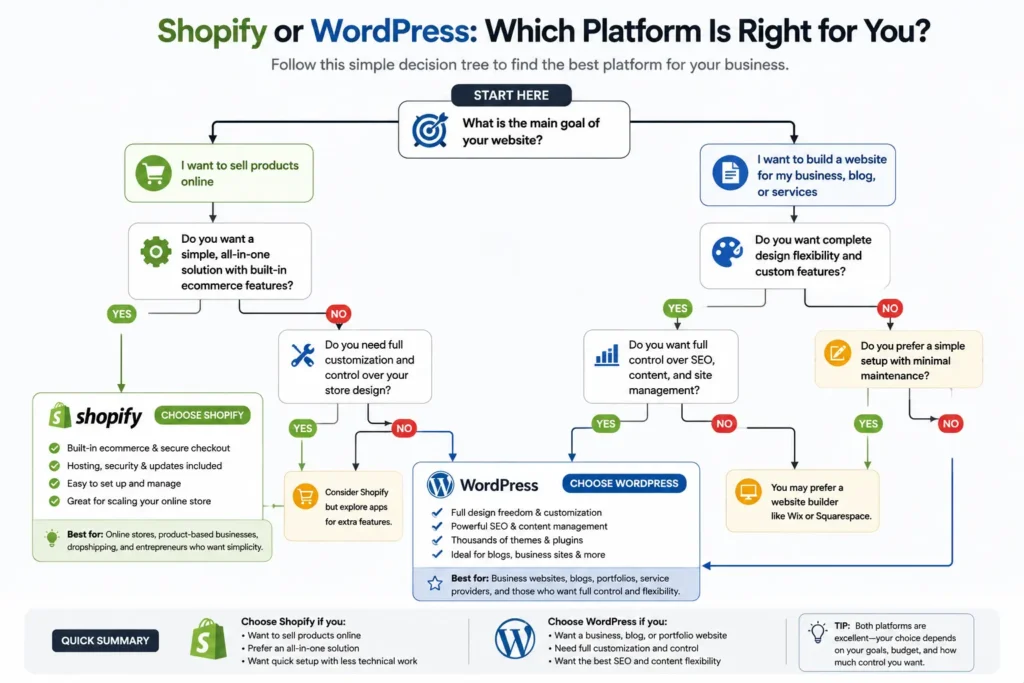
Choose Shopify if your website is mainly an online store. It is fast to set up, easy to manage, and focused on selling. It removes many technical steps, which helps owners who want to focus on products, fulfillment, and marketing.
Choose WordPress if your website needs to rank in Google, generate leads, publish content, explain services, showcase work, and support long-term brand growth. It gives better flexibility for content strategy and custom conversion pages.
Here is the simplest decision:
✅ Product-first business: Shopify
✅ Service-first business: WordPress
✅ Blog and SEO-first business: WordPress
✅ Fast online store launch: Shopify
✅ Custom website with long-term growth: WordPress
For many small businesses, WordPress is the best overall choice because it supports SEO, content, service pages, landing pages, and full website control. But for pure ecommerce, Shopify can be the better practical choice.
Practical Tips Before You Choose
Before choosing a platform, write down what your website needs to do in the next 12 months.
Ask yourself:
✅ Do I need checkout and inventory tools?
✅ Do I need blog content to rank?
✅ Will I sell 5 products or 500 products?
✅ Do I need service pages and quote forms?
✅ Do I want to manage updates myself?
✅ Do I need full design control?
A common mistake is choosing a platform only because it looks easy today. Your website should also support where your business is going.
For example, if you are launching a handmade jewelry brand, Shopify may help you sell faster. If you are a home remodeling company, WordPress will usually give you stronger local SEO, better project pages, and more flexible lead generation.
Final Thoughts: shopify vs wordpress for small business
The right platform depends on your business model, budget, and growth plan. Shopify is best when you want a simple ecommerce system that helps you sell products quickly. WordPress is best when you want more control, stronger SEO flexibility, custom pages, and long-term content growth.
For most service-based small businesses, WordPress is the smarter choice. For product-based stores that need checkout, inventory, and fast setup, Shopify is usually the easier choice.
Need help deciding? Get a free website audit and find the best platform for your business goals.
Frequently Asked Questions
1. Why is Shopify better than WordPress?
Shopify is better than WordPress when your main goal is to sell products with less technical setup. The main advantage of Shopify is its built-in ecommerce system, which includes checkout, product pages, inventory tools, payments, and hosting. WordPress can also sell products with WooCommerce, but it usually needs more setup, plugin management, and maintenance.
2. What is the downside to Shopify?
The downside to Shopify is that it can become expensive and less flexible as your business grows. The biggest limitation is platform control, because your store runs inside Shopify’s hosted ecosystem. You may need paid apps for advanced features, and deeper customization often requires a developer. It is convenient, but not as open or flexible as WordPress.
3. Which is better GoDaddy or Shopify?
Shopify is better for ecommerce, while GoDaddy is better for simple domain, hosting, or basic website needs. The better choice depends on what you are building. If you need a serious online store with product management and checkout, Shopify is stronger. If you only need a domain, simple business site, or basic hosting, GoDaddy may be enough.
4. Which is cheaper, Shopify or WordPress?
WordPress is usually cheaper for simple websites, while Shopify can be more predictable for online stores. The cheaper option depends on your setup. WordPress software is free, but you still pay for hosting, domain, themes, plugins, and support. Shopify has monthly plans, but ecommerce tools are already included, which can save setup time.
5. Do I own my domain name with Shopify?
Yes, you can own your domain name with Shopify if you buy it through Shopify or connect one from another registrar. Your domain is separate from your store platform, but your Shopify website still runs on Shopify’s system. This means you can usually manage or transfer your domain, but your store setup depends on Shopify.
