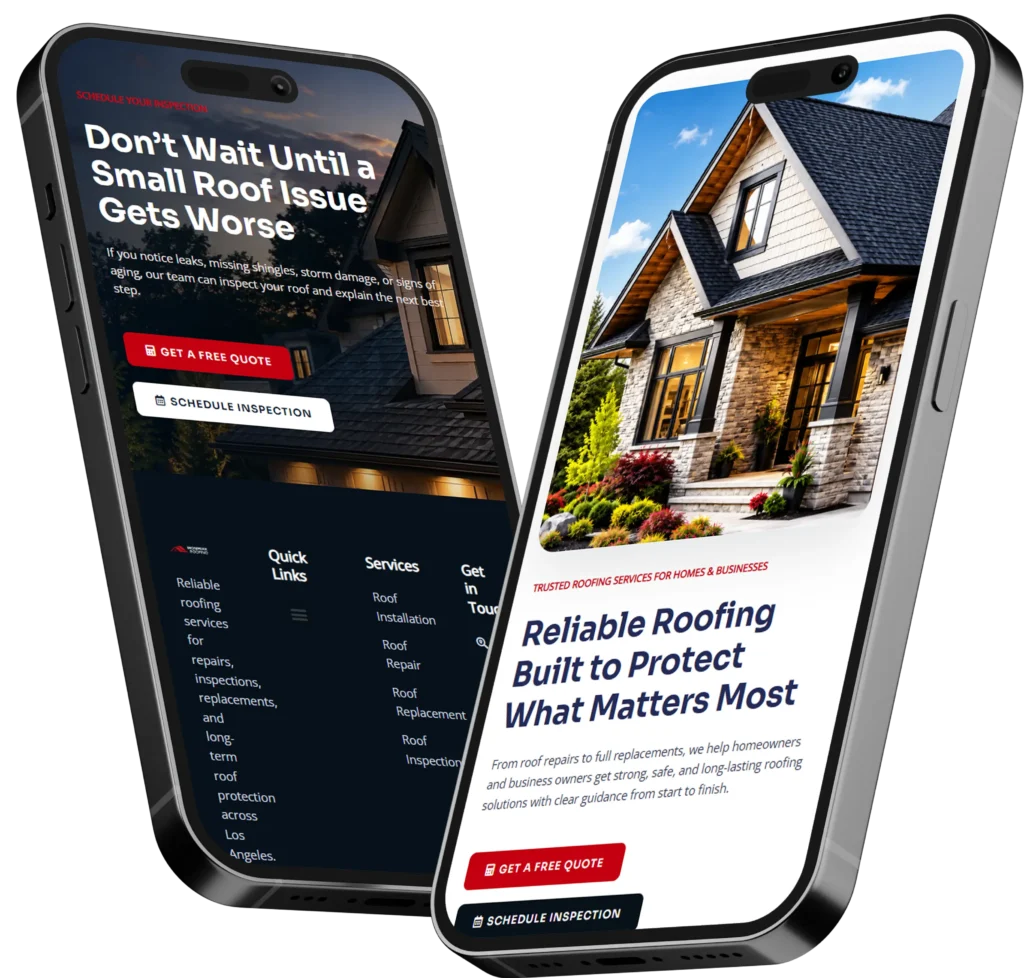
Web design services for US business owners help turn a basic website into a trust-building sales tool that attracts visitors, explains your offer, and encourages calls, bookings, or quote requests. A good website should look professional, load quickly, work on mobile, and guide people toward the next step without confusion.
For many small businesses, the website is the first impression before a customer ever calls. If it looks outdated, loads slowly, or makes pricing and contact details hard to find, people may leave before they understand your value.
In this guide, we’ll explain what professional website design includes, why it matters for leads and SEO, and how to choose the right option for your business.
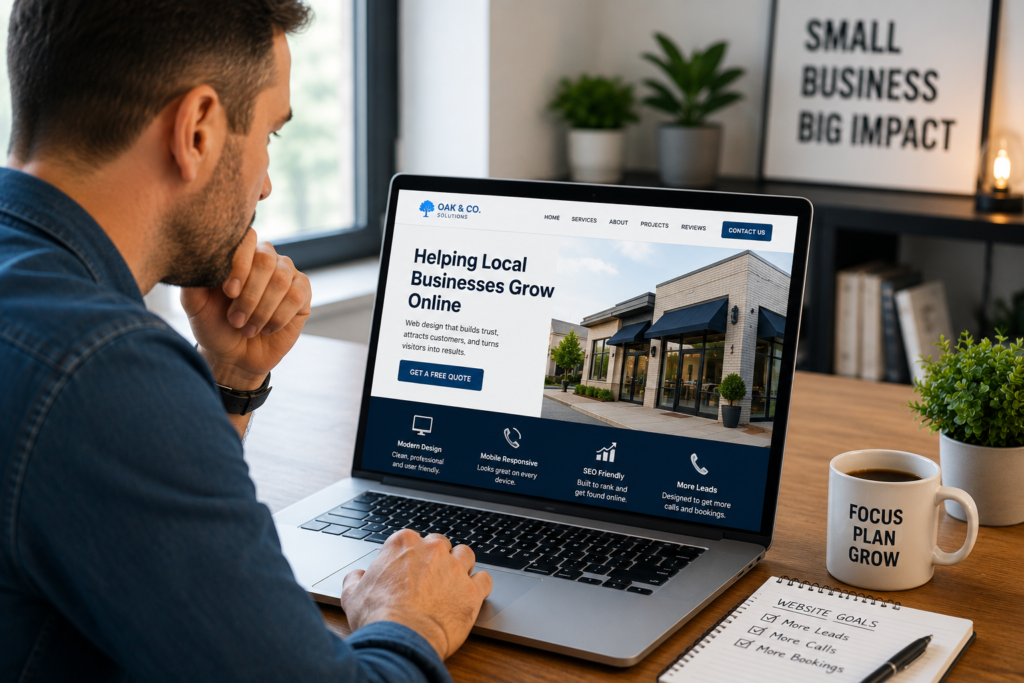
Why Website Design Matters for Small Businesses
Your website is more than an online brochure. It is often your storefront, sales assistant, trust signal, and lead system all in one place.
When someone searches for a local service, compares companies, or clicks from Google Business Profile, they usually want fast answers. They want to know what you do, where you serve, whether you look trustworthy, and how to contact you.
A well-built site helps answer those questions clearly.
It also supports search visibility. Google recommends creating helpful, reliable, people-first content and providing a strong page experience, which means your website should be built for real visitors first, not just search engines. Read more from Google’s people-first content guidance.
What a Good Small Business Website Should Do
A strong website should help visitors feel confident. It should not make them guess what to click next.
✅ Explain your service clearly
✅ Show proof through reviews, results, or sample work
✅ Make calls, bookings, and contact forms easy to find
✅ Load properly on mobile phones
✅ Support SEO with clear pages and helpful content
✅ Match your brand, audience, and local market
If your website does these things well, it becomes easier for customers to take action.
Want a cleaner site that is built around trust and conversions? Start with conversion-focused web design for small businesses that need a stronger online presence.
What Is Included in Professional Website Design
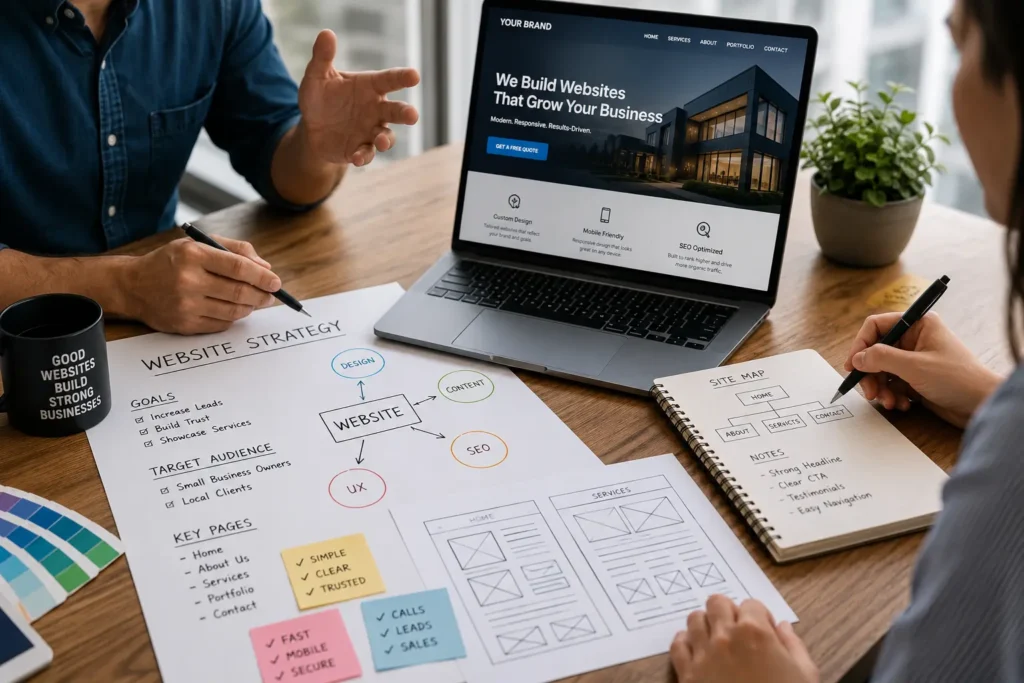
Professional website design usually includes strategy, page layout, copy structure, visual branding, mobile responsiveness, technical setup, and conversion planning. The goal is not just to make a site look nice. The goal is to make it useful.
A web designer should think about your visitors before choosing fonts, colors, sections, or page flow.
Core Website Design Elements
| Website Element | Why It Matters | Best Use |
|---|---|---|
| Homepage structure | Gives visitors a quick understanding of your business | Best for service overview, trust points, and main CTA |
| Service pages | Helps each offer rank and convert better | Best for detailed service explanations |
| Landing pages | Focuses visitors on one action | Best for ads, campaigns, and promotions |
| Mobile design | Makes the site easy to use on phones | Best for local search and fast contact |
| Calls to action | Guides users toward calls, forms, or bookings | Best for lead generation |
| Trust sections | Reduces doubt before someone contacts you | Best for reviews, work samples, and guarantees |
Why Strategy Comes Before Design
A pretty website can still fail if it does not guide visitors properly. Strategy decides what each page should say, where buttons should go, and what information should appear before asking someone to contact you.
For example, a roofing company may need emergency call buttons, service area pages, before-and-after photos, and financing details. A med spa may need treatment pages, booking buttons, social proof, and clear trust signals. A B2B consultant may need case studies, authority sections, and a strong contact funnel.
The design should fit the buying process.
Website Design vs. Website Redesign
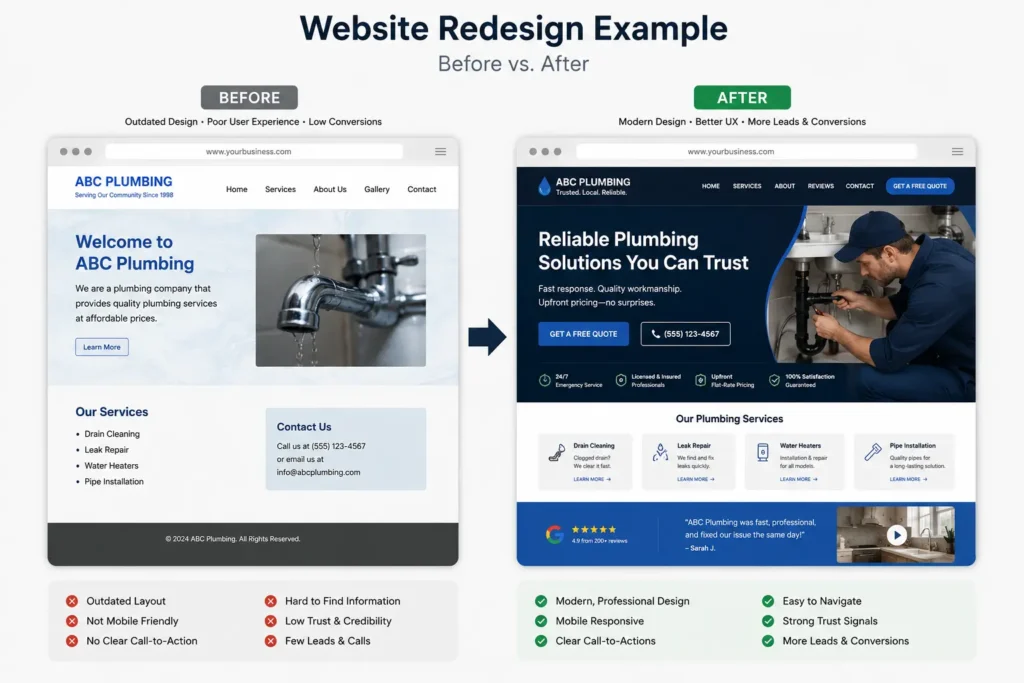
Some business owners need a new website. Others already have a website, but it is not helping enough. That is where redesign becomes important.
A redesign is best when your current site has traffic but does not convert well, looks outdated, loads slowly, or does not explain your offers clearly.
When a New Website Makes Sense
A new website is usually better when you are starting from scratch or your current site is too limited to fix.
✅ You do not have a business website yet
✅ Your current site is only one basic page
✅ Your branding, services, or market has changed
✅ Your old builder or platform is hard to update
✅ You need a better structure for SEO
When a Redesign Makes Sense
A redesign is often the better choice when your site already has pages, rankings, or content worth improving.
✅ Your site gets visits but few leads
✅ Your design looks old compared to competitors
✅ Your mobile layout is hard to use
✅ Your pages lack clear calls to action
✅ Your content does not match your current offers
✅ Your site speed or user experience is hurting results
If your website feels outdated or does not bring enough inquiries, review website design & development services to see what a better structure can include.
How Design Affects Leads, Calls, and Bookings
A website should make the next step obvious. If someone has to hunt for your phone number, service details, or booking button, you may lose them.
This is where conversion-focused design matters.
Lead-Focused Website Sections
Your most important pages should include clear sections that answer customer questions before doubt builds.
For service businesses, this often includes:
✅ What you offer
✅ Who you help
✅ Where you serve
✅ Why people choose you
✅ Proof of work or reviews
✅ Simple contact options
✅ A strong call to action
Avoid making visitors read five long paragraphs before they understand your service. Use short sections, helpful headings, and simple language.
Practical Example
A local HVAC company may have a homepage button that says “Schedule AC Repair” instead of a vague “Learn More.” A dental office may use “Book an Appointment” near the top of the page. A contractor may use “Request a Free Estimate.”
The wording matters because customers respond faster when the action matches what they already want.
Website Design and SEO
Website design and SEO work together. A site can have beautiful visuals, but if Google cannot understand the pages or users leave quickly, it will struggle.
SEO-friendly design includes clean structure, useful content, page speed, proper headings, internal links, image optimization, and mobile usability.
Google’s SEO Starter Guide explains that content should be unique, helpful, reliable, and written with readers in mind. It also encourages website owners to think about the search terms users may use.
What SEO-Friendly Design Looks Like
| SEO Area | What to Check | Why It Helps |
|---|---|---|
| Page titles | Each page has a clear topic | Helps search engines and users understand the page |
| Headings | H2 and H3 sections answer real questions | Improves readability and content structure |
| Internal links | Related pages connect naturally | Helps visitors and search engines discover more content |
| Mobile layout | Buttons, text, and forms work on phones | Improves user experience |
| Page speed | Images and code are optimized | Helps visitors stay on the site |
| Service pages | Each major service has its own page | Supports keyword relevance |
Internal Linking for Better Results
Internal links help guide visitors to the right next step. They also help search engines understand which pages are important.
For example, a blog post about hiring help can point readers to service pages, portfolios, and related guides. That is why it is useful to connect this article to helpful resources like hire a remote web designer and website designer for US small business.
These links make the article more useful because readers can continue learning without starting a new search.
Why Trust Signals Matter on a Website
People do not contact a business just because the website looks modern. They contact a business when they feel safe enough to trust it.
Trust signals reduce hesitation. They show that your business is real, experienced, and capable.
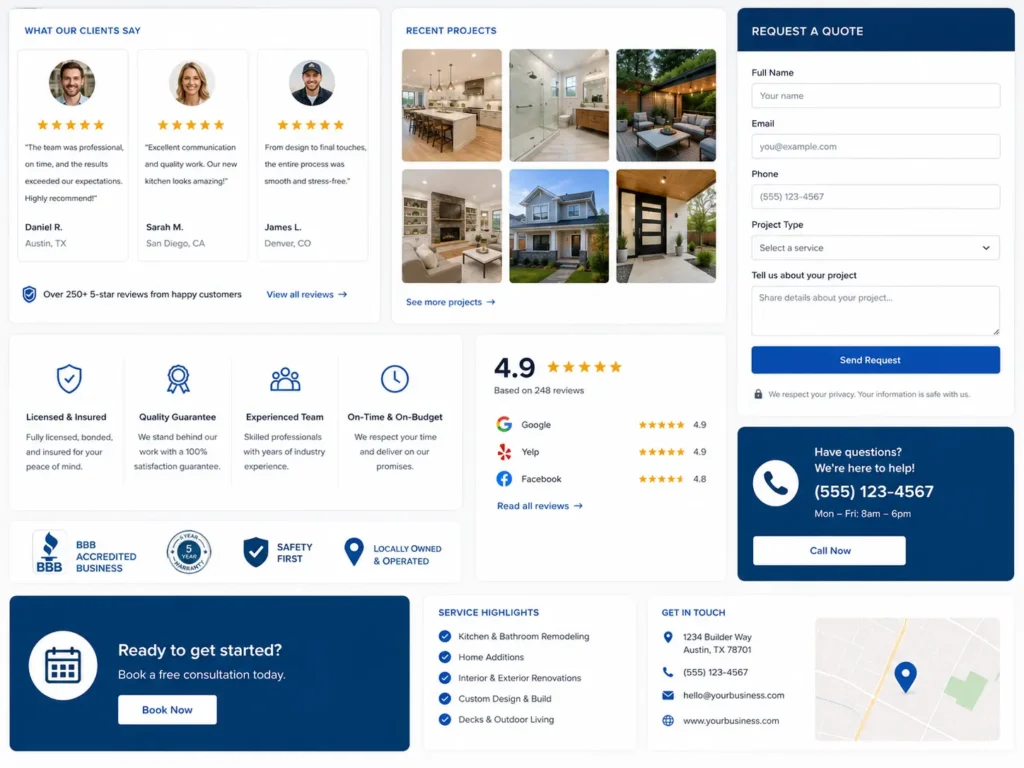
Common Trust Signals to Add
✅ Customer reviews
✅ Testimonials with names or locations
✅ Photos of real work
✅ Case studies or project examples
✅ Clear service details
✅ Business address or service area
✅ Professional branding
✅ Secure website connection
✅ Easy contact information
A website without proof can feel risky. Even if your business is excellent, customers may choose a competitor who shows more evidence.
See examples of completed work in the portfolio highlights to understand how presentation can support trust.
Landing Pages for Ads and Campaigns
Not every visitor should go to your homepage. If you are running Google Ads, Facebook Ads, email campaigns, or seasonal offers, a landing page may work better.
A landing page focuses on one goal. It removes distractions and gives the visitor a clear reason to act.
When to Use a Landing Page
Use a landing page when you want one specific action, such as:
✅ Book a consultation
✅ Request a quote
✅ Claim a seasonal offer
✅ Download a guide
✅ Schedule a call
✅ Register for a service
For example, a remodeler running ads for bathroom renovations should not send traffic to a general homepage. A dedicated bathroom remodeling landing page can show project photos, service benefits, trust signals, FAQs, and a quote form.
That is more focused and usually easier for visitors to act on.
Website Speed and User Experience
Speed matters because people do not like waiting. A slow website can make a business feel outdated, even before the visitor reads the page.
Core Web Vitals measure real user experience for loading, interactivity, and visual stability. The current stable metrics include LCP, INP, and CLS, according to web.dev’s Core Web Vitals guide.
Simple Speed Improvements
You do not need to understand every technical term to know what matters. Your site should feel fast, smooth, and stable.
✅ Compress large images before uploading
✅ Avoid too many heavy scripts
✅ Use clean layouts instead of bloated sections
✅ Choose reliable hosting
✅ Test important pages on mobile
✅ Keep plugins and themes under control
A fast site helps users move through your pages with less friction. That can support more calls, forms, and bookings.
Which Website Option Is Best for Your Business
The best option depends on your goals, budget, timeline, and current website condition.
A startup may need a simple but professional site. A growing service business may need a full redesign with SEO pages. A company running paid ads may need landing pages first.
Best Option by Business Need
✅ Choose a starter website if you need a clean online presence fast.
✅ Choose a full website build if you need pages for multiple services.
✅ Choose a redesign if your current site looks outdated or fails to convert.
✅ Choose landing pages if you run ads or campaigns.
✅ Choose SEO-focused design if organic traffic is a long-term goal.
The right choice should match how customers find and evaluate your business.
Practical Tip Before Hiring
Before contacting a designer, write down your top three website goals. For example:
✅ Get more phone calls
✅ Improve local SEO
✅ Look more professional
✅ Explain services better
✅ Increase appointment bookings
This helps your designer recommend the right structure instead of guessing.
How to Hire the Right Web Designer
Hiring a web designer should not feel like choosing based only on price. A cheap website can become expensive if it does not work, is hard to update, or needs to be rebuilt later.
Look for someone who understands design, user experience, SEO basics, and lead generation.
Questions to Ask Before Hiring
Ask practical questions before signing:
✅ Have you built websites for small businesses before?
✅ Will the site be mobile responsive?
✅ Do you include basic SEO setup?
✅ Can I see sample work?
✅ Will the website be easy to update?
✅ Do you help with calls to action and page structure?
✅ What happens after launch?
A good designer should be able to explain the process clearly. If every answer sounds vague, keep looking.
Cost vs. Value of a Professional Website
A website should be measured by value, not just cost. If a better site helps you gain more calls, bookings, or qualified leads, it can pay for itself over time.
The cheapest option may work for a temporary page, but it may not be enough for a serious business that depends on trust and search visibility.
How to Think About Website ROI
Think about your average customer value.
If one new client is worth $1,000 and your improved website helps bring five new clients, that is $5,000 in potential revenue. For some industries, one project can cover the cost of a redesign.
That does not mean every website guarantees results. It means your site should be built with business goals in mind, not just visuals.
Final Thoughts: web design services for US business owners
Web design services for US business owners are most useful when they combine clear messaging, professional visuals, mobile usability, SEO structure, and strong calls to action. A website should help people trust your business faster and make it easy for them to contact you.
If your current site does not explain your value, show proof, or bring steady inquiries, it may be time to improve the structure. Start with the pages that matter most: homepage, service pages, contact page, and any landing pages tied to your campaigns.
For a stronger website built around trust, speed, and leads, explore website redesign that converts and start planning your next version with a clear goal.
Frequently Asked Questions
1. How much should a small business website cost in the USA?
Small business website cost depends on the size, features, and strategy behind the build. A basic informational website usually costs less than a custom site with service pages, booking forms, SEO setup, landing pages, and conversion-focused copy. Business owners should avoid choosing only by the lowest price because a weak website may need to be rebuilt later. The better question is whether the site can support trust, leads, calls, and long-term growth.
2. Do I need a website redesign if my current site still works?
A website redesign is worth considering when your current site works technically but does not help your business enough. If visitors are not calling, forms are not coming in, pages look outdated, or the mobile version feels difficult to use, your site may be costing you leads. A redesign can improve layout, messaging, speed, trust signals, and calls to action so visitors understand your services faster and feel more confident contacting you.
3. Can a professionally designed website help me get more leads?
A professionally designed website can help generate more leads when it is built with user intent and conversion flow in mind. Design alone is not enough. Your website also needs clear service information, simple navigation, strong trust signals, visible contact options, fast loading, and persuasive calls to action. When these pieces work together, visitors are more likely to request a quote, book a call, or contact your business instead of leaving.
4. Should I hire a web designer or use a DIY website builder?
Hiring a web designer is usually better when your website needs to support trust, SEO, leads, and professional positioning. DIY builders can work for very simple starting pages, but many business owners struggle with layout, copy, mobile design, speed, and conversion strategy. A professional designer can create a cleaner structure, avoid common mistakes, and build pages around your goals, especially if your business depends on calls, bookings, or local search visibility.