
Local leads come from clear UX and crawlable pages tuned for your city. Use local SEO web design tips that prioritize speed, trust elements, and location signals, so searchers pick you first.
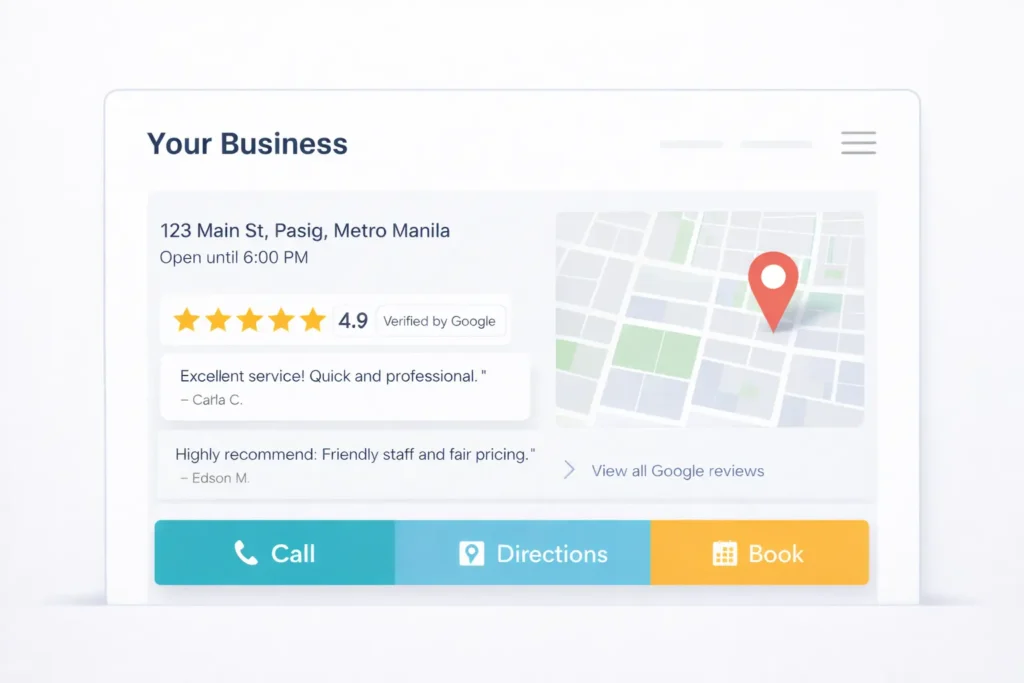
Local leads come from clear UX and crawlable pages tuned for your city. Use local SEO web design tips that prioritize speed, trust elements, and location signals, so searchers pick you first.
What You’ll Learn
You’ll see why design choices affect local rankings, how to apply them step by step, and which options fit different business types. You’ll also get examples, quick win checklists, and two printable tables you can share with your team.
Quick resource hop: if you need hands-on help, see our Services page or review our Sample Work to view real outcomes. For conversion-first layouts, check our guide on web design conversion tips and content planning via web design content strategy. For landing-page specifics, bookmark our web design landing page tips.
Why Design Drives Local SEO Results
Search engines want to recommend pages that load fast, answer intent, and show strong trust signals. On local sites, that means:
- Location clarity. Every page should tell Google and users exactly where you operate.
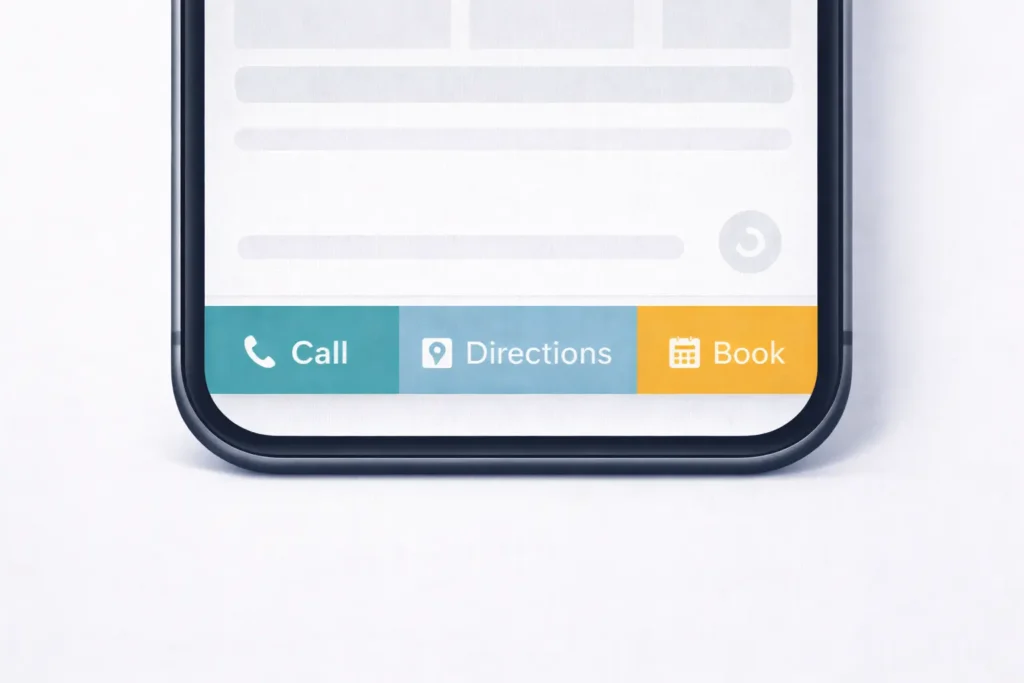
- Action-first UX. Calls, directions, and bookings must be one tap away on mobile.
- Consistent identifiers. Name, address, phone, and hours need to match across pages and profiles.
- Demonstrated trust. Prominent reviews, service coverage maps, and real photos reduce friction.
The Business Case
A site that is one tap to call, two taps to book, and three taps to compare services will outperform a prettier but slower site. This is especially true for intent-rich visits like “near me” searches, where the user wants a fast answer with minimal scrolling.
How To Apply Local-first Design
The structure below mirrors how users skim a local page on mobile: reassurance, proof, action, and depth.
1. Above-the-fold Essentials
Place these within the first viewport:
- Primary headline stating service and city.
- Subheadline with one pain-point promise.
- Sticky action bar: Call, Directions, Book, or Get Quote.
- Trust row: stars, review count, and a link to your Google profile.
- City-specific schema embedded in the code.
Internal links here should guide the visitor to your best conversion path. Use a short route to your Services or a featured project on Sample Work.
2. Proof and Proximity
In the first scroll:
- Neighborhood list you actually serve.
- Recent jobs with microcase blurbs: area, problem, outcome, and a photo.
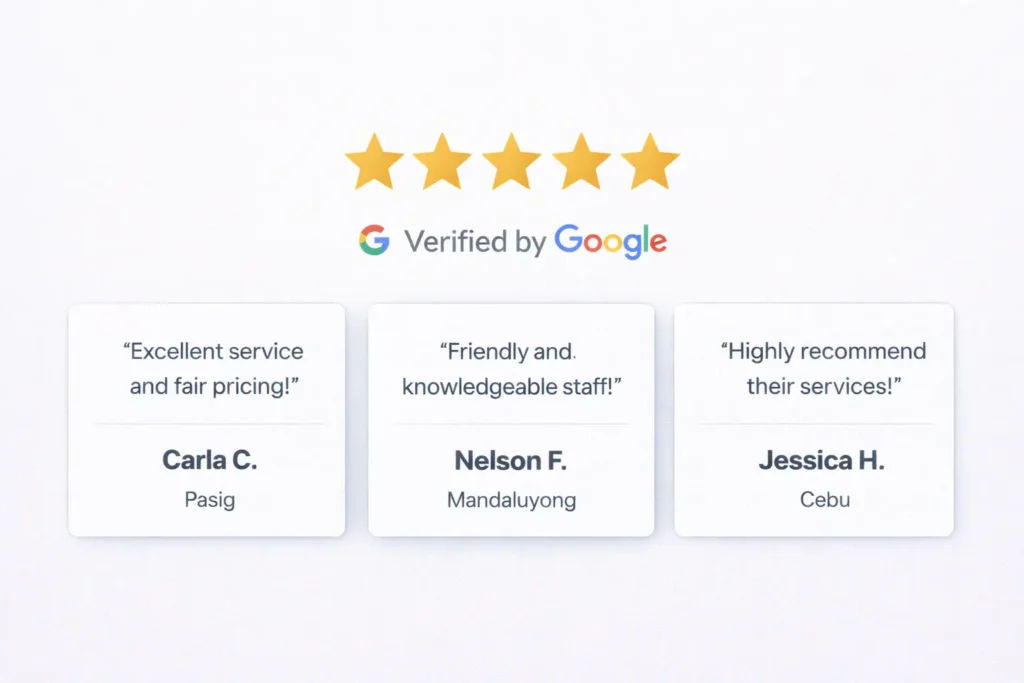
- Review carousel with first names and districts.
- Map embed that centers on your business location.
3. Service Blocks That Rank
Create a clear grid for each main service. Every block links to a service page with unique photos, local FAQs, and a zip code cluster. Avoid generic text across multiple pages. Aim for compact summaries, not long bulleted walls. For copy angles, borrow from our walkthrough on web design content strategy.
4. Conversion Safety Net
Repeat your primary call-to-action as the visitor moves down the page. Use a simple 3-field form with real-time validation and an optional file upload for quotes. Include a privacy reassurance note right under the button. Then nudge with a small testimonial.
Which Options Fit Your Business Type
Not all local businesses need the same depth. Choose the option set that matches your lead behavior and average ticket value.
Home Services
- Fast tap to call and photo-led jobs feed.
- Service area map with neighborhoods.
- Quote widget with image upload.
- After-hours response promise.
Clinics and Care
- Appointment slots and insurance logos.
- Doctor bios with credentials and friendly photos.
- Accessibility info and parking tips.
Restaurants and Retail
- Menu or inventory preview.
- Reservations or “order online” links.
- Map, hours, holiday notices.
Professional Services
- Case summaries by industry.
- Secure intake forms.
- Fee ranges and FAQs that pre-qualify.
Table 1: Quick Wins vs Deep Wins
| Move | Time | Impact | Where to Start |
| Add sticky mobile CTA bar | 30 min | High | Phone, Directions, Book |
| Compress hero images | 15 min | High | Aim ≤150KB per image |
| Add LocalBusiness schema | 25 min | High | Include NAP, hours, geo |
| Tighten H1 to “Service in City” | 10 min | Medium | Match searcher phrasing |
| Swap stock with real photos | 60 min | Medium | Top 3 service pages |
| Build service area list | 40 min | Medium | Neighborhoods + zip codes |
| Expand FAQs per page | 30 min | Medium | 3 intent-led answers |
For more layout guidance, browse our conversion tips.
On-page Elements That Matter Most
Clean, Localized Headings
Keep H1 concise: “Plumber in Pasig” or “Family Dentist in Makati”. Follow with a short H2 that confirms turnaround time or insurance acceptance. Resist keyword stuffing. Make it readable and specific.
Real-world Photos
Replace stock with your crew, storefront, and the inside of your service vehicles. Label files with simple descriptors and locations, like plumber-repipe-pasig-kapitolyo.jpg. This educates both visitors and image search.
Calls, Directions, and Book Buttons
Use a bright, contrasting color for the sticky footer. Test short verbs like Call Now, Get Quote, and Directions. Show the phone number next to the button to boost trust.
Reviews People Believe
Feature 3 to 5 reviews that mention the city or district. Display the first name and month. Link to your profile for verification. Keep the review module lightweight to protect site speed.
Technical Moves That Push You Up
Speed and Core Web Vitals
- Serve next-gen images and lazy-load below the fold.
- Inline critical CSS to speed first render.
- Defer third-party scripts and reduce widgets.
- Cache aggressively and use a fast host.
Local Schema and NAP
Add LocalBusiness schema to primary pages. Include consistent name, address, phone, hours, latitude, and longitude. Mark up service pages with Service schema if relevant. Keep the visible NAP in the footer across the site.
Internal Linking for City Signals
Link from your homepage to service and city pages using natural phrasing. Add a small “Also serving” module with 5 to 8 neighborhoods per page. Connect related advice pieces, like landing page tips, to your closest-money pages.
Accessibility and Mobile Usability
Form fields must have labels, buttons should be 44px high, and contrast ratios should meet WCAG standards. Add skip-to-content links. Accessibility improves conversions, not just compliance.
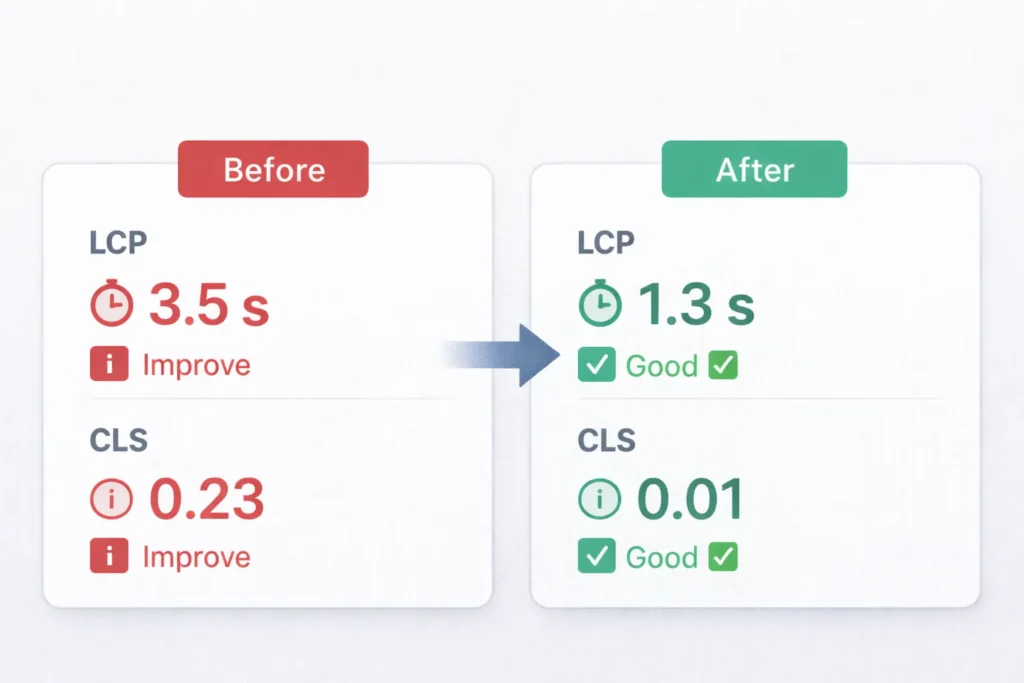
Table 2: Who Does What On Your Team
| Element | Owner | Notes |
| H1 and hero copy | Content lead | Keep to 8-11 words with city |
| Sticky CTA design | Designer | 3 buttons, bright contrast |
| Schema markup | Developer | LocalBusiness + Service |
| Image pipeline | Designer | 150KB hero, alt text set |
| Map and service areas | Ops | Keep neighborhoods current |
| Reviews and badges | CS manager | Update monthly |
| Internal links | SEO | 2-3 per page, natural anchors |
Practical Examples You Can Copy Today
Example 1: Clinic Homepage (Pediatric Dental, Austin, TX)
- H1: Pediatric Dentist in Austin, TX
- Subhead: Same-day relief and gentle care for kids
- Sticky bar: Call • Directions • Book Appointment
- Above fold: 4.9 ★ from 312 Google reviews, “Open Mon–Sat,” parking info
- Modules: Insurance logos (Blue Cross Blue Shield, Delta Dental), pediatric dentist bios with credentials
- Accessibility: ADA-compliant color contrast and button sizes
- Schema: LocalBusiness + Physician on doctor profiles
- Neighborhoods served: Zilker, Hyde Park, Mueller, South Congress, 78704 & 78702
Example 2: Home Service Inner Page (Water Heater Repair, Denver, CO)
- H1: Water Heater Repair in Denver, CO
- Short intro: common symptoms, average repair time, warranty note
- Proof row: “Fixed in one visit” + 2 job photos from Capitol Hill and Sloan Lake
- Service details: gas & electric, anode replacement, same-day emergency option
- Map embed: centered on Denver with nearby ZIPs (80202, 80205, 80211, 80212) listed under the map
- CTA: “Get a Quote” form with photo upload of heater label; show service window picker (Today, Tomorrow, This Week)
- Trust: 3 reviews mentioning Denver neighborhoods, license, and insurance badges
- Schema: LocalBusiness + Service
Example 3: Restaurant Page (Vegan Café, Seattle, WA)
- H1: Vegan Café in Capitol Hill, Seattle
- Menu highlights: seasonal bowls, gluten-free pastries, oat-milk lattes
- Primary actions: Order Online • Reserve • Directions
- Practical info: “Open 7 am–8 pm,” curbside pickup, pet-friendly patio
- Visuals: real photos of interior and dishes; quick video loop of latte art
- Map + note: street parking tips and light-rail stop (Capitol Hill Station)
- Schema: LocalBusiness + Menu markup where applicable
Example 4: Professional Services (Family Law Firm, Phoenix, AZ)
- H1: Family Law Attorney in Phoenix, AZ
- Value prop: transparent fees, virtual consults, Spanish-speaking staff
- Sticky bar: Call • Schedule Consult • Directions
- Proof: case summaries (custody, support) with outcomes anonymized; State Bar badge
- FAQs: timelines, retainer ranges, what to bring to first consult
- Service areas: Scottsdale, Tempe, Glendale, Chandler; ZIPs 85003, 85012, 85251
- Accessibility: clear phone number and TTY alternative
- Schema: LocalBusiness + LegalService
Tip: keep your anchors natural when linking these examples to service pages and related posts, and if you need to echo the keyword, add local SEO web design tips once in the intro line of this section only.
External References To Go Deeper
- Verify and optimize your Google Business Profile using the official guidance from Google: support.google.com/business.
- Level up citations, reviews, and local audits with the evergreen guide by Moz: moz.com/learn/seo/local.
We weave these steps into launch plans and redesigns. If you want a full plan, tap through to our Services or see wins in our Sample Work. For content shape and call placements, compare with our notes on web design conversion tips.
Step-by-step: From Audit To Implementation
- Speed audit
Run a lighthouse report and list the top 5 blockers. Tackle image sizes, unused CSS, and script order first. - Message audit
Rewrite H1s to pair service + city. Trim hero text to a 2-line promise and one support sentence. - Schema and NAP
Implement LocalBusiness schema sitewide. Check the visible footer NAP and align it with your Google profile, hours, and categories. - Conversion layer
Add the sticky mobile CTA. Replace heavy widgets with a lightweight booking form. Confirm analytics fires on submit. - Proof layer
Show 3 reviews that mention the city. Add photos of recent local work or your storefront. - Internal links
Add 2 links from the homepage to commercial pages and 2 links from each blog to relevant services. Keep anchors short and natural. - City coverage
Create a simple service areas page that lists neighborhoods with short blurbs. Link a few from your top service pages.
Mistakes To Avoid
- Thin city pages that copy-paste content. Use distinct photos and FAQs.
- Overloaded hero sections with sliders or carousels that delay contentful paint.
- Third-party scripts that fire above the fold and block interactivity.
- Burying contact details inside modals or tabs. Keep your phone visible.
- Generic stock images that break trust. Use real people and places.
If you are starting from zero, review our walkthrough on web design content strategy for a clean structure before you publish.
When You Need Custom Development
Some wins require code-level changes. For example, componentizing your header so the sticky CTA loads with minimal JavaScript, building a schema utility that pulls consistent NAP data into every template, or setting an image pipeline that auto-resizes and names files based on page context. If that sounds helpful, our team at Salt Web Designer can build it.
Four Smart Placements For Images
- Top hero: Place a bright, authentic photo that shows the real team or storefront.
- Proof row: Insert before reviews, showing a recent job with a neighborhood caption.
- Service grid: Use one crisp image per block with alt text that matches the service.
- Footer strip: A small collage of staff and van photos boosts trust near your phone number.
Wrap-up: Choose The Right Moves For Your Site
You now have a repeatable way to add city signals, trust, and speed that lift both ranking and conversion. In short, local SEO web design tips work best when they guide users to fast actions while giving search engines clear, consistent location data.
FAQs
How do I do local SEO for my website?
The best starting point is to clarify your service + city on every key page and make calls or bookings one tap away. Then implement the LocalBusiness schema, align your footer NAP with your Google profile, and add 2 to 3 internal links from blogs to money pages. Finally, publish real photos and a neighborhood list that proves proximity, and measure results with call tracking and form analytics for iterative tweaks.
What is the 80/20 rule for SEO?
Focus on the 20 percent of actions that drive 80 percent of outcomes. In local contexts, that means speed fixes, message clarity in the hero, consistent schema and NAP, and a sticky CTA. These few moves often outperform dozens of minor tweaks. Once the heavy hitters are in place, layer secondary improvements like richer FAQs, photo EXIF hygiene, and deeper internal links for incremental gains.
What are the best local SEO strategies?
Prioritize user-first signals that are easy to crawl. Start with fast pages, crystal-clear H1s that include the city, a sticky mobile CTA, and LocalBusiness schema. Add visible reviews with city mentions and a simple service areas module. Keep internal links natural and brief, pointing visitors toward quotes, booking, or directions. These steps build trust and proximity, which are core to local results across map packs and organic listings.
What are the 3 C’s of SEO?
Content, Code, and Credibility. Content clarifies services and cities in human language, Code delivers speed, structure, and schema that search engines parse, and Credibility shows up through reviews, real photos, and consistent NAP data. When these 3 elements work together, your site becomes discoverable, understandable, and trustworthy, which lifts both rankings and conversions.