
If my website does not rank, it is almost always a mix of technical gaps, weak content, and thin authority. You can fix this by auditing the site, rebuilding topical depth, and earning trustworthy links in the right order. Quick help: need a pro team to implement this plan? Start with our growth-driven web design and get a roadmap tailored to your site.
What This Guide Covers
You will learn three things: why rankings stall, how to run a focused diagnosis, and which option fits your situation best. We follow a simple sequence you can repeat quarterly to keep visibility compounding. Where helpful, we link to trusted resources from Google Search Central and Rank Math to keep everything accurate.
Why Your Site Is Stuck: The Short List
Ranking problems usually come from four roots. Each has a clear fix.
- Crawlability and indexation
Robots rules, canonical mistakes, or duplicate URLs can hide pages from Google. Even a stray noindex or a broken sitemap can stall a whole section. - Search intent mismatch
Pages that do not satisfy what the query is truly about struggle to rank. If a query expects a tutorial and your page reads like a brochure, it drops. - Topical depth and internal linking
You may have a few good posts, but no supporting content clusters. Without internal links that pass context, authority stays thin. - Authority and trust signals
No one links to yo,u or your brand is unclear. E-E-A-T signals like author bios, sources, and real expertise profiles are missing.
Want a hands-on review first? Book our conversion lift programs to identify the highest ROI fixes faster. 🚀
The 20-Minute Diagnosis (fast checkpoints)
Use these in order. Each item answers one specific ranking blocker.
- Can Google index it?
Check “site:yourdomain.com” for the page. If absent, use URL Inspection to see coverage and canonical status. - Is the page mapped to a single primary query?
Write the exact target query on top. If the first two paragraphs do not answer it, you have an intent issue. - Does the page beat the SERP basics?
Count headings, formats, and sections on top results. If they all include steps, examples, and comparisons, so should you. - Is internal linking deliberate?
Ensure at least 5 links from relevant pages with descriptive anchors. Link up to a hub page and down to related subtopics. - Are you eligible for enhancements?
Add schema for Article, FAQ, Product, or HowTo through Rank Math or code. Enhancements lift CTR even before positions move. - Are there real references?
Cite trusted sources. Add an expert byline and a last-reviewed date.
If any checkpoint fails, fix it before moving on. You will save weeks of guesswork.
If you’re unsure what Google expects at a fundamentals level, reference the Google SEO Starter Guide. Use it as your baseline checklist for crawling, indexing, and content quality signals.
Table 1: Symptoms → Likely Cause → First Fix
| Symptom you see | Likely cause | First fix to try |
| Page not appearing with site: search | Accidental noindex or canonicalized to another URL | Check robots meta, canonical, and URL Inspection. Submit to the index. |
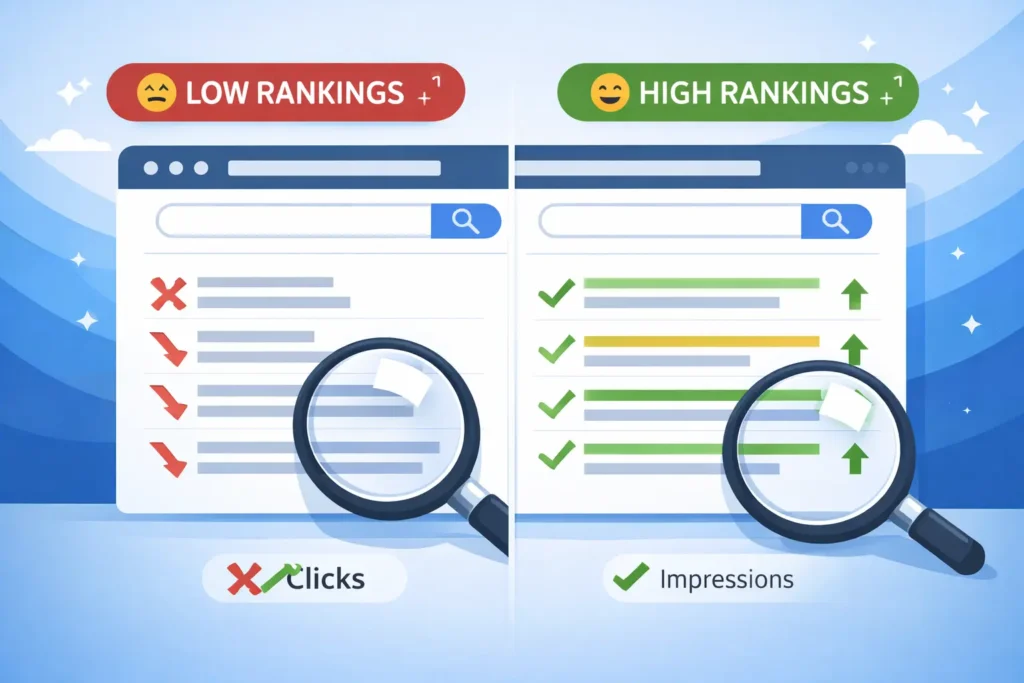
| Impressions but near-zero clicks | Weak title or meta, no rich result eligibility | Rewrite title to match intent; add FAQ or HowTo schema with Rank Math. |
| Stuck at positions 11–20 | Intent mismatch or thin subtopics | Expand to cover steps, examples, comparisons, and FAQs that users expect. |
| Ranking for wrong queries | Over-optimized anchors or mixed topics on the page | Tighten keyword focus. Split topics into their own pages. |
| Home page ranks for everything | No topical hubs | Build a cluster hub and link child pages to it. |
| Sudden drop after edits | Removed internal links or changed URL without redirects | Restore links and add 301 redirects from old URLs. |
Natural references for deeper reading: the official SEO Starter Guide from Google keeps fundamentals straight and current, and Rank Math’s docs explain schema, sitemaps, and breadcrumbs setup clearly.
- Read more on Google’s starter guide here (helpful for audits).
- See Rank Math’s rich snippet documentation for structured data tips.
How To Fix It Step by Step
1. Clean the crawl path
- Verify one canonical URL per page.
- Check robots’ meta on key templates.
- Submit sitemaps and keep them lean.
- Remove low-value params with URL rules or canonical tags.
Use Coverage and Page indexing reports to confirm Google can fetch, render, and index without warnings. Most “invisible page” issues live here.
2. Align with search intent
Open the SERP for your target query in incognito. Skim the top 5 pages.
- Learn the dominant format: guide, checklist, comparison, or tool.
- Mirror the information order in your own words.
- Add missing angles that competitors skip.
- Lead with a crisp answer in the first two sentences.
A good test: if someone reads your introduction, they should feel done with quick questions and encouraged to scroll for depth.
3. Build topical clusters and link them smartly
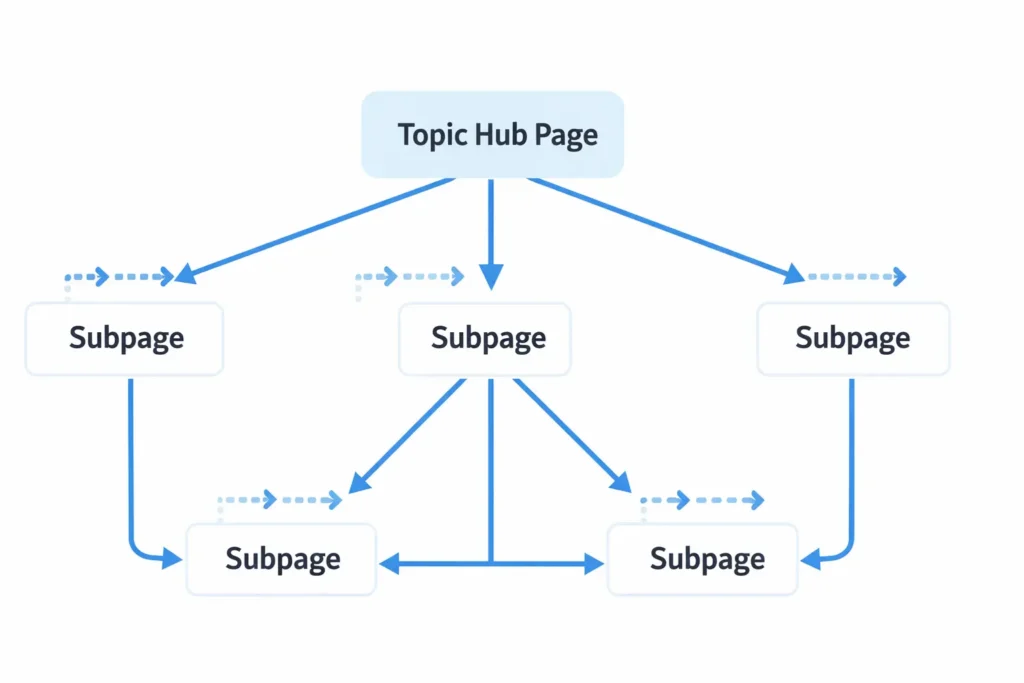
Create a hub page that defines the topic and links to subtopics. Each subtopic links back up with a consistent anchor. Cross-link sibling subtopics when it helps users.
- Keep anchor text descriptive, not stuffed.
- Link from high-traffic pages to new ones to speed discovery.
- Add breadcrumb schema and display.
You can study real examples in our portfolio highlights.
4. Upgrade the page to be “the best answer.”
Use this minimal checklist for every target page:
- A direct answer at the top and a step-by-step section.
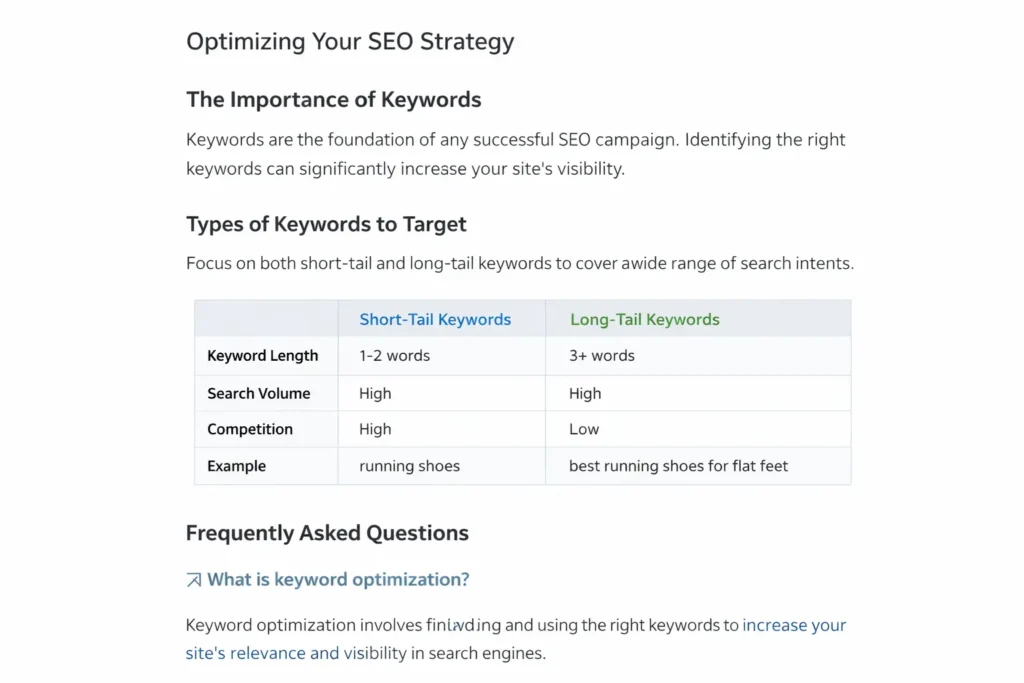
- A short comparison table if alternatives exist.
- One real example with numbers or screenshots.
- Expert byline, sources, and a last-updated timestamp.
- FAQ with concise, useful answers.
5. Earn and display trust
- Add an About page that explains who writes, reviews, and serves customers.
- Put your address, phone, and legal pages in the footer.
- Use author bios with credentials and link to profiles.
- Showcase third-party mentions and customer results.
Even a few quality mentions can move the needle faster than dozens of weak directory links.
Which Option Is Best For Your Situation
You do not need every tactic at once. Pick the plan that matches your starting point.
Option A: New or recently redesigned site
Goal: fast indexation and baseline visibility.
- Ensure error-free technical setup.
- Publish 5 to 10 evergreen pages mapped to core services.
- Add FAQs and comparison sections to win long-tail quickly.
- Seed internal links from the home page and hubs.
Time to first wins: 2 to 6 weeks, depending on crawl rate.
Option B: Established site with thin clusters
Goal: expand topical depth and lift mid-pack rankings.
- Analyze the top 10 for each primary query.
- Add subtopics as separate pages.
- Interlink consistently with hubs.
- Refresh titles and intros to match intent.
Time to movement: 4 to 8 weeks, often quicker with internal link boosts.
Option C: Traffic plateau at scale
Goal: consolidate, prune, and improve quality.
- Merge overlapping posts.
- Redirect outdated thin pages to stronger URLs.
- Add expert reviewers and cite sources.
- Run a link reclamation and entity clean-up pass.
Time to recovery: 6 to 12 weeks with steady compounding after. If you want a guided track, our website design & development services include audits, content frameworks, and CRO upgrades in one plan. 🧭
Table 2: On-page Checklist You Can Reuse
| Element | What “good” looks like | Quick test |
| Title tag | Matches intent, includes primary keyword naturally | Would you click it over the top 3 results |
| H1 + Intro | Answers the question in 2 sentences | Can a skimmer get the answer without scrolling |
| Content body | Covers steps, examples, and comparisons | Does it solve the next 3 questions a user has |
| Internal links | 5+ contextual links in and out | Do links help users move deeper into the topic |
| Schema | Article + FAQ or HowTo as applicable | Rich results are eligible in the testing tool |
| Media | Purposeful images or diagrams | Does each visual clarify a step or comparison |
Practical Examples
- A service business stuck at page 2: We added a “How much does it cost” section, a short comparison table, and two local case summaries with outcomes. Positions improved from 14 to 6 in 28 days.
- An e-commerce guide slipping after a theme update: Robots meta on the template flipped to noindex. We restored indexability and added Product and FAQ schema. Rankings rebounded within a week.
If you suspect performance bottlenecks, this post explains causes and quick fixes: why my site is slow. For UX issues on phones, review my website is not mobile friendly. 📱
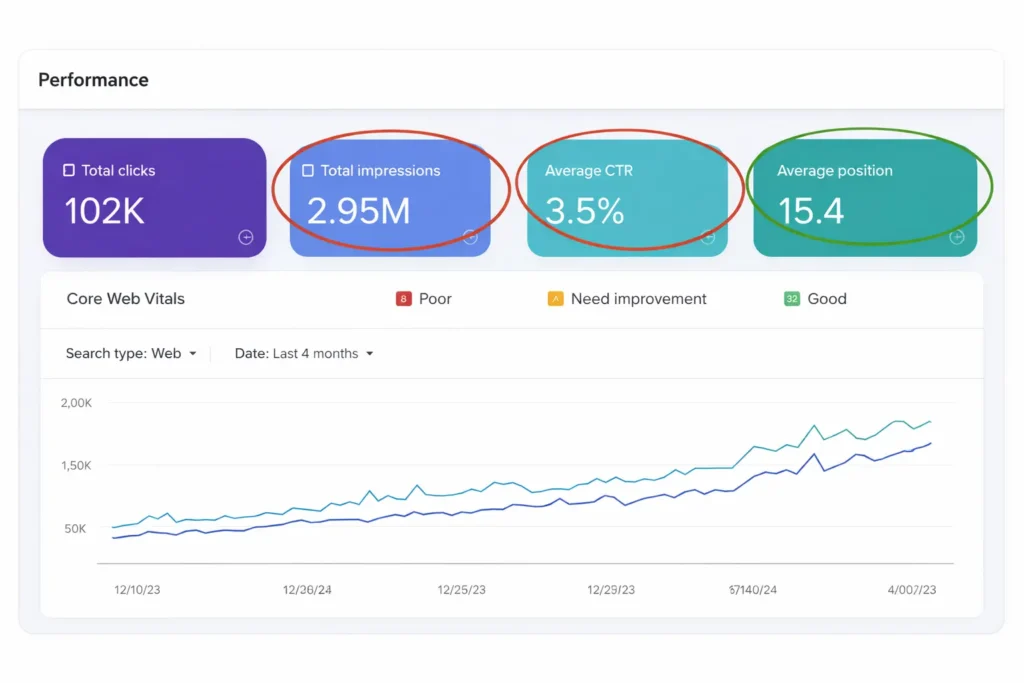
Run your key templates through PageSpeed Insights and note the Core Web Vitals opportunities that can lift real-user metrics and click-through rates.
How Rank Math Helps You Implement This
Use Rank Math to ship changes without developer delays.
- Sitemaps and indexation: Toggle sitemaps by post type and exclude thin pages.
- Schema builder: Add Article, FAQ, and Product schema to eligible pages.
- Breadcrumbs: Output breadcrumbs and schema to strengthen internal context.
- Redirections: Migrate or merge pages and keep signals intact.
- Content AI: Outline subtopics you might be missing.
For fundamentals, revisit the official Google guidelines in the SEO Starter Guide from Google, then map each recommendation to a checklist in Rank Math so tasks become repeatable across the site.
For structured data and richer snippets, follow the official Rank Math rich snippets guide. It walks you through adding Article, FAQ, and Product schema so your pages are eligible for enhancements without touching code.
The Why, the How, and the Best-fit Option
- Why rankings stall: technical blocks, intent mismatch, weak clusters, and low authority.
- How to fix: verify indexability, align to SERP intent, build clusters with smart internal links, and add trust signals and schema.
- Which option fits: pick A, B, or C based on site age and content debt. Start small, measure, then scale.
Ready to see real outcomes before committing? Browse our maintenance & care plans or reach out through growth-driven web design.

Conclusion: my website does not rank — here is the path to visibility
If my website does not rank, the answer is not “more keywords” but a clean crawl path, intent-perfect content, strong internal links, and credible trust signals. Work through the checkpoints in order, then choose the option that matches your stage. Rankings rise when your page becomes the best answer, and your site makes it easy for search engines to prove it.
Frequently Asked Questions
Why is my website not ranking?
The main reason a site does not rank is a mismatch between what the query needs and what the page provides. Technical problems like accidental noindex, duplicate URLs, or broken sitemaps can hide pages. Just as common are intent gaps where the page lacks steps, examples, or comparisons that users expect. Strengthen topical clusters, add internal links, and use schema to earn visibility and better click-through rates.
How do I get my website to rank?
Follow a simple sequence: fix indexation, align to intent, build clusters, and earn trust signals. Start by confirming Google can crawl and index every important URL. Rewrite intros to answer the query in two sentences, then expand with steps, examples, and a short comparison. Link new pages from hubs and high-traffic posts. Add the FAQ or HowTo schema with Rank Math. Track results in Search Console and iterate every two weeks.
What is the 80/20 rule in SEO?
The 80/20 rule means most ranking gains come from a few focused actions done in the right order. The “vital few” are indexation fixes, intent-aligned content, purposeful internal links, and real authority signals. Avoid spreading effort across dozens of micro-tasks. Instead, improve the five pages closest to page one, then scale the pattern across the site. This compound is faster and easier to maintain.
How to improve your website ranking?
Improve ranking by becoming the best answer and proving it technically and editorially. Compare your page to the top results and fill obvious gaps. Add an expert byline, cite reputable sources, and include dates to show freshness. Use internal links to connect related pages and hubs. Implement schema, fix Core Web Vitals, and provide helpful visuals that clarify steps. Measure changes with Search Console queries and adjust monthly.
Helpful internal links to continue
- Strategy and implementation: conversion lift programs
- Meet the team: growth-driven web design
- See outcomes: case studies with numbers