
An SEO friendly website makes it easy for search engines to crawl, understand, and trust your pages while giving visitors a fast, clear, mobile-ready experience. In 2026, the sites that perform best usually pair helpful content with clean structure, descriptive titles, strong internal links, and solid page experience instead of relying on shortcuts or keyword stuffing.
That matters even more now because ranking is not only about blue links. Your content also needs to be easy for search systems and AI-driven answer experiences to find, interpret, and surface when people ask direct questions. Google’s own documentation still points site owners back to people-first content, crawlable links, textual clarity, and a strong on-page experience.
Want the official baseline while you build? Keep Google Search Essentials and the Core Web Vitals guidance nearby as your reference points.
Why an SEO-friendly site matters more in 2026
A website that looks nice but is difficult to crawl, slow to load, vague in its messaging, or confusing in its navigation creates friction for both users and search engines. Google’s documentation is consistent on this point: use language people actually search for, place that language in important locations such as headings and link text, and make links crawlable so your pages can be discovered and understood.
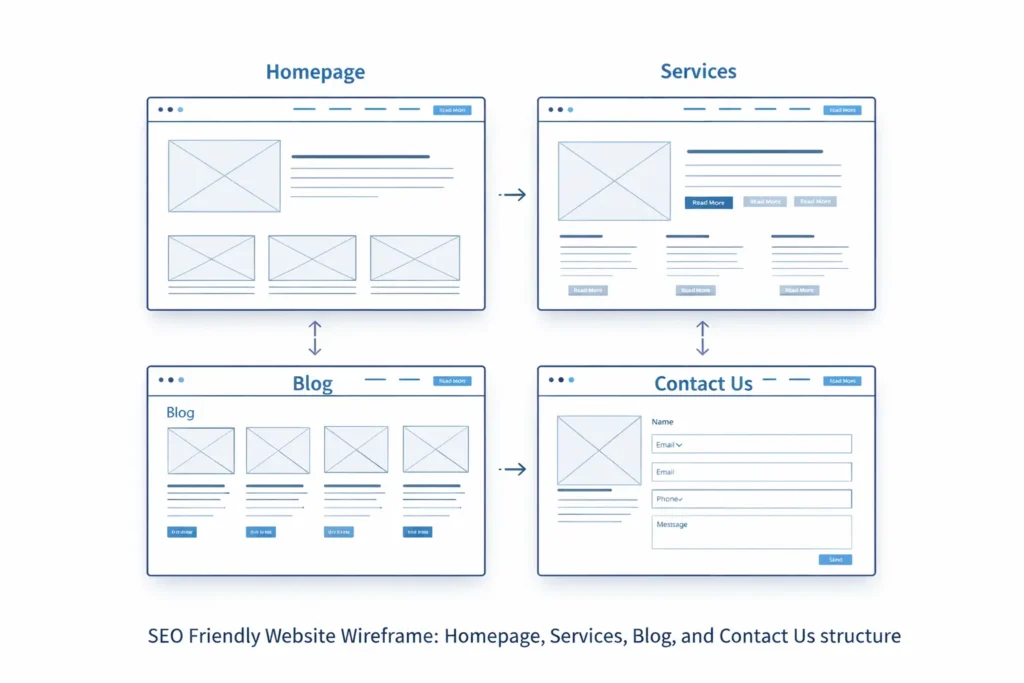
For small businesses, this is where many rankings are won or lost. A clear homepage, focused service pages, location-aware content, strong internal linking, and a technically clean foundation often outperform bloated sites with thin copy and scattered navigation. A practical example is a web design business that separates “home,” “services,” “sample work,” and educational blog content instead of forcing every keyword into one page. That kind of structure helps each page do one job well. This is an inference based on Google’s guidance around crawlability, title clarity, URL clarity, and internal linking.
If you want help building that kind of structure from the start, explore our website design & development services for a layout that supports both rankings and conversions.
What an SEO friendly website should include
The strongest websites usually get the basics right before they chase advanced tactics. That means your structure, copy, links, and technical setup all support the same goal: helping a visitor land on the right page and understand what to do next.
| Website Element | Why It Matters | Best Practice |
|---|---|---|
| Clear site structure | Helps users and crawlers move logically through the site | Keep navigation simple with clear parent and child pages |
| Descriptive URLs | Gives context before a page is opened | Use short, readable URLs with hyphens |
| Strong title and heading alignment | Improves topical clarity | Make the visible page heading and title closely related |
| Crawlable internal links | Helps discovery and context | Use plain HTML links with meaningful anchor text |
| Helpful original content | Supports trust and relevance | Write people-first copy that answers real questions |
| Fast, stable performance | Reduces friction and improves usability | Compress images, limit heavy scripts, and test speed regularly |
| Text-based key information | Makes content easier to process | Keep important facts in visible text, not buried in graphics |
| Relevant schema where applicable | Supports rich result eligibility | Use valid structured data that matches visible content |
The table above lines up with Google’s guidance on Search Essentials, URL structure, title links, crawlable links, AI visibility, and structured data quality.
Here is where many businesses overcomplicate the process. They think SEO starts with plugins, automation, or publishing more pages. In reality, it often starts with getting the page purpose right. Your homepage should explain who you help, your service pages should target clear intents, your blog should answer supporting questions, and your contact page should remove hesitation. That is how a search-friendly structure becomes a conversion-friendly structure. This planning approach is an inference grounded in Google’s documented emphasis on clear titles, descriptive text, internal linking, and people-first content.
Need ideas for how that looks in practice? Browse our project gallery to see how clean structure and messaging can work together on real builds.
How to build a search-friendly site without making it complicated
The easiest way to build a strong website is to think in layers.
Start with page hierarchy. A small business site does not need fifty pages on day one. It usually needs a homepage, an about page, core service pages, a contact page, and a blog category structure that supports those services. Each page should have a unique job. If your service page tries to act like a homepage, FAQ page, and blog article at the same time, it usually becomes vague and harder to rank.
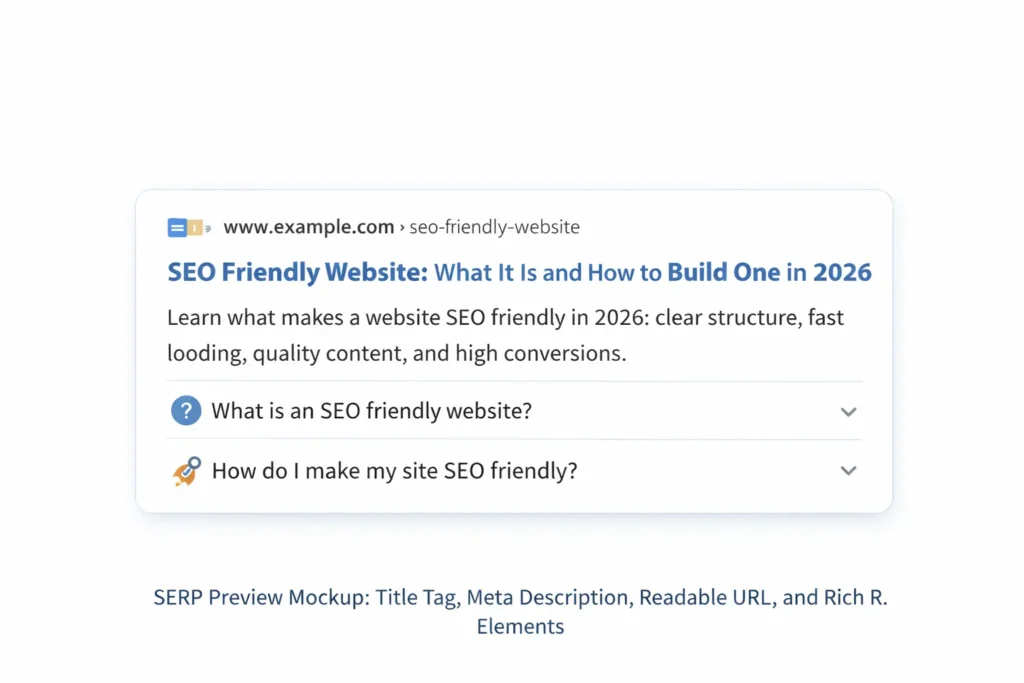
Then tighten your on-page signals. Use a title that matches the search intent, a visible H1 that reinforces the topic, and body copy that answers the next logical questions. For example, a service page for website redesign should not only say what the service is. It should explain who it is for, what problems it solves, what the process looks like, what results a client can expect, and how to get started. Google’s title-link and helpful content guidance both support this kind of clarity.
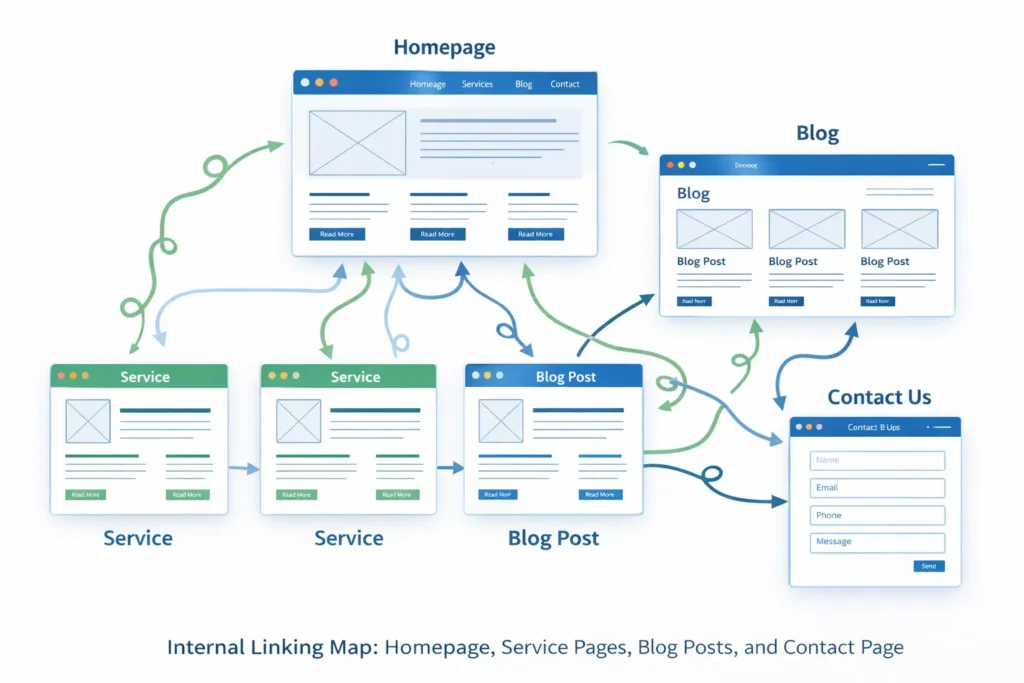
Next, make internal links intentional. Google explicitly recommends crawlable links and descriptive anchor text. That means “learn more” is usually weaker than a link like “local SEO for small business websites” because the second option gives both people and search engines a better clue about the destination page. Internal linking also helps spread topical context across your site. If your homepage links to services, your services link to supporting blogs, and your blogs loop back to relevant service pages, you create a stronger content web instead of a group of isolated pages.
A practical way to do that on your site is to connect informational content with commercial pages. For example, a blog about visibility can naturally point readers to local SEO for small business websites when they need local traffic advice, then guide higher-intent visitors toward your service page when they are ready for implementation. That is better than stuffing every possible term into one article because it respects intent and improves journey flow.
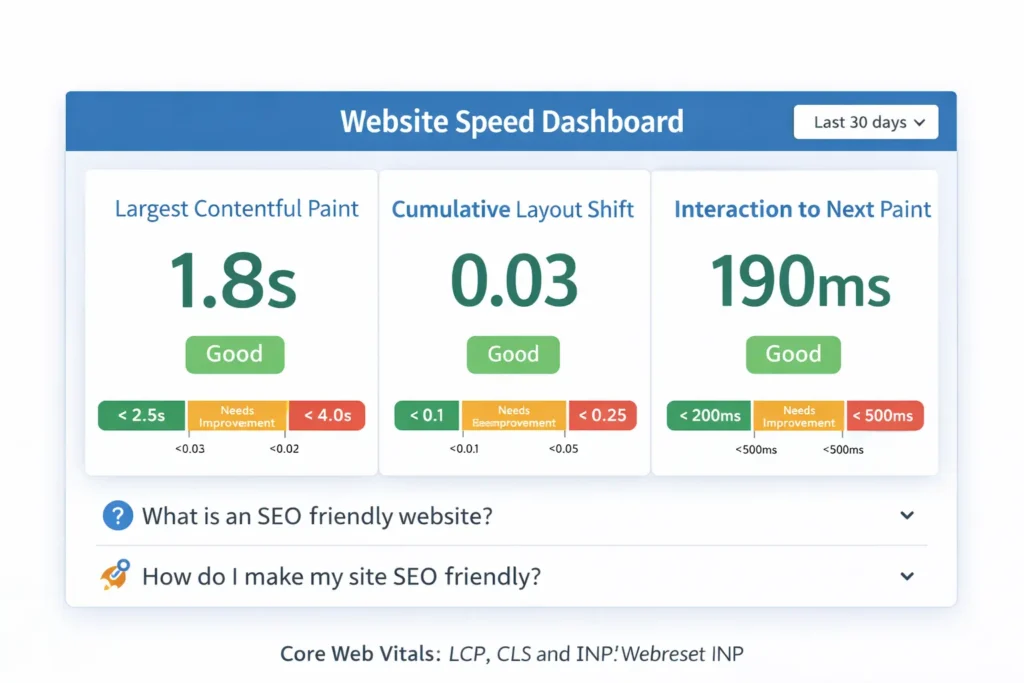
After structure and content, check performance. Fast pages do not guarantee rankings on their own, but poor speed, layout shifts, and sluggish interaction create friction that hurts real users. Google’s Web Vitals documentation exists for a reason: page experience is part of building a healthy site. On a practical level, this usually means compressing images, limiting heavy sliders, reducing third-party scripts, and avoiding design decisions that look impressive but slow the site down.
One overlooked step is keeping important content in actual text. If your service promise, pricing cues, FAQs, and trust signals only appear inside images, animations, or hard-to-render elements, search systems have less clean information to work with. Google’s guidance for AI features also stresses making important content available in textual form and easy to find through internal links. That matters for classic SEO and for newer answer-driven surfaces.
Finally, use structured data only where it makes sense. Structured data can help your content become eligible for certain rich results, but Google is clear that it has to follow technical and quality guidelines and match the visible page content. A good schema supports a strong page. It does not rescue a weak one.
If your next goal is content support around that structure, read our guide on how to rank a small business website so your pages and blog posts reinforce each other.
Which website option is best for SEO?
The best website for SEO is the one that gives you control over crawlability, titles, headings, URLs, image optimization, internal links, schema, and speed without turning everyday edits into a headache. That is not a single-brand answer. It depends on the business model, the content needs, and how much flexibility you need to grow.
| Website Option | Best For | Why It Can Work | Watch Out For |
|---|---|---|---|
| Simple template builder | Very small sites with basic needs | Fast launch and lower setup friction | Limited control over advanced SEO and performance details |
| Custom WordPress or flexible CMS build | Service businesses and growing local brands | Better control over page structure, blogs, schema, redirects, and internal linking | Needs good setup and ongoing maintenance |
| E-commerce platform | Product-heavy businesses | Built for inventory, categories, and product data | URL bloat, duplicate pages, and filter indexing issues can appear if unmanaged |
| Headless or advanced custom stack | Larger brands with dev support | High flexibility and performance potential | Easy to create rendering and crawl issues if SEO is not baked in early |
This comparison is partly an inference, but it follows directly from Google’s documentation on JavaScript SEO, URL design, crawlable links, structured data, and site moves. In practice, the “best” setup is the one that lets you publish helpful pages cleanly, keep the technical foundation stable, and scale content without breaking discoverability.
For most local service businesses, a clean custom or semi-custom CMS setup is usually the safest bet. It gives you enough flexibility to create focused service pages, location pages when needed, strong blog support, and clearer conversion paths. A one-page site can look modern, but it often makes targeting different search intents much harder because everything competes for the same topical space. That conclusion is a best-practice inference based on Google’s guidance on titles, URLs, links, and people-first page content.
Common mistakes that keep a site from ranking
The first mistake is trying to optimize every page for everything. A homepage should not target ten services, four cities, and every informational question at once. A narrower page focus almost always creates stronger relevance.
The second mistake is weak anchor text and dead-end navigation. If blog posts never link back to service pages, category pages never guide users deeper, and key pages are buried behind JavaScript-driven elements that are difficult to crawl, the whole site becomes less efficient. Google’s documentation specifically calls out crawlable links and meaningful anchor text for this reason.
The third mistake is treating SEO like a plugin setting instead of a site-wide system. Plugins can help with metadata, sitemaps, and schema support, but they do not write better content, simplify your service architecture, or improve your value proposition. Search visibility usually improves when strategy, UX, copy, technical setup, and internal linking all support the same outcomes.
The fourth mistake is ignoring answer intent. In 2026, many searchers want a direct answer before they want a sales pitch. If your article or service page cannot quickly answer what, why, how, and which option fits best, it becomes less useful for users and less extractable for answer-driven search experiences. Google’s documentation on people-first content and AI features strongly supports clarity, text visibility, and easy discoverability.
Closing thoughts
An SEO friendly website is not built with tricks. It is built with clarity, helpful content, clean page structure, strong internal links, and a better experience for the person on the other side of the screen.
If you want a simple benchmark, ask this: Can a first-time visitor and a search engine both understand what this page is about, who it is for, and what should happen next within a few seconds? When the answer is yes, your site is usually moving in the right direction. That is the kind of foundation that supports rankings, conversions, and stronger visibility across both search and answer-driven discovery.
Frequently Asked Questions
1. What is an SEO friendly website?
An SEO friendly website is a site that search engines can crawl easily and users can navigate without friction. It usually has clean URLs, logical navigation, descriptive titles, helpful original content, meaningful internal links, and solid page performance. In plain terms, it is a website built so both machines and humans can understand it quickly. That balance matters because higher visibility usually comes from being genuinely useful, not from adding keywords everywhere.
2. Is SEO dead or evolving in 2026?
SEO is evolving in 2026, not dead. Google still actively maintains Search Essentials, the SEO Starter Guide, documentation on title links, structured data, AI features, and how search works. What has changed is the standard. Thin content, vague page structures, and keyword-heavy copy are weaker than they used to be, while people-first content, internal clarity, and technical stability matter more. SEO now overlaps more with content strategy, UX, and answer visibility.
3. Which website is good for SEO?
The best website for SEO is the one that gives you strong control over content, technical settings, and internal structure. For many small businesses, that means a flexible CMS or well-built custom site rather than a locked-down template that limits titles, URLs, redirects, schema, or speed improvements. The platform matters less than the control it gives you. If you can publish focused pages, maintain crawlable links, and keep performance healthy, the site can compete well.
4. What does SEO mean?
SEO means search engine optimization. It is the process of improving a website so search engines can better discover, understand, and show its pages for relevant searches. In practice, that includes content quality, site structure, titles, links, technical accessibility, and user experience. Good SEO does not mean manipulating rankings with shortcuts. It means making the site clearer, more useful, and easier to access for the right audience.
