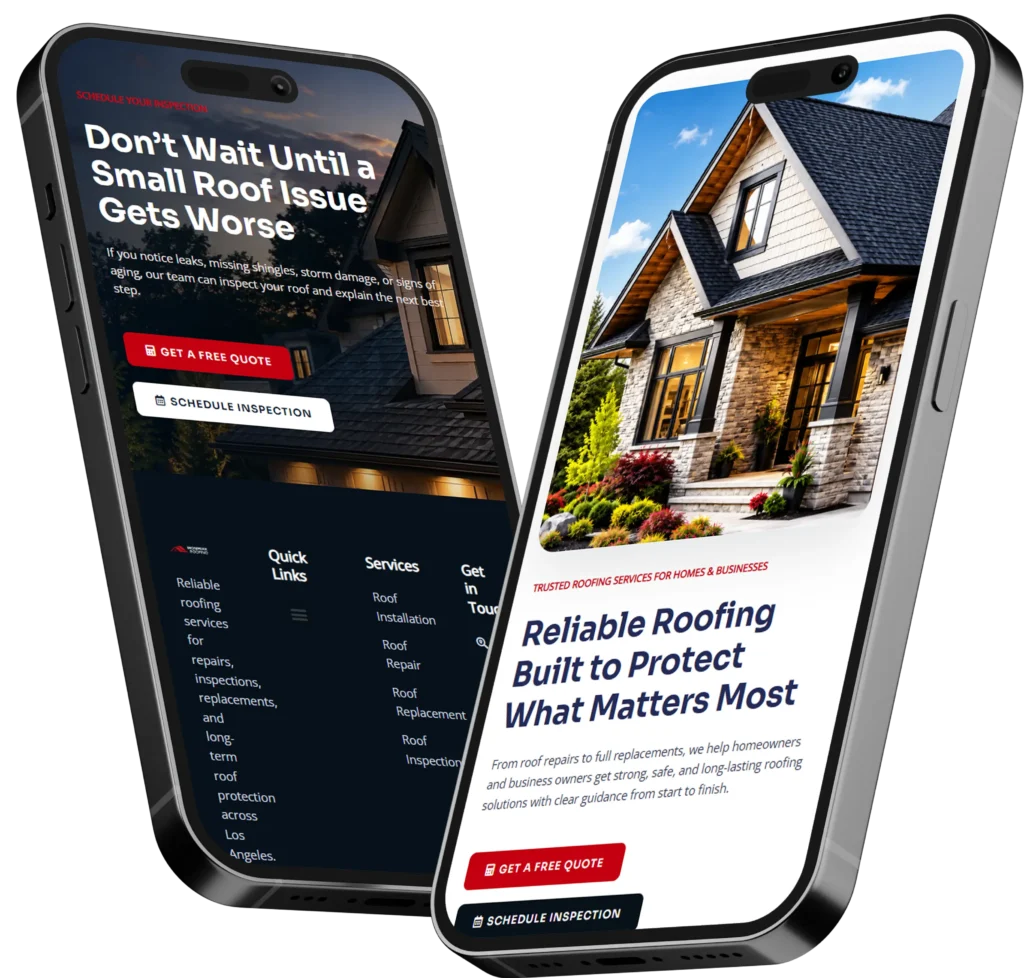
A virtual web designer for small business helps you plan, design, and improve your website remotely so it can build trust, attract leads, and turn visitors into calls or bookings. The best option is a designer who understands small business goals, SEO basics, landing pages, mobile speed, and clear calls to action.
For many local service providers, online shops, consultants, and home-based businesses, the website is often the first impression a customer sees. If the site looks outdated, loads slowly, or makes it hard to contact you, people may leave before learning why your business is the right choice.
In this guide, we’ll explain what a virtual designer does, why small businesses hire one, how the process works, and which option is best if your goal is more trust, better SEO, and stronger leads.
Need a website that feels clear, modern, and built for growth? Explore website design & development services to see how a better site can support your next step.
What Does a Virtual Web Designer Do?
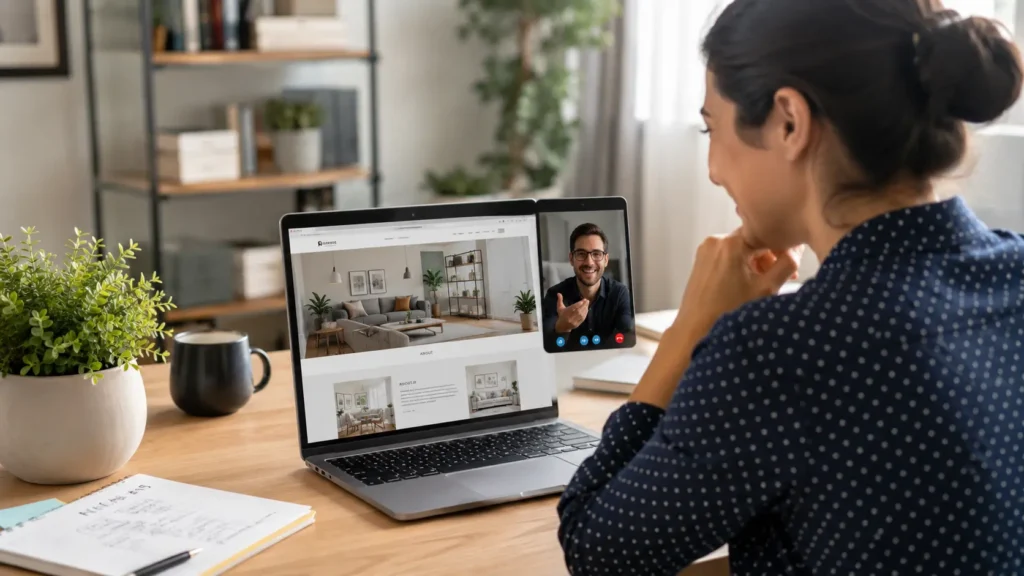
A virtual web designer creates or improves your website without needing in-person meetings. Communication usually happens through email, video calls, shared documents, website audits, and project management tools.
This setup works well for small business owners because it saves time and gives you access to skilled designers outside your local area. You are not limited to the designer down the street. You can hire someone based on skill, portfolio, process, and results.
A good virtual designer helps with:
✅ Website layout and visual design
✅ Mobile-friendly pages
✅ Landing pages for ads or services
✅ Website redesigns
✅ Basic SEO structure
✅ Calls to action
✅ Speed and user experience improvements
✅ Trust signals like reviews, badges, photos, and clear contact details
The goal is not just to make the site look nice. The real goal is to make the website easier to understand, easier to use, and easier to act on.
Why Small Businesses Hire a Remote Website Designer
Small business owners usually hire a remote designer because they need a website that works harder. A website should answer customer questions, explain services clearly, and guide visitors toward calling, booking, requesting a quote, or buying.
Many small business websites fail because they were built quickly, copied from a template, or never updated after launch. That can create problems like weak messaging, poor mobile design, missing service pages, confusing navigation, and slow page speed.
A professional designer can look at your website from the customer’s point of view. They can identify what is unclear, what is missing, and what may be stopping people from converting.
According to Google’s official SEO guidance, websites should be easy for search engines to crawl, index, and understand. That is why clean structure, helpful content, and clear page organization matter for small business websites. Learn more from Google’s SEO Starter Guide.
Which Website Design Option Is Best?
The best option depends on where your website is now. Some businesses only need a landing page. Others need a full redesign because the current website no longer supports their goals.
| Website Need | Best Option | Why It Works |
|---|---|---|
| New business with no website | Starter website | Gives your brand a professional online presence quickly |
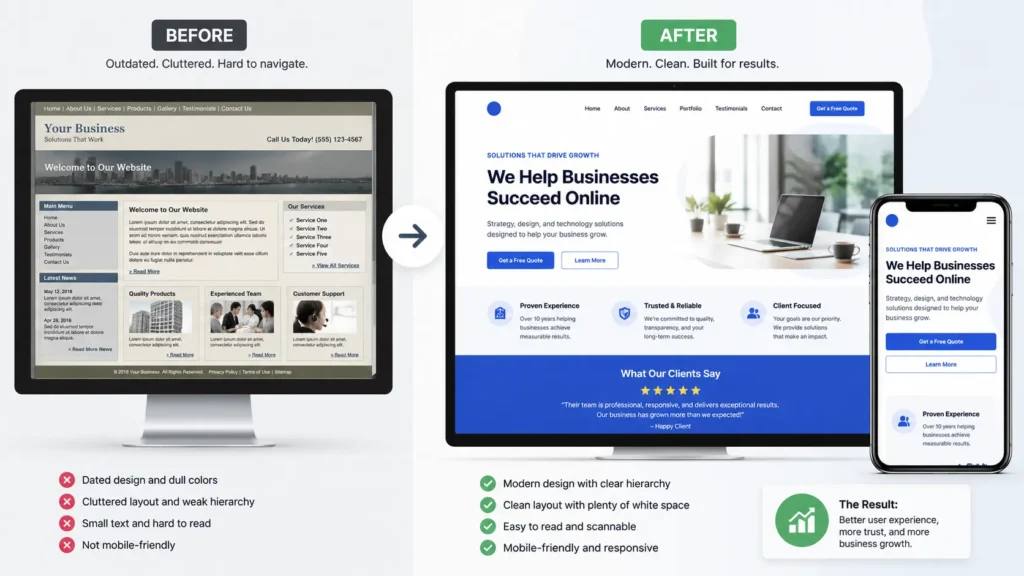
| Existing site looks outdated | Website redesign | Improves trust, layout, mobile experience, and conversions |
| Running ads | Landing page | Keeps visitors focused on one offer and one action |
| Getting traffic but few leads | Conversion audit and redesign | Finds weak points and improves calls to action |
| Local service business | SEO-focused service pages | Helps customers understand what you offer and where you serve |
If you already have a website but it is not bringing calls, bookings, or quote requests, a redesign is usually better than small edits. Small fixes can help, but they may not solve deeper issues like unclear messaging, poor page flow, or weak trust signals.
Want to compare what a polished website can look like? View these portfolio highlights for design ideas and layout inspiration.
How a Virtual Website Design Process Usually Works
A remote design process can be simple when expectations are clear from the start. You do not need to know technical terms. You only need to explain your business, your customers, your services, and what you want the website to do.
Here is a typical process:
| Step | What Happens | Small Business Benefit |
|---|---|---|
| Discovery | Designer learns about your goals, audience, offers, and current website | Helps the site match your business instead of using generic design |
| Website audit | Current pages, SEO, speed, layout, and conversion points are reviewed | Shows what needs fixing first |
| Strategy | Pages, calls to action, content flow, and design direction are planned | Prevents wasted time and unclear pages |
| Design | Homepage, service pages, landing pages, and key sections are created | Gives visitors a better first impression |
| Development | The design is built into a working website | Makes the site usable across devices |
| Testing | Forms, buttons, mobile layout, speed, and links are checked | Reduces launch errors |
| Launch | The new or improved website goes live | Gives your business a stronger online foundation |
The most important part is strategy. A beautiful website with weak messaging will still struggle. A simple website with clear structure, useful content, and strong calls to action can often perform better than a complicated site.
Why Trust Matters in Website Design
Customers are careful before contacting a business. They want to know if you are real, reliable, experienced, and easy to work with. Your website should answer those doubts quickly.
Trust can be built through:
✅ Clear service descriptions
✅ Real photos when possible
✅ Reviews and testimonials
✅ Portfolio samples
✅ Professional design
✅ Easy-to-find contact details
✅ Fast loading pages
✅ Secure website setup
✅ Simple booking or quote forms
For example, a home service company may get more inquiries when the website shows service areas, license details, customer reviews, and a clear “Request a Quote” button. A consultant may build more confidence with case studies, client logos, and a simple booking calendar.
Trust does not come from design alone. It comes from clarity. When people understand who you help, what you do, and what step to take next, they are more likely to contact you.
If your website feels confusing, outdated, or hard to navigate, consider website redesign that converts so your site can support real business goals.
How Website Design Supports SEO
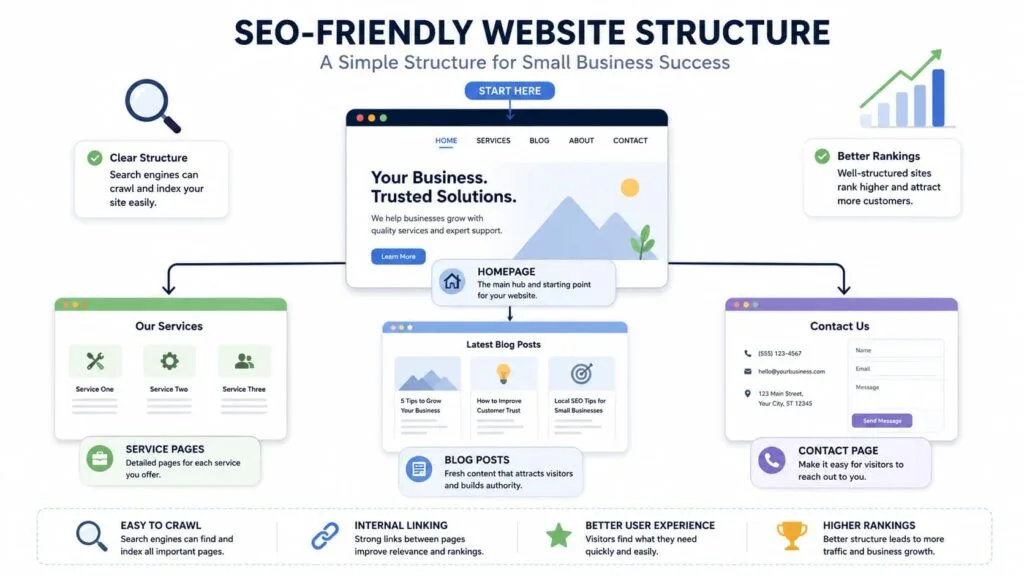
Website design and SEO work together. SEO is not only keywords. It also includes structure, page experience, internal linking, helpful content, mobile usability, and how easy it is for Google and users to understand each page.
A strong small business website usually has:
✅ A clear homepage
✅ Individual service pages
✅ Location or service area details
✅ Helpful blog content
✅ Fast mobile performance
✅ Simple navigation
✅ Proper headings
✅ Descriptive page titles
✅ Internal links between related pages
Google needs to understand what your pages are about. Customers need the same thing. That is why a service page should not be vague. It should explain the problem, the solution, who it is for, what is included, and how to get started.
The SBA also recommends creating a marketing plan to turn business strategy into action, which fits well with website planning because your site should support how you attract and convert customers. You can read more in the SBA marketing plan guide.
For more local search ideas, read this guide on website design services near me and how business owners compare nearby design options.
How Landing Pages Help Turn Traffic Into Leads
A landing page is a focused page built around one offer. It is often used for ads, email campaigns, seasonal promotions, free consultations, quote requests, bookings, or lead magnets.
Unlike a homepage, a landing page removes distractions. The visitor sees one message, one main offer, and one clear next step.
A strong landing page usually includes:
✅ Clear headline
✅ Short explanation of the offer
✅ Benefits
✅ Trust signals
✅ Photos or examples
✅ Simple form
✅ Strong call to action
✅ FAQ section
✅ Mobile-friendly layout
For example, a cleaning company could use a landing page for “Move-Out Cleaning Quotes.” A dentist could use one for “New Patient Appointment Booking.” A contractor could use one for “Free Bathroom Remodel Estimate.”
This is where hiring a virtual web designer for small business can be helpful because the designer can create pages around specific conversion goals, not just general branding.
When Should You Redesign Your Website?
You should consider a redesign when your website no longer reflects your business or fails to support your goals. Many small businesses grow, add services, change pricing, improve their brand, or target new customers, but their website stays the same.
Signs you may need a redesign include:
✅ Your site looks outdated
✅ It is hard to use on mobile
✅ Visitors are not contacting you
✅ Your services are unclear
✅ Your competitors look more professional
✅ Your website loads slowly
✅ Forms or buttons are hard to find
✅ You have no clear call to action
✅ Your SEO pages are thin or missing
A redesign is not just a visual update. It is a chance to improve the way your business communicates online.
The best redesigns answer three questions:
Why should someone trust you?
How can you solve their problem?
Which action should they take next?
If your website does not answer those questions quickly, customers may leave and choose another business.
How to Choose the Right Web Designer
Choosing the right designer is important because your website affects your brand, search visibility, and lead generation. The cheapest option is not always the best option. The most expensive option is not always the right fit either.
Look for a designer who understands both design and business goals. A small business website should be practical. It should load well, explain your services, make your business look trustworthy, and help people contact you.
Before hiring, check:
✅ Portfolio quality
✅ Experience with small businesses
✅ Understanding of SEO basics
✅ Clear process
✅ Mobile design skills
✅ Communication style
✅ Timeline and deliverables
✅ Redesign experience
✅ Maintenance options
Ask what is included before the project starts. Some designers only provide mockups. Others handle copy structure, development, SEO setup, forms, testing, and launch support.
You can also review web designer for local business if you want to understand how design choices affect local service providers.
Practical Tips Before Starting Your Website Project
A smoother design project starts with preparation. Before contacting a designer, gather the basic details that will shape your website.
Prepare these items:
✅ Your main services
✅ Your target customers
✅ Your service areas
✅ Your best reviews
✅ Brand colors or logo
✅ Photos of your work or team
✅ Competitor websites you like or dislike
✅ Your main call to action
✅ Your current website login details if available
Also think about what result matters most. Do you want more calls? More bookings? More quote requests? More trust from visitors? More traffic from Google? Your answer should guide the design.
For example, a local plumber may prioritize emergency calls. A med spa may prioritize bookings. A business coach may prioritize consultation requests. A contractor may prioritize project quote forms.
When your designer knows the goal, the website can be built around that action.
Closing Thoughts: virtual web designer for small business
Hiring the right remote designer can help your website look more professional, explain your services clearly, and guide visitors toward the action you want them to take. For small businesses, the best website is not just attractive. It should build trust, support SEO, and make it easy for customers to call, book, or request a quote.
If your current site is outdated or not producing leads, start with a website audit or redesign plan. Then focus on clear messaging, strong service pages, fast mobile experience, and simple calls to action.
Ready to improve your website with a cleaner strategy and better design? Start with growth-driven web design and create a site that supports your next stage of business.
Frequently Asked Questions
1. How much does a remote website designer cost for a small business?
The cost depends on your website size, design needs, features, and whether you need a redesign or a new build. A simple landing page may cost less than a full website with multiple service pages, SEO setup, forms, and conversion-focused sections. Small business owners should compare what is included, not just the price. A cheaper website may become expensive later if it needs major fixes.
2. Is hiring an online web designer trustworthy for a small business website?
Yes, hiring online can be trustworthy when the designer has a clear process, portfolio, reviews, and professional communication. Many small businesses now work with remote designers because it saves time and gives access to better-fit talent. Before hiring, ask about project steps, timelines, revisions, deliverables, ownership, website access, and post-launch support. Trust comes from clarity before payment and consistent updates during the project.
3. Can a website redesign help my business get more calls and leads?
A website redesign can help increase calls and leads when it improves clarity, trust, mobile usability, and calls to action. Design alone is not enough. The page should explain your services, answer customer questions, show proof, and guide visitors toward contacting you. Better layouts, stronger buttons, clear forms, and focused service pages can make it easier for visitors to take action.
4. Do I need SEO when hiring a web designer for landing pages?
SEO is helpful even when you are building landing pages because structure, speed, headings, and content clarity affect performance. Some landing pages are built for ads, while others can support organic search over time. A good designer should know how to organize content, use clear headings, improve mobile layout, and connect pages properly. This gives both users and search engines a better experience.