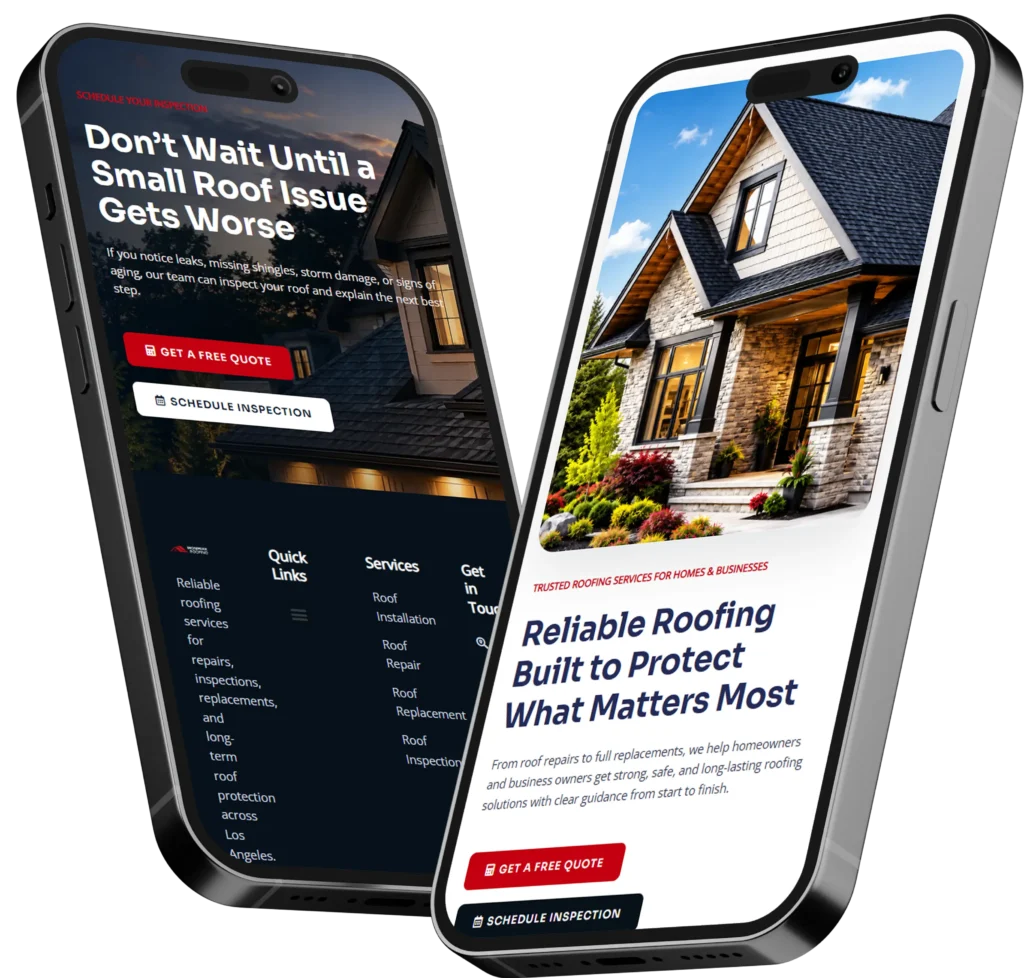
To hire remote web designer, look for someone who can build a professional website that earns trust, explains your offer clearly, and turns visitors into leads. The best choice is a designer who understands small business goals, mobile design, SEO basics, landing pages, and conversion-focused layouts.
A remote web designer can help your business improve calls, quote requests, bookings, and online credibility without needing an in-person meeting. In this guide, we’ll explain why remote website design works, how to choose the right designer, and which option is best based on your business stage.
Need a website that looks professional and brings in better leads? Start with conversion-focused web design built for small businesses.
Why Small Businesses Are Choosing Remote Web Designers
Small business owners are busy. You may be handling customers, operations, marketing, staff, and follow-ups all in the same day. Meeting a local designer in person sounds nice, but it is not always necessary when the work can be planned, reviewed, and launched online.
Remote web design works because the most important parts of a website project are communication, strategy, content, structure, and execution. These can all happen through video calls, shared documents, website previews, and clear project updates.
For many businesses, the bigger question is not “Is the designer nearby?” The better question is “Can this person build a website that helps my business get found, trusted, and contacted?”
A strong remote web designer can help you:
✅ Clarify your service offer
✅ Improve your homepage message
✅ Build landing pages for ads or SEO
✅ Redesign an outdated website
✅ Make your site easier to use on mobile
✅ Add trust signals like reviews and project examples
✅ Create better calls to action for calls, forms, and bookings
This matters because your website is often the first place people check before they decide to call, book, or compare you with another provider.
Google’s SEO Starter Guide explains that SEO improvements help search engines crawl, index, and understand your content, which is why good website structure and clear pages matter for small business visibility.
What Does a Remote Web Designer Actually Do?
A remote web designer helps plan, design, and improve your website without needing to be physically located near your business. The work usually includes layout design, mobile responsiveness, page structure, user experience, content placement, calls to action, and sometimes SEO setup.
The job is not only to make a website look good. A good designer thinks about what your customer needs to see before they trust you.
For example, a local contractor may need before-and-after photos, service area pages, reviews, and fast click-to-call buttons. A consultant may need a clear offer, case studies, a booking calendar, and a professional about section. An ecommerce brand may need product pages, collection pages, trust badges, and smooth checkout paths.
Here is a simple way to understand the role:
| Website Need | How a Remote Designer Helps | Why It Matters |
|---|---|---|
| Outdated design | Redesigns layout, colors, spacing, and navigation | Builds trust faster |
| Low leads | Improves calls to action and landing pages | Helps more visitors inquire |
| Poor mobile experience | Makes pages easier to use on phones | Most visitors browse on mobile |
| Weak SEO structure | Organizes headings, pages, and content flow | Helps search engines understand pages |
| Confusing offer | Clarifies message and page sections | Helps visitors decide faster |
A remote web designer can also work with your existing brand or help shape a cleaner visual direction if your business has outgrown its old website.
Why Remote Website Design Can Work Better Than Local-Only Hiring
Hiring locally can be useful, especially if you want a designer who understands your area. But limiting your search only to nearby providers can also limit your options. A remote designer gives you access to a wider pool of talent, process styles, and pricing options.
The biggest advantage is fit. You can choose a designer based on skill, portfolio, communication, and understanding of your business goals, not only zip code.
Remote design is especially helpful when you need:
✅ A redesign without disrupting daily operations
✅ Landing pages for ads or seasonal campaigns
✅ SEO-friendly service pages
✅ A faster website refresh
✅ A designer familiar with small business conversions
✅ Clear online communication and organized project steps
It also helps small business owners who do not have time for repeated in-person meetings. Instead, feedback can happen through marked-up screenshots, shared previews, email notes, and quick video calls.
If your goal is to get more inquiries, your designer should focus on the visitor journey. That means the website should answer these questions quickly:
What do you offer?
Who do you help?
Why should someone trust you?
What should they do next?
A polished website is helpful, but a clear website is what brings better results.
How a Remote Designer Helps You Get More Leads
A lead-focused website does not rely on design alone. It uses structure, messaging, proof, and simple next steps to help visitors take action.
For small businesses, leads often come through phone calls, contact forms, appointment bookings, quote requests, or consultation requests. If your website makes those actions hard to find, visitors may leave even if they liked your service.
A remote web designer can improve lead generation by placing calls to action in the right spots. This may include a button near the top of the homepage, a contact section after service explanations, and simple forms that do not ask for too much information.
A strong lead-focused page usually includes:
✅ A clear headline
✅ A short explanation of the service
✅ Proof such as reviews, results, or sample work
✅ A simple process section
✅ Answers to common questions
✅ A direct call to action
For example, a homepage button that says “Contact Us” is okay, but a button that says “Request a Website Quote” or “Book a Free Website Review” is clearer. The visitor knows exactly what will happen next.
If you want your website reviewed for design, speed, and lead potential, check get a free website audit.
Which Website Project Option Is Best?
The best option depends on your current website and business goal. Some small businesses need a full redesign, while others only need a landing page or a few improved service pages.
Here is a helpful guide:
| Business Situation | Best Website Option | Why This Option Works |
|---|---|---|
| You have no website yet | New website design | Builds your online foundation |
| Your site looks outdated | Website redesign | Improves trust and first impressions |
| You run ads | Landing page design | Focuses visitors on one action |
| You want more SEO traffic | Service page buildout | Targets specific customer searches |
| Your site is slow or messy | Website cleanup | Improves user experience |
| You need proof of quality | Portfolio or case study page | Shows real examples and builds trust |
If your website is older than three years, loads slowly, or does not match your current services, a redesign may be the best starting point. If your website looks good but does not get leads, a conversion review and landing page update may be enough.
For businesses that already have traffic, improving the page structure can make a big difference. Sometimes your website does not need more visitors first. It needs to do a better job with the visitors already arriving.
What to Look For Before Hiring a Remote Web Designer
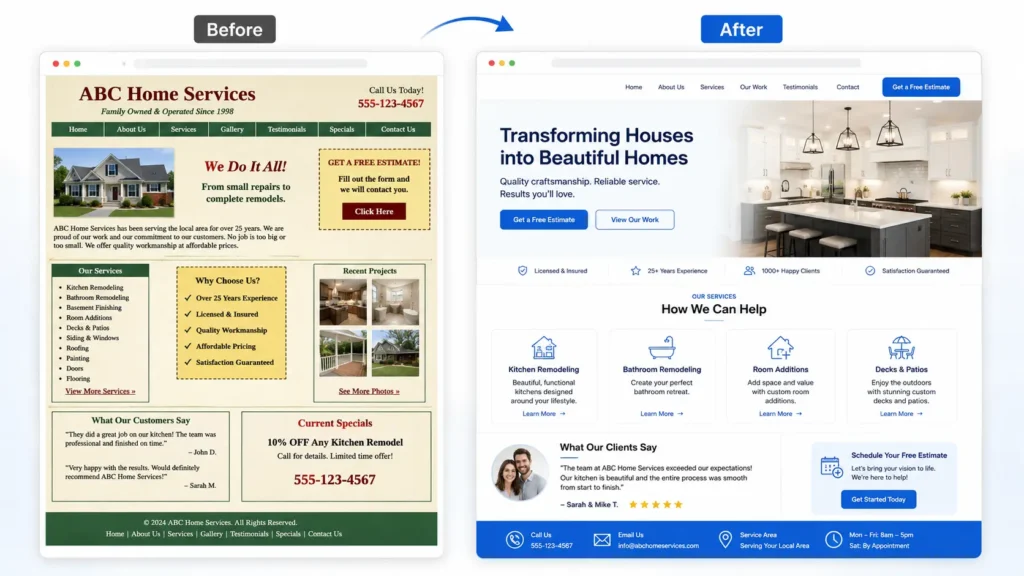
The right designer should understand more than colors and fonts. For a small business website, design should support business growth. That means every section should help visitors understand your offer and feel confident enough to take the next step.
Before hiring, review these areas carefully:
✅ Portfolio quality
Look at their previous work. Do the websites look clean, modern, and easy to navigate?
✅ Small business experience
A designer who understands small business needs will think about calls, bookings, trust, and local service pages.
✅ Communication process
Remote work depends on clear updates. Ask how feedback, revisions, and approvals are handled.
✅ SEO awareness
The designer does not need to be a full SEO agency, but they should understand headings, page structure, speed, internal links, and mobile usability.
✅ Conversion focus
A website should guide visitors toward action. Ask how the designer improves inquiries, calls, or bookings.
✅ Trust-building sections
Your site should include reviews, sample work, service details, guarantees, FAQs, or process explanations where relevant.
You can also review portfolio highlights to see how finished projects can present a business more clearly.
How the Remote Web Design Process Usually Works
A remote project should feel organized from the first conversation. The best process is simple enough for the business owner but detailed enough for the designer to build correctly.
Most projects follow this flow:
- Discovery
The designer learns about your business, goals, services, customers, and current website issues. - Website strategy
The page structure, main calls to action, and content needs are planned. - Design direction
The designer creates the look and layout for key pages. - Website build
The approved design is built into a working website. - Review and revisions
You review the site and request changes before launch. - Launch and basic checks
The designer checks mobile layout, links, buttons, forms, and page basics. - Post-launch support
Some designers offer maintenance, updates, or ongoing improvements.
This process helps avoid confusion. You should know what is included, what timeline is expected, what content you need to provide, and how many revisions are part of the project.
A remote designer should also ask smart questions. For example:
Who is your ideal customer?
Which service is most profitable?
What action should visitors take first?
What pages bring the most inquiries now?
What objections stop people from contacting you?
These questions help shape a website that supports real business goals.
How Website Design Builds Trust
Trust is one of the biggest reasons people choose one small business over another. Your website can either support trust or weaken it.
A visitor may not say, “This website has poor spacing and weak hierarchy.” But they may feel unsure, confused, or hesitant. That feeling can stop them from contacting you.
Good design builds trust through clarity. It uses consistent branding, readable text, professional images, simple navigation, and proof that your business is real.
Trust-building website elements include:
✅ Clear business name and contact information
✅ Real service descriptions
✅ Customer reviews or testimonials
✅ Portfolio photos or sample work
✅ About section with a human story
✅ Secure and working forms
✅ Fresh design that feels maintained
✅ Easy mobile experience
Accessibility is also part of trust. W3C’s Web Accessibility Initiative develops standards and resources to make the web accessible to people with disabilities, which supports better usability for more visitors.
That does not mean every small business website needs to be complex. It means your site should be readable, easy to navigate, and usable for people with different needs.
How Remote Designers Help With Landing Pages
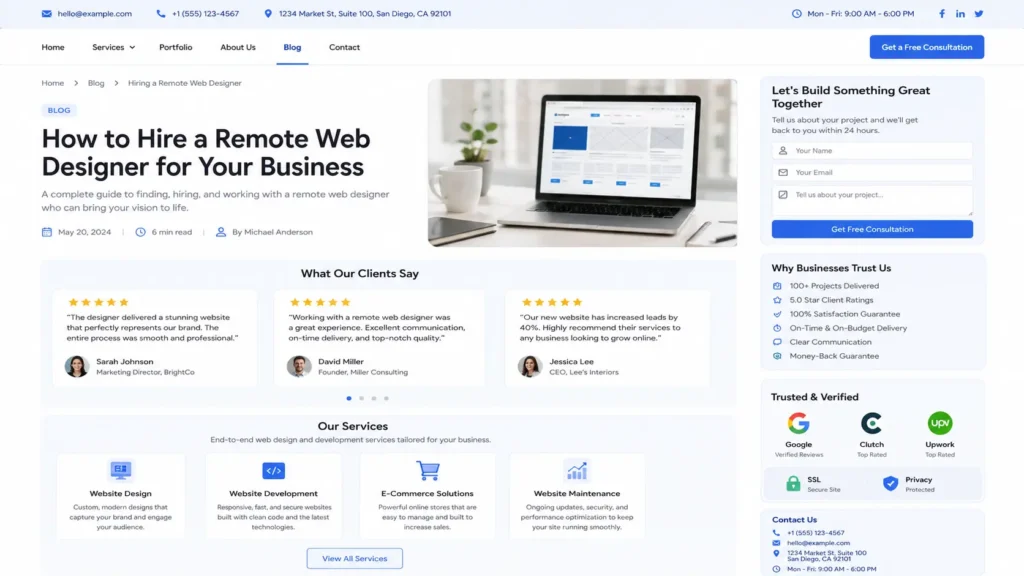
Landing pages are useful when you want visitors to take one specific action. This could be booking a call, requesting a quote, downloading a guide, or signing up for a service.
Unlike a full homepage, a landing page is usually more focused. It removes distractions and supports one main offer.
A good landing page includes:
✅ A strong headline
✅ A clear benefit
✅ A short explanation of the offer
✅ Social proof
✅ A simple form or booking button
✅ FAQs that reduce hesitation
✅ A final call to action
For example, if you run Google Ads for “kitchen remodeling quote,” sending visitors to your general homepage may not work as well as sending them to a kitchen remodeling landing page. The landing page can match their search intent, show relevant photos, answer common questions, and make the quote request easy.
This is where a remote designer can be very effective. They can create focused landing pages for specific services, locations, campaigns, or customer types.
For more on how remote design supports lead generation, read how a remote web designer helps small businesses get more leads.
How SEO Fits Into Website Design
SEO and web design should work together. A beautiful website can still struggle if search engines and visitors cannot understand it.
Good SEO-friendly design starts with structure. Each page should have a clear topic, useful headings, internal links, readable content, fast loading, and a mobile-friendly layout.
For small businesses, this often means building separate pages for important services. A dentist, plumber, consultant, med spa, contractor, or coach may need pages that explain each service clearly instead of placing everything on one short homepage.
A remote designer can help by creating:
✅ Clear homepage sections
✅ Service pages with focused topics
✅ Blog layouts that support helpful content
✅ Internal links between related pages
✅ Fast and clean page designs
✅ Mobile-friendly calls to action
Internal linking is especially useful because it helps visitors continue learning while guiding them toward important service pages. For example, a blog post can naturally point readers to a related service page when they are ready for help.
You can also support your research with Google’s SEO Starter Guide, which is a useful external resource for understanding how website structure and helpful content support search visibility.
Common Mistakes to Avoid When Hiring a Remote Designer
The wrong designer can cost time, money, and momentum. Many small business owners choose based only on price or visuals, then later realize the website does not bring leads.
Avoid these common mistakes:
Choosing only the cheapest option
A low-cost website may work for a temporary need, but it can become expensive if you need to rebuild it later.
Ignoring mobile design
Many customers visit from phones. If your mobile layout is hard to use, you may lose calls and bookings.
Not preparing content
A designer needs accurate service details, photos, offers, and business information. Missing content can delay the project.
Skipping SEO basics
Your website should have proper headings, page titles, internal links, and clear service pages.
Using vague calls to action
Buttons like “Submit” or “Learn More” are not always enough. Be specific when possible.
Not checking the portfolio
A designer’s past work shows their style, quality, and ability to organize information.
The safest approach is to ask how the designer connects design decisions to business results. A strong designer can explain why a section belongs on the page, how the layout supports action, and which changes can improve trust.
Practical Tips Before You Start Your Project
Before starting a remote web design project, gather the basics. This will make the process faster and smoother.
Prepare a short list of your main services. Then decide which one is most important for leads. Your website should not treat every service as equal if one brings the best customers or revenue.
Collect your best proof. This could include reviews, photos, case studies, awards, certifications, or customer results. Even a few strong testimonials can help a website feel more trustworthy.
Write down your most common customer questions. These can become FAQ sections, service page content, or landing page copy. Helpful answers can reduce hesitation before someone contacts you.
Review competitor websites, but do not copy them. Instead, notice what feels clear, what feels confusing, and what information customers may expect in your industry.
Finally, decide what action matters most. Do you want calls, bookings, forms, free consultations, or quote requests? This decision affects the entire website structure.
For a deeper look at remote website support, read remote web designer for small business and online web designer for small business.
Final Thoughts: hire remote web designer
Choosing the right remote designer can help your small business look more professional, explain your services clearly, and turn more visitors into leads. The best option is not always the closest designer or the cheapest package. It is the designer who understands your goals, your customers, and the role your website plays in getting calls, bookings, and trust.
If your current site feels outdated, confusing, or quiet, it may be time to hire remote web designer who can improve both design and conversion flow. A stronger website can give customers a better first impression and make it easier for them to take the next step.
Ready to improve your website? Explore website design & development services and start building a site that supports real business growth.
Frequently Asked Questions
1. Is hiring a remote web designer a good choice for a small business?
Yes, hiring remotely can be a smart choice when the designer has a clear process, strong communication, and experience with small business websites. You can review work online, share feedback through previews, and manage the project without in-person meetings. This works especially well for business owners who need a professional site, redesign, landing page, or lead-focused layout but want more options than only local providers.
2. How can a remote web designer help my website get more leads?
A remote web designer can improve leads by making your website clearer and easier to act on. This includes stronger calls to action, better service sections, trust-building proof, faster mobile layouts, and landing pages focused on calls, bookings, or quote requests. When visitors quickly understand what you offer and why they should trust you, they are more likely to contact your business.
3. What should I check before hiring a web designer online?
Review the designer’s portfolio, process, communication style, and understanding of conversions. A good designer should explain how they plan pages, organize content, handle revisions, and guide visitors toward action. You should also check whether they understand mobile design, SEO basics, website speed, service pages, and trust signals. These details matter because a small business website needs to do more than look attractive.
4. Do I need a full website redesign or just a landing page?
Choose a redesign if your whole website feels outdated, confusing, slow, or off-brand. Choose a landing page if you already have a decent website but need one focused page for ads, a specific service, or a booking campaign. Many small businesses start with a redesign when the foundation is weak, then add landing pages later for targeted lead generation.