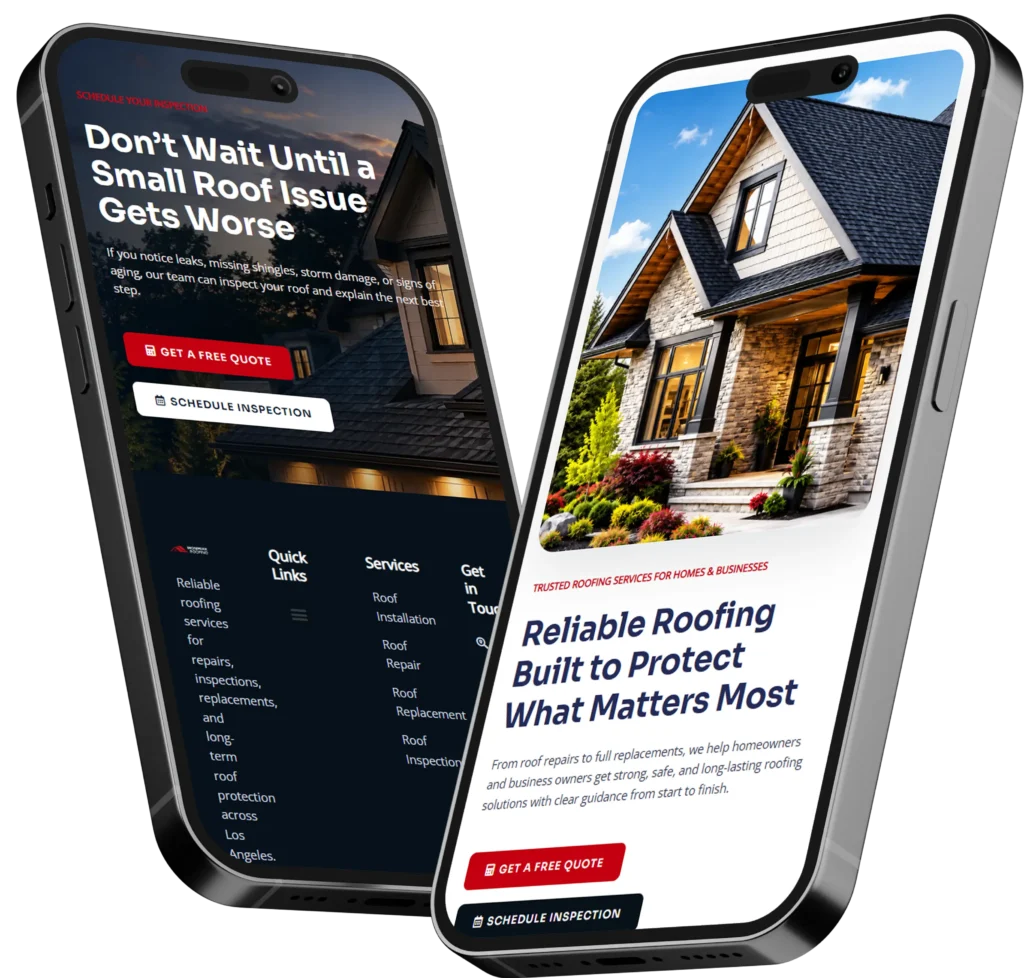
A remote web designer for small business helps owners build a professional website without needing in-person meetings, local office visits, or a large agency budget. The best choice is a designer who understands trust, speed, SEO, mobile design, and how to turn website visitors into calls, bookings, quote requests, or sales.
For many small business owners, the website is the first “sales conversation” a customer has with the brand. If the site looks outdated, loads slowly, or makes it hard to contact you, visitors may leave before they ever call. A remote website designer can fix that by creating a clear, modern, and conversion-focused site that works around your schedule.
A strong website should answer three things fast: what you do, who you help, and how a customer can take the next step. That is why many owners work with conversion-focused web design specialists who build websites with business goals in mind, not just visuals.
Why Small Businesses Hire Remote Website Designers
Small businesses often hire remote designers because the process is flexible, cost-effective, and easier to manage. You do not need to sit in traffic, schedule multiple office visits, or limit yourself to whoever is nearby.
A remote designer can work with you through video calls, email, shared documents, and website previews. This makes the process smoother for busy owners who are running appointments, managing staff, answering customers, or handling daily operations.
The main reason remote design works well is simple: your website is already a digital asset. Most of the work, such as layout planning, copy structure, SEO setup, mobile testing, image placement, and launch checks, can be handled online.
Here is where the right designer becomes valuable. They should not only ask what colors you like. They should ask what service brings the most profit, what type of customer you want, what pages need to rank, and what action you want visitors to take.
Remote vs Local Web Designer: Which Is Better?
A local designer can be helpful when you want face-to-face meetings. However, remote designers often give small businesses more choice, faster communication, and better access to specialists.
| Option | Best For | Possible Limitation |
|---|---|---|
| Local web designer | Owners who prefer in-person meetings | Limited to local availability and pricing |
| Remote web designer | Owners who want flexibility, skill range, and online communication | Requires clear communication and organized feedback |
| DIY website builder | Very small starter budgets | Can look basic and may lack SEO or conversion strategy |
| Large agency | Bigger companies with complex needs | Often more expensive and less personal |
For most service-based small businesses, the best option is a remote designer who combines design, SEO basics, lead generation, and clear project management. This gives you the benefit of professional work without needing a large internal team.
How a Remote Designer Builds Trust on Your Website
Trust is one of the biggest reasons visitors decide to call, book, or leave. A small business website needs to feel real, helpful, and easy to understand.
A designer can build trust by placing the right signals in the right areas of the page. These include customer reviews, service photos, location details, clear pricing guidance, badges, before-and-after work, portfolio examples, guarantees, and simple contact options.
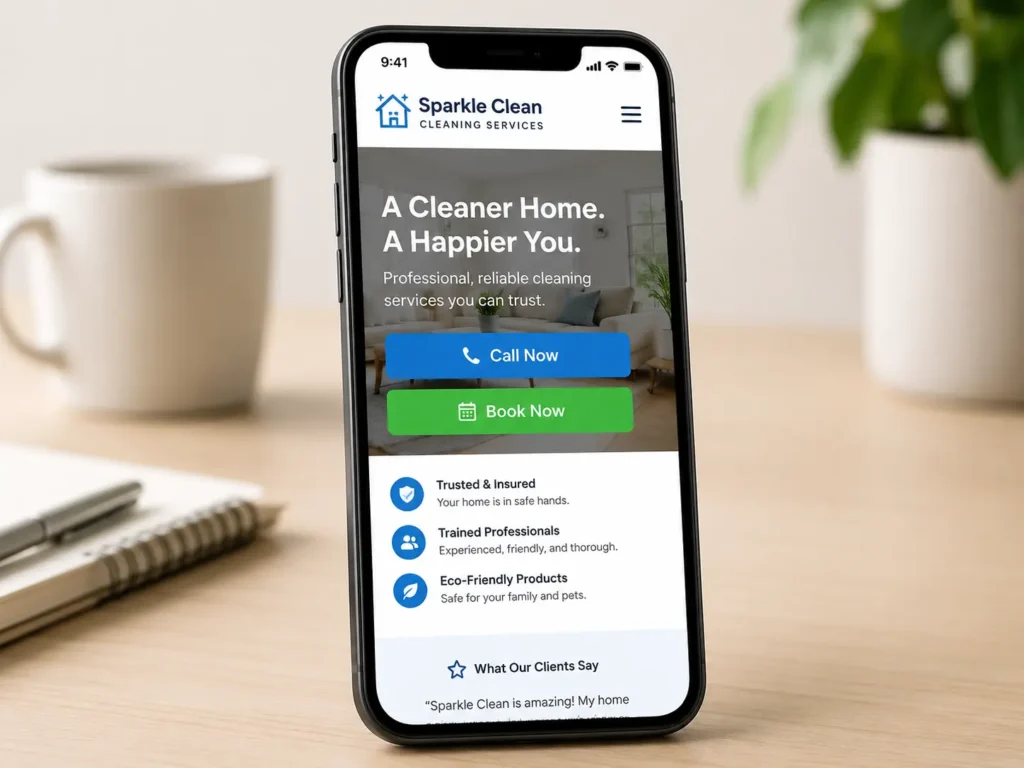
For example, a cleaning company should show service areas, real photos, review snippets, and a fast quote button. A contractor should show project photos, licenses if applicable, service pages, and a clear request estimate form. A wellness business should show booking options, testimonials, staff credentials, and calming design.
Google also recommends creating helpful, reliable, people-first content, and small business websites can support this by answering real customer questions clearly. You can review Google’s own guidance through the Google SEO Starter Guide.
What a Good Small Business Website Should Include
A website should not only look nice. It should guide visitors toward action.
✅ Clear headline that explains your service
✅ Simple navigation
✅ Fast-loading mobile pages
✅ Strong call-to-action buttons
✅ Service pages for important offers
✅ Contact form, phone number, and booking option
✅ Testimonials or reviews
✅ SEO-friendly page titles and descriptions
✅ Portfolio or sample work when relevant
✅ Blog content that answers buyer questions
A good remote designer will plan these before building the pages. This helps avoid a common problem: a website that looks finished but does not generate enough leads.
For service businesses, your homepage should quickly explain your value. Your service pages should answer detailed questions. Your contact page should reduce friction. Your blog should support SEO and educate potential customers.
If you are unsure what pages you need, reviewing website design & development services can help you understand what is usually included in a professional build.
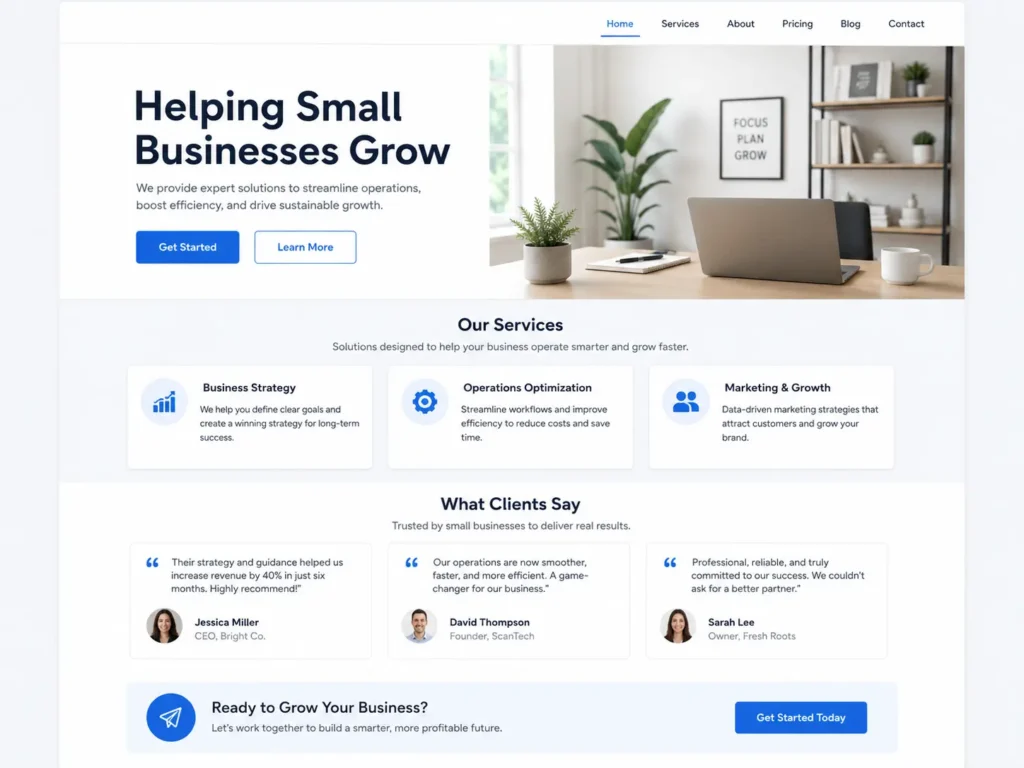
How Remote Website Design Helps With Leads
A lead-focused website makes it easy for visitors to take the next step. That may be calling, booking a consultation, filling out a form, requesting a quote, or viewing your past work.
The design should remove confusion. Visitors should not have to search for your phone number. They should not wonder what city you serve. They should not guess whether you offer the service they need.
A remote designer can improve lead generation by placing calls-to-action throughout the site. These buttons should match the intent of the page. For example, a homepage may use “Start Your Project,” while a service page may use “Request a Quote.” A landing page may use “Book a Free Consultation.”
The page should also be built around buyer intent. Someone searching for pricing needs cost guidance. Someone searching for services near them wants location relevance. Someone comparing designers wants trust and proof.
That is why supporting blog content is helpful. Articles like website design pricing for small business can answer cost concerns before a visitor contacts you.
Website Redesign: When Is It Time?
Many small business owners do not need a brand-new business. They need a better version of their current website.
A redesign may be the right move when your website feels outdated, loads slowly, does not show well on mobile, or no longer reflects your services. It may also be time if visitors are coming to your site but not contacting you.
Here are common signs:
| Website Problem | What It Means | Best Fix |
|---|---|---|
| Low calls or form submissions | Visitors may not trust the site or know what to do | Improve layout, copy, and calls-to-action |
| Slow mobile pages | Users may leave before the page loads | Compress images and improve performance |
| Old design | The business may look less credible | Update visuals and structure |
| Weak service pages | Google and visitors may not understand your offers | Build clearer service pages |
| No portfolio or proof | Visitors may hesitate to hire you | Add case studies, samples, or testimonials |
A redesign should not only change colors and fonts. It should improve the way people move through the site. The best redesigns focus on trust, clarity, search visibility, and conversions.
If you want to compare finished work before hiring, review portfolio highlights to see how different website styles can support different business goals.
How to Choose the Right Remote Designer
Choosing the right designer matters because your website affects how customers see your business. The cheapest option is not always the best option, especially if the site fails to bring inquiries.
Start by checking their past work. Look for clean layouts, mobile-friendly pages, clear calls-to-action, and service pages that are easy to read. Then review how they explain their process. A good designer should make the project feel organized, not confusing.
Ask how they handle revisions, timelines, mobile testing, SEO basics, website speed, copy structure, and launch support. Also ask what they need from you. Most designers will need your logo, brand colors if available, service list, photos, testimonials, and business details.
The best designer for a small business is usually the one who can explain why each page exists. They should know which sections help build trust, which layout supports leads, and how customers make decisions online.
If your goal is to rank locally, it also helps to read about website design services near me so you understand how local search behavior connects to website structure.
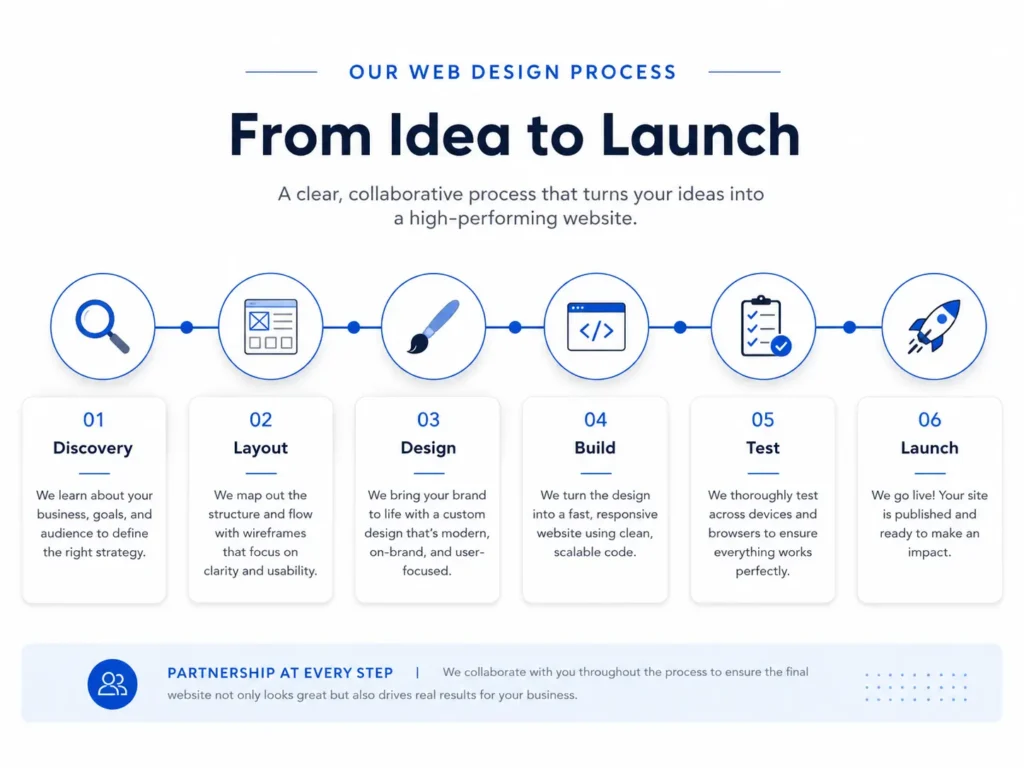
What the Remote Website Design Process Looks Like
The process is usually simple when the designer has a clear system.
First, there is a discovery step. This is where the designer learns about your business, services, customers, competitors, and goals. The goal is to understand what your website must accomplish.
Next comes structure. The designer plans the pages, navigation, homepage sections, service sections, and calls-to-action. This step is important because it prevents the website from feeling random.
After that, the design is created. You may review a homepage mockup or staging website before the full build continues. This is where you give feedback on layout, content, colors, and images.
Then the website is developed, tested, and prepared for launch. A good designer checks mobile view, links, forms, page speed, metadata, and basic SEO settings before going live.
Finally, your website should be connected to the tools you need, such as contact forms, analytics, booking software, Google Business Profile, or email notifications. Google Business Profile can also help businesses manage how they appear across Google Search and Maps, which supports local visibility. You can learn more from Google Business Profile.
Which Website Pages Should Small Businesses Prioritize?
Not every small business needs a huge website. The right pages depend on your offer, location, and sales process.
For most service businesses, start with a homepage, about page, service pages, contact page, and at least one proof-focused page such as portfolio, reviews, or case studies. If you serve different locations, you may also need location pages. If customers ask many questions before buying, blog content can help.
A landing page is best when you are running ads, promoting one offer, or targeting one customer action. For example, a “free consultation” landing page should stay focused on benefits, proof, and the booking form. It does not need too many distractions.
A full website is better when you need organic traffic, multiple service pages, and long-term SEO growth. A one-page website may work for a new business, but it can become limiting if you want to rank for different services.
For local service providers, this guide on hiring a web designer for local business can help connect your website strategy with local lead generation.
Practical Tips Before Hiring
Before you hire a designer, prepare the basics. This makes the project faster and helps the designer create a stronger website.
Gather your business name, logo, service list, service areas, best contact details, business hours, customer reviews, and photos. If you do not have professional images, ask the designer if they can use clean stock photos while recommending areas where real photos would perform better.
Also prepare your main goal. Do you want more phone calls? More appointment bookings? More quote requests? More trust before sales calls? The answer affects the entire design.
One practical tip is to write down your top five customer questions. These questions can become homepage sections, FAQ answers, service page content, or blog topics. This is useful for SEO because real customer questions often match real search intent.
Another useful tip is to review competitor websites. Do not copy them. Instead, notice what is clear, what is confusing, and what proof they show. This helps your designer find opportunities to make your site stronger.
Common Mistakes to Avoid
Many small business websites fail because they focus too much on appearance and not enough on action. A beautiful website can still perform poorly if visitors do not know what to do next.
Avoid vague headlines like “Welcome to Our Website.” Use clear language that tells people what you offer. Avoid hiding your contact button. Avoid using low-quality images that make the business feel less professional. Avoid long paragraphs that do not answer buyer questions.
Also avoid building every page around yourself. Customers care about your experience, but they mainly want to know if you can solve their problem. Your website should balance credibility with customer-focused messaging.
Another common mistake is ignoring mobile design. Many customers will visit from their phone. If the text is too small, buttons are hard to tap, or forms are frustrating, they may leave.
Final Takeaway: Hire a remote web designer for small business
Hiring the right designer can help your website become more than an online brochure. It can become a trust-building, lead-generating tool that works for your business every day.
The best choice is a designer who understands your goals, explains the process clearly, and builds around customer action. Focus on trust, mobile design, SEO basics, page speed, clear messaging, and simple calls-to-action. When those pieces work together, your website has a better chance of turning visitors into real inquiries.
Frequently Asked Questions
1. Is hiring a remote web designer trustworthy for a small business?
Hiring a remote web designer can be trustworthy when you choose someone with a clear process, visible portfolio, written scope, and reliable communication. Small business owners should look for past work, project steps, revision details, and launch support before paying. Trust also comes from how well the designer explains strategy, timelines, and what they need from you to complete the website properly.
2. Can a remote website designer help my business get more calls and bookings?
A remote website designer can help increase calls and bookings by improving the layout, call-to-action buttons, contact forms, mobile experience, and trust signals on your website. They can structure pages so visitors quickly understand your services and know how to contact you. While no designer can guarantee leads, a better website can reduce confusion and make it easier for interested customers to take action.
3. Should I redesign my small business website or build a new one?
A website redesign is best when your current site has a foundation but looks outdated, loads slowly, or does not convert visitors. A new website is better when the old structure is messy, hard to manage, or no longer fits your services. The right choice depends on your goals, platform, content quality, SEO condition, and whether the current site can support future growth.
4. How much should a small business invest in professional website design?
The right website design budget depends on your goals, pages, features, and how important leads are to your business. A simple informational site usually costs less than a custom website with service pages, landing pages, SEO setup, booking tools, or copywriting. Small business owners should compare value, not only price, because a cheaper website may cost more later if it fails to build trust or generate inquiries.