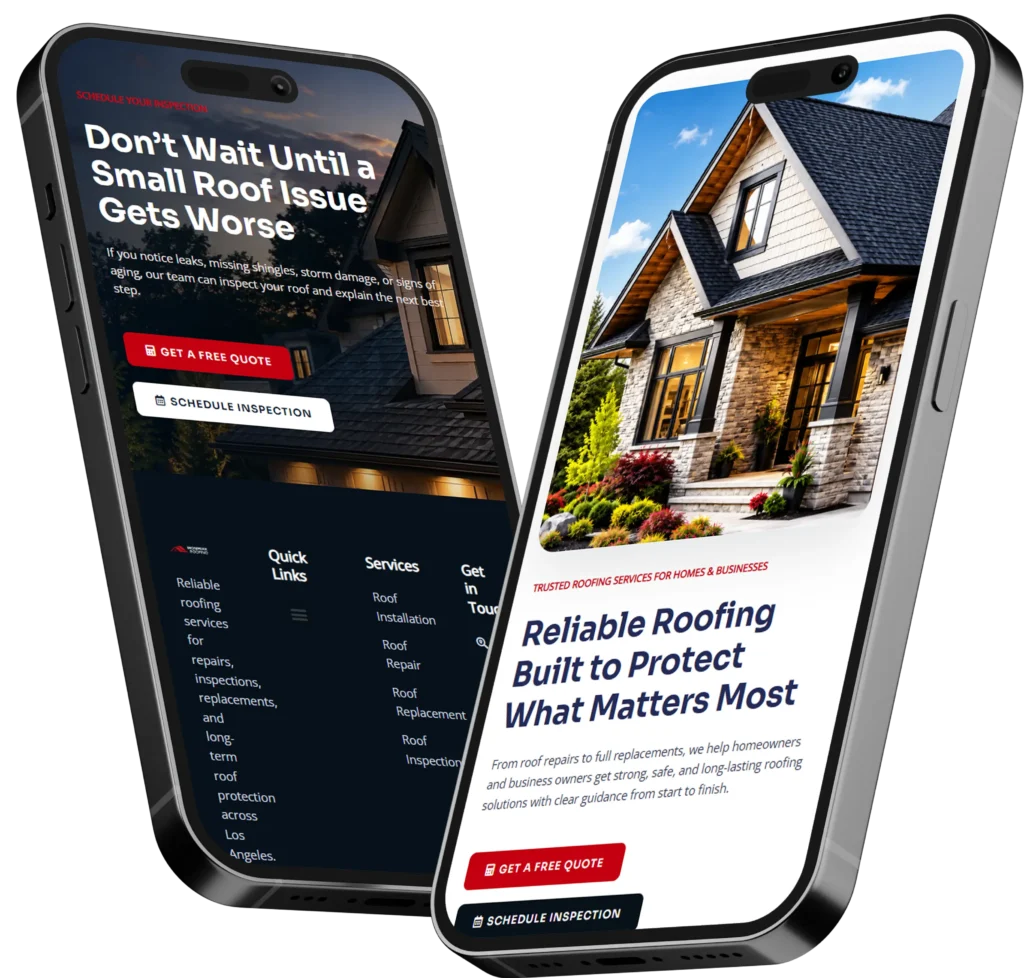
An outsourced web designer for small business helps you get a professional website without hiring a full-time employee. The best option is usually a designer or studio that understands strategy, layout, speed, SEO, and conversion, not just how to make a site look nice.
For many small business owners, the website is the first place customers judge trust. If your homepage is slow, confusing, outdated, or hard to use on mobile, people may leave before they call, book, or buy.
In this guide, we’ll explain why outsourcing makes sense, how the process works, what it may cost, and which option is best for your business goals.
Want help planning your next website? Start with growth-driven web design for small business websites built around clarity, trust, and leads.

Why Small Businesses Outsource Web Design
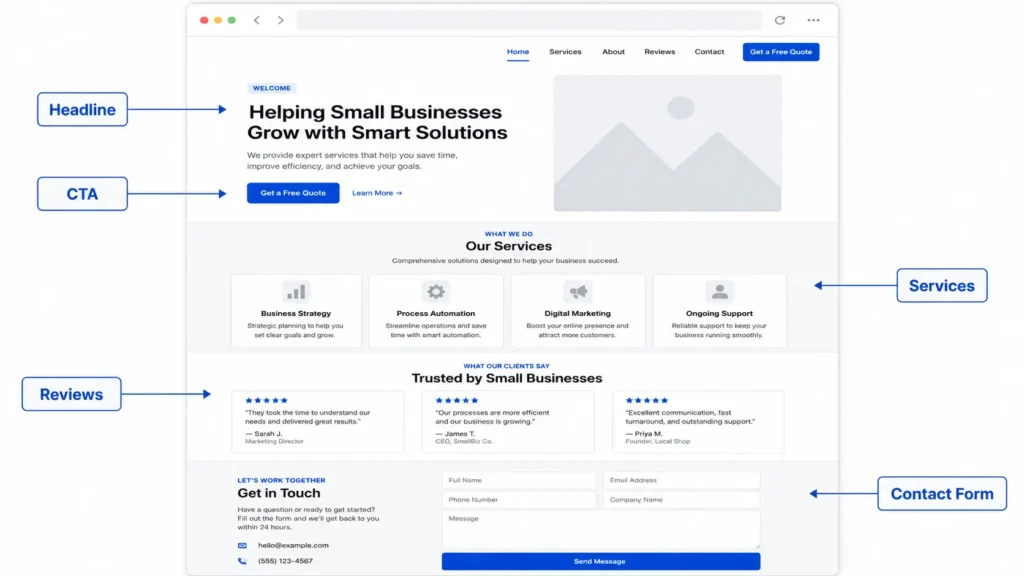
A small business website needs to do more than look modern. It should explain what you offer, show why customers should trust you, guide visitors to the next step, and support search visibility.
That is why many business owners outsource. They need expert help without the long-term cost of hiring an in-house designer.
A good outside designer can help with:
✅ Homepage structure
✅ Service page layout
✅ Mobile-friendly design
✅ Website speed improvements
✅ SEO basics
✅ Calls to action
✅ Trust sections, reviews, and portfolio layout
✅ Contact forms and lead flow
This matters because visitors make quick decisions. Nielsen Norman Group notes that many users leave pages within 10 to 20 seconds unless the page clearly communicates value. A strong website should quickly answer, “Am I in the right place?” and “What should I do next?”
If your current site does not explain your offer clearly, an outsourced designer can help rebuild the user journey.
What Does an Outsourced Web Designer Actually Do
An outsourced web designer plans, designs, and sometimes builds your website without being part of your internal team. The scope depends on the designer or agency you hire.
Some only create visual designs. Others handle strategy, copy layout, SEO structure, mobile responsiveness, WordPress setup, maintenance, and launch support.
Here is a simple breakdown:
| Service Area | What It Includes | Why It Matters |
|---|---|---|
| Website strategy | Page goals, user flow, competitor review | Helps the site support business goals |
| Design layout | Homepage, service pages, contact page | Makes your offer easy to understand |
| Development | Building the site in WordPress or another platform | Turns the design into a working website |
| SEO setup | Page titles, headings, image alt text, internal links | Helps Google understand your pages |
| Conversion setup | Buttons, forms, trust sections, testimonials | Encourages visitors to contact you |
| Maintenance | Updates, backups, fixes, small changes | Keeps the site stable after launch |
For example, a local contractor may need service pages, project photos, reviews, and a quote form. A consultant may need a clean homepage, case studies, booking links, and strong personal positioning.
The best designer adjusts the structure based on how your customers make decisions.
How Outsourcing Web Design Works
The process is usually simple when the project is organized from the start. You do not need to know every technical detail, but you should know what outcome you want.
Most projects follow this path:
✅ Discovery call
✅ Website audit or goal review
✅ Sitemap and page planning
✅ Design mockup
✅ Content collection
✅ Website build
✅ Mobile testing
✅ SEO setup
✅ Launch
✅ Post-launch support
Before hiring, prepare your logo, brand colors, service list, photos, testimonials, and examples of websites you like. This helps the designer understand your direction faster.
You can also review website design & development services to see how a structured service page can explain what is included before a project begins.
A helpful tip: ask the designer what they need from you before the project starts. Delays often happen because business owners do not have photos, service descriptions, login access, or brand details ready.
Which Outsourcing Option Is Best
There are three common ways to outsource your website: freelance designer, small design studio, or larger agency. The best choice depends on your budget, timeline, and how much support you need.
| Option | Best For | Pros | Watch Out For |
|---|---|---|---|
| Freelance designer | Simple sites and smaller budgets | Flexible, often affordable | May not include SEO, copy, or long-term support |
| Small web design studio | Service businesses that need strategy and design | More complete support, easier communication | May have limited availability |
| Larger agency | Complex websites or big campaigns | Larger team and broader services | Higher cost and slower process |
For most small businesses, a small web design studio is often the best balance. You get more structure than a solo freelancer, but without the high overhead of a large agency.
This is especially helpful if you need design, development, SEO basics, and conversion improvements together.
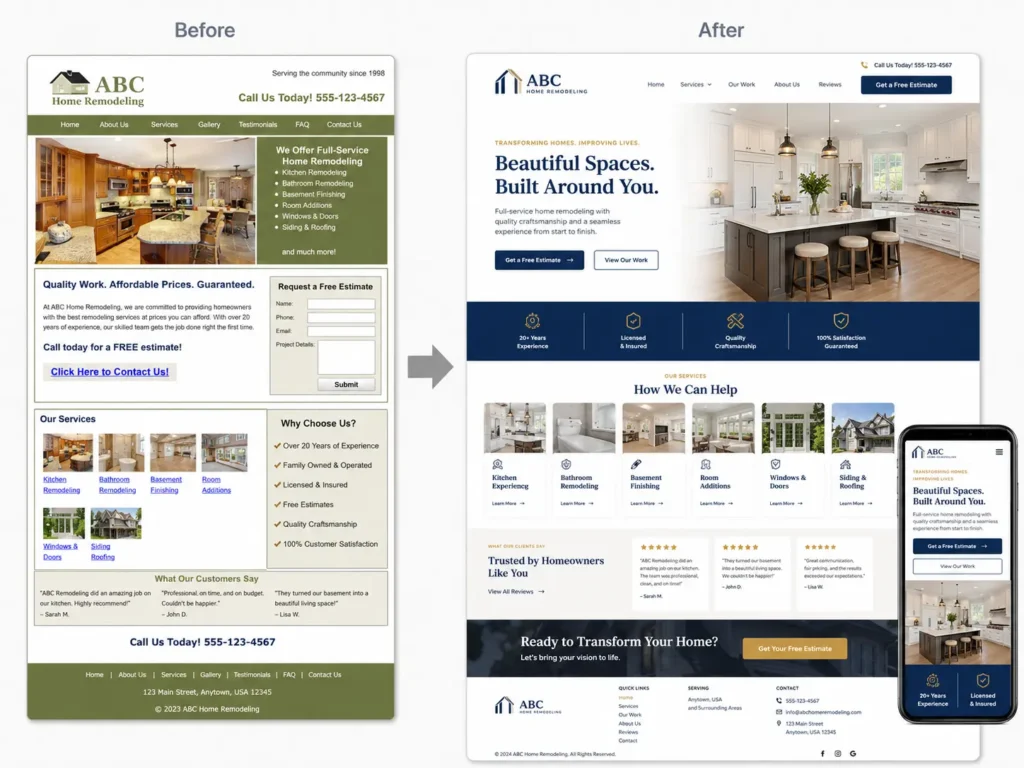
Before choosing, ask to see real work. A designer’s portfolio should show clean layouts, clear messaging, mobile-friendly pages, and business-focused results. You can review portfolio highlights to compare how finished websites are presented.
How Much Should You Expect to Pay
Website pricing depends on the number of pages, design quality, platform, content needs, and whether development is included.
A simple brochure website may cost less than a custom site with booking tools, service pages, SEO setup, forms, blog structure, and maintenance.
Here is a practical pricing guide:
✅ Basic small business website: usually best for simple online presence
✅ Custom service business website: best for lead generation
✅ Website redesign: best for outdated websites that need better flow
✅ Ongoing maintenance: best for businesses that want updates handled monthly
The cheapest option is not always the most affordable long-term. A low-cost website may need to be rebuilt if it loads slowly, looks generic, or fails to convert visitors.
Google Search Central explains that SEO includes improvements that help search engines crawl, index, and understand your site. This means your designer should think about structure, titles, useful content, and technical basics, not just colors and fonts.
A practical tip: ask if the quote includes mobile design, on-page SEO basics, contact form setup, image optimization, and post-launch edits. These items can change the real cost.
What to Look for Before Hiring
A good designer should ask questions before giving final recommendations. If someone offers a price without understanding your business, pages, goals, and content, that can be a warning sign.
Look for these qualities:
✅ Clear process
✅ Mobile-first thinking
✅ Strong portfolio
✅ Understanding of SEO basics
✅ Conversion-focused layout
✅ Fast communication
✅ Transparent pricing
✅ Post-launch support
You should also ask how they handle revisions. Some designers include one or two revision rounds, while others charge extra after a certain point.
Another good question is: “How will this website help me get more leads?” Their answer should include clear calls to action, trust signals, page structure, and service clarity.
For a deeper comparison, you can read this guide on how to hire a remote web designer and understand what to check before making a decision.
Why Website Strategy Matters More Than Looks
A beautiful website can still fail if visitors do not understand what to do next.
Your website should answer these questions quickly:
✅ What does this business offer?
✅ Who is it for?
✅ Why should I trust them?
✅ What should I click next?
✅ How do I contact them?
This is where many small business websites struggle. They use vague headlines like “Welcome to our website” or “Quality service you can trust.” Those phrases do not explain the offer clearly.
A better homepage headline might say:
“Custom Website Design for Local Service Businesses That Need More Leads”
That tells the visitor what you do, who you help, and the business goal.
Your designer should help turn your website into a sales tool, not just an online brochure.
User experience matters because visitors decide quickly whether to stay or leave. The Nielsen Norman Group website attention study explains why clear value, simple navigation, and strong calls to action should appear early on your homepage.
How Outsourcing Helps With SEO and AEO
Search engines and AI answer engines need clear information. That means your website should be easy to crawl, easy to understand, and structured around real customer questions.
This is where SEO and AEO work together.
SEO helps your pages rank in search results. AEO helps your content answer questions clearly enough to be pulled into AI summaries, featured snippets, and voice-style answers.
A good outsourced designer can support this by creating:
✅ Clear heading structure
✅ Helpful service pages
✅ FAQ sections
✅ Fast-loading pages
✅ Internal links
✅ Descriptive page titles
✅ Simple navigation
✅ Strong calls to action
For example, a service page should not only say “Web Design.” It should explain who the service is for, what is included, how the process works, pricing expectations, and next steps.
You can also connect related content, such as website designer for US small business and web design services for US business owners, to help readers move through your site naturally.
Internal links help users find related pages, and they help search engines understand which pages are connected.
Practical Tips Before You Outsource
Before you hire anyone, spend time preparing your website goals. This makes the project smoother and helps you avoid paying for work that does not match your needs.
Start with these steps:
✅ List your top 3 business goals
✅ Choose your must-have pages
✅ Gather testimonials and reviews
✅ Prepare service descriptions
✅ Collect brand assets
✅ Save 3 website examples you like
✅ Decide who will provide website copy
✅ Ask about maintenance after launch
A practical example: if your goal is more consultation calls, your website should feature booking buttons, proof of experience, service benefits, and a simple contact form.
If your goal is local leads, your site should include location signals, service area content, reviews, and specific service pages.
The clearer your goal, the better your designer can build around it.
Common Mistakes to Avoid
Outsourcing can save time, but only if you hire the right person and manage the project well.
Avoid these mistakes:
✅ Choosing only based on price
✅ Starting without a clear scope
✅ Ignoring mobile design
✅ Using weak or generic copy
✅ Not asking about SEO basics
✅ Forgetting website maintenance
✅ Skipping analytics setup
✅ Not reviewing the portfolio
One of the biggest mistakes is treating the website as a one-time task. Your site should improve over time as your business grows.
After launch, check which pages get traffic, which buttons people click, and which forms convert. Then refine the site based on real behavior.
When Should You Outsource Instead of DIY
DIY website builders can work for very simple sites, but they are not always the best choice for businesses that depend on leads.
Outsource when:
✅ Your website looks outdated
✅ You are not getting enough inquiries
✅ Your site is slow or confusing
✅ You need a professional brand image
✅ You do not have time to build it yourself
✅ You need SEO-friendly structure
✅ You want a better mobile experience
DIY may be fine if you only need a temporary landing page. But if your website affects trust, leads, bookings, or sales, professional help is usually worth it.
A strong website can save you time by answering customer questions before they contact you. It can also make your business look more credible compared to competitors.
Final Takeaway: outsourced web designer for small business
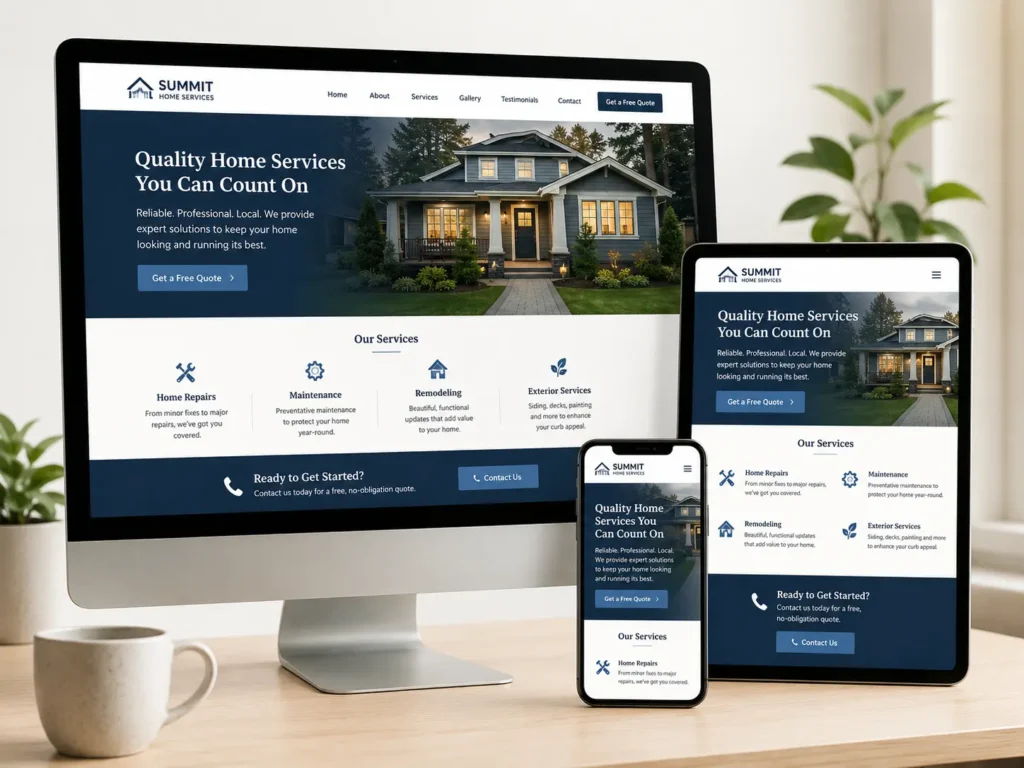
Hiring an outsourced web designer for small business is a smart move when you want a professional website without building an in-house team. The best choice is someone who understands design, user experience, SEO basics, and how small business customers make buying decisions.
Focus on value, not just price. A well-planned website can help you build trust, explain your services, and turn more visitors into leads.
Ready to improve your website? Explore conversion focus websites and start building a site that works harder for your business.
Frequently Asked Questions
1. How much does a website designer cost for a small business?
A small business website designer can cost anywhere from a few hundred dollars to several thousand dollars, depending on the project size, page count, platform, and level of customization. A basic website usually costs less, while a custom lead-generation site with SEO setup, service pages, mobile optimization, forms, and post-launch support costs more. The best way to compare pricing is to ask what is included, such as design, development, revisions, content help, and maintenance.
2. What is the 3 second rule in website design?
The 3 second rule means your website should quickly show visitors what you offer, who it helps, and what action to take next. It is not a strict technical rule, but it is a useful reminder that people judge websites fast. Your homepage should have a clear headline, simple navigation, fast loading speed, and a visible call to action. If visitors feel confused, they may leave before reading your services or contacting you.
3. How much should a web designer cost?
A web designer should cost enough to cover strategy, design skill, communication, revisions, and proper setup. Very low prices may seem attractive, but they can lead to generic layouts, weak mobile design, slow pages, or missing SEO basics. For small businesses, the right cost depends on whether you need a simple informational website, a full redesign, or a conversion-focused site. Always compare scope, portfolio quality, and support before choosing.
4. How much does it cost to outsource web development?
Outsourcing web development can cost less than hiring an in-house developer, but the final price depends on complexity. A small website build may be affordable, while custom features, booking systems, ecommerce, migrations, or advanced integrations can raise the cost. Ask whether the quote includes development, testing, mobile responsiveness, speed checks, launch support, and future updates. A clear scope helps prevent surprise charges and keeps the project organized.