
If you are wondering what to write on a business website, start with a clear answer: say who you help, what problem you solve, why people can trust you, and how to take the next step. A strong small business website should make your services easy to understand, show proof, and guide visitors toward a call, quote request, booking, or purchase.
Most business owners do not need fancy wording. They need clear website copy that answers real customer questions fast.
Your website should work like your best salesperson. It should explain your value, remove doubt, and make the next step feel simple.
Need help turning your website into a lead tool? Work with conversion-focused web design that is built around trust, clarity, and action.
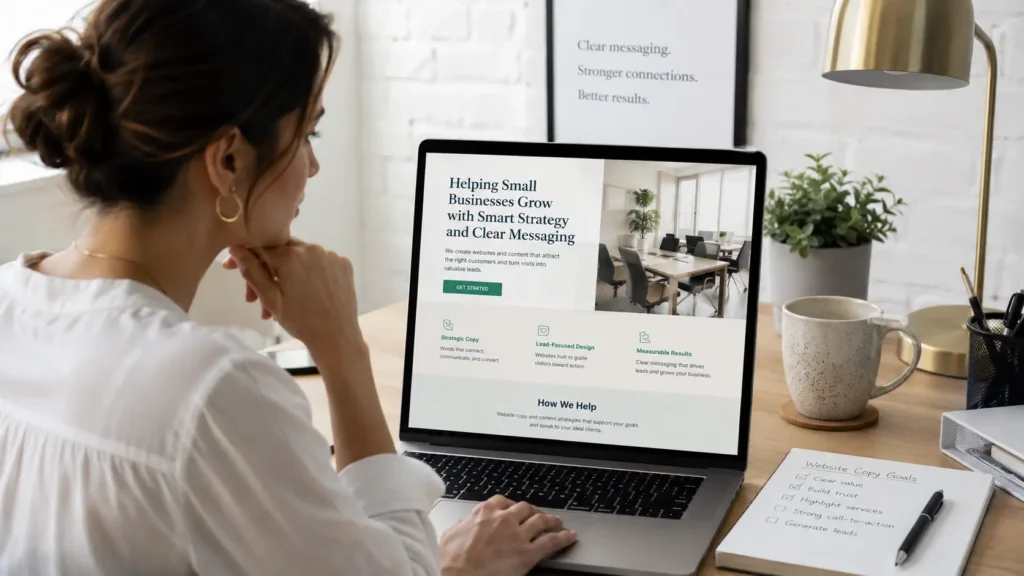
Why Your Website Words Matter
Your design gets attention, but your words create action. A beautiful site can still lose leads if visitors do not understand what you offer or why they should choose you.
People usually land on your website with a question in mind. They may want to know if you serve their area, how much experience you have, what your services include, or whether they can trust you with their project.
Your website copy should answer those questions before they become reasons to leave.
Google also needs clear content to understand your pages. Google’s SEO Starter Guide explains that SEO helps search engines understand your content and helps users decide whether to visit your site through search. You can use the Google Search Central SEO Starter Guide as a helpful reference for content structure and SEO basics.
What Every Business Website Should Say
A business website should clearly explain five things: who you help, what you offer, why it matters, why visitors should trust you, and what they should do next.
Here is a simple way to think about it:
| Website Message | What It Should Answer | Example |
|---|---|---|
| ✅ Who you help | Is this business for me? | “We help local service businesses get more calls and bookings.” |
| ✅ What you offer | What can I buy or request? | “Website design, redesigns, landing pages, and SEO-focused copy.” |
| ✅ Why it matters | What result do I get? | “A clearer website that turns visitors into leads.” |
| ✅ Why trust you | Why should I believe you? | “See our past projects, testimonials, and process.” |
| ✅ Next step | What should I do now? | “Book a free website audit or request a quote.” |
This format works because it keeps the visitor moving. They do not have to guess. They understand the value and know where to click next.
Start With a Clear Homepage Message
Your homepage should not try to say everything. It should quickly tell visitors they are in the right place.
A good homepage hero section usually includes:
✅ A headline that explains the main outcome
✅ A short supporting sentence
✅ A strong call to action
✅ A trust signal, such as reviews, location, years in business, or project examples
For example, instead of saying:
“Welcome to our website. We offer quality services.”
Say something clearer:
“Websites for small businesses that need more leads, calls, and bookings.”
That headline tells people who it is for and what result they can expect.
The first screen of your homepage is especially important. Before visitors scroll, they should know what you do, who you help, and why they should stay.
If your current homepage feels confusing, it may be time to review your website design & development services and update the page around a stronger message.
Explain Your Services in Plain Language
Your service pages should be specific. Many businesses make the mistake of using vague words like “solutions,” “quality,” or “professional services” without explaining what is actually included.
Visitors want practical details. They want to know what you do, what happens during the process, and what result they can expect.
For each service, include:
✅ A short description of the service
✅ Who it is best for
✅ What is included
✅ The problem it solves
✅ A call to action
For example, a website redesign page should explain whether you improve the design, rewrite copy, fix mobile layout, speed up the site, update SEO basics, or migrate content.
This is where many small business websites can win. You do not need to sound bigger than you are. You need to sound useful, clear, and trustworthy.
For a deeper guide, read this helpful article on service page copy for small business.
Add Trust Signals That Reduce Doubt
People do not contact a business just because the website looks nice. They contact a business when they feel safe taking the next step.
Trust signals help visitors feel confident.
Good trust signals include reviews, testimonials, before-and-after examples, case studies, awards, certifications, business location, guarantees, photos of real work, and clear contact details.
If you make claims on your website, keep them honest and support them with proof. The FTC explains that advertising claims should be truthful, not deceptive, and backed by evidence when needed. The FTC advertising guide for small business is a useful external resource for business owners who want to avoid misleading website claims.
A stronger trust section may say:
“Trusted by local contractors, consultants, coaches, and service businesses that need websites built for leads.”
Then support that with examples from your portfolio highlights.
Write for Calls, Bookings, and Leads
A website should not just educate. It should guide visitors toward action.
That does not mean every sentence needs to sell. It means every page should have a clear purpose.
Ask yourself:
✅ Should this page make people call?
✅ Should it make them book?
✅ Should it send them to a quote form?
✅ Should it help them compare services?
✅ Should it build trust before a sales conversation?
A homepage may guide visitors to your services. A service page may guide them to a consultation. A landing page may focus only on one offer.
The best call to action depends on the page.
| Page Type | Best CTA | Why It Works |
|---|---|---|
| Homepage | “Start Your Project” | Good for visitors ready to explore your business |
| Service Page | “Request a Quote” | Matches people comparing service options |
| Landing Page | “Book a Free Call” | Keeps attention on one specific offer |
| Portfolio Page | “View Similar Projects” | Builds confidence through proof |
| Contact Page | “Send a Message” | Simple action for warm leads |
Use the same call to action more than once on long pages. Place it near the top, after your service explanation, after proof, and near the bottom.
What to Put on Each Main Website Page
Each page on your website should have a job.
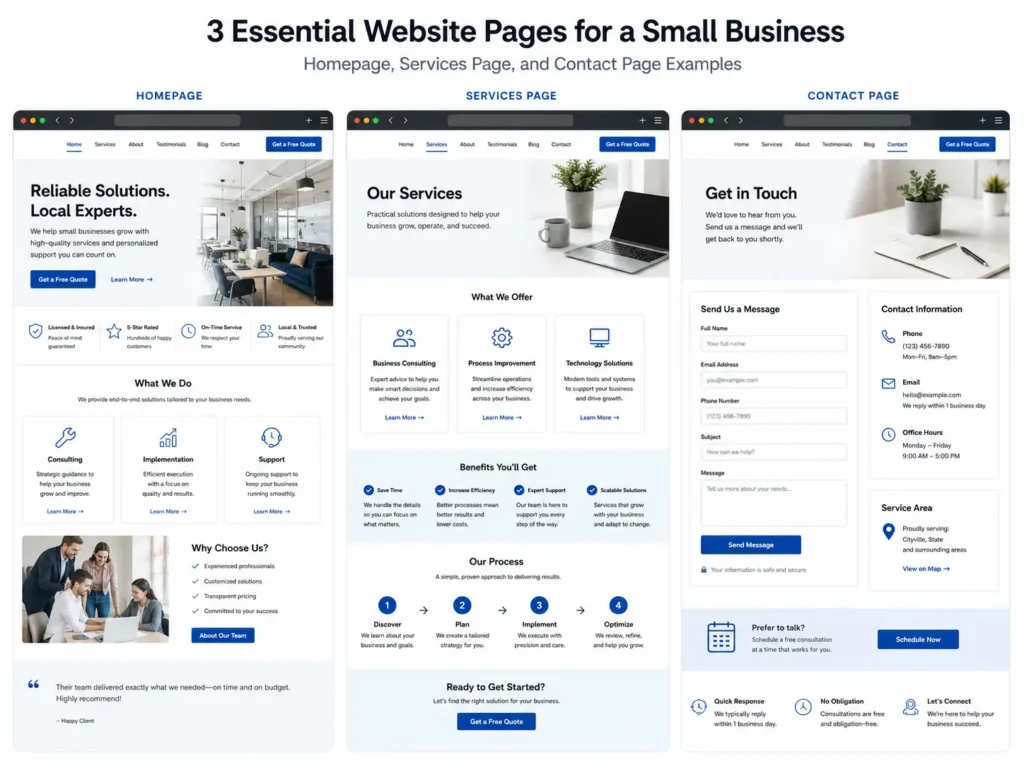
Your homepage gives the big picture. Your about page builds connection. Your services page explains value. Your portfolio proves ability. Your contact page removes friction.
Here is a simple website copy map:
✅ Homepage: Main promise, services overview, trust signals, reviews, call to action
✅ About page: Your story, experience, values, location, who you help
✅ Services page: Detailed offers, process, benefits, pricing direction if possible
✅ Portfolio page: Real examples, project notes, results, industries served
✅ Contact page: Form, phone number, email, service area, response expectations
The contact page matters more than most business owners think. Do not make people hunt for your phone number or booking link. Put your contact details where they are easy to see.
You can also add a short line like:
“Not sure where to start? Tell us what you need and we will point you in the right direction.”
That small sentence lowers hesitation.
Make Your Website Copy SEO Friendly
SEO-friendly website copy should be clear for both people and search engines.
Start with one main topic per page. Do not try to rank one page for every service you offer. A web design service page, landing page service page, and redesign page should each have their own focused copy if they target different search intent.
Use natural keywords in important places:
✅ Page title
✅ First paragraph
✅ Main headings
✅ Image alt text
✅ Meta description
✅ FAQs
✅ Internal links
Do not stuff the same phrase everywhere. Use related phrases that real customers would search, such as “small business website copy,” “website redesign for leads,” “landing page copy,” “website messaging,” and “hire a web designer.”
Google’s helpful content guidance focuses on creating useful information for people, not content made only to manipulate rankings. That means your copy should answer real questions, show experience, and help visitors make decisions.
For more support, review this guide on website messaging for small business.
Which Website Copy Option Is Best?
Not every business needs the same type of website copy. The best option depends on your current website, your goals, and how much trust your visitors need before contacting you.
If you are launching a new business, start with simple foundation pages: homepage, services, about, and contact.
If you already have traffic but few leads, focus on conversion copy. That means clearer headlines, stronger proof, better calls to action, and less vague wording.
If you run ads, create a dedicated landing page instead of sending traffic to your homepage. Landing pages are usually better for one specific offer because they remove distractions.
If your website looks outdated, loads slowly, or does not explain your services well, a full redesign may be the better choice.
Practical Copy Formula for Small Businesses
Here is a simple formula you can use on almost any website section:
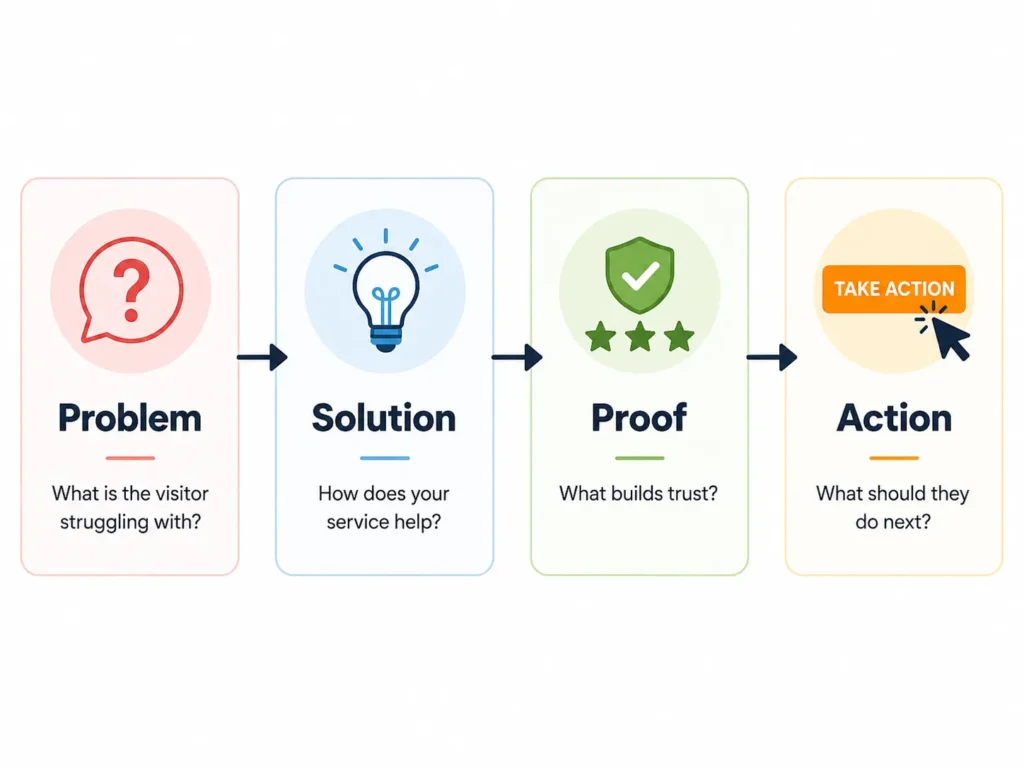
Problem → Solution → Proof → Action
Example:
“Your website should not leave visitors confused. We design clear, mobile-friendly websites that explain your services and guide people toward a call or booking. See recent projects from local businesses, then schedule a free audit to find out what can improve.”
This formula works because it follows how buyers think.
First, they recognize their problem. Then, they look for a solution. After that, they want proof. Finally, they need a clear next step.
You can use this formula for homepage sections, service pages, landing pages, and even short call-to-action blocks.
For more writing help, read how to write website copy that sells.
Common Mistakes to Avoid
Many small business websites lose leads because the content is too vague.
Here are common mistakes:
✅ Talking too much about the business and not enough about the customer
✅ Using generic headlines like “Quality Service You Can Trust”
✅ Hiding the call to action
✅ Listing services without explaining benefits
✅ Forgetting reviews, examples, or proof
✅ Writing long paragraphs that are hard to scan
✅ Making the contact page too complicated
The fix is simple. Make every section answer a visitor question.
Instead of asking, “Does this sound good?” ask, “Does this help someone decide?”
That mindset creates stronger website copy.
Best Tips Before You Publish
Before publishing, read your website like a first-time visitor.
Can someone understand your business in five seconds? Can they tell what city or market you serve? Can they see your main services without clicking too many pages? Can they contact you from any important page?
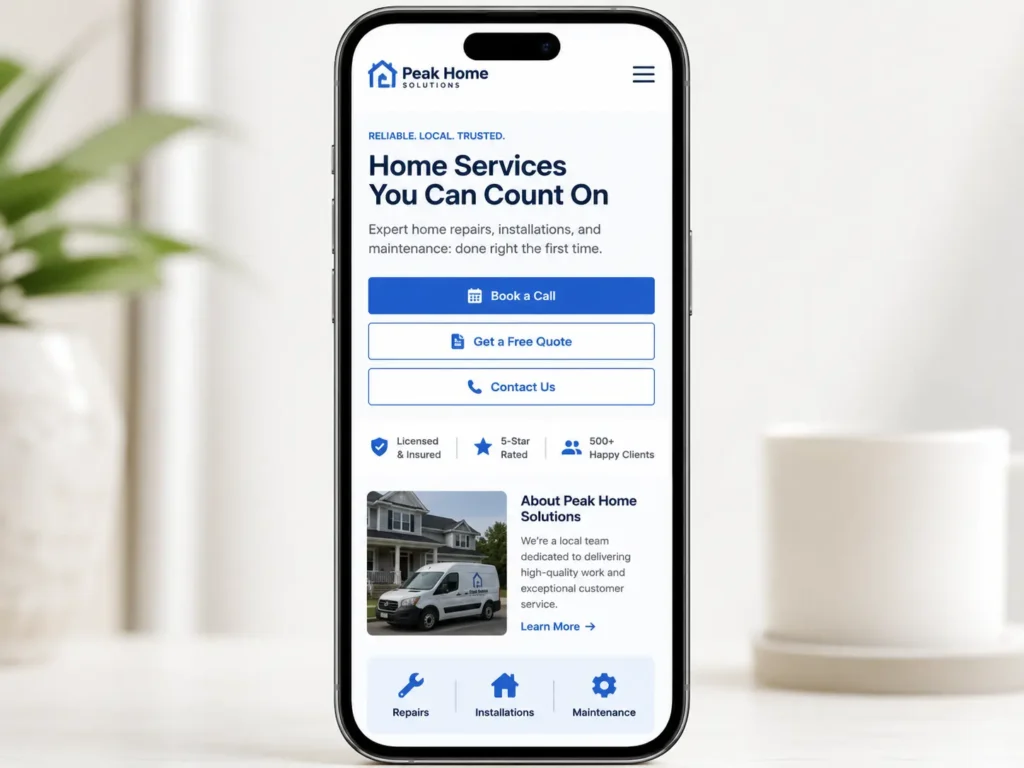
Also check your mobile view. Many visitors will read your website on a phone. Short paragraphs, clear buttons, and simple headings make mobile pages easier to use.
Use real customer language when possible. If people often say, “I need a website that gets more calls,” use similar wording. Your copy should match how customers think and search.
A strong business website does not need to be complicated. It needs to be clear, trustworthy, and easy to act on.
Final Thoughts: what to write on a business website
Your website should clearly explain who you help, what you offer, why visitors should trust you, and what action they should take next. When your copy is simple, specific, and focused on the customer, your website becomes much more useful for SEO, trust, leads, calls, and bookings.
If your website is not bringing enough inquiries, the problem may not be your offer. It may be the message.
Start with your homepage, improve your service pages, add proof, and make every call to action easy to find.
When you are ready to improve the full experience, explore website redesign that converts and turn your site into a stronger lead-generation tool.
Frequently Asked Questions
1. What should a small business put on its website homepage?
A clear homepage message should include who the business helps, what services it offers, why visitors should trust it, and what step to take next. Small business owners should also add reviews, service summaries, location details, contact buttons, and links to important pages. The homepage should not feel like a brochure only. It should guide visitors toward calling, booking, requesting a quote, or learning more about the service.
2. How do I know if my business website needs a redesign?
A website redesign is needed when your site looks outdated, loads slowly, does not work well on mobile, or fails to bring leads. You may also need a redesign if visitors keep asking questions your website should already answer. A strong redesign should improve the design, messaging, page structure, calls to action, and SEO basics so the website supports trust and conversions.
3. Do landing pages help small businesses get more leads?
Landing pages can help small businesses because they focus on one offer, one audience, and one action. Unlike a homepage, a landing page removes extra distractions and guides visitors toward a specific goal, such as booking a consultation or requesting a quote. They are especially useful for ads, seasonal promotions, local campaigns, and service offers that need a focused message.
4. Should I write my own website copy or hire a web designer?
Hiring a professional web designer is helpful if you want your website copy, layout, SEO structure, and calls to action to work together. You can write your own first draft if you know your customers well, but a designer can organize the message so it looks clear and professional online. This is especially important when your website needs to build trust, explain services, and turn visitors into leads.
