
website copywriting tips for small business are about making your website clear, trustworthy, and easy to act on. Good website copy tells visitors what you do, why it matters, and what step they should take next.
For many small business owners, the problem is not the design alone. It is that the words on the page do not answer the visitor’s real question fast enough. A strong website should explain your offer, show proof, guide people to call, book, buy, or request a quote, and support SEO at the same time.
Need help turning your website into a stronger lead source? Start with conversion-focused web design built around clear messaging and better user flow.
Why Website Copy Matters for Small Businesses
Your website copy is often the first conversation a potential customer has with your business. Before they call, book, or fill out a form, they are reading your headline, service description, reviews, pricing clues, and calls to action.
If your copy is vague, visitors may leave because they do not understand what makes you different. If your copy is too long, they may skim past the most important details. If your copy sounds too generic, they may compare you only by price.
Good website copy helps answer three simple questions:
✅ What do you offer?
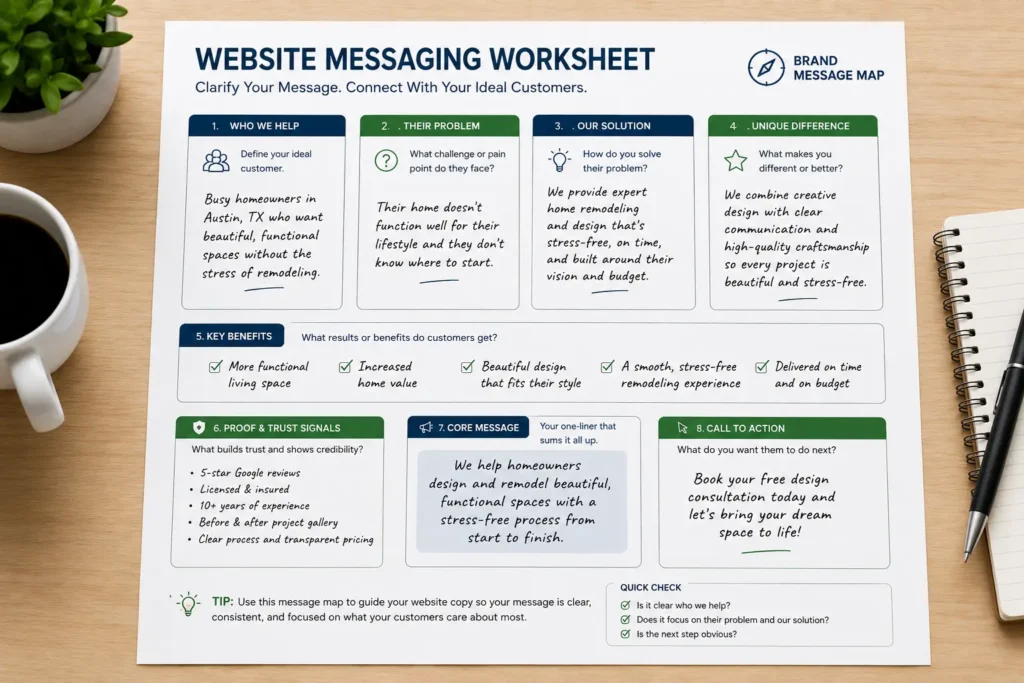
✅ Why should I trust you?
✅ What should I do next?
This matters even more for service businesses, local brands, consultants, contractors, salons, coaches, medical offices, and professional firms. Visitors are usually not browsing for fun. They are looking for a solution, comparing options, and deciding who feels reliable enough to contact.
Google’s SEO Starter Guide also explains that SEO improvements help search engines crawl, index, and understand your site, which means copy and structure should work together instead of being treated separately. Google SEO Starter Guide
What Makes Website Copy Effective?
Effective website copy is not just “nice wording.” It has a job. It should guide the visitor from problem to solution with enough clarity to reduce doubt.
Here is the simple formula:
Problem + clear offer + proof + next step = stronger website copy
For example, instead of saying:
“We provide quality marketing solutions.”
Say:
“Get a clear website strategy, persuasive service pages, and SEO-friendly copy that helps more local customers request a quote.”
The second version works better because it is specific. It tells the reader what they get and why it matters.
| Website Page | Main Goal | Copywriting Focus | Best CTA |
|---|---|---|---|
| Homepage | Explain the business fast | Clear headline, services, trust, next step | Book a call |
| Service Page | Turn interest into leads | Benefits, process, proof, FAQs | Request a quote |
| Landing Page | Convert one offer | One promise, one audience, one CTA | Schedule now |
| About Page | Build trust | Story, values, experience, credibility | Meet the team |
| Contact Page | Remove friction | Simple details, service area, response time | Send message |
A small business website does not need clever words as much as it needs useful words. Clarity always comes before creativity.
Start With a Clear Homepage Message
Your homepage should make sense in the first few seconds. A visitor should not have to scroll too far to understand what you do.
A strong homepage headline usually includes:
✅ Who you help
✅ What you help them achieve
✅ Why your solution is valuable
For example:
“Web Design and Copywriting for Small Businesses That Need More Calls, Leads, and Bookings”
That headline works because it is clear. It says who it is for, what the service is, and what result the customer wants.
Your homepage should also include a short intro section that explains your main services. Do not try to explain every detail on the homepage. Use it as a guide that sends people to your service pages, work samples, and contact form.
A good homepage flow looks like this:
Headline and CTA
Short explanation of your offer
Service overview
Trust signals
Featured work
Simple process
Final CTA
To see how this can fit into your full site structure, explore website design & development services that focus on both design and conversion.
Write Service Pages That Answer Buyer Questions
A service page should not only describe what you do. It should help the reader decide if your service is the right fit.
Many small business service pages are too thin. They say things like “we offer professional service” but do not explain the process, value, timeline, or result.
A better service page should answer:
✅ What is included?
✅ Who is this service best for?
✅ What problem does it solve?
✅ How does your process work?
✅ What makes your business trustworthy?
✅ What should the visitor do next?
This is where practical examples help. If you are a web designer, do not only say “custom web design.” Explain that the service includes homepage planning, mobile layout, conversion-focused sections, SEO page structure, copy guidance, and launch support.
If you need a deeper guide for this part, read service page copy for small business and use it as a support article from your blog cluster.
Use Trust Signals Throughout the Copy
Trust is one of the biggest reasons people contact a small business. Visitors want to know that you are real, reliable, and capable of solving their problem.
Trust signals can include:
✅ Client reviews
✅ Before and after examples
✅ Case studies
✅ Certifications
✅ Years of experience
✅ Local service area
✅ Photos of your team or work
✅ Clear contact information
✅ Guarantees or simple policies
Do not place all trust signals at the bottom of the page. Add them near important decision points. For example, place testimonials beside a service description, show portfolio highlights near your CTA, and mention your process before asking someone to book a call.
A sentence like this can make a service section stronger:
“Our process is designed for busy small business owners who need a professional website without confusing tech steps.”
That line reduces doubt because it speaks to a real concern.
You can also guide visitors to your portfolio highlights so they can see proof before making a decision.
Make Calls to Action Simple and Repeated
A call to action tells the visitor what to do next. Without it, even interested people may leave.
Small business websites often make one of two mistakes. They either have no clear CTA, or they use too many different CTAs on the same page.
For most pages, choose one primary action:
Book a call
Request a quote
Schedule a consultation
View services
See sample work
Get a website audit
Use the CTA more than once, especially on longer pages. Add it near the top, after your service explanation, after proof, and at the bottom.
The wording matters too. “Submit” is weak. “Request a Website Quote” is stronger because it tells the visitor what they are getting.
If your business gets leads through calls, use call-focused copy:
“Call today to check availability.”
“Speak with a designer about your website goals.”
“Book a quick website review.”
If your business gets bookings, use booking-focused copy:
“Schedule your consultation.”
“Reserve your design slot.”
“Choose a time that works for you.”
The best CTA depends on what your customer is ready to do. A cold visitor may want to see services first. A ready buyer may want a quote. Match the CTA to the page intent.
Write Landing Pages for One Clear Offer
Landing pages work best when they focus on one audience, one offer, and one action. This is different from a homepage, which usually introduces several parts of the business.
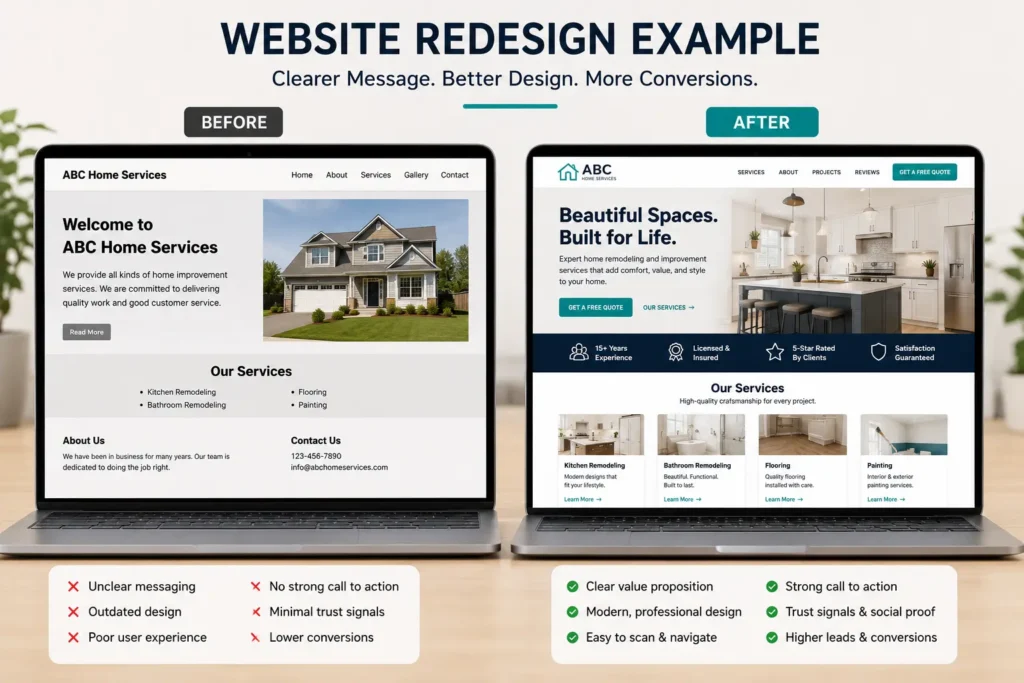
For example, a landing page for a website redesign should not talk about every service you offer. It should focus on the redesign problem:
Your website looks outdated.
It does not explain your value clearly.
It is not getting enough leads.
It is hard to update.
It does not build trust.
Then your copy should explain how the redesign solves those problems.
The structure can be simple:
Headline
Problem statement
Offer explanation
Benefits
Proof
Process
FAQ
CTA
For SEO and conversion, the page should also include natural phrases your audience uses, such as “website redesign,” “small business website,” “lead generation,” “website designer,” and “service page copy.”
The goal is not to stuff keywords. The goal is to make the page easy for both people and search engines to understand.
Use SEO Copy Without Sounding Robotic
SEO copywriting should feel natural. The page still needs to be written for humans first.
One of the best website copywriting tips for small business is to use search terms where they make sense, then support them with helpful sections that answer real customer questions.
For example, a web design service page might include sections like:
What is included in a small business website design?
How long does a website redesign take?
How much copy should each page have?
What makes a website bring in more leads?
Should I hire a web designer or use a template?
These sections help because they match the way people search. They also give Google more context about the page.
Nielsen Norman Group’s web writing research supports concise, scannable, and objective writing because users often scan pages before deciding what to read more deeply. Writing for the Web
That means your copy should use short paragraphs, clear headings, useful tables, and direct answers.
Build Website Messaging Before You Write Pages
Website messaging is the foundation behind your copy. Before writing the homepage or service pages, define what your business should be known for.
Ask:
Who is the ideal customer?
What problem do they need solved?
What makes your process better?
What objections stop them from contacting you?
What result do they care about most?
For example, a small business owner may not only want “a website.” They may want a website that looks professional, explains services clearly, helps them rank locally, and brings in better leads.
That difference matters. Selling “a website” sounds basic. Selling “a website that helps customers trust you and contact you faster” is more persuasive.
For more help with this part, read website messaging for small business.
Practical Website Copy Examples
Here are a few before and after examples you can use as inspiration.
| Weak Copy | Stronger Copy | Why It Works |
|---|---|---|
| We build websites. | We design small business websites that help visitors trust you, understand your services, and contact you faster. | It gives a result. |
| Contact us today. | Book a free website review and see what is stopping your site from getting leads. | It gives a reason to act. |
| We are experienced. | Our team has helped local service businesses improve their website structure, messaging, and lead flow. | It adds context. |
| Quality service you can trust. | Clear design, simple navigation, and copy that answers your customer’s biggest questions. | It explains the value. |
The strongest copy is usually specific. It does not try to impress everyone. It speaks directly to the kind of customer you want to attract.
Which Copywriting Option Is Best?
There are three common options for small business owners: write the copy yourself, use a template, or hire a professional.
Writing it yourself can work if you understand your customer well and have time to revise. This is best for newer businesses with a limited budget.
Using a template can help if you need structure. This is best when you already know what to say but need help organizing it.
Hiring a professional is usually the best option when your website needs to generate leads, support SEO, or prepare for a redesign. A professional can help connect your message, design, page flow, and conversion strategy.
Which option is best depends on your goal.
If your website is just a basic online brochure, DIY may be enough. If your website needs to bring calls, bookings, or quote requests, professional help is often the better investment.
You can also review small business website content ideas if you need more page topics before planning a full redesign.
Website Copy Checklist Before Publishing
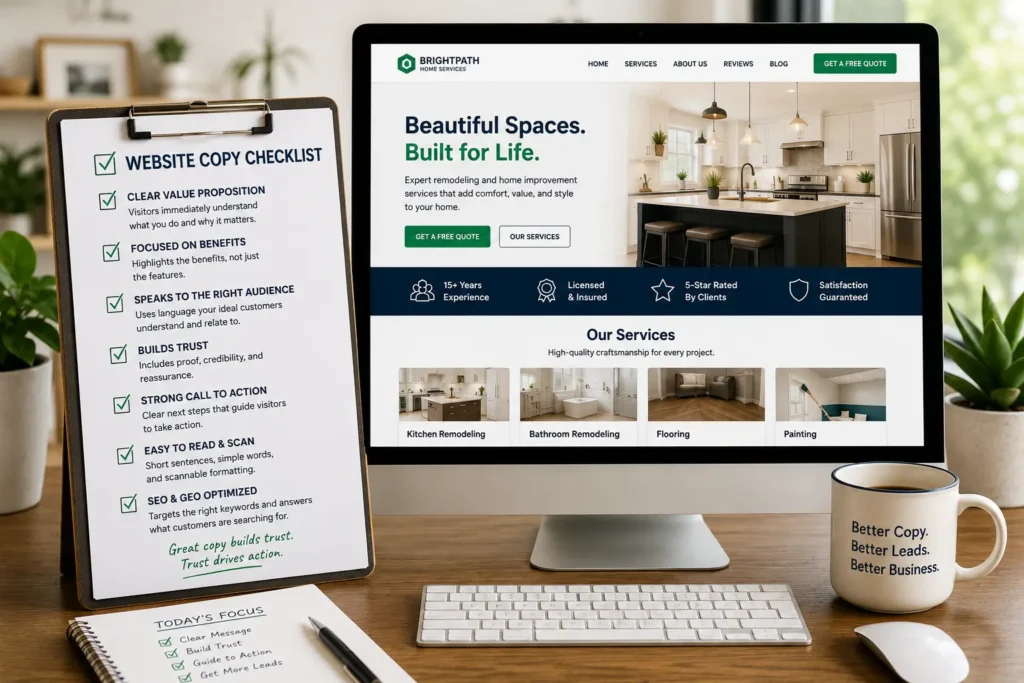
Before your website goes live, review your copy with a customer’s eyes.
Does your homepage explain what you do in the first few seconds?
Does each service page have a clear CTA?
Are your benefits more specific than “quality” and “professional”?
Do you show proof near important sections?
Are your headings easy to scan?
Are your pages written for one clear audience?
Do your FAQs answer buying concerns?
Is your contact information easy to find?
Read the copy out loud. If it sounds stiff, simplify it. If it feels too general, add examples. If it feels too long, cut anything that does not help the visitor decide.
A helpful rule is this: every section should either explain, prove, guide, or convert. If a section does none of those, it may not need to be there.
Common Website Copy Mistakes to Avoid
Many small business websites lose leads because the copy is too focused on the business and not enough on the customer.
Avoid these common mistakes:
✅ Writing only about yourself
✅ Using vague claims like “best quality”
✅ Hiding your main service details
✅ Using one weak CTA at the bottom
✅ Forgetting proof and reviews
✅ Making visitors guess your service area
✅ Using long blocks of text
✅ Ignoring mobile readers
✅ Writing pages with no SEO structure
The best copy feels helpful, not pushy. It gives enough information for the visitor to feel confident taking the next step.
Final Thoughts on website copywriting tips for small business
Strong website copy can turn a basic website into a better sales tool. It helps visitors understand your offer, trust your business, and take action without confusion.
Start with clear messaging, write for real customer questions, add proof, and guide people with simple calls to action. When copy, design, and SEO work together, your website has a better chance of bringing in leads instead of just looking nice.
Need help improving your site before your next redesign? Explore website redesign that converts and build your website around better copy, stronger structure, and clearer next steps.
Frequently Asked Questions
1. What should a small business put on its website homepage?
A small business homepage should include a clear headline, short service summary, trust signals, and a strong call to action. Visitors should quickly understand what you offer, who you help, and how to contact you. Add reviews, service links, location details if relevant, and a simple process section. The homepage should not explain everything. It should guide people to the right service page or booking step.
2. How can website copy help my small business get more leads?
Website copy helps generate leads by answering customer questions before they contact you. Clear copy explains your services, removes doubt, highlights benefits, and tells visitors what to do next. When your copy matches what people are searching for, it can also support SEO. The goal is to make visitors feel confident enough to call, book, request a quote, or schedule a consultation.
3. Do I need new copy when redesigning my website?
Yes, most website redesigns need updated copy that matches the new layout, SEO goals, and customer journey. Reusing old copy can limit results if the message is unclear or outdated. A redesign is the perfect time to improve headlines, service descriptions, calls to action, FAQs, and trust sections. Better copy helps the new design work harder for leads, bookings, and customer trust.
4. Should I hire a web designer to help with website copy?
You should consider hiring a web designer if you need a website that connects design, copy, SEO, and conversion strategy. Many small business owners know their services well but struggle to organize the message online. A professional can help structure pages, improve calls to action, and make the content easier to scan. This is especially helpful for service businesses that depend on calls, bookings, or quote requests.
