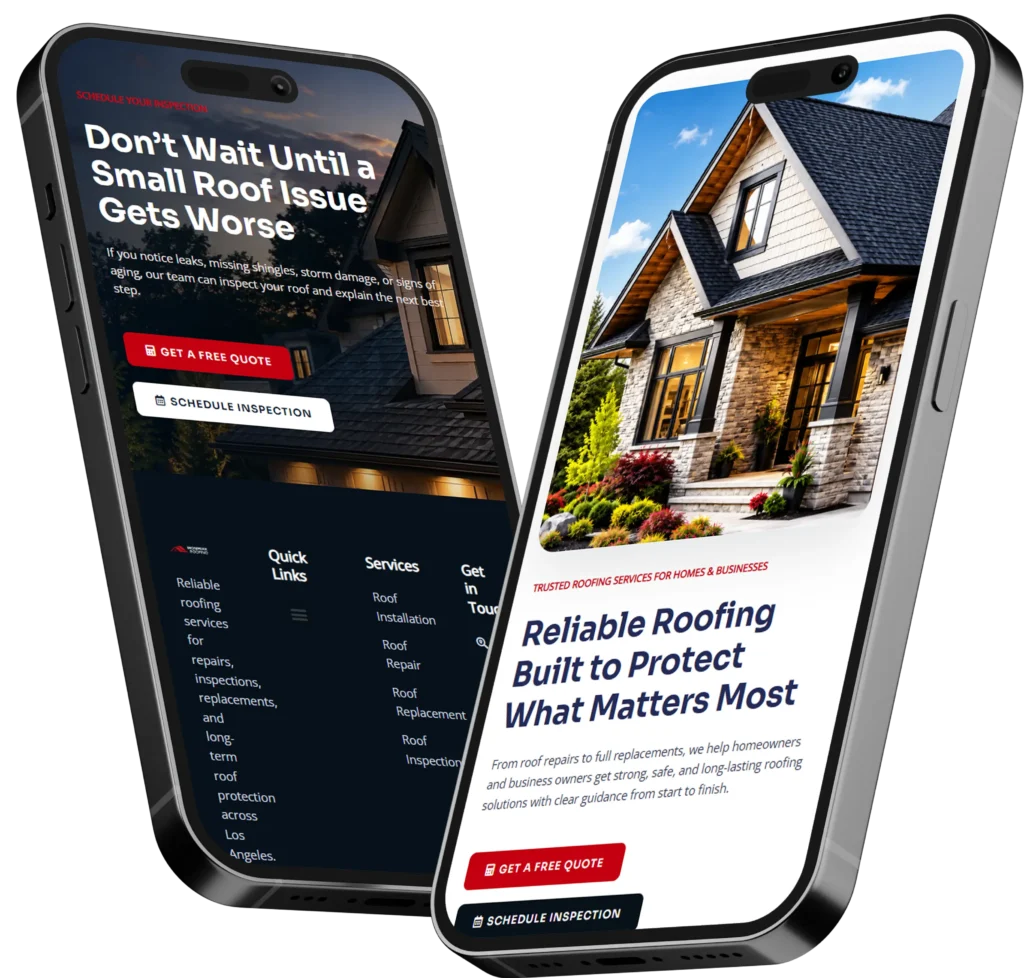
The best online website help for small business owners is a website that clearly explains your service, builds trust fast, and makes it easy for visitors to call, book, or request a quote. A strong small business website should work like a 24/7 sales tool, not just an online brochure.
If your website looks outdated, loads slowly, or does not bring in leads, it may be time to improve the design, content, SEO, and landing pages. In this guide, we’ll explain why website help matters, how it works, and which option is best for your business.
Need a site that turns visitors into leads? Start with conversion-focused web design built for small businesses.
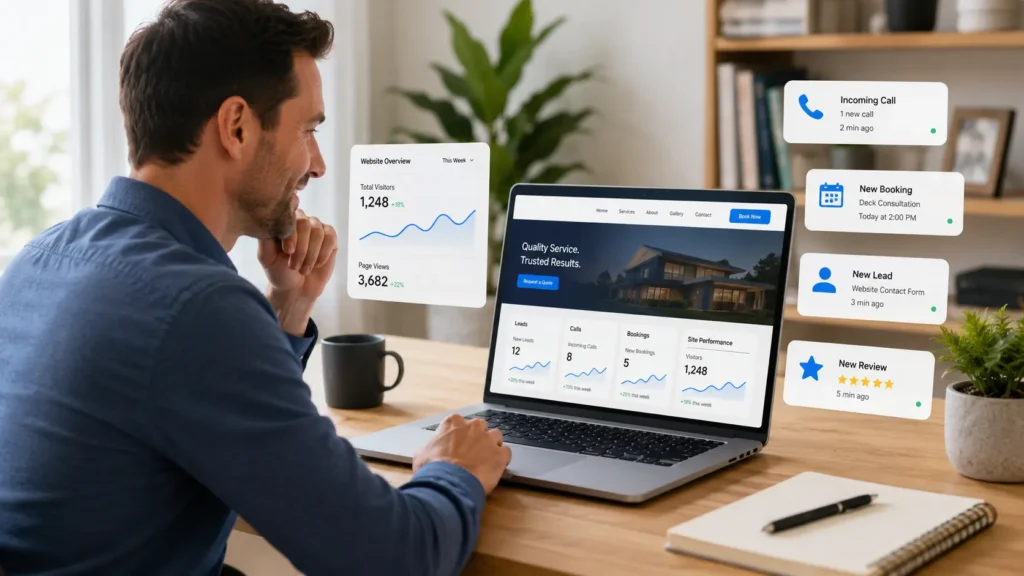
Why Small Businesses Need Better Website Help
Your website is often the first place people check before they call you. Even if someone finds you through Google Maps, Facebook, Yelp, a referral, or an ad, they usually visit your website to see if your business feels real and trustworthy.
A weak website can make a good business look risky. Missing service details, old photos, slow pages, confusing navigation, and weak contact buttons can quietly push visitors away.
A better website helps answer the questions customers already have:
✅ What do you do?
✅ Do you serve my area?
✅ Can I trust you?
✅ How much experience do you have?
✅ What should I do next?
This is why small businesses need more than a nice-looking homepage. They need a website that supports calls, quote requests, form submissions, bookings, and local search visibility.
What Website Help Usually Includes
Website help can mean different things depending on where your business is right now. A brand-new business may need a simple but professional website. An established business may need a redesign, better SEO, faster loading speed, or landing pages for ads.
Here’s a simple breakdown:
| Type of Website Help | Best For | Main Goal |
|---|---|---|
| New website design | New businesses or businesses with no site | Build trust and launch online |
| Website redesign | Old or low-converting websites | Improve design, speed, and leads |
| Landing page design | Ads, campaigns, or specific services | Increase calls, forms, and bookings |
| SEO improvement | Sites that do not show in search | Help Google understand your pages |
| Website maintenance | Busy owners who need updates | Keep the site secure and fresh |
For many small businesses, the best starting point is a website audit. This shows what is hurting your site before you spend money on a full redesign.
📌 Not sure what needs fixing first? Explore website design & development services to see what type of support fits your business.
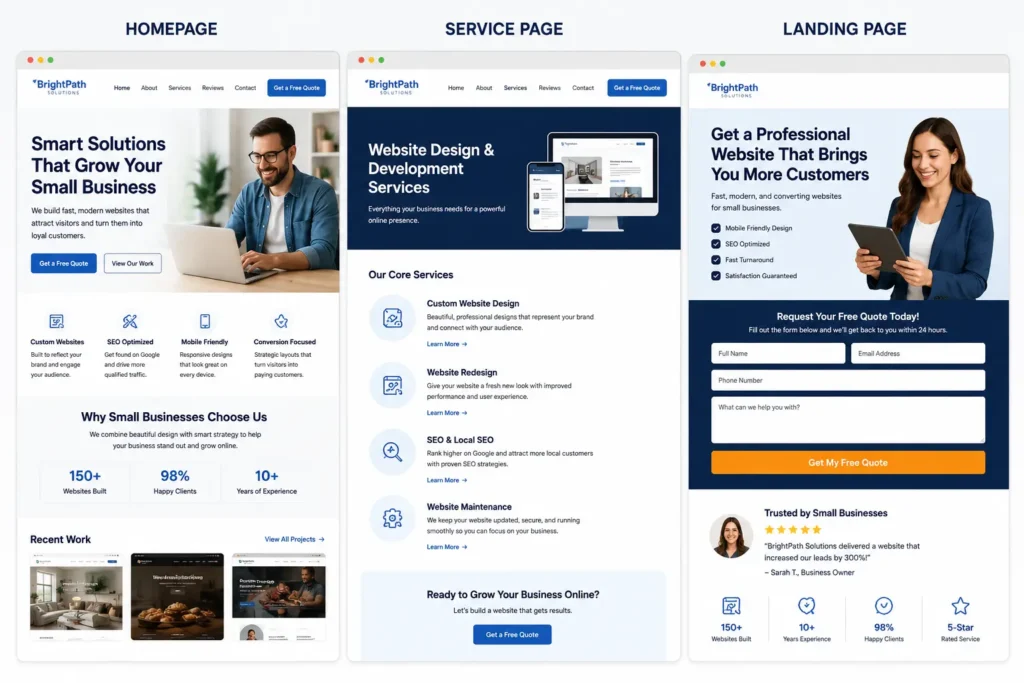
Website Design vs. Website Redesign vs. Landing Pages
A common mistake is thinking every business needs a brand-new website. Sometimes you do. Other times, your current site only needs better structure, stronger calls to action, improved SEO, or a landing page for a specific offer.
Website Design
Website design is best when your business has no website or your current site is too limited to support growth. This is common for new service businesses, local contractors, consultants, health providers, home service companies, and small shops.
A good website design should include clear pages, simple navigation, mobile-friendly layouts, strong service sections, and easy contact options.
Website Redesign
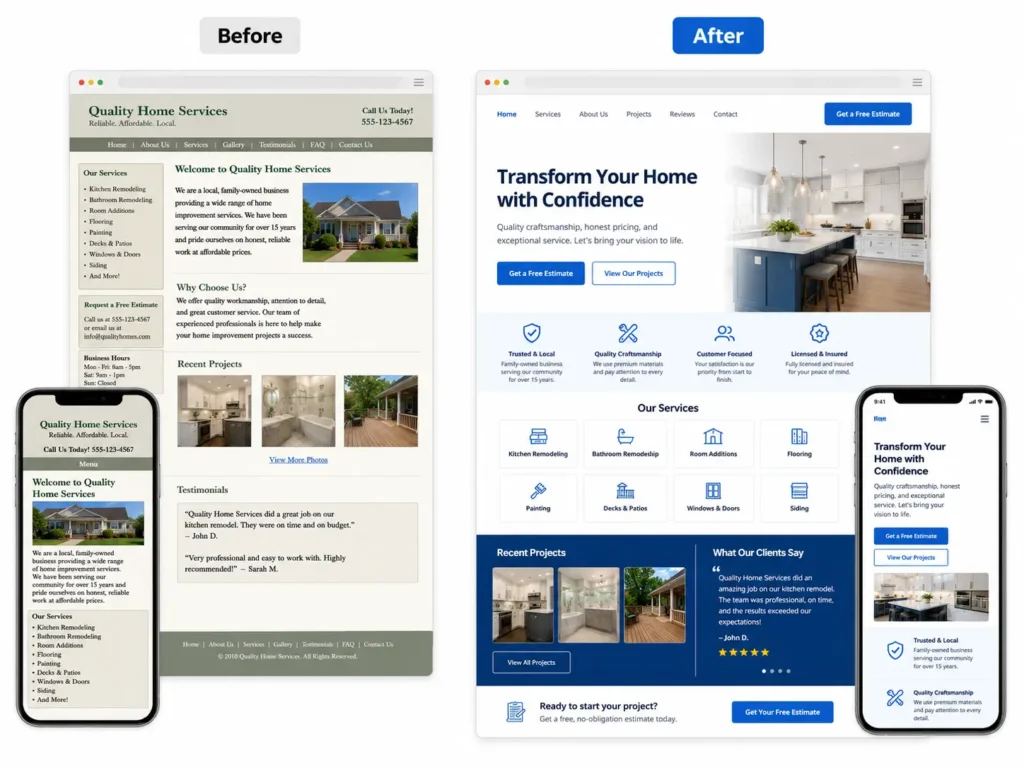
A website redesign is best when you already have a site, but it no longer feels professional or useful. Maybe the branding is old, the layout is confusing, or the site does not explain your services clearly.
A redesign should not only make the site look better. It should improve trust, speed, SEO, and conversions.
Landing Pages
Landing pages are best when you want one page focused on one action. For example, a roofing company may need a landing page for roof repair leads. A med spa may need one for consultations. A law firm may need one for a specific practice area.
Landing pages work well with Google Ads, Facebook Ads, email campaigns, and seasonal offers.
Which Website Option Is Best for Your Business
The best option depends on your current website, your budget, and your growth goal. If your website is missing basic trust signals, start with design or redesign. If your website looks good but does not rank, focus on SEO. If you are running ads, build dedicated landing pages.
| Business Situation | Best Website Option | Why It Works |
|---|---|---|
| You have no website | New website design | Gives your business a professional online home |
| Your site looks outdated | Website redesign | Builds trust and improves visitor confidence |
| You get traffic but no leads | Conversion-focused redesign | Improves forms, buttons, messaging, and layout |
| You run paid ads | Landing page | Keeps visitors focused on one action |
| You are not showing on Google | SEO improvement | Helps search engines understand your services |
| You are too busy to update pages | Maintenance plan | Keeps content, plugins, and pages current |
For most small business owners, the best choice is a conversion-focused redesign if the site is older than three years, has weak mobile design, or does not bring in consistent leads.
How Website Help Turns Visitors Into Leads
A website gets better results when it guides people step by step. Visitors should not have to guess what you offer or how to contact you.
Strong websites usually include:
✅ A clear headline that says what you do
✅ Service pages that answer real customer questions
✅ Photos, reviews, case studies, or portfolio examples
✅ Contact buttons near the top of the page
✅ Fast mobile loading
✅ Simple forms with only necessary fields
✅ Trust signals like licenses, guarantees, testimonials, and service areas
The goal is not to add more design just for style. The goal is to remove friction. If a visitor is ready to call, the phone number should be easy to tap. If they want proof, your reviews and sample work should be easy to find.
You can also show real examples through portfolio highlights so visitors can see the quality of your work before they contact you.
Why Trust Matters on a Small Business Website
People do not contact a business just because the website looks modern. They contact a business when they feel confident.
Trust is built through the small details on every page. This includes clear pricing guidance, honest service descriptions, real photos, reviews, before-and-after examples, team details, business hours, location information, and simple contact options.
For example, a local cleaning company can build trust by showing service areas, checklist-style cleaning details, customer reviews, and a “request a quote” button. A contractor can build trust with project photos, license details, warranty information, and a clear phone number.
A professional web designer helps place these trust signals where visitors naturally look. That can make the difference between someone leaving the page and someone booking a call.
SEO Basics Your Website Should Have
SEO helps your website become easier for search engines and people to understand. Google’s SEO Starter Guide explains that SEO improvements can help search engines crawl, index, and understand your content better. A helpful resource to learn more is the Google SEO Starter Guide.
For small businesses, SEO usually starts with strong service pages. Each main service should have its own page instead of being squeezed into one short section on the homepage.
A basic SEO-friendly page should include:
✅ A clear page title
✅ A helpful meta description
✅ Headings that match customer questions
✅ Service details written in simple language
✅ Location or service area signals
✅ Internal links to related pages
✅ Image alt text
✅ A clear call to action
SEO is not only about keywords. It is also about helpful content, clean structure, and making each page easy to understand.
📌 If you are comparing support options, read this guide on hiring a remote web designer before choosing someone for your project.
Local Visibility, Calls, and Bookings
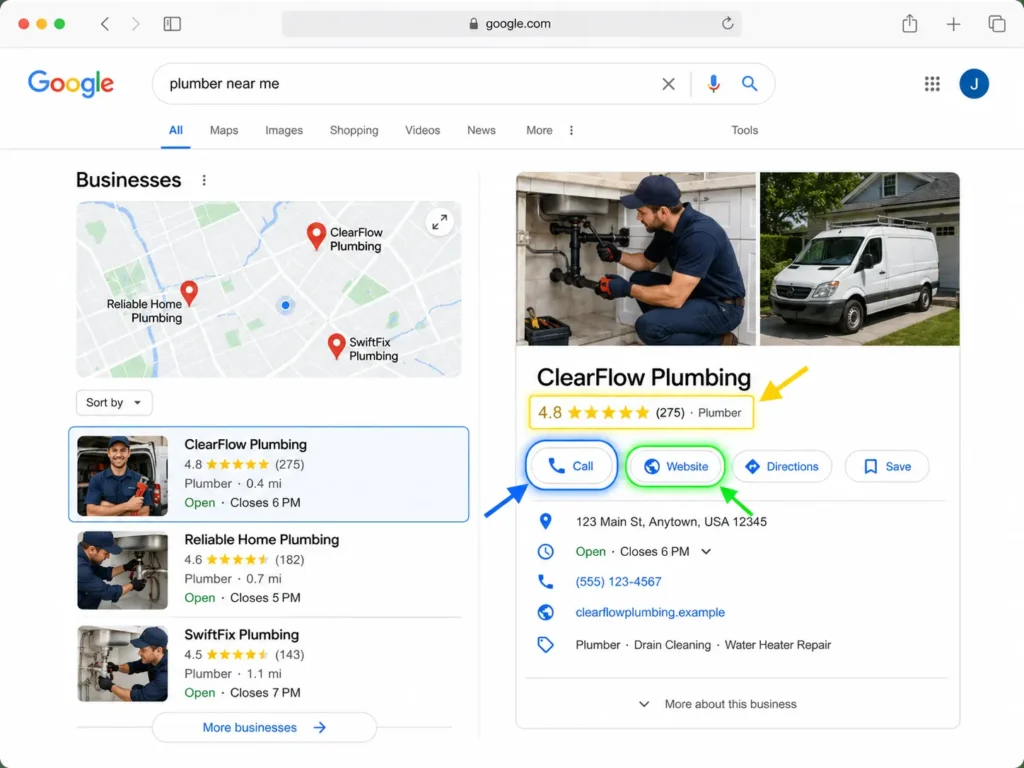
For local businesses, the website and Google Business Profile should work together. Your website gives people deeper information, while your business profile can show reviews, directions, calls, and booking actions. Google Business Profile also gives insights into how customers find your business, including searches, calls, bookings, and other interactions. You can learn more from Google Business Profile.
This matters because many small business searches have local intent. Someone may search for “roof repair near me,” “family dentist in Austin,” or “bookkeeper for small business.” If your website and profile both support that search, you have a better chance of earning the click.
Your website should match your business profile details. Keep your business name, phone number, location, hours, and services consistent. This helps customers trust what they see.
Practical Website Tips for Small Business Owners
You do not need to understand every technical part of web design to make better decisions. Start by looking at your website like a customer.
Ask yourself:
✅ Can someone understand what I do in five seconds?
✅ Is my phone number visible on mobile?
✅ Do I explain my services clearly?
✅ Do I show proof that people trust me?
✅ Are my forms simple to complete?
✅ Do my pages load quickly?
✅ Do I have one page for each important service?
A practical tip is to review your top three competitors. Look at what they explain better than you. Do they have stronger service pages? Better photos? More reviews? Clearer calls to action? Use that as a guide, not to copy them, but to see what customers may expect.
Another smart step is to check your contact process. Fill out your own form. Tap your own phone number. Try booking from a mobile device. If anything feels confusing, your visitors may feel the same way.
When Hiring a Web Designer Makes Sense
Hiring a professional web designer makes sense when your website affects your revenue. If you rely on calls, bookings, quote requests, consultations, or local leads, your website should be treated like a business asset.
A professional designer can help with layout, messaging, mobile experience, speed, SEO structure, landing pages, and conversion flow. This saves time because you do not have to guess what should go where.
You may need a web designer if:
✅ Your site looks outdated compared to competitors
✅ You are embarrassed to send people to your website
✅ You get traffic but few leads
✅ Your ads are not converting
✅ Your website is slow or hard to update
✅ You need service pages built for SEO
✅ You want a cleaner, more professional brand
If you want someone who understands small business needs, this guide on choosing a website designer for U.S. small businesses can help you compare your options.
Common Website Mistakes That Hurt Leads
Many small business websites lose leads because of small issues that build up over time. The most common mistake is unclear messaging. If visitors cannot quickly tell what you offer, they leave.
Another issue is weak contact placement. A phone number hidden in the footer is not enough. Mobile users should see tap-to-call buttons, short forms, and clear next steps.
Slow pages can also hurt results. Large images, too many plugins, old themes, and poor hosting can make a website feel frustrating. Visitors may not wait for the page to load.
The last major mistake is using one general page for every service. A plumber, for example, should not rely on one short “services” page if they want to rank for drain cleaning, water heater repair, leak detection, and emergency plumbing. Each service deserves clear content.
How to Plan Your Website Project
Before you hire anyone, write down your goal. Do you want more calls, better trust, more bookings, higher Google visibility, or a better landing page for ads?
Then gather the basics:
✅ Your main services
✅ Your top service areas
✅ Your best reviews
✅ Photos of your work, team, office, or process
✅ Your preferred contact method
✅ Competitor websites you like or dislike
✅ Any current website problems
This helps your designer build a site that matches your business. It also prevents delays because you already have the content pieces ready.
For WordPress-based businesses, working with a remote WordPress designer for small business can be a good fit if you want flexible support without hiring a full in-house team.
Final Thoughts on online website help for small business owners
Getting website help is not just about making your site look nicer. It is about helping real customers understand your business, trust your work, and take action.
Start with the biggest problem first. If your site looks outdated, redesign it. If people visit but do not contact you, improve your calls to action and trust sections. If you are invisible on Google, build better SEO pages. If you run ads, use focused landing pages.
A strong website can help your small business look more professional, earn more trust, and turn more visitors into calls, forms, bookings, and long-term customers.
Frequently Asked Questions
1. How do I know if my small business website needs a redesign?
Your website may need a redesign if it looks outdated, loads slowly, is hard to use on mobile, or does not bring in calls and leads. The biggest sign is poor conversion, meaning people visit your site but do not take action. A redesign can improve layout, trust signals, service pages, contact buttons, and SEO structure so your website supports real business growth.
2. What pages should a small business website have to get more leads?
Most small business websites need a homepage, service pages, about page, contact page, reviews or testimonials, and sometimes location pages. Service pages are especially important because they help visitors understand exactly what you offer. If you provide multiple services, each main service should have its own clear page with benefits, proof, FAQs, and a strong call to action.
3. Can SEO and web design help me get more calls or bookings?
Yes, SEO and web design can work together to increase calls and bookings. SEO helps people find your website, while good design helps them trust you and take the next step. For best results, your pages should load quickly, answer customer questions, show reviews, explain services clearly, and include visible call, quote, or booking buttons throughout the page.
4. Should I hire a professional web designer or use a website builder?
A website builder can work for a very simple starter site, but a professional web designer is usually better when leads matter. Hire a designer if your website affects revenue, especially if you need SEO, landing pages, redesign help, mobile improvements, or conversion strategy. A professional can save time, avoid common mistakes, and build a site that supports long-term growth.