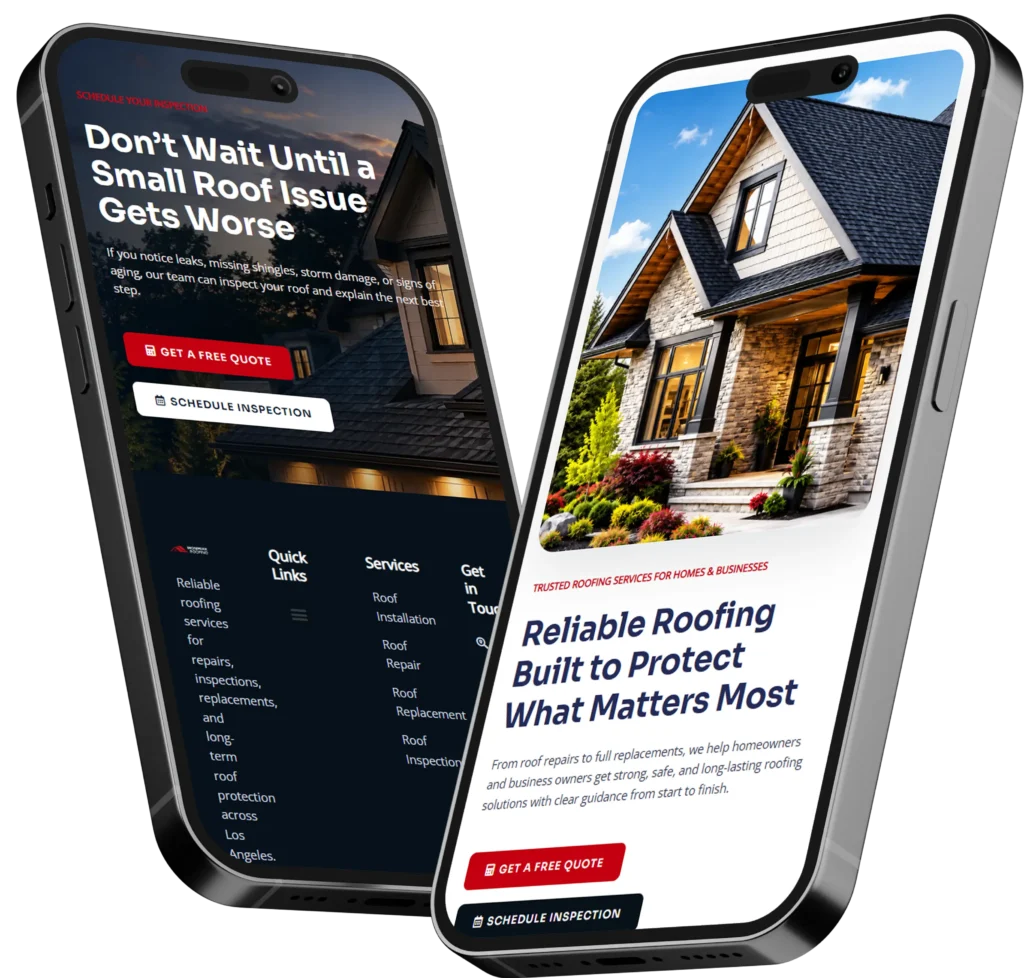
The short answer to what information does a web designer need is your business goals, target audience, services, branding, content, website features, and examples of sites you like. The more clearly you share these details, the easier it is for your designer to build a website that earns trust, gets calls, and turns visitors into leads.
A professional website is not just about colors and pages. It should explain who you help, why people should choose you, and what action they should take next.
In this guide, we’ll break down the exact information to prepare before hiring a web designer, why each item matters, and which details are most important for small business owners who want better leads, bookings, and visibility online.
Need expert help turning your ideas into a clean, lead-focused website? Start with small business web design experts who understand strategy, SEO, and conversion-focused design.

Why Web Designers Ask for So Much Information
A web designer asks for detailed information because your website needs to reflect your business, not just look attractive. Without the right details, the designer has to guess your message, audience, offers, and customer journey.
That can lead to a site that looks polished but does not bring the right people to call, book, or request a quote.
Your website should answer visitor questions fast:
✅ What does this business do?
✅ Is this company trustworthy?
✅ Do they serve my area or need?
✅ What should I do next?
✅ Why choose them instead of another option?
When your designer has the right information early, they can build pages that support your business goals from the start.
Basic Business Information Your Web Designer Needs
Your designer should first understand the foundation of your business. This helps them create clear website copy, page structure, and calls to action that match your brand.
Share your business name, location, service areas, phone number, email, business hours, and main contact method. If you serve different cities or offer remote services, explain that clearly.
You should also provide a short business summary. This does not need to be fancy. A few clear sentences are enough.
For example:
“We are a local HVAC company serving homeowners in Salt Lake City. We help with AC repair, furnace installation, maintenance, and emergency service calls.”
That simple explanation gives your designer a strong starting point.
Quick Business Details Checklist
| Information Needed | Why It Matters |
|---|---|
| Business name and tagline | Helps shape the header, homepage, and brand message |
| Location and service area | Important for local SEO and trust |
| Phone number and email | Needed for calls, forms, and contact sections |
| Business hours | Helps customers know when to reach you |
| Main services | Guides page structure and navigation |
| Unique selling point | Shows why people should choose you |
| Preferred customer action | Helps create stronger calls to action |
This is also a good time to share whether you want visitors to call, book online, fill out a form, download a guide, or visit your physical location.
Your Website Goal Comes First
Before design starts, your web designer needs to know the main purpose of the website. This is one of the most important details because it affects layout, content, buttons, page order, and even image choices.
Some websites are built to generate phone calls. Others are built to book appointments, sell products, collect leads, show past work, or improve local search visibility.
For most small businesses, the main goal is usually one of these:
✅ Get more calls
✅ Get more form submissions
✅ Get more bookings
✅ Build trust with visitors
✅ Explain services clearly
✅ Improve SEO visibility
✅ Support paid ad landing pages
The best option depends on how your customers usually buy.
For example, a plumber may need “Call Now” buttons throughout the site because customers often need fast help. A wedding photographer may need portfolio pages, reviews, and inquiry forms because clients compare style and trust before booking.
A landing page for ads may need fewer links and a stronger offer. A full website redesign may need better navigation, stronger SEO pages, and improved trust signals.
If you are unsure which goal fits your business, a professional team offering website design & development services can help you prioritize what matters most.
Target Audience and Ideal Customer Details
A website becomes stronger when your designer knows who you are trying to reach. A site for homeowners should feel different from a site for corporate buyers. A site for busy parents should feel different from one for contractors, attorneys, or medical professionals.
Share details like age range, location, budget level, common problems, buying concerns, and what makes customers choose you.
For example, a local cleaning company might say:
“Our ideal customers are busy homeowners and small office managers who want reliable recurring cleaning. They care about trust, consistency, and easy scheduling.”
That information helps your designer decide what to highlight. In this case, the website should focus on reviews, background checks, recurring plans, online booking, and clear service areas.
Services, Products, or Offers
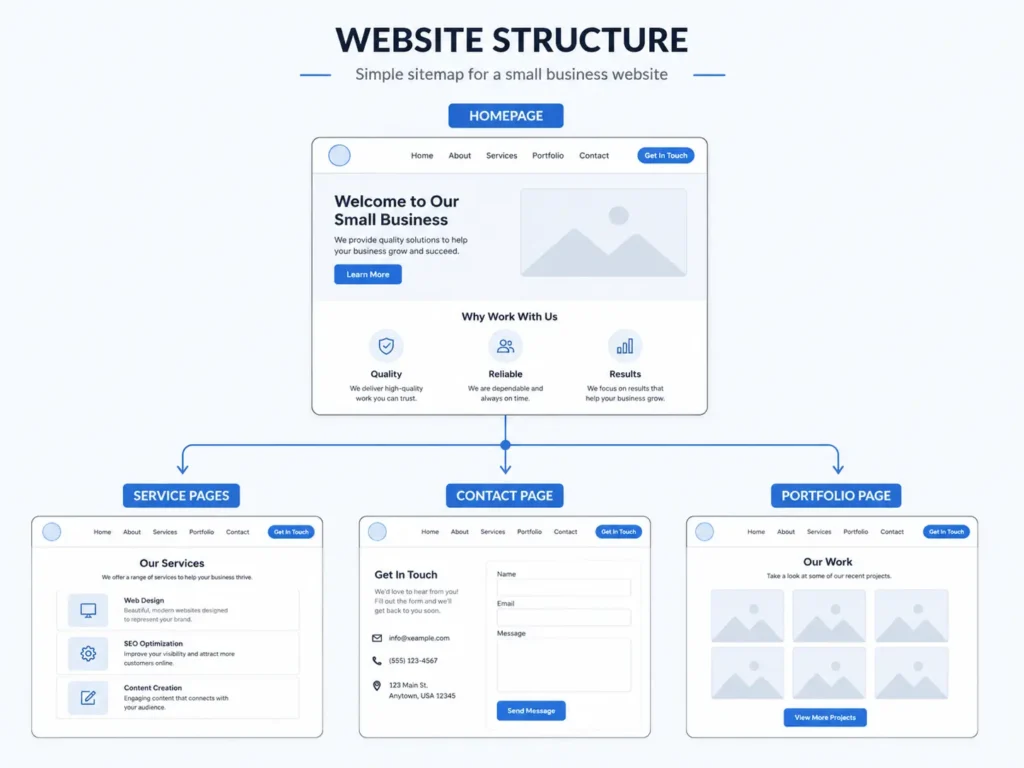
Your designer needs a complete list of what you sell or provide. This helps decide which pages your site should include.
For service businesses, separate your main services from smaller add-ons. For example, a roofer may have roof replacement, roof repair, storm damage repair, inspections, and gutter services.
Each major service may deserve its own page if people search for it separately. This can help SEO and make your site more helpful for visitors.
For product-based businesses, provide product categories, best sellers, pricing notes, shipping details, and any warranty or return policy information.
For landing pages, focus on one offer. Too many choices can make visitors hesitate.
Branding Assets Your Designer Needs
Branding helps your website feel professional and consistent. If you already have brand assets, send them before design begins.
This may include your logo, brand colors, fonts, photography, icons, brand guide, and any existing marketing materials.
If you do not have a full brand guide, that is okay. Share what you do have.
Your designer may ask for:
✅ Logo files in PNG, SVG, or PDF
✅ Brand colors or examples of colors you like
✅ Preferred font style
✅ Business photos
✅ Team photos
✅ Product or service images
✅ Social media links
✅ Printed materials, flyers, or brochures
Which option is best? If you already have professional branding, use it to keep your website consistent. If your branding feels outdated, a redesign may be the better option so your site does not look newer than your brand or the other way around.
Website Content and Copy
Website content includes the words visitors read on each page. Some business owners already have written content. Others only have rough notes.
Both can work, but your designer needs to know who is responsible for writing and editing.
Your content should explain your services, who you help, what makes you different, how your process works, and how customers can take the next step.
A strong homepage usually includes:
✅ Clear headline
✅ Short business introduction
✅ Main services
✅ Trust signals
✅ Reviews or testimonials
✅ Service area information
✅ Call-to-action buttons
✅ Contact or booking section
If you are redesigning an existing site, share what content should stay, what should be improved, and what should be removed.
Google’s SEO guidance explains that search optimization helps search engines understand your content and helps users decide whether to visit your site. For extra reading, review the Google SEO Starter Guide.
SEO Information Your Web Designer Should Know
If you want your website to rank higher, your designer needs SEO details early. SEO should not be added after the design is finished. It should guide page structure, headings, internal links, content, and technical setup.
Share your target locations, service keywords, competitor websites, current ranking pages, and any SEO reports you already have.
For example, a small business may want to rank for:
✅ “web designer near me”
✅ “website redesign for small business”
✅ “landing page designer”
✅ “local SEO website design”
✅ “small business website designer”
Your designer can use this information to build better page titles, headings, service pages, and internal links.
This is also where blog links can support topical relevance. For example, someone comparing options may benefit from reading how to hire a remote web designer or how to choose a website designer for US small business.
Examples of Websites You Like
Your designer does not expect you to know design terms. Website examples are an easy way to explain your taste.
Send 3 to 5 websites you like and explain what you like about each one. Be specific.
Do you like the colors? The layout? The buttons? The clean spacing? The service page style? The booking form? The photos? The way testimonials are shown?
Also share websites you do not like. This helps your designer avoid styles that feel wrong for your brand.
Website Inspiration Table
| Example Detail to Share | Helpful Note to Add |
|---|---|
| Website you like | “I like the clean homepage and simple buttons.” |
| Website you dislike | “This feels too busy and hard to read.” |
| Competitor site | “They explain their services well, but we want to look more modern.” |
| Favorite feature | “I like the sticky call button on mobile.” |
| Preferred style | “Professional, clean, friendly, and not too corporate.” |
This saves time and reduces revisions because your designer can understand your visual direction earlier.
Trust Signals and Proof
Trust is one of the biggest reasons visitors choose one business over another. Your designer needs proof that shows your business is reliable.
This can include reviews, testimonials, certifications, licenses, awards, case studies, before-and-after photos, guarantees, years in business, client logos, media mentions, and completed projects.
For service businesses, trust signals should appear throughout the website, not only on one page.
Good places to add trust signals include:
✅ Homepage hero section
✅ Service pages
✅ Contact page
✅ Landing pages
✅ About page
✅ Footer
✅ Near call-to-action buttons
If you have past work, send photos, project descriptions, and results. You can also organize examples into a portfolio page like portfolio highlights, which helps visitors see your quality before contacting you.
Calls to Action and Lead Flow
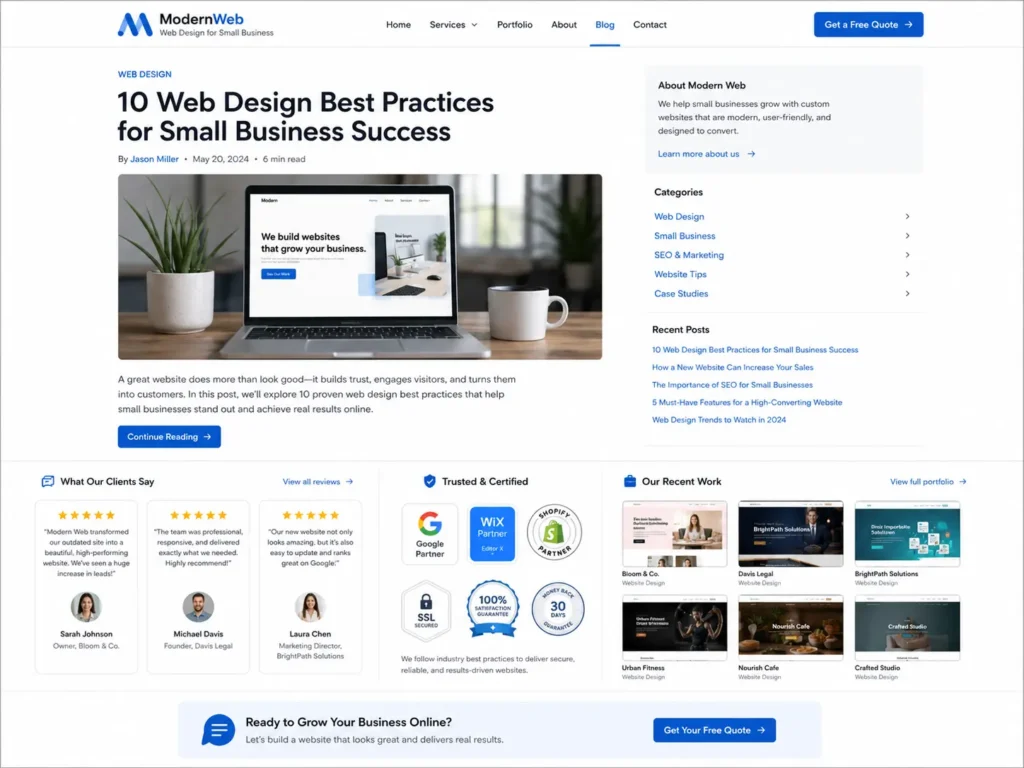
Your designer needs to know what happens after someone clicks a button. This is called the lead flow.
For example, if a visitor clicks “Get a Quote,” should they fill out a form, call your office, open a calendar, or go to a pricing page?
A confusing lead flow can cost you conversions. A clear lead flow makes the website easier to use.
Common call-to-action options include:
✅ Call now
✅ Request a quote
✅ Book a consultation
✅ Schedule service
✅ Get a free audit
✅ View sample work
✅ Start your project
Which option is best? For urgent services, phone calls are often best. For higher-ticket services, consultation forms may work better. For recurring services, online booking can reduce friction.
If your business depends on scheduled appointments, make sure your designer has your calendar tool, booking link, form requirements, and notification email.
Technical Details and Website Access
If you already have a website, your designer may need access to your domain, hosting, CMS, analytics, search console, forms, email marketing platform, booking tool, and CRM.
Do not send passwords through unsafe messages. Use a secure password manager or invite the designer as a user when possible.
Important access items may include:
✅ Domain registrar
✅ Website hosting
✅ WordPress, Shopify, Wix, or Webflow login
✅ Google Analytics
✅ Google Search Console
✅ Google Business Profile
✅ Email platform
✅ Booking software
✅ CRM or lead management tool
This is especially important for redesigns and migrations. Without access, your designer may not be able to protect existing SEO pages, redirect old URLs, or review current website performance.
Accessibility and User Experience Details
A good website should be easy for people to use on desktop and mobile. It should also consider accessibility, including readable text, strong contrast, keyboard-friendly navigation, and clear form labels.
Accessibility matters because real customers may have different devices, vision needs, mobility needs, or browsing habits. W3C explains that WCAG is organized around making web content perceivable, operable, understandable, and robust. For more detail, see the W3C WCAG overview.
For small businesses, this does not mean your site has to be complicated. It means your website should be clear, readable, and usable.
Practical tips include:
✅ Use readable font sizes
✅ Make buttons easy to tap on mobile
✅ Add alt text to important images
✅ Keep forms short and clear
✅ Use strong color contrast
✅ Avoid cluttered page sections
Photos, Videos, and Visual Content
Photos can make your website feel real and trustworthy. Your designer needs to know whether you have original photos or need stock images.
Original photos are usually better because they show your real team, location, products, equipment, and work quality.
Send high-quality images if available. Avoid blurry, dark, or outdated photos because they can make your business look less professional.
Useful image types include:
✅ Team photos
✅ Office or storefront photos
✅ Product photos
✅ Before-and-after photos
✅ Service process photos
✅ Customer project photos
✅ Short videos
If you do not have photos yet, your designer can help choose professional stock images, but it is best to plan for original visuals over time.
Budget, Timeline, and Priorities
Your web designer needs to understand your budget and timeline so they can recommend the right approach.
A simple landing page, a full small business website, and a custom redesign are very different projects.
Be honest about your timeline. If you need a website for an event, launch, seasonal promotion, or ad campaign, say that early.
Also share your priorities. For example, you may care most about speed, SEO, mobile design, booking features, or trust-building content.
If your budget is limited, the best option may be to start with the most important pages first:
✅ Homepage
✅ Main service page
✅ Contact page
✅ About page
✅ One landing page
Then you can add blogs, location pages, case studies, and extra service pages later.
For more planning help, browse the web design blog for related small business website tips.
Website Redesign Information
If you are redesigning an existing website, your designer needs more than your new ideas. They also need to know what is currently working and what is not.
Share your current website URL, pages you want to keep, pages you want to remove, old content that still matters, SEO pages that get traffic, and any customer complaints about the current site.
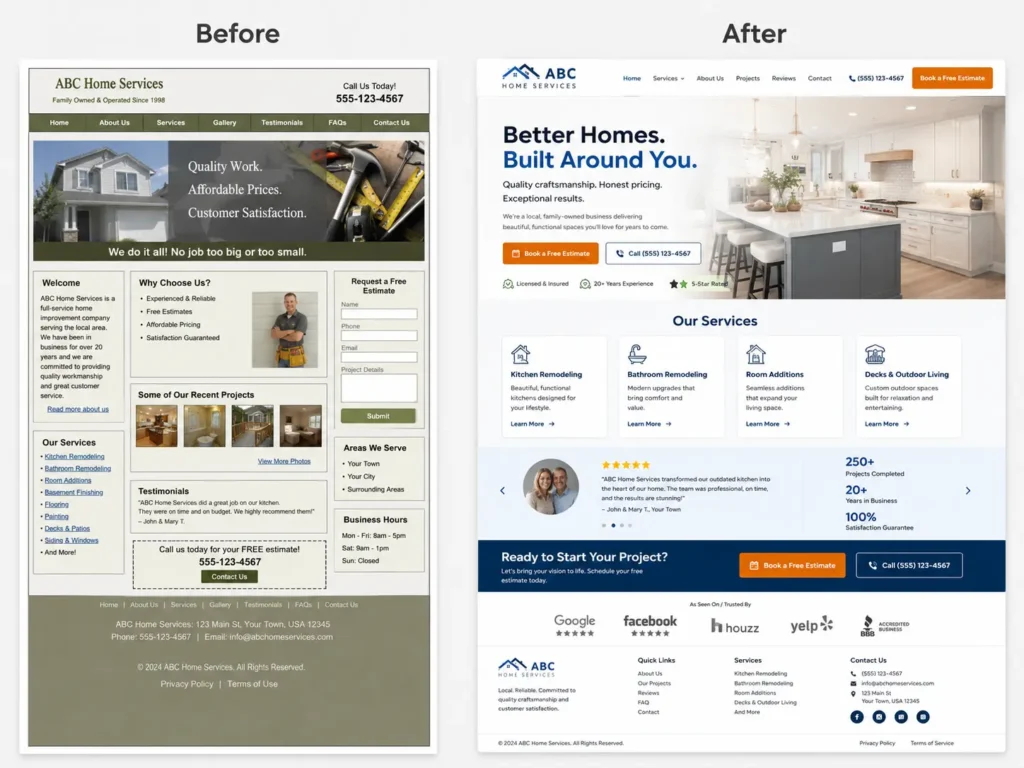
A redesign is not just a visual update. It should improve performance, user experience, messaging, and conversions.
Common redesign reasons include:
✅ Website looks outdated
✅ Pages load slowly
✅ Mobile layout is hard to use
✅ Leads are low quality
✅ Visitors do not understand the offer
✅ SEO traffic has dropped
✅ Branding has changed
✅ Business services have expanded
Before removing old pages, check whether they bring traffic or backlinks. This helps protect your SEO during migration.
Landing Page Information
A landing page needs focused information because it usually supports one campaign, service, or offer.
Your designer needs the offer, target audience, traffic source, main pain point, proof, CTA, form fields, and follow-up process.
For example, if you are running Google Ads for “website redesign,” your landing page should match that search intent. It should not send visitors to a general homepage with too many choices.
A strong landing page includes a clear headline, service benefits, proof, simple form, trust signals, FAQs, and one primary call to action.
The best option is usually one page with one goal. This keeps visitors focused and makes results easier to measure.
Final Thoughts on what information does a web designer need
Preparing the right details before a website project can save time, reduce revisions, and help your designer build a site that works better for your business. The most important information includes your goals, audience, services, branding, content, SEO needs, trust signals, website examples, and preferred lead flow.
A great website is not built from design alone. It comes from clear strategy, strong content, user-friendly structure, and a design that helps visitors take action.
If you want a site that looks professional and supports real business growth, work with a designer who understands both visuals and conversions. You can start your project with growth-driven web design or explore pricing & service plans to find the right fit.
Frequently Asked Questions About Website Design Information
1. What should I prepare before hiring a web designer?
Before hiring a web designer, prepare your business goals, services, branding, website examples, photos, contact details, and target audience information. These details help the designer understand what your website needs to accomplish. You do not need everything perfectly written, but clear notes make the project smoother. For small business owners, the most helpful starting point is knowing whether your website should generate calls, bookings, quote requests, or trust.
2. Do I need website copy before contacting a web designer?
You do not always need finished copy before contacting a web designer, but you should have basic information about your business, services, customers, and main offer. Some designers can help organize or write the copy, while others may need you to provide it. The best option depends on your budget and timeline. If SEO is important, website copy should be planned early so headings, pages, and calls to action support search visibility.
3. How much information does a web designer need for a redesign?
For a redesign, a web designer needs your current website URL, existing pages, design problems, SEO concerns, analytics access, brand updates, and new business goals. This helps protect what already works while improving what does not. Small businesses should also share customer feedback, lead quality issues, and examples of websites they like. A redesign should not only look better. It should also load faster, feel easier to use, and help more visitors contact you.
4. What makes a small business website more trustworthy?
A small business website feels more trustworthy when it includes clear contact information, real photos, reviews, service details, proof of work, secure forms, and easy navigation. Visitors want to know who you are, what you do, where you work, and why they should choose you. Adding testimonials, project examples, certifications, and strong calls to action can improve confidence. Trust is especially important for service businesses because people often compare several companies before calling or booking.