
A wordpress web designer builds or redesigns WordPress websites so your business looks professional, loads quickly, and turns visitors into leads. The best designer does more than make pages look nice, they plan your layout, content flow, SEO structure, mobile experience, and conversion paths.
If you are a small business owner, your website is often the first place people check before they call, book, or buy. A strong website should answer questions fast, show proof, and make the next step easy.
That is why working with a designer who understands both design and business goals can save you time. Instead of guessing what looks good, you get a site built around trust, usability, and growth.
Need help improving your current site? Start with conversion-focused web design to create a website that supports real business goals.
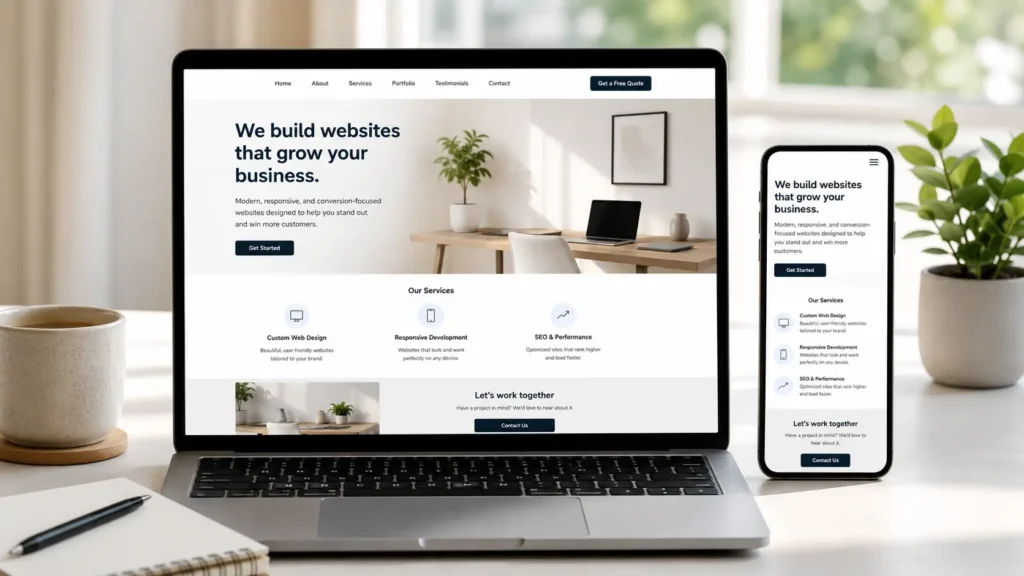
What a WordPress Website Designer Actually Does
A WordPress website designer helps plan, design, and improve a website using WordPress as the content management system. This includes the visual layout, page structure, user experience, brand styling, and sometimes technical setup.
The main goal is simple: make your website easier to use and easier to trust.
A good designer usually works on:
✅ Homepage layout
✅ Service page structure
✅ Mobile responsive design
✅ Contact forms and call-to-action buttons
✅ Navigation menus
✅ Website speed basics
✅ SEO-friendly page formatting
✅ Brand colors, fonts, and visuals
✅ Portfolio, gallery, or sample work sections
This matters because your website is not only a digital brochure. It is a decision-making tool. People visit your site to decide whether you look credible, whether you solve their problem, and whether contacting you feels worth it.
For example, a local contractor may need clear service areas, project photos, and quote request buttons. A consultant may need trust signals, testimonials, and a simple booking flow. A restaurant may need menus, hours, location, and mobile-friendly buttons.
The best design choice depends on how your customers make decisions.
Why Website Design Matters for Small Business Growth
Good website design helps visitors understand your offer faster. When someone lands on your page, they should know what you do, who you help, and what action to take next within a few seconds.
If your website feels outdated, slow, confusing, or hard to read on mobile, visitors may leave before they ever see your services. That means you could be losing leads without realizing it.
Google also recommends creating helpful, people-first content instead of content made only for rankings. That connects directly to web design because strong layouts make helpful content easier to find, scan, and act on. You can learn more from Google’s people-first content guide.
The design should support both people and search engines. Visitors need clear answers. Search engines need organized pages, headings, internal links, and useful content.
A helpful site usually includes:
✅ Clear page titles
✅ Simple navigation
✅ Fast-loading pages
✅ Service pages with real details
✅ Calls to action in the right places
✅ Trust signals like reviews, case studies, or project examples
This is why web design and SEO should not be treated as separate jobs. A beautiful site with poor structure can still fail. A keyword-stuffed site with bad design can also fail. The best option is a site that balances clarity, speed, content, and conversion.
For deeper SEO planning, read this guide on WordPress SEO for business.
Website Design Priorities That Help Visitors Take Action
A business website should guide people from interest to action. That does not mean every page should feel pushy. It means each page should remove confusion and make the next step obvious.
Here is a simple breakdown:
| Website Element | Why It Matters | Best Option |
|---|---|---|
| Homepage headline | Tells visitors what you offer right away | Use a clear benefit, not a vague slogan |
| Service pages | Helps people compare your offer | Create one focused page per main service |
| Portfolio or samples | Builds trust with proof | Show real work, screenshots, or results |
| Contact section | Makes it easy to reach you | Add forms, phone, email, and simple CTA buttons |
| Mobile layout | Most visitors check sites on phones | Design mobile-first, then adjust desktop |
| Page speed | Slow pages lose attention | Compress images and avoid plugin overload |
The best option for most small businesses is not a complicated website. It is a clear website with strong service pages, clean navigation, proof, and contact points.
If you already have a site but it is not bringing leads, a redesign may help more than a small visual update. Explore website design & development services if you want a more strategic build.
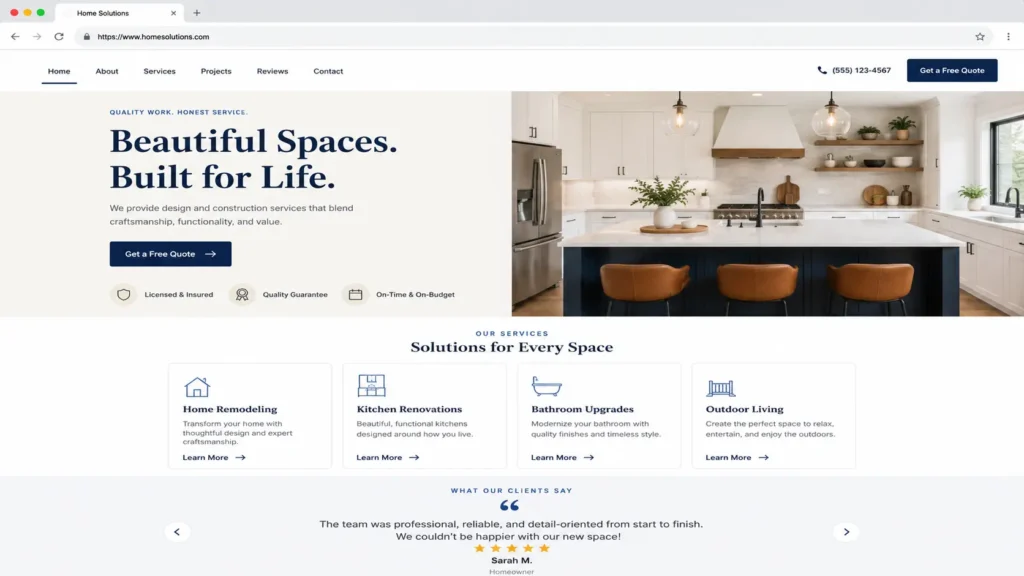
How a Designer Builds a Better WordPress Website
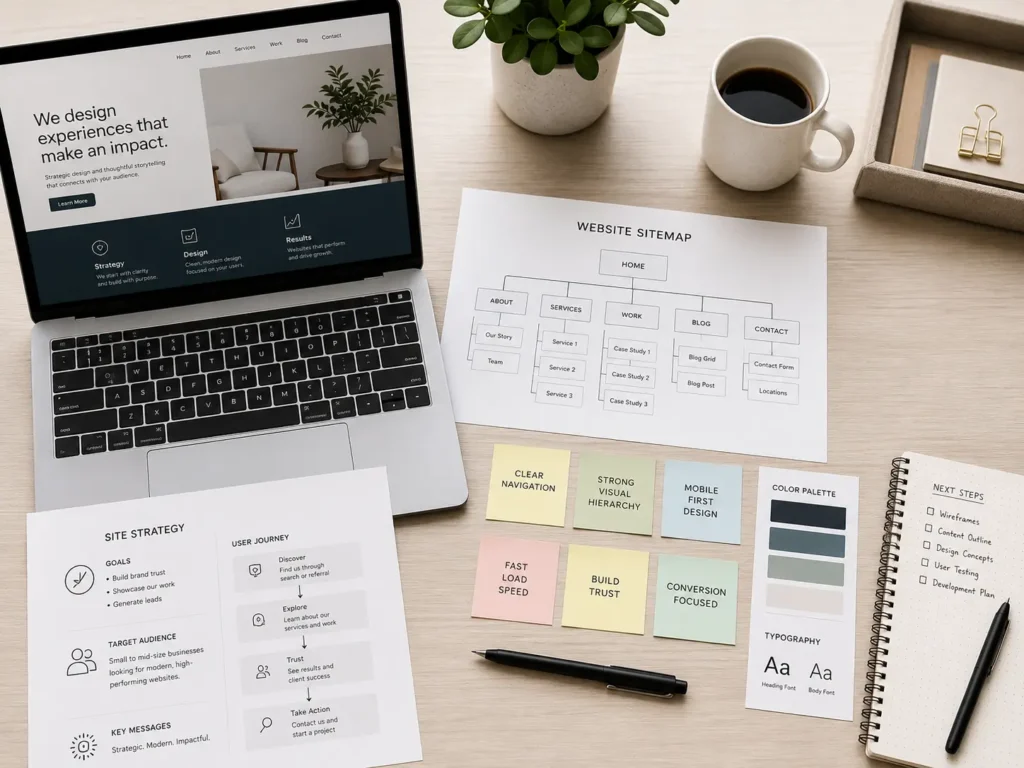
A good design process usually starts with questions. Before choosing fonts or colors, the designer should understand your business, audience, services, competitors, and goals.
This is important because a website for a local cleaning company should not be structured the same way as a law office, fitness coach, or online store.
The process often looks like this:
✅ Discovery and goal setting
✅ Sitemap planning
✅ Wireframe or layout planning
✅ Homepage and key page design
✅ Mobile adjustments
✅ WordPress build
✅ Basic SEO setup
✅ Speed and usability checks
✅ Launch review
The “how” matters because skipping strategy usually creates weak websites. Many business owners start with a theme, add a few pages, then wonder why the site does not convert.
A better approach is to plan the journey first. Ask what visitors need to know before they contact you. Then place that information in the right order.
For example, a service page can follow this flow:
Problem → Service explanation → Benefits → Process → Proof → FAQ → CTA
This structure works because it answers questions in a natural order. It also helps AI search tools and answer engines understand the page better.
For ranking support, your designer should also think about internal linking. For example, a blog about visibility can link to your service page, while your service page can link to examples of finished work. This creates a better path for both users and search engines.
See real examples through the portfolio highlights page.
Which Website Option Is Best for Your Business?
There are several ways to build a website. The best option depends on your budget, timeline, skill level, and how important the website is to your business.
| Option | Best For | Pros | Cons |
|---|---|---|---|
| DIY website builder | Very new businesses with tiny budgets | Quick and simple to start | Limited customization and harder to scale |
| Pre-made WordPress theme | Businesses that need basic pages | Lower cost and flexible | Can look generic without customization |
| Custom WordPress design | Service businesses that need leads | Better strategy, branding, and conversion flow | Requires more planning and investment |
| Full redesign | Existing businesses with outdated sites | Improves trust, speed, SEO, and UX | Needs content and migration planning |
For most growing service businesses, a custom WordPress design or strategic redesign is usually the better choice. It gives you more control over the layout, SEO structure, and long-term content growth.
DIY tools can work when your needs are simple. But if your website needs service pages, location pages, lead forms, SEO content, fast loading, and a professional brand image, WordPress gives more room to grow.
Not sure which platform fits your business? This comparison of the best website builder for business can help you decide.
What Makes WordPress a Strong Choice for Business Websites
WordPress is popular because it is flexible. You can use it for a simple brochure site, a portfolio, a blog, a service business site, or a larger content hub.
The biggest advantage is control. You can edit pages, publish blogs, add service pages, optimize content, and expand your site as your business grows.
However, WordPress also needs proper setup. Too many plugins, heavy themes, uncompressed images, or poor hosting can slow your site down. WordPress.org recommends reviewing plugins and removing unnecessary ones as part of performance optimization. You can read more in the WordPress performance optimization handbook.
That is where the right designer makes a difference. The goal is not to install every feature possible. The goal is to build only what your visitors need and keep the site easy to manage.
A practical tip: before adding a plugin, ask whether the feature is truly needed. If the answer is no, skip it. A lighter site is often easier to maintain and faster for visitors.
What to Prepare Before Hiring a Website Designer
Before contacting a designer, gather the basics. You do not need to have everything perfect, but preparation makes the project smoother.
Start with your main business goal. Do you want more calls, quote requests, bookings, online purchases, or newsletter signups? Your goal affects the layout.
Next, prepare your core pages. Most small businesses need a homepage, about page, services page, contact page, and proof section. Depending on your business, you may also need location pages, portfolio pages, or blog content.
It also helps to collect:
✅ Your logo and brand colors
✅ Photos of your work or team
✅ Customer reviews
✅ A list of services
✅ Your service areas
✅ Competitor websites you like or dislike
✅ Common customer questions
The more specific you are, the better the designer can build around your real customers.
If your goal is better search visibility, also review this guide on how to rank your small business website.
How Web Design Helps With SEO and RankMath Scores
RankMath can help you check SEO basics, but it cannot fix weak strategy by itself. A green score is useful, but the page still needs to help real people.
A designer can support SEO by building pages that are easy to scan, easy to crawl, and easy to update. This includes headings, internal links, clean URLs, image alt text, and fast page layouts.
For a service business, SEO-friendly design should include:
✅ One clear H1 per page
✅ Short, readable URLs
✅ Helpful H2 sections
✅ Internal links to related services and blogs
✅ Compressed images with descriptive alt text
✅ Clear contact buttons
✅ FAQ sections that answer buyer questions
✅ Schema where appropriate
The key is balance. Do not add keywords everywhere just to improve a score. Use your main phrase naturally, then support the page with related terms like website design, WordPress development, service pages, redesign, SEO, mobile design, and conversion.
RankMath works best when your page already has a clear purpose. For example, a service page should help someone decide if they need your service. A blog should answer a specific question and guide readers to the next helpful page.
That is why your internal links should feel natural. A blog about choosing a website designer can link to services, examples, and related SEO guides because those links help the reader continue their decision.
Practical Tips for a Better Business Website
A strong website does not need to be complicated. Small improvements can make a big difference, especially when they reduce friction.
Start with your homepage headline. Avoid saying something generic like “Welcome to our website.” Instead, say what you do and who you help.
For example:
“Custom WordPress Websites for Local Service Businesses”
That is clearer than a slogan because visitors immediately understand the offer.
Next, improve your calls to action. Instead of using “Submit” on every button, use action-based wording like “Request a Quote,” “Book a Consultation,” or “View Our Work.”
Also check your mobile spacing. Many websites look fine on desktop but feel crowded on phones. Buttons should be easy to tap, text should be readable, and forms should not feel overwhelming.
Another helpful tip is to add proof near your CTA. If someone is close to contacting you, a testimonial, sample project, or short result statement can reduce hesitation.
For example, place a short review above your contact form. This gives visitors one final reason to trust you before they reach out.
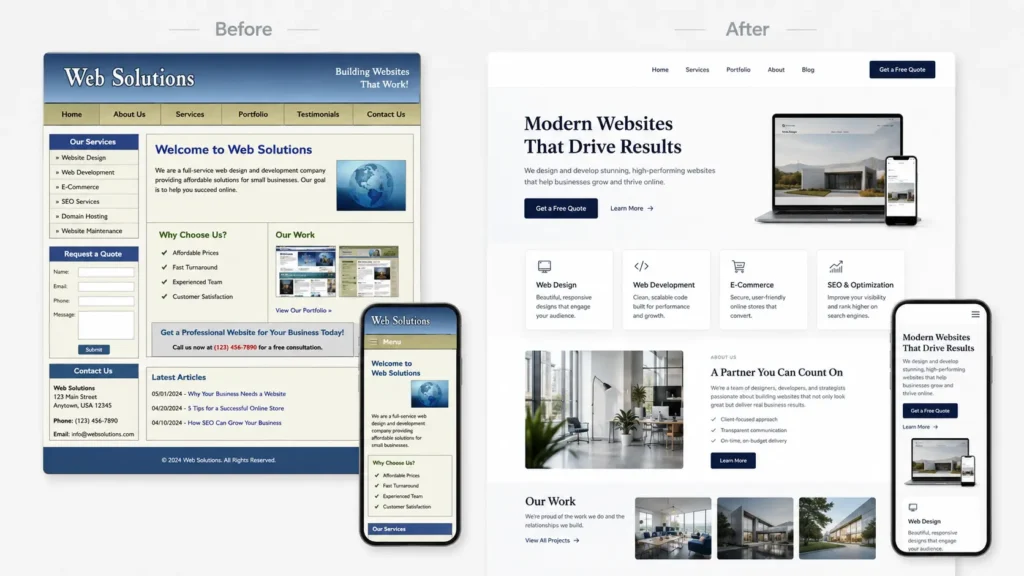
Signs You Should Redesign Your Website
You may not need a full redesign every year. But some signs show your current site is holding you back.
If your website looks outdated compared to competitors, loads slowly, or does not work well on mobile, it may be time to improve it. The same is true if your services changed but your pages still describe old offers.
Another major sign is low conversion. If you get traffic but very few calls or form submissions, the problem may be your layout, messaging, trust signals, or CTA placement.
Here are common redesign triggers:
✅ Your website no longer matches your brand
✅ Visitors cannot quickly understand your services
✅ Your site is hard to update
✅ Pages load slowly
✅ The mobile version feels messy
✅ You have no clear service pages
✅ Your competitors look more trustworthy
✅ Your site gets visits but few leads
A redesign should not only change colors. It should improve the way people move through your website.
Final Thoughts: wordpress web designer
Hiring the right website designer can make your business look more trustworthy, easier to find, and easier to contact. A strong WordPress site should combine clean design, helpful content, fast performance, and clear next steps.
The best choice depends on your goals. If you only need a simple online presence, a basic setup may work. If your website needs to bring leads, explain services, and support SEO, a strategic WordPress design is the stronger option.
A good site should answer real customer questions, guide visitors naturally, and make your business feel like the safe choice. Start with clarity, build around user intent, and use every page to support trust and action.
Frequently Asked Questions
1. How much does it cost to hire a WordPress website designer?
The cost depends on the size of the site, the number of pages, the design quality, and whether you need copywriting, SEO, speed work, or ongoing support. The best choice is not always the cheapest designer, because a low-cost site may miss strategy, mobile layout, conversion flow, or technical setup. For small businesses, it is better to compare what is included, what happens after launch, and whether the designer understands your business goals.
2. Is WordPress good for small business websites?
Yes, WordPress is a strong option for many small business websites because it is flexible, scalable, and easy to update when built correctly. The biggest advantage is long-term control, since you can add service pages, publish blogs, improve SEO, and expand features over time. It works especially well for service businesses that need clear pages, lead forms, portfolio sections, testimonials, and local search content.
3. Should I hire a website designer or use a website builder?
A website builder can work if you need something very simple and your budget is limited. However, hiring a designer is usually better when your website needs to generate leads, look more professional, or support SEO growth. A designer can plan the structure, improve trust, write better page flow, and avoid common mistakes that make DIY sites look unfinished or hard to use.
4. What should I ask before hiring a web designer?
Ask about their process, timeline, platform experience, SEO knowledge, mobile design approach, and what happens after launch. The most important question is how they design for business goals, not only how the site will look. You should also ask if they provide revisions, basic training, speed checks, security setup, and examples of past work so you know what to expect before starting.
