
WordPress vs wix for business is a choice between quick setup and long-term control. Wix is easier for launching a simple website fast, while WordPress is usually better for businesses that need stronger SEO, flexible design, scalable content, and full ownership.
Both platforms can help a business get online, but they serve different goals. Wix is best when you want a guided website builder with hosting, templates, and built-in tools in one place. WordPress is best when your website needs to grow into a serious marketing asset with custom pages, local SEO, blog content, landing pages, integrations, and better control over performance.
If you want a business website built around leads, search visibility, and future growth, work with small business web design experts who can help you choose the right platform from the start.
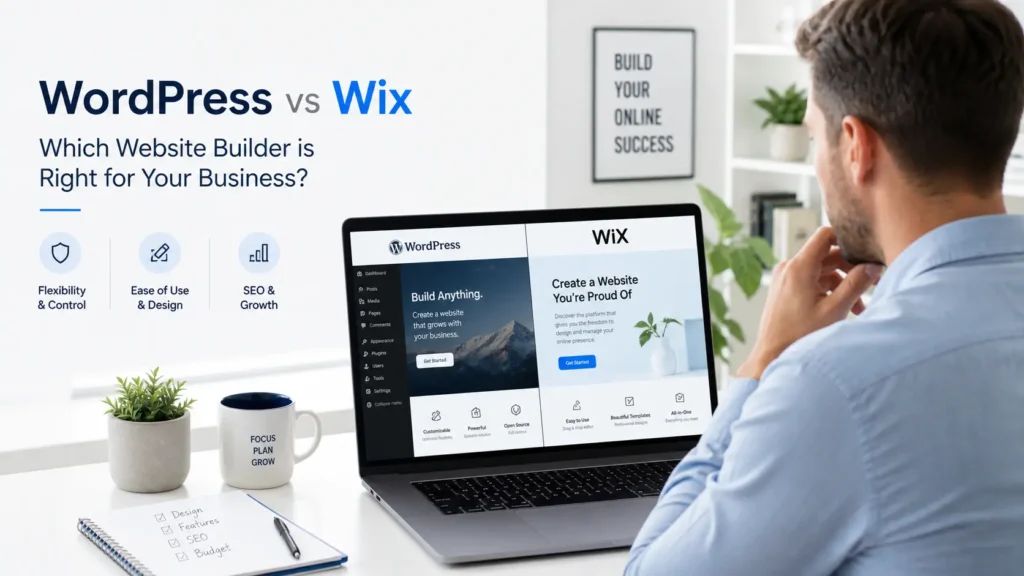
WordPress and Wix at a Glance
WordPress is an open-source content management system, which means the software is free to use and can be customized with themes, plugins, and custom development. WordPress.org describes it as an open-source publishing platform used by creators, small businesses, and enterprises. Learn more from WordPress
Wix is an all-in-one website builder. It includes hosting, templates, a drag-and-drop editor, apps, and paid plans that can include custom domains, storage, analytics, payments, and business features. See Wix premium plan details
Here is the simplest way to think about it:
| Platform | Best For | Main Advantage | Main Limitation |
|---|---|---|---|
| WordPress | Growing businesses, SEO, custom websites, content marketing | More control, better flexibility, stronger long-term scalability | Needs setup, hosting, updates, and better technical management |
| Wix | Simple service websites, fast launches, beginners | Easier setup with built-in hosting and visual editing | Less flexibility when your site needs advanced SEO, custom functions, or complex scaling |
Which Platform Is Better for Business?
For most growing businesses, WordPress is the better long-term choice because it gives you more control over SEO, content structure, website speed, design freedom, integrations, and ownership. Wix can be a good choice for a very small business that needs a simple brochure-style website and does not plan to scale heavily.
The better option depends on your business stage.
If you need a simple online presence, Wix can work well. You can pick a template, add your services, connect a domain, and publish without much technical work. This is helpful for businesses that only need basic pages like Home, About, Services, Contact, and maybe a small gallery.
If your website needs to rank on Google, generate leads, publish blog content, support landing pages, connect to CRM tools, or evolve with your brand, WordPress is usually the smarter investment. It gives you more room to build a website that supports real marketing growth instead of just existing online.
For example, a local contractor with one service page may be fine on Wix at first. But a service business targeting multiple cities, writing SEO blogs, running ads, and tracking leads will usually benefit more from WordPress.
Ease of Use: Wix Is Simpler, WordPress Is More Powerful
Wix wins when it comes to beginner-friendly setup. You can edit pages visually, choose from prebuilt sections, and manage many website basics in one dashboard. This is why many small business owners start there.
WordPress has a learning curve. You need hosting, a theme, plugins, updates, security tools, and sometimes a page builder like Elementor. That can feel confusing at first, especially for business owners who do not work on websites every day.
However, the same learning curve is also what makes WordPress powerful. Once it is set up properly, you can create custom page layouts, advanced blog structures, conversion-focused landing pages, service area pages, and SEO-friendly content hubs.
That is why many businesses start on Wix for convenience, then later move to WordPress when they need more control. If you already feel limited by your current site, a website redesign that converts can help you move into a better structure without losing your brand direction.
Design Flexibility and Branding
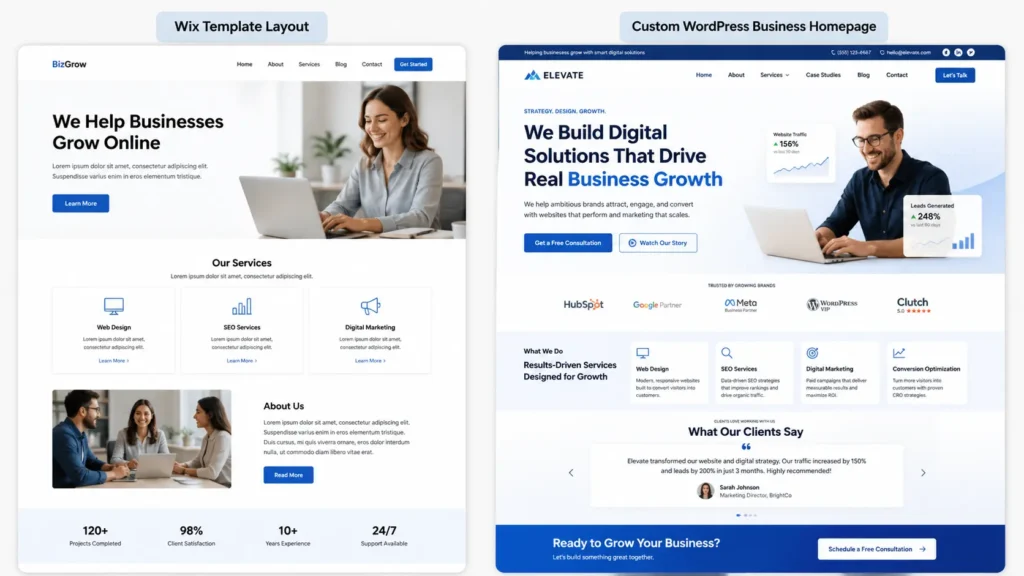
Wix gives you attractive templates and a visual editor, which is useful for fast design. You can drag elements around and make edits without touching code. For simple sites, that is enough.
WordPress gives you deeper creative control. You can use themes, block editing, custom templates, page builders, custom CSS, and developer-built layouts. This matters when your business wants a site that does not look like everyone else’s template.
Here is the practical difference:
✅ Wix is good when you want a clean website quickly.
✅ WordPress is better when your website needs a custom brand experience.
✅ Wix keeps the process simple.
✅ WordPress gives you more control over the final result.
If your site is meant to build trust, explain your value, and convert visitors into leads, design flexibility matters. A custom WordPress site can shape each page around your customer journey instead of forcing your content into a fixed template.
You can also review real examples from portfolio highlights to see how different business websites can be structured around goals, not just visuals.
SEO: Which One Helps You Rank Better?
WordPress is generally stronger for SEO because it gives you better control over technical structure, metadata, schema, page speed optimization, internal linking, content hubs, redirects, image optimization, and plugin-based SEO tools.
Wix has improved its SEO features. Wix states that users can customize title tags, meta descriptions, URL slugs, robots meta tags, indexability, and social share settings through SEO settings. Read Wix SEO settings details
That means Wix is not “bad for SEO.” A well-built Wix website can rank for local and low-competition keywords. The issue is that WordPress gives you more advanced control when SEO becomes a major growth channel.
This matters for RankMath optimization too. RankMath is a WordPress SEO plugin, so if your goal is to improve content scoring, schema, internal links, keyword placement, and on-page optimization, WordPress gives you a stronger SEO workflow.
| SEO Area | Wix | WordPress |
|---|---|---|
| Title tags and meta descriptions | Available | Available with deeper plugin control |
| Blog content | Good for simple publishing | Better for content hubs and long-term SEO |
| Schema markup | Available in limited or guided ways | More flexible with SEO plugins and custom setup |
| Page speed control | Managed inside Wix | More customizable with hosting, caching, image tools, and development |
| Internal linking | Manual and simple | Easier to scale across blogs, service pages, and topic clusters |
| Best SEO fit | Basic local SEO | Long-term search growth and content strategy |
If SEO is important to your business, you should also read WordPress SEO for Business because it connects directly to how WordPress websites can support better rankings.
Cost: Wix Is Predictable, WordPress Is Flexible
Wix pricing is easier to understand at the start because hosting and platform tools are bundled into paid plans. Wix plan pages mention features like custom domain options, storage, analytics, and business tools depending on the selected plan.
WordPress itself is free open-source software, but you still need to pay for hosting, a domain, premium themes or plugins if needed, and professional help if you want a polished business website. WordPress.org notes that the software can be downloaded and extended with thousands of plugins.
So which is cheaper?
Wix may be cheaper and simpler for a small website at the beginning. WordPress can cost more upfront, especially if you hire a professional designer or developer. But WordPress can become more cost-effective over time because you are not boxed into one closed platform and can choose your hosting, tools, features, and development path.
A simple Wix site can be fine for a starter brand. A custom WordPress site is usually better for businesses that see their website as a sales and marketing tool.
Ownership and Control
This is one of the biggest differences.
With Wix, your website is built inside the Wix ecosystem. You use its hosting, editor, apps, and platform rules. That makes things convenient, but it also means you have less freedom if you want to move, rebuild, or deeply customize the site later.
With WordPress, you can host your website with different providers, access your files and database, install different tools, and customize the site more deeply. You have more responsibility, but also more ownership.
This is especially important for businesses that want to build long-term search traffic. Your content, design system, redirects, technical SEO, and conversion pages become business assets. WordPress gives you more control over those assets.
Performance and Website Speed
Website speed depends on how the site is built, not just the platform. A badly built WordPress site can be slow. A clean Wix site can load well. But WordPress gives developers more room to optimize hosting, caching, image compression, code, scripts, and plugins.
Wix handles much of the technical side for you. That is convenient, but it also limits how much you can fine-tune. WordPress gives you more control, which can lead to better performance when the site is built correctly.
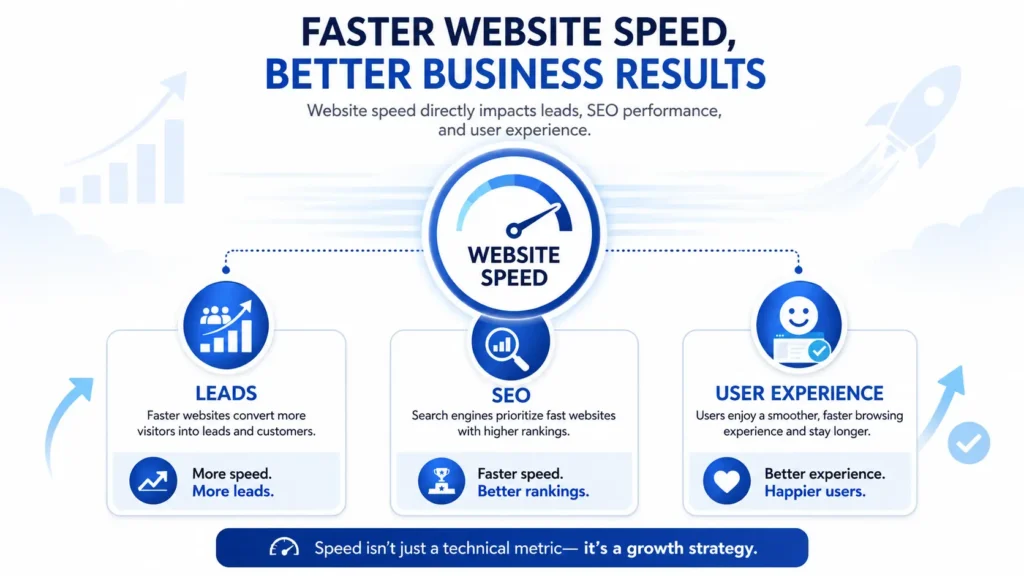
For a business website, speed is not just a technical feature. It affects how people experience your brand. If visitors wait too long, they leave. If pages load smoothly, they are more likely to read, click, call, or book.
eCommerce and Online Selling
Both platforms can support online selling, but they fit different business types.
Wix is easier for small stores, appointment-based businesses, service bookings, and simple product catalogs. Its business features can include payments, customer accounts, bookings, and eCommerce tools depending on the plan.
WordPress, usually with WooCommerce, is better for stores that need more product control, custom checkout flows, advanced shipping rules, wholesale pricing, memberships, subscriptions, SEO content, or integrations with other business systems.
For a small shop selling a few items, Wix can be enough. For a growing online store that needs flexibility, WordPress is usually the better option.
When Wix Is the Best Choice
Wix is the best choice when your business needs a fast, simple, low-maintenance website and you do not need advanced customization.
Choose Wix when:
✅ You want to launch quickly
✅ You prefer drag-and-drop editing
✅ You do not want to manage hosting or plugins
✅ Your website only needs a few basic pages
✅ SEO is helpful, but not your main growth strategy
For example, a solo consultant, small event service, or local side business may use Wix to get online without a bigger website project. It can be a practical starting point when speed matters more than control.
When WordPress Is the Best Choice
WordPress is the best choice when your website needs to grow with your business.
Choose WordPress when:
✅ You want stronger SEO control
✅ You plan to publish blogs regularly
✅ You need custom service pages
✅ You want better ownership of your website
✅ You may need advanced features later
✅ You care about long-term conversions
For example, a web design agency, contractor, medical clinic, coach, legal office, or local service company can use WordPress to build dedicated pages for services, locations, case studies, FAQs, blog posts, and lead generation.
If you like the visual editing experience but still want WordPress flexibility, Elementor website design is a strong middle option. It gives you easier editing while keeping the benefits of WordPress.
Practical Tips Before You Choose
Before picking a platform, think about what your website needs to do in the next 12 to 24 months.
If your only goal is to look professional online, Wix may be enough. If your goal is to rank, generate leads, improve conversions, publish helpful articles, and support future campaigns, WordPress is the safer choice.
A good business website should answer customer questions, explain why your service matters, guide people to the right action, and make it easy to contact you. The platform should support those goals, not limit them.
One practical test is to map your website pages before choosing a platform. If you only need five pages, Wix can work. If you need service pages, city pages, blog categories, landing pages, conversion tracking, and SEO tools, WordPress is the better fit.
For a more custom build, read about a custom WordPress website and how it can support a more scalable business presence.
Final Verdict: Which One Should You Pick?
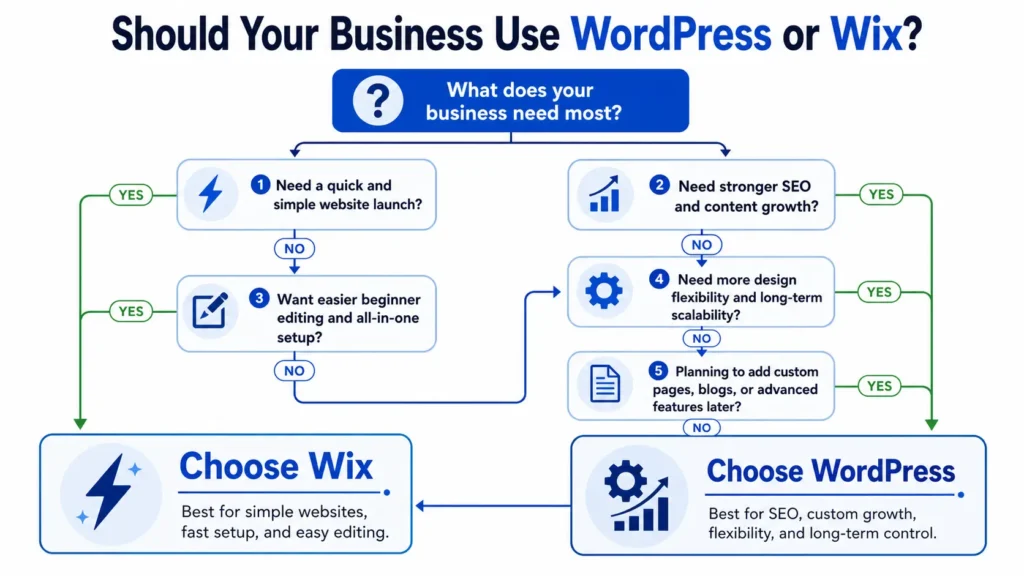
Pick Wix if you want a simple website, fast setup, and minimal technical management. It is a good option for businesses that need a basic online presence and do not plan to rely heavily on SEO or custom features.
Pick WordPress if your website needs to be a real growth tool. It is better for businesses that want SEO, content marketing, custom design, better ownership, scalable pages, and more flexible integrations.
The best answer is not always about which platform is easier today. It is about which platform will still support your business when your traffic, content, services, and marketing goals grow.
If you want help making the right choice, start with website design & development services built around strategy, not just templates.
Final Takeaway: wordpress vs wix for business
wordpress vs wix for business comes down to whether you value short-term simplicity or long-term control. Wix is easier for a quick launch, but WordPress is usually the better platform for businesses that want SEO growth, custom design, stronger ownership, and a website that can scale.
For most serious business websites, WordPress is the stronger investment. Wix can help you start, but WordPress gives you more room to grow, rank, and convert visitors into customers.
Frequently Asked Questions
1. Why use WordPress instead of Wix?
Use WordPress instead of Wix when your business needs better long-term control, SEO flexibility, and custom growth options. WordPress lets you choose your hosting, customize your design, install advanced tools, manage deeper SEO settings, and build content structures that support rankings. Wix is easier at first, but WordPress is usually stronger when your website becomes a major part of your marketing and lead generation strategy.
2. What is the downside of Wix?
The biggest downside of Wix is limited flexibility as your business grows. It is convenient because hosting, templates, apps, and editing tools are built in, but that also means your site stays inside the Wix ecosystem. If you later need advanced SEO, custom functions, deeper performance control, or a more flexible content structure, Wix can feel restrictive compared with WordPress.
3. What are the disadvantages of using WordPress?
The main disadvantages of WordPress are setup, maintenance, and technical responsibility. You need hosting, a theme, plugins, security, backups, updates, and performance optimization. If these are handled poorly, the site can become slow, messy, or vulnerable. However, these disadvantages can be reduced by using quality hosting, fewer reliable plugins, proper maintenance, and a professional setup.
4. Why is WordPress so not user-friendly?
WordPress can feel not user-friendly because it gives users more control than beginner website builders. Instead of one closed dashboard with all tools included, WordPress has themes, plugins, hosting settings, page builders, menus, widgets, and SEO tools. That flexibility can feel overwhelming at first. Once the website is properly built and organized, daily editing becomes much easier for business owners.
5. Is there a monthly fee for WordPress?
WordPress software itself is free to use, but a business website still has monthly or yearly costs. You usually pay for hosting, a domain name, premium plugins, security tools, maintenance, and sometimes professional design support. This makes WordPress flexible because you can choose your tools and providers, but it is not completely free when used for a serious business website.
