
Elementor website design is the process of building a WordPress website with Elementor’s visual editor, flexible layouts, and conversion-focused page sections. It is best for businesses that want a custom-looking website without starting from code.
For many small businesses, Elementor is a practical choice because it gives you more design control than basic templates while still being easier to manage than fully custom development. You can build service pages, landing pages, portfolios, blogs, and lead capture sections in one WordPress setup.
In this guide, we’ll explain what Elementor is, why businesses use it, how it compares with Wix, and which option is best depending on your goals. If you need help planning your site, you can also work with conversion-focused web design experts who build websites with strategy, not just style.
What Is Elementor Web Design
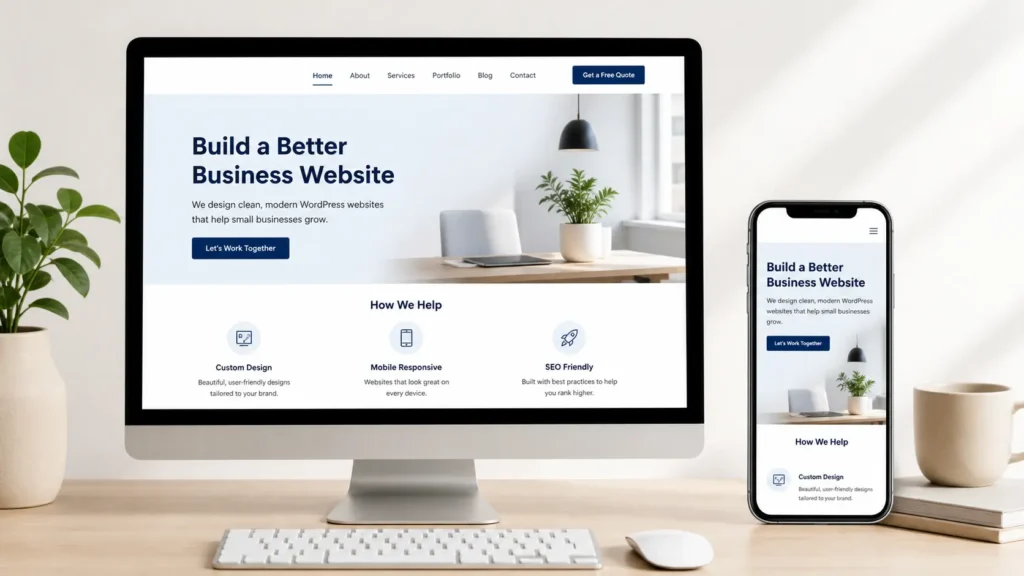
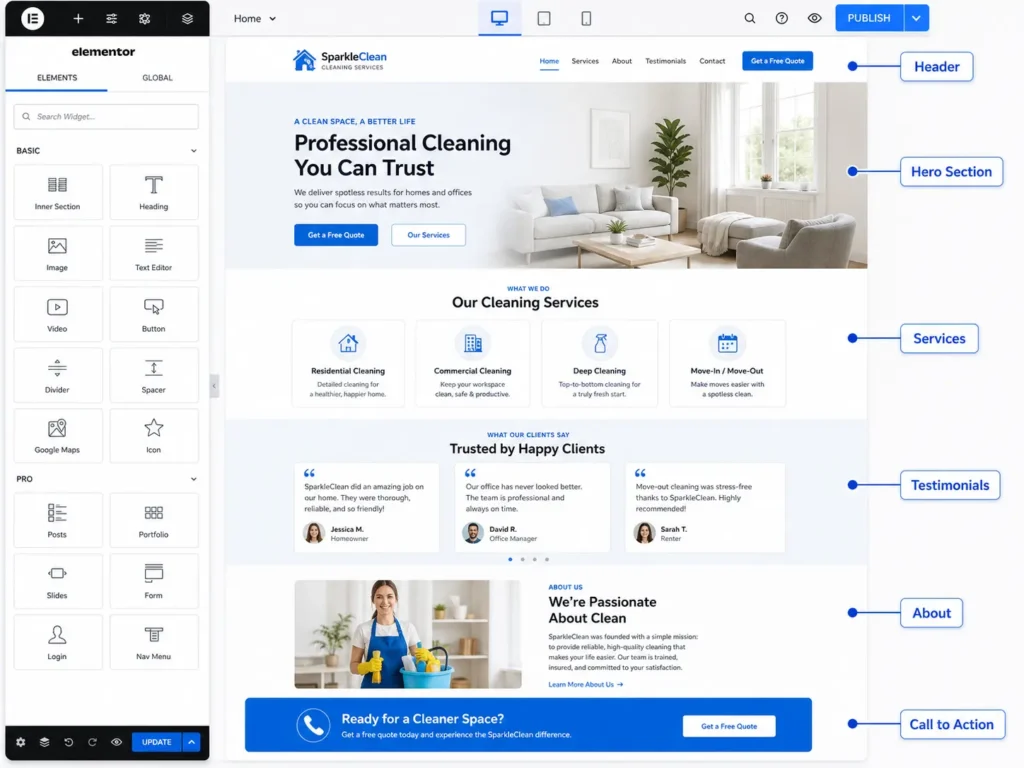
Elementor web design means using Elementor inside WordPress to create pages visually. Instead of editing only with code, you can drag sections, columns, buttons, images, forms, headings, icons, and other design elements into place.
This makes it easier to see how your website will look while you are building it. You can adjust spacing, colors, fonts, backgrounds, and mobile layouts without jumping between multiple tools.
Elementor is often used for:
✅ Service-based business websites
✅ Local business websites
✅ Landing pages
✅ Portfolio websites
✅ Blog layouts
✅ Sales pages
✅ Contact and booking pages
The main reason businesses choose it is control. You are not locked into one simple template. You can create a custom layout while still keeping the website inside WordPress, which is helpful for blogging, SEO, plugins, and long-term content growth.
Elementor is not just about making a site look good. A smart website also needs a clear message, easy navigation, fast-loading pages, strong calls to action, and content that answers customer questions. That is where design strategy matters.
Why Businesses Use Elementor
Many small businesses want a website that looks professional but does not feel impossible to update. Elementor helps with that balance.
With a traditional custom-coded website, simple edits may require a developer. With a basic website builder, design control can feel limited. Elementor sits between those options because it gives you visual editing inside WordPress.
Here’s why that matters:
| Business Need | How Elementor Helps | Why It Matters |
|---|---|---|
| Custom design | Lets you adjust layouts, colors, and sections visually | Your website can match your brand better |
| SEO content | Works inside WordPress | Easier to publish blogs and service pages |
| Lead generation | Supports forms, buttons, popups, and landing pages | Helps turn visitors into inquiries |
| Mobile layout control | Allows separate desktop, tablet, and mobile adjustments | Improves user experience on phones |
| Scalability | Works with many WordPress plugins | Your site can grow with your business |
The best use of Elementor is not just building pretty pages. It is building pages that answer what visitors need to know before they contact you.
For example, a local service business should not only say “we offer web design.” It should explain who the service is for, what is included, how the process works, what makes the business different, and what step the visitor should take next.
That is also why a strong service page should include trust sections, examples, testimonials, FAQs, and a direct call to action. If you want a more complete setup, review website design & development services built around conversion and structure.
Elementor vs Wix: Which One Is Better
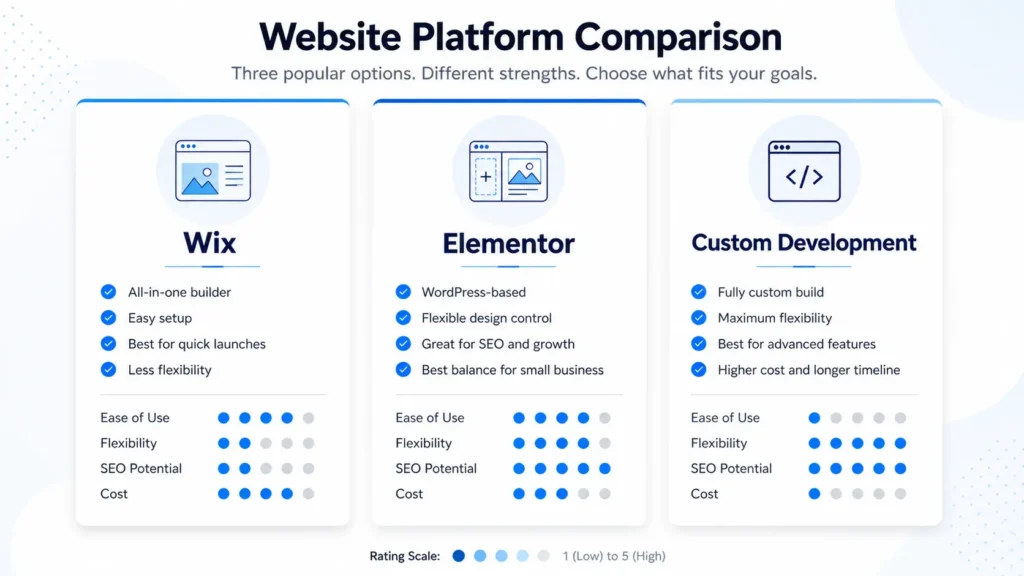
Wix and Elementor can both help you build a website, but they are not the same type of tool.
Wix is an all-in-one website builder. Hosting, templates, apps, and editing tools are built into one platform. This can be helpful for beginners who want a simple setup.
Elementor works with WordPress. This means you need WordPress hosting, a theme, plugins, and the Elementor builder. It may take more planning, but it gives you more flexibility for SEO, content, integrations, and ownership.
You can review Elementor’s official builder information through Elementor’s WordPress website builder page and compare it with the Wix features overview if you want to see how each platform presents its tools.
| Option | Best For | Main Strength | Main Limitation |
|---|---|---|---|
| Wix | Beginners who want an all-in-one setup | Easy to launch quickly | Less flexible for advanced WordPress growth |
| Elementor with WordPress | Businesses that want control and SEO flexibility | Better for custom layouts and content scaling | Needs better setup and maintenance |
| Custom-coded website | Larger or highly technical projects | Full development freedom | Usually costs more and takes longer |
So which is better?
✅ Choose Wix if you need a simple website fast and do not want to manage WordPress.
✅ Choose Elementor if you want a flexible WordPress site that can grow with your SEO and marketing.
✅ Choose custom development if you need complex features that a builder cannot handle well.
For most small businesses that care about search visibility, content marketing, and long-term control, Elementor with WordPress is usually the better option.
How Elementor Helps With SEO
Elementor does not automatically rank your website. No builder can guarantee that. But Elementor can support SEO when the website is planned correctly.
Good SEO depends on structure, content, speed, internal links, headings, user experience, and technical setup. Elementor helps because it lets you create clear page sections that answer search intent.
For example, a service page should include:
✅ A clear H1 heading
✅ A direct answer near the top
✅ Service benefits
✅ Process explanation
✅ Trust proof
✅ FAQs
✅ Internal links
✅ Strong call to action
This structure helps both users and search engines understand what the page is about.
If your site is built on WordPress, you can also use SEO plugins, schema tools, blog categories, optimized URLs, and internal linking strategies. For a deeper content strategy, read this guide on WordPress SEO for business.
Another important factor is local SEO. If you serve a specific city or area, your website should connect with your Google Business Profile, service pages, and location-based content. You can learn more about that in this article about Google Maps website traffic.
The key is simple: Elementor gives you the design control, but your SEO results depend on how well the pages are planned, written, optimized, and maintained.
What Makes a Good Elementor Website
A good Elementor website should be easy to understand within the first few seconds. Visitors should know what you offer, who you help, and what action to take next.
The design should guide people, not distract them.
A strong website usually includes:
✅ Clear hero section with one main message
✅ Simple navigation
✅ Service sections that explain value
✅ Fast-loading images
✅ Mobile-friendly layouts
✅ Trust signals like reviews or samples
✅ Contact form or booking option
✅ Blog content for search visibility
The best Elementor websites do not overload every section with animations and effects. Too much movement can slow the site down and make the page harder to read.
Instead, use design elements with purpose. A button should lead to an inquiry. A portfolio section should build trust. A testimonial should reduce doubt. A FAQ should answer objections. A blog link should help visitors learn more.
This is why small business websites need strategy before design. If you are building a site for leads, each page should have a job. Your homepage introduces the brand. Your service page sells the offer. Your portfolio proves the work. Your blog builds visibility. Your contact page removes friction.
You can view portfolio highlights to see how website examples can support trust and decision-making.
Common Mistakes to Avoid
Elementor is powerful, but it can be misused. Many websites look nice but perform poorly because the builder was used without a plan.
One common mistake is adding too many sections. If every page has huge sliders, heavy animations, large images, and unclear buttons, visitors may leave before taking action.
Another mistake is designing only for desktop. Most people will visit from a phone, especially if they find you through search, Google Maps, or social media. Always check mobile spacing, font sizes, button placement, and loading speed.
Some businesses also forget to create strong service pages. A homepage alone is rarely enough. If you offer multiple services, each important service should have its own page with clear content and a focused call to action.
Here are practical tips:
✅ Compress images before uploading
✅ Use consistent fonts and colors
✅ Keep pages focused on one main goal
✅ Avoid unnecessary plugins
✅ Write helpful content before designing sections
✅ Add internal links to related pages
✅ Review mobile layouts before publishing
How to Plan an Elementor Website
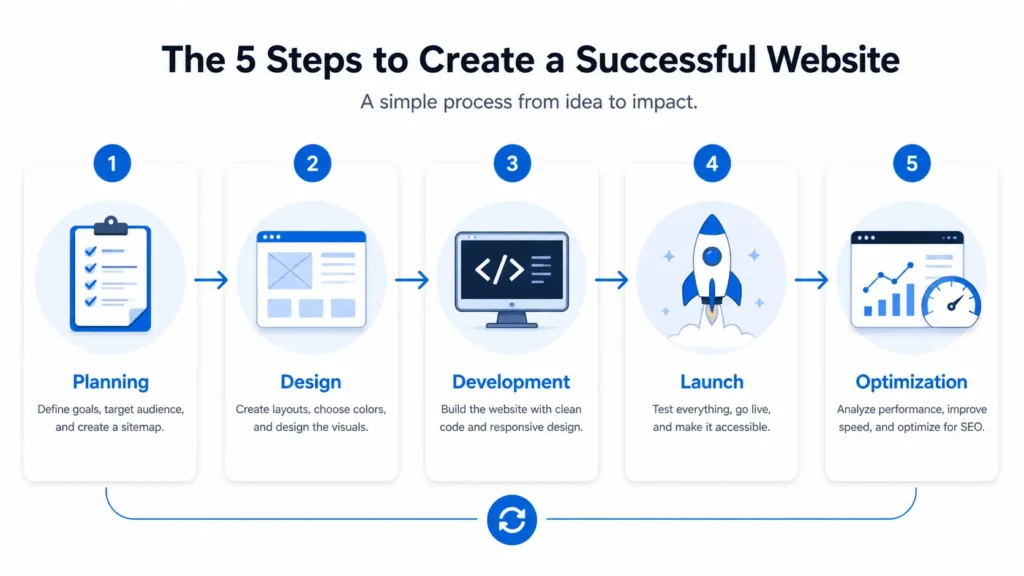
Before designing, start with the goal of the website. Do you want calls, form submissions, bookings, product sales, or local visits? Your goal affects the layout.
Next, map the pages you need. A small business website usually needs a homepage, about page, services page, sample work page, contact page, and a few helpful blog posts.
A simple structure may look like this:
✅ Homepage: Main offer, trust signals, service overview, call to action
✅ Services page: Detailed offer, process, pricing direction, FAQs
✅ Sample work page: Portfolio, project examples, results
✅ Blog pages: Helpful content for SEO and customer education
✅ Contact page: Form, contact details, location, next steps
Once the pages are planned, create the content before designing. This helps avoid filler sections. Good copy makes the design stronger because every section has a purpose.
For example, if you are a local contractor, your service page should answer pricing factors, timeline, service area, process, materials, and common customer concerns. If you are a consultant, your page should explain problems solved, outcomes, process, and who the service is best for.
Elementor makes layout easier, but content makes the page useful.
If you are still deciding whether WordPress is right for your company, read this guide on building a WordPress website for small business.
Which Elementor Option Is Best
The best Elementor option depends on your budget, time, and business goals.
If you only need a simple page and already know WordPress, you may be able to start with Elementor’s free version. It can handle basic layouts and simple page sections.
If you need advanced forms, theme building, templates, popups, dynamic content, or more design control, Elementor Pro is usually more practical.
If your website is important for lead generation, hiring a designer is often the better option. A professional can plan the structure, write stronger sections, improve mobile flow, optimize images, and connect the design with SEO goals.
Here is the simplest way to decide:
✅ DIY Elementor: Best if you have time, a small budget, and simple needs
✅ Elementor Pro: Best if you want more control and better site features
✅ Professional Elementor build: Best if the website needs to generate leads
✅ Custom development: Best for complex systems, apps, or advanced functions
For most service-based small businesses, a professional Elementor build is the strongest balance. It keeps the flexibility of WordPress while creating a better design than a basic DIY template.
Practical Tips for Better Results
A strong Elementor site should feel simple for the visitor. The easier it is to understand, the easier it is to take action.
Start with one main call to action. Do you want people to book a call, request a quote, view your work, or contact you? Use that action consistently across the page.
Use short paragraphs. Long blocks of text can feel heavy, especially on mobile. Break content into clear sections with helpful headings.
Add proof near decision points. If you have reviews, project screenshots, client results, or before-and-after examples, place them before or near your contact section.
Make buttons specific. Instead of only saying “Submit,” use phrases like “Request a Website Quote” or “Start My Website Project.” This tells the visitor what will happen next.
Also, keep your website easy to update. A site that looks good today but is hard to manage later can become a problem. Use reusable design styles, consistent spacing, and clear templates so future edits stay clean.
Final Thoughts on elementor website design
For most small businesses, elementor website design works best when it combines clean visuals, clear messaging, SEO structure, and strong calls to action. It is not just about dragging sections onto a page, it is about building a website that helps visitors trust you and take the next step.
If you want a website that looks professional and supports business growth, Elementor with WordPress is a strong option. Plan your pages first, keep the design simple, answer customer questions clearly, and make every section support your goal.
Frequently Asked Questions
1. Which is better, Wix or Elementor?
Elementor is usually better for businesses that want more WordPress control, SEO flexibility, and custom page layouts. Wix is easier for beginners because it includes hosting, templates, and business tools in one platform. However, Elementor works inside WordPress, which gives you more room to grow your content, add plugins, create custom service pages, and improve long-term SEO. The better choice depends on whether you value simplicity or flexibility.
2. Is Elementor website builder any good?
Elementor is good for building flexible, professional WordPress websites without starting from code. It lets you design visually, adjust mobile layouts, create landing pages, and build custom sections for services, portfolios, blogs, and contact pages. It works best when the site is planned properly. If you add too many effects, plugins, or oversized images, performance can suffer. Used correctly, it is a strong tool for small business websites.
3. Do people still use Elementor?
Yes, people still use Elementor, especially WordPress designers, agencies, freelancers, and small business owners. It remains popular because it gives users visual design control while staying inside the WordPress ecosystem. Many businesses like it because they can update text, images, and sections without depending on a developer for every small change. It is especially useful for service pages, landing pages, blogs, and lead generation websites.
4. Is Elementor difficult to learn?
Elementor is not difficult to learn for basic edits, but advanced design takes practice. Most beginners can learn how to change text, replace images, adjust buttons, and update simple sections quickly. The harder part is learning spacing, mobile responsiveness, SEO structure, page speed, and conversion-focused layout. If you only need small updates, it is beginner-friendly. If you want a high-performing business website, planning and design experience matter more.
