
A website redesign that looks professional should make your business look trustworthy, load fast, explain your offer clearly, and guide visitors toward one main action. The best approach is not to change everything at once, but to improve layout, messaging, mobile experience, speed, and conversion paths based on how real customers use your site.
If your website feels outdated, confusing, slow, or hard to update, a redesign can help turn more visitors into calls, form submissions, bookings, and sales. The goal is not just a prettier homepage. It is a better first impression that makes people feel confident choosing you.
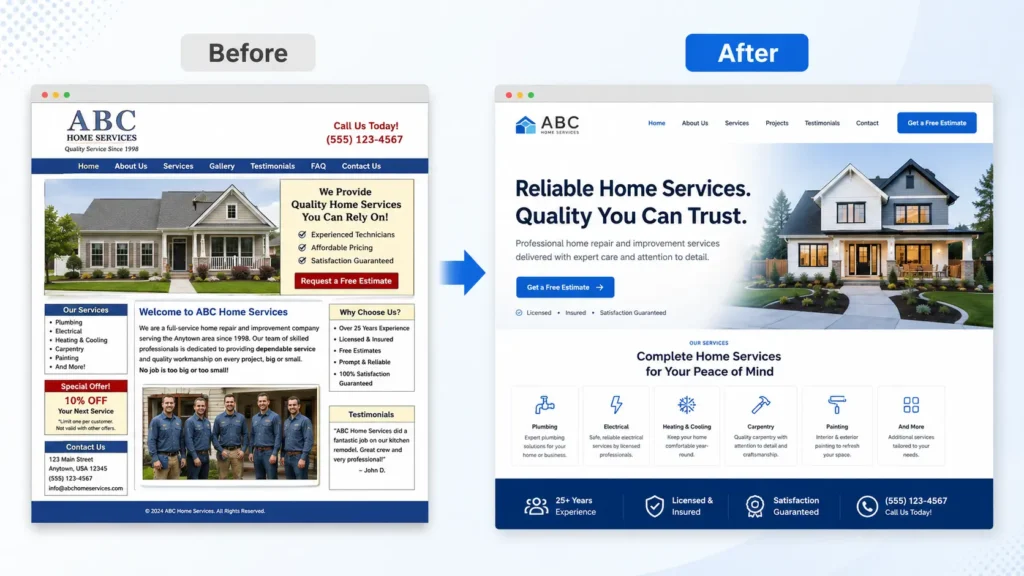
Why a Professional Website Redesign Matters
Your website is often the first place people judge your business. Before they call, book, or request a quote, they look for signs that you are credible, active, and easy to work with.
A professional redesign helps answer three questions quickly:
✅ Can I trust this business?
✅ Do they offer what I need?
✅ What should I do next?
This matters even more for service businesses. Visitors are usually comparing several options. If one website is clean, fast, mobile-friendly, and easy to understand while another looks dated or cluttered, the better experience usually wins the inquiry.
Google also explains that SEO helps search engines understand your content and helps users find your site through search, which is why a redesign should include structure, content, and technical improvements, not only visuals. Google SEO Starter Guide
For help with the bigger picture, you can also review website design & development services and see how a redesign can connect branding, usability, and lead generation.
Signs Your Website Needs a Redesign
A website does not need to be broken before it needs improvement. Sometimes the warning signs are small, like fewer form submissions, outdated photos, or visitors leaving before they read your offer.
| Website Problem | What It Usually Means | Best Redesign Fix |
|---|---|---|
| Looks outdated compared to competitors | Visitors may question your credibility | Refresh design, fonts, spacing, colors, and images |
| Hard to use on mobile | Mobile users may leave quickly | Rebuild with responsive layouts and thumb-friendly buttons |
| Slow loading pages | Visitors may lose patience | Compress images, improve hosting, clean up code |
| Weak calls to action | Users do not know what to do next | Add clear buttons, forms, and contact prompts |
| Confusing service pages | Visitors cannot understand your offer | Rewrite content with simple sections and stronger headings |
| Low search visibility | Google may not understand the page clearly | Improve SEO structure, internal links, and page intent |
If two or more of these apply, a redesign is usually worth considering. A fresh design gives you the chance to improve trust, speed, content, and conversion at the same time.
What Makes a Website Look Professional?
A professional website feels clear, intentional, and easy to navigate. It does not need flashy effects or complicated animations. In most cases, simple design choices create the strongest result.
The biggest elements are layout, spacing, typography, color, images, and messaging. When these work together, the site feels polished. When they fight each other, the site feels messy even if the content is good.
A strong professional website usually includes:
✅ A clear headline that explains what you do
✅ A short supporting sentence that speaks to the customer’s problem
✅ A visible call-to-action button
✅ Consistent brand colors and fonts
✅ Real images, project examples, or trust-building visuals
✅ Easy navigation with only the most important pages
✅ Service sections written in plain language
✅ Testimonials, reviews, badges, or proof points
✅ Fast-loading pages on desktop and mobile
The “professional” look comes from consistency. Your homepage, service pages, blog posts, contact page, and portfolio should feel like they belong to the same business.
If you want examples of finished design direction, visit the portfolio highlights page to compare layout, spacing, and visual presentation.
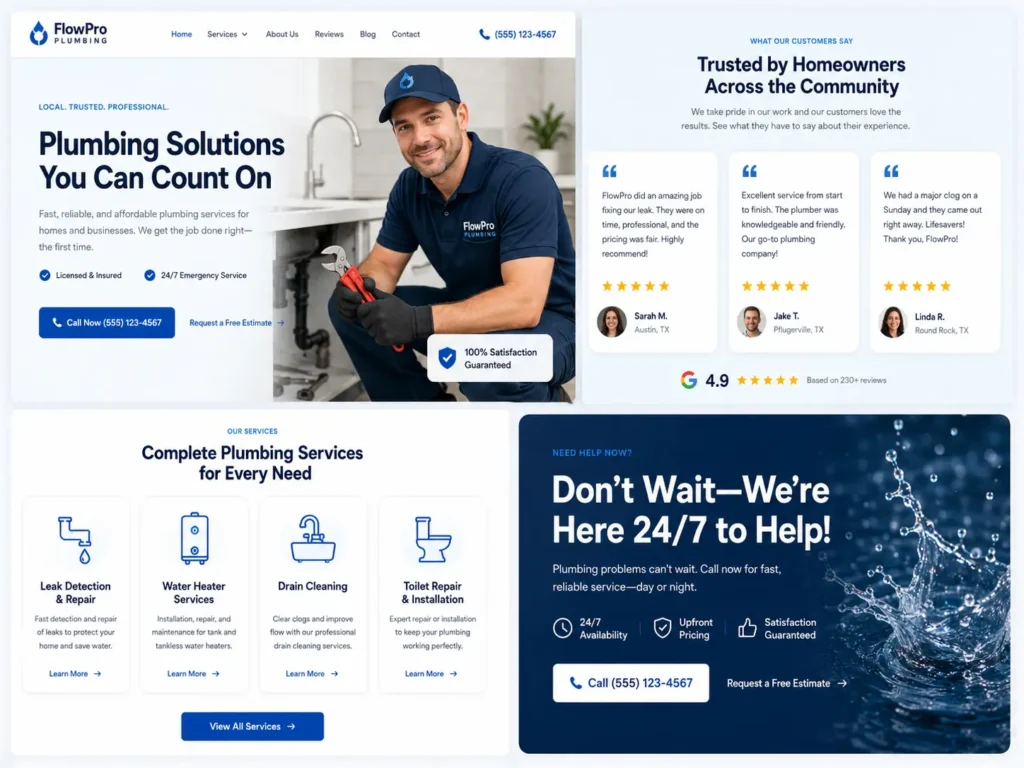
Which Redesign Option Is Best?
The best redesign option depends on what is holding your website back. Not every business needs a full rebuild. Some only need better visuals, while others need a stronger SEO and conversion structure.
| Redesign Option | Best For | Why It Works |
|---|---|---|
| Visual refresh | Your site works but looks old | Updates style without changing everything |
| Conversion redesign | You get traffic but few leads | Improves calls to action, forms, service pages, and user flow |
| SEO redesign | Your site is hard to find on Google | Improves page structure, internal links, headings, and content |
| Full rebuild | Your site is slow, broken, or hard to update | Gives you a cleaner foundation for design, speed, and growth |
| Landing page redesign | You run ads or promote one service | Focuses visitors on one clear offer and action |
For most small businesses, the best option is a conversion-focused redesign with SEO cleanup. This means your site should look better, but it should also make it easier for visitors to contact you.
A visual-only redesign may look nice, but it can miss the real problem. If your content is vague, your services are buried, your forms are hard to find, or your site loads slowly, a new color palette will not fix everything.
How to Plan the Redesign Step by Step
Start with the reason for the redesign. Do you want more calls? Better local rankings? More booked consultations? A stronger portfolio? A cleaner brand image?
Once the goal is clear, review your current website honestly. Look at your homepage, service pages, contact page, and blog. Ask whether each page helps visitors understand your business and take action.
A practical redesign plan should include these steps:
✅ Review your current website performance
Check what pages bring traffic, what pages get ignored, and where leads currently come from.
✅ Define the main customer action
This could be “schedule a call,” “request a quote,” “view sample work,” or “send a message.”
✅ Rewrite weak page sections
Use clear language. Say what you do, who you help, where you serve, and why someone should trust you.
✅ Improve the layout
Use cleaner spacing, stronger section order, and a simple path from headline to service explanation to CTA.
✅ Add proof
Show project examples, testimonials, results, client types, or process details.
✅ Protect SEO before launch
Keep important URLs when possible, redirect old pages, update title tags, and check internal links.
For a deeper SEO angle, read how to rank a small business website before making major page changes.
Design Elements That Build Trust
Trust is built in seconds. Visitors may not read every word, but they notice visual quality right away.
Your design should make the business feel active, organized, and reliable. That starts with a clean hero section. The first screen should clearly explain what you offer and include one strong call to action.
Your navigation should also be simple. Too many menu items can make the site feel cluttered. Most service businesses only need core pages such as Home, Services, Work, About, Blog, and Contact.
Use real visuals where possible. Stock images can work in some cases, but real project screenshots, team photos, workspace images, or branded graphics usually feel more authentic.
Trust also improves when your content feels specific. Instead of saying “We create amazing websites,” say what kind of websites you build, who they are for, and what outcome the client can expect.
Example:
Weak: “We make modern websites for businesses.”
Better: “We design clean, conversion-focused websites for small businesses that need more calls, bookings, and quote requests.”
That second version tells visitors more in less time.
Speed, Mobile Experience, and SEO
A redesign should include performance improvements. A beautiful website that loads slowly can still lose visitors.
Core Web Vitals measure real-world user experience factors like loading, interactivity, and visual stability. Google recommends site owners aim for good Core Web Vitals because they support better user experience and align with what Google’s systems try to reward. Core Web Vitals guide
For a service business website, focus on these practical improvements:
✅ Compress large images before uploading
✅ Avoid unnecessary plugins
✅ Use clean theme or custom code
✅ Make buttons easy to tap on mobile
✅ Keep forms short and simple
✅ Use readable font sizes
✅ Avoid popups that block key content
✅ Test every major page after launch
Mobile design deserves special attention. Many visitors will find you from Google, social media, maps, or referrals on their phone. If your mobile site feels cramped, slow, or hard to click, the redesign is not finished.
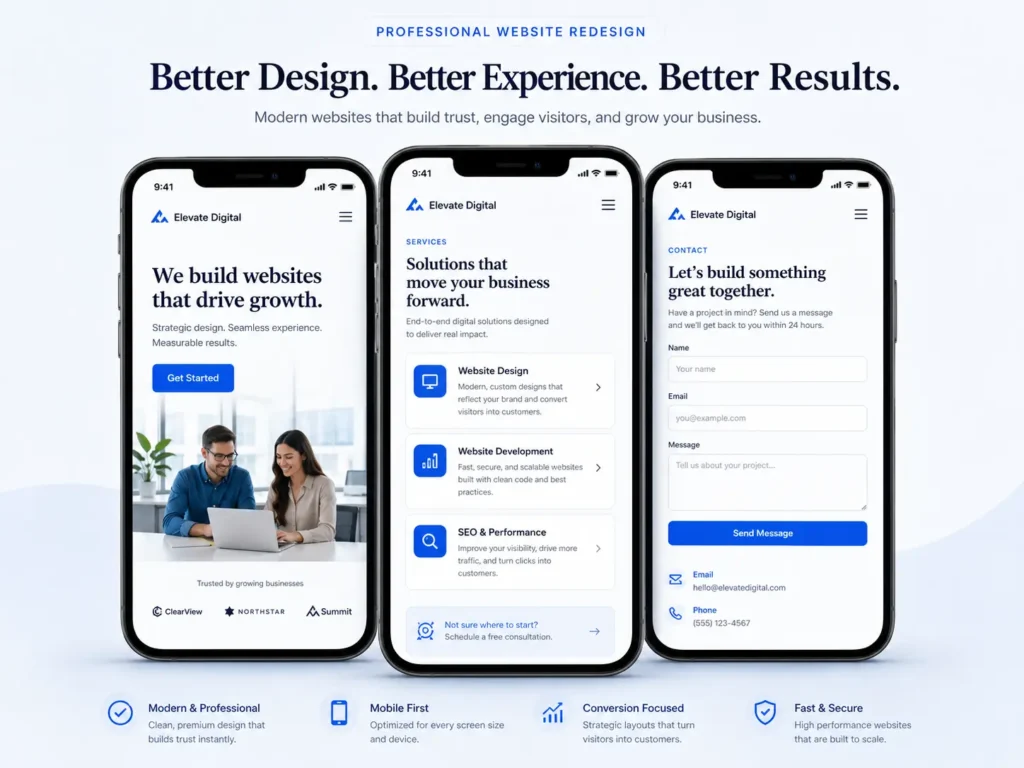
Content That Makes the Redesign Work
Design gets attention, but content creates action. Your website copy should answer the questions people have before hiring a web designer or service provider.
Strong website content usually explains:
✅ What you offer
✅ Who you help
✅ What makes you different
✅ What your process looks like
✅ What visitors should do next
✅ What proof supports your claims
Each service page should focus on one main topic. Avoid mixing too many services into one page if they deserve their own explanation. This helps both visitors and search engines understand the page.
Use internal links naturally. For example, if you mention SEO during the redesign process, guide visitors to WordPress SEO for business. If you talk about visual quality, point them toward website design that looks professional.
Internal links help visitors explore related content. They also help search engines understand which pages are connected.
Common Website Redesign Mistakes to Avoid
One of the biggest mistakes is redesigning only for personal taste. Your website should look good to you, but it also needs to make sense to your customers.
Another mistake is removing important pages without a redirect plan. If a page already ranks or receives traffic, deleting it can hurt visibility. Keep useful pages, improve them, or redirect them properly.
Avoid hiding your contact options. Visitors should not have to search for your phone number, email, booking link, or form. A professional website makes the next step obvious.
Do not overload the homepage with too many animations, sliders, or decorative sections. These may look impressive at first, but they can slow the site and distract from the message.
Also avoid vague calls to action. “Learn More” is sometimes useful, but “Request a Website Quote,” “Book a Free Consultation,” or “View Our Work” is usually clearer.
If you want expert help instead of guessing, connect with small business web design experts who can review the full user journey.
Practical Tips Before You Hire a Web Designer
Before hiring a designer, prepare your goals, pages, and must-have features. This makes the process smoother and helps you get a better result.
Start by listing your main services. Then collect your best testimonials, project images, brand colors, logo files, and examples of websites you like. You do not need to design the site yourself, but clear direction helps your designer understand your taste and goals.
Ask your designer about mobile layout, SEO basics, redirects, page speed, and conversion strategy. A good redesign should not only look clean. It should also support your business goals after launch.
You should also ask what platform is best. WordPress is often a strong option for service businesses because it gives you control over pages, blogs, plugins, and SEO settings. Other platforms can work too, depending on your needs, budget, and maintenance preferences.
The best choice is the one that your business can manage, update, and grow with.
RankMath SEO Checklist for This Topic
If you use RankMath, optimize the blog before publishing. Keep the page simple, clear, and focused on search intent.
✅ Add the focus keyword in the meta description
✅ Use a clean URL slug
✅ Include internal links to service and blog pages
✅ Add two helpful external links
✅ Use image alt text that describes the image clearly
✅ Add FAQ content with complete answers
✅ Keep headings easy to scan
✅ Make the opening paragraph answer the search query directly
✅ Use tables where they genuinely help comparison
Do not overuse keywords. RankMath can encourage optimization, but the content still needs to sound natural. Helpful writing performs better when it answers the reader’s real question.
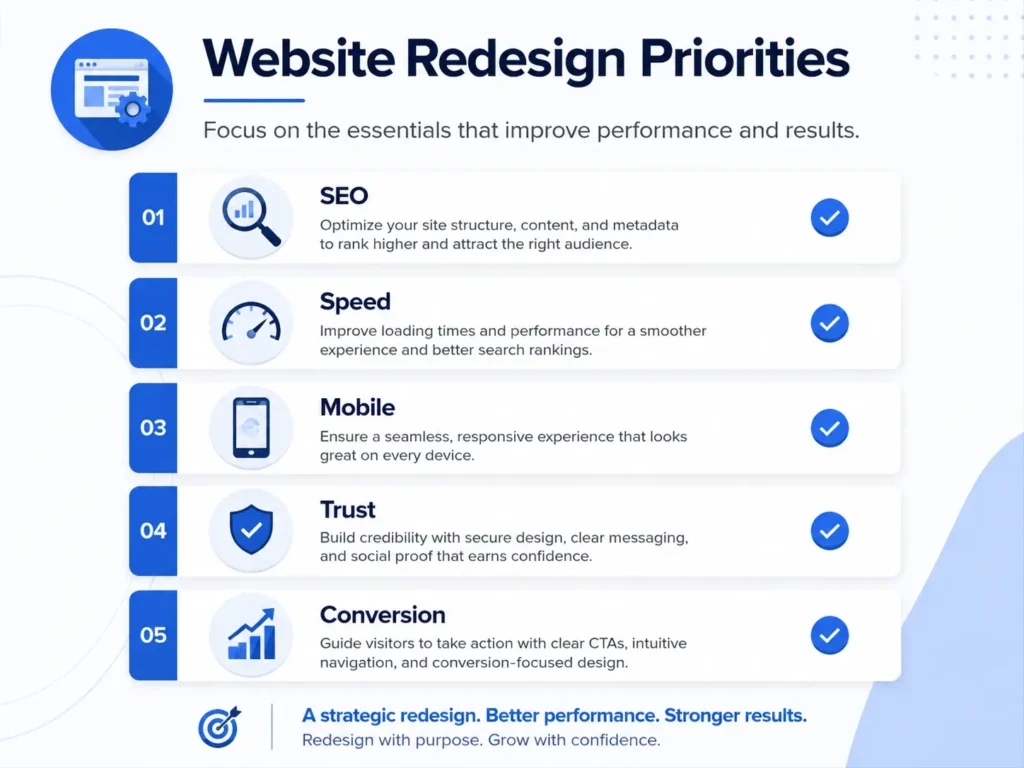
Final Thoughts on a website redesign that looks professional
A redesign is worth it when your current site no longer reflects the quality of your business. The strongest redesigns improve design, content, speed, SEO, and conversion together.
Instead of only asking, “Does this look modern?” ask, “Does this help the right visitor trust me and take action?” That question leads to a better website, stronger leads, and a more useful online presence.
If your site needs a cleaner layout, better service pages, and a stronger lead path, explore website redesign that converts and start with a clear plan before changing the design.
Frequently Asked Questions
1. How do I know if my business website needs a redesign?
The clearest sign is when your website no longer supports your business goals. If visitors are not contacting you, your design looks outdated, your mobile layout is frustrating, or your services are hard to understand, a redesign can help. You should also consider a redesign if competitors look more trustworthy online, your site loads slowly, or you feel embarrassed sending people to your homepage.
2. What should a professional website designer improve first?
A professional website designer should improve clarity first. Before changing colors or adding visuals, the designer should make sure visitors understand what you offer, who you help, and what action to take next. After that, they can improve layout, mobile design, speed, calls to action, service pages, trust signals, and SEO structure. Good design starts with purpose, not decoration.
3. Is it better to redesign my current website or build a new one?
The best choice depends on your current website’s condition. If your site is built on a solid platform and only needs better visuals, content, and conversion flow, a redesign may be enough. If the site is slow, outdated, hard to edit, poorly coded, or missing important SEO foundations, a full rebuild is usually better. A web designer can audit your site before recommending the right path.
4. How much does a small business website redesign cost in the USA?
Small business website redesign pricing can vary based on scope, page count, features, and strategy. A simple refresh usually costs less than a full rebuild with SEO, copywriting, forms, speed optimization, and custom layouts. The better question is what the redesign needs to accomplish. If the site can bring more calls, bookings, or quote requests, the project should be planned as a business investment, not just a design expense.
