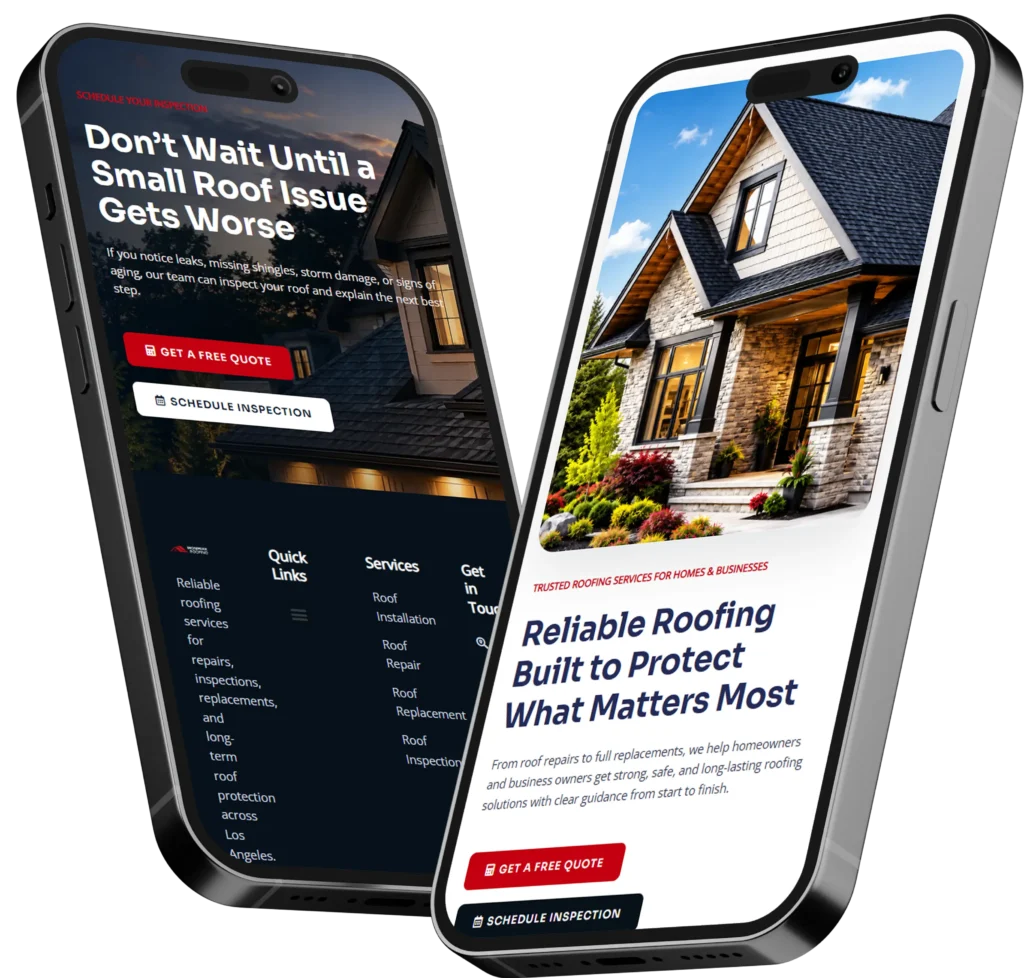
An online web designer for small business helps owners build a professional website that earns trust, explains services clearly, and turns visitors into calls, bookings, or leads. The best choice is a designer who understands layout, SEO, speed, mobile experience, and conversion-focused content from the start.
If your current website feels outdated, loads slowly, or does not bring steady inquiries, hiring the right designer can fix more than the look of your site. A good website should answer customer questions, guide visitors to take action, and support your local or service-based marketing.
In this guide, we’ll explain what an online small business web designer does, why it matters, how to choose the right one, and which option fits your business best.
Need a cleaner site that brings more inquiries? Start with conversion-focused web design for a website built around trust and action.
What Does an Online Web Designer Do for a Small Business?
A web designer builds the structure, layout, and experience of your website so visitors can understand your business quickly. For a small business, that usually means creating pages that explain your services, show proof, answer concerns, and make it easy to contact you.
This includes your homepage, service pages, landing pages, contact forms, calls to action, testimonials, and mobile layout. A strong designer also considers how your website appears in search results and how customers move through each page.
Google explains that SEO helps search engines understand your content and helps users decide whether to visit your site from search results. That is why your website design should support both people and search engines, not just look nice. Google SEO Starter Guide
Why Website Design Matters for Small Business Owners
Your website is often the first place people check before they call, book, or ask for a quote. Even if they find you through referrals, social media, Google Business Profile, or paid ads, they usually visit your site to confirm that your business is real and reliable.
A weak website can create doubt. Visitors may leave if they cannot find your services, pricing direction, location, work samples, or contact options. A strong website makes the next step feel easy.
Good design helps with:
✅ Clear first impression
✅ Better mobile browsing
✅ Faster contact and booking actions
✅ Stronger trust through reviews and proof
✅ Better structure for SEO and local visibility
The goal is not just having a website. The goal is having a website that helps your business get found, trusted, and contacted.
What Makes a Good Small Business Website?
A good small business website answers three questions quickly: what you offer, why someone should trust you, and what they should do next.
Many small business owners make the mistake of focusing only on colors, images, or animations. Those things matter, but they should support the main goal of the site. Your website needs to guide people from interest to action.
A simple service business website should usually include:
✅ A homepage that explains the main offer
✅ Service pages for each major service
✅ A contact or booking page
✅ Testimonials or project proof
✅ Location or service area details
✅ Clear calls to action
✅ Fast loading on mobile
For example, a local cleaning company should not only say “we clean homes.” It should show service areas, cleaning packages, what is included, trust signals, before-and-after photos, and a simple booking form.
A designer who understands small business websites will build around real customer behavior. They will not just create a pretty design and leave you to figure out the rest.
Want a practical service setup? Review website design & development services to see how a business site can be planned around growth.
Website Design vs Website Redesign: Which One Do You Need?
Some business owners need a brand-new website. Others already have a site, but it is not helping them get leads. Knowing the difference can save time and money.
| Option | Best For | Main Goal |
|---|---|---|
| New Website Design | New businesses, rebrands, or owners with no current site | Build a complete online presence from the ground up |
| Website Redesign | Existing sites that look outdated or do not convert | Improve trust, layout, speed, SEO, and lead generation |
| Landing Page Design | Ads, campaigns, promotions, or single services | Drive one focused action like calls, forms, or bookings |
| SEO Website Upgrade | Sites with poor search visibility | Improve page structure, content, metadata, and keyword targeting |
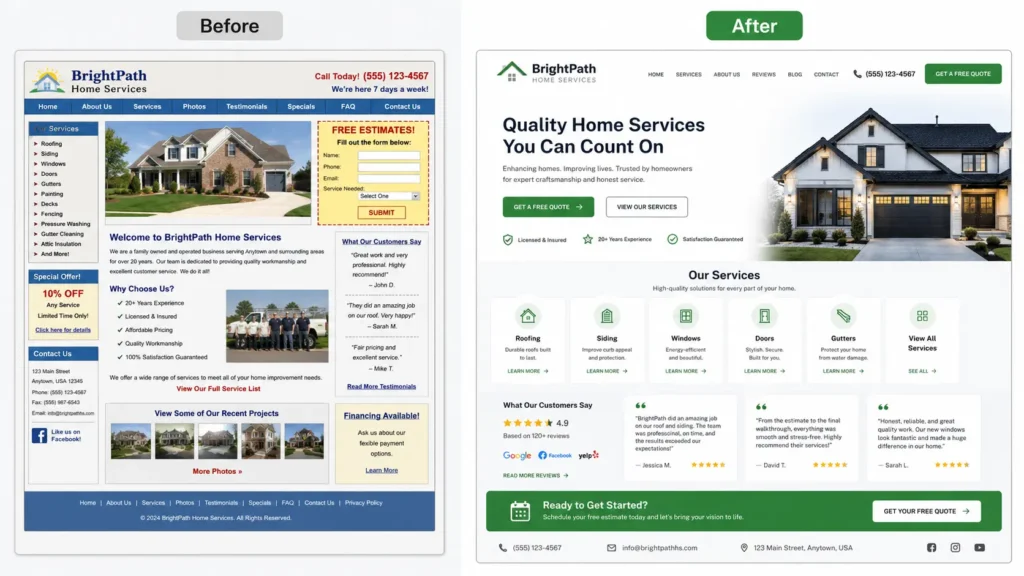
If your website is old but still has useful content, a redesign may be the better choice. If your site has no clear structure, weak branding, or very little information, a full rebuild may be smarter.
A landing page works best when you want traffic from ads, emails, or a specific campaign to take one focused action. For example, a roofing company may use one landing page for “roof repair estimate” instead of sending ad visitors to the homepage.
How an Online Designer Helps With Leads, Calls, and Bookings
A small business website should not feel like an online brochure that people read and forget. It should move visitors toward a next step.
A good designer improves lead generation by placing calls to action in the right areas. This may include buttons near the top of the page, contact forms after service details, click-to-call buttons on mobile, and trust signals near decision points.
For service businesses, the most important actions are usually:
✅ Call now
✅ Request a quote
✅ Book a consultation
✅ View sample work
✅ Send a message
✅ Schedule a service
The design should make these actions visible without feeling pushy. A visitor who is ready to contact you should not have to search for your phone number or scroll to the bottom of every page.
Small details matter here. A button that says “Get a Free Website Audit” is more specific than “Submit.” A section that says “See our recent remodel projects” builds more trust than a plain paragraph with no proof.
To see how this works in real layouts, visit portfolio highlights and compare how sample projects can support trust before someone contacts your business.
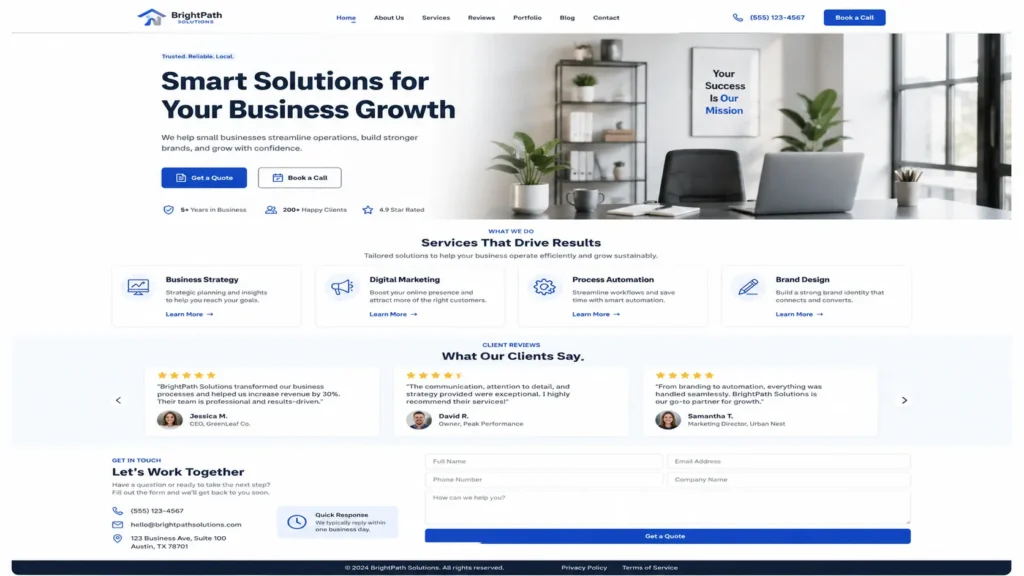
What to Look for When Hiring a Small Business Web Designer
Hiring a web designer can feel confusing because many providers use the same words. Almost everyone says they create professional, modern, and responsive websites. The real question is whether they understand small business results.
Look for a designer who asks about your services, customers, goals, competitors, service areas, and current problems. If they only ask what colors you like, they may not be thinking deeply enough about leads and conversions.
A strong designer should help you understand:
✅ Which pages your website needs
✅ How your navigation should be arranged
✅ What content should go on each page
✅ Where calls to action should appear
✅ How to build trust with proof
✅ How the site should support SEO
✅ What happens after launch
The best option is usually not the cheapest designer. It is the designer who can explain why certain choices help your business.
For example, a designer may recommend a separate page for each core service because it helps users find the exact service they need. They may suggest adding reviews near a contact form because people need reassurance before sending an inquiry.
That is the kind of practical thinking small business websites need.
How Much Should a Small Business Website Include?
A small business website does not need to be huge, but it should be complete enough to answer customer questions. A five-page website can work well if each page has a clear role.
A basic structure may include a homepage, about page, services page, sample work page, and contact page. A stronger SEO-focused structure may include individual service pages, location pages, blog posts, and landing pages.
The right choice depends on your business type.
| Business Type | Recommended Pages | Why It Works |
|---|---|---|
| Local Service Business | Home, services, service area, reviews, contact | Helps customers confirm service fit and location |
| Contractor or Remodeler | Home, services, project gallery, about, contact | Builds trust with visual proof and experience |
| Consultant or Coach | Home, offer page, about, testimonials, booking page | Explains expertise and drives appointments |
| Ecommerce Small Business | Home, collections, product pages, policy pages, contact | Supports product discovery and buyer confidence |
| Professional Service Provider | Home, service pages, case studies, FAQ, contact | Answers high-trust questions before inquiry |
The practical tip is simple: each important service deserves enough space to explain what it is, who it is for, and how someone can get started.
Trying to place every service into one short paragraph can weaken your message. It may also make it harder for search engines and users to understand what your business offers.
Why SEO Should Be Part of Website Design
SEO should not be added after the website is finished. It should be part of the planning process.
A designer does not need to replace a full SEO specialist, but they should understand basic SEO structure. This includes clean URLs, helpful headings, page titles, meta descriptions, image alt text, internal linking, mobile layout, and fast loading.
The U.S. Small Business Administration explains that a marketing plan helps turn business strategy into action, which is also how your website should be planned. Your site should support the larger goal of reaching customers, explaining your offer, and helping people choose you. SBA Marketing and Sales Guide
For small businesses, website SEO often starts with service clarity. If you are a plumber, designer, accountant, electrician, coach, or med spa owner, each service page should clearly explain the service in the language customers use.
A smart internal linking plan also helps. For example, you can connect readers to a helpful guide like web designer for local business when they want to understand local website strategy. You can also guide remote-friendly businesses to remote web designer for small business if they are open to working online.
How to Know Which Web Designer Is the Best Fit
The best web designer depends on your goal. A new business may need a complete website setup. An established business may need a redesign that fixes conversion problems. A company running ads may need landing pages that turn clicks into leads.
Here is how to decide.
Choose a new website package if you are starting from scratch, launching a business, or replacing a DIY site that no longer feels professional.
Choose a redesign if your current site looks old, loads slowly, has confusing pages, or does not bring enough inquiries.
Choose landing page design if you run Google Ads, Facebook Ads, email campaigns, or seasonal promotions.
Choose ongoing website support if you need updates, technical fixes, content changes, and monthly maintenance.
The best option is the one that removes your biggest website bottleneck. If people visit but do not contact you, focus on conversion. If people cannot find you, focus on SEO structure. If your website feels outdated, focus on redesign and trust.
📌 Practical tip: Before hiring anyone, write down your top three website problems. For example: “not enough calls,” “site looks outdated,” and “no one finds us on Google.” This gives your designer a clear direction.
Common Website Mistakes Small Businesses Should Avoid
Many small business websites lose leads because of simple issues. The problem is not always traffic. Sometimes people are visiting, but the site does not give them enough reason to act.
Common mistakes include hiding contact information, using vague service descriptions, having no reviews, missing mobile buttons, slow loading pages, and sending all visitors to one general page.
Another mistake is using a design that looks nice but does not match the customer journey. For example, a visitor who needs emergency repair does not want to read a long brand story first. They want proof, availability, location, and a clear way to call.
A good designer will organize the page around what the visitor needs at that stage.
For lead generation, the page should usually include:
✅ Clear headline
✅ Service explanation
✅ Benefits
✅ Proof or testimonials
✅ Simple process
✅ Strong call to action
✅ FAQ section
This structure works because it reduces hesitation. Visitors do not have to guess what you do, who you help, or how to reach you.
For more lead-focused thinking, read the remote web designer lead generation guide.
How to Prepare Before Hiring a Web Designer
You do not need everything perfect before contacting a designer, but a little preparation helps. The clearer your goals are, the better your website plan will be.
Start by gathering your logo, brand colors, service list, best photos, reviews, contact details, and examples of websites you like. You should also know your main service areas and the top actions you want visitors to take.
Think about your customers too. What questions do they ask before buying? What concerns stop them from contacting you? What proof helps them trust you?
For example, a contractor may need project photos and license information. A consultant may need testimonials and a booking calendar. A local service business may need service area details and a click-to-call button.
The more your website reflects real customer questions, the stronger it becomes.
What Is the Best Website Design Choice for Small Business Growth?
The best choice is a website that balances design, SEO, trust, and conversion. A beautiful website with weak content may not rank or convert. A content-heavy website with poor layout may confuse visitors. A fast website with no trust signals may still lose leads.
Small businesses need all parts working together.
Your site should load quickly, look professional, explain your services, answer questions, show proof, and make contact easy. It should also be simple for you to update as your business grows.
This is why hiring an online web designer for small business can be useful. You are not limited to someone nearby, and you can work with a designer who understands small business websites, service pages, landing pages, and SEO-friendly structure.
The best designer will not just ask, “What do you want it to look like?” They will ask, “What should this website help your business achieve?”
That difference matters.
Final Thoughts: online web designer for small business
Choosing an online web designer for small business is really about choosing a partner who can turn your website into a stronger sales and trust tool. The right designer will help you create pages that look professional, explain your offer clearly, and guide visitors toward calls, bookings, or quote requests.
If your website is outdated, hard to use, or not bringing enough leads, a strategic redesign can make a measurable difference. Start by identifying your main goal, then choose a designer who can explain the why, how, and which solution fits your business best.
Frequently Asked Questions
1. How do I choose the best web designer for my small business?
Choose a designer who understands more than visuals. The best web designer for a small business should understand trust, SEO, mobile layout, and lead generation. Review their sample work, ask how they plan website pages, and see if they explain why certain sections are needed. A good designer should ask about your services, customers, goals, and current website problems before recommending a package.
2. Is it better to hire a local or online web designer?
Hiring local can be helpful if you want in-person meetings, but online can give you more options. The better choice is the designer who understands your business goals and can build a website that converts visitors into leads. Many small businesses successfully work with remote designers through calls, shared documents, and project tools. Focus on communication, process, portfolio quality, and whether they understand SEO-friendly structure.
3. Can a website redesign help my small business get more leads?
Yes, a redesign can help if your current website has weak messaging, slow pages, poor mobile design, or unclear calls to action. A strong website redesign improves trust and makes it easier for visitors to contact you. It can also organize your services better, add proof like reviews or project photos, and improve page structure for search visibility. The goal is not just a new look, but better performance.
4. What pages should a small business website have?
Most small business websites need a homepage, service page, about page, contact page, and proof section such as reviews or sample work. The right pages depend on what customers need to know before they call, book, or request a quote. Service-based businesses often benefit from individual service pages because each page can answer specific questions. This also helps visitors find the exact solution they need faster.