
A credible business website makes visitors feel safe, informed, and ready to contact you. It should look professional, load quickly, explain what you do clearly, and show real proof that your business can be trusted.
For small businesses, your website is often the first place people check before calling, booking, or requesting a quote. If your site looks outdated, confusing, or incomplete, visitors may choose a competitor even if your service is better.
The good news is that trust can be designed. With the right layout, copy, visuals, and proof points, your website can answer questions before customers ask them and guide them toward taking action.
Need help turning your site into a trust-building lead tool? Work with small business web design experts who understand clear design, local service businesses, and conversion-focused layouts.
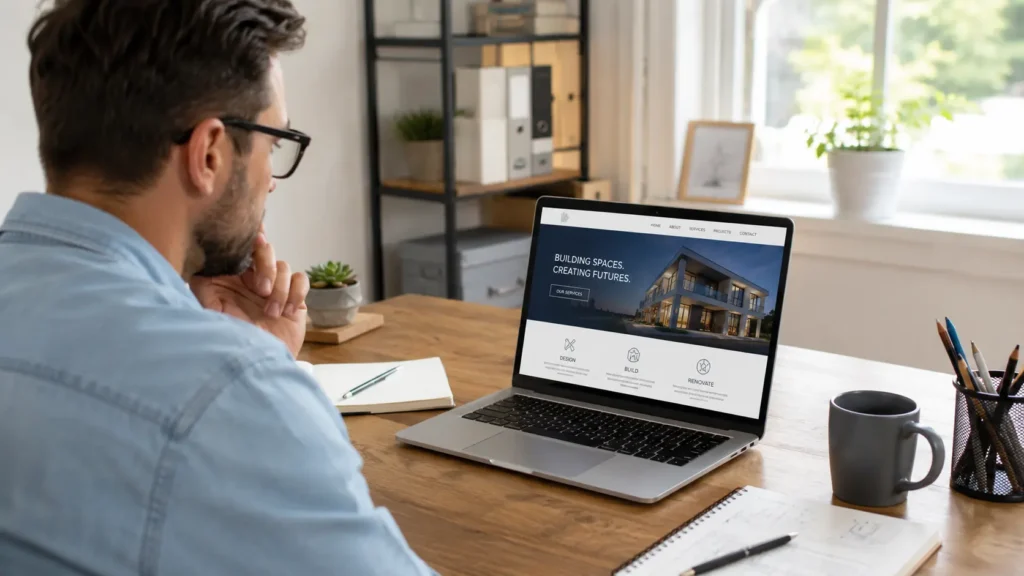
Why Website Credibility Matters for Small Businesses
People do not only judge your business by your logo or services. They judge the full experience of landing on your site, reading your message, checking your work, and deciding if you feel legitimate.
A good website helps visitors answer three quick questions:
✅ Is this business real?
✅ Can they solve my problem?
✅ Do I trust them enough to contact them?
When your website answers those questions fast, people stay longer and move closer to booking. When it does not, they leave.
Google also recommends creating helpful, reliable, people-first content that benefits visitors instead of only trying to manipulate search rankings. That matters because a website built for real users often performs better for both trust and SEO. You can read more from Google Search Central’s guide to helpful, reliable content.
What Makes a Business Website Look Trustworthy
A trustworthy website does not need to be flashy. In fact, simple is often better. The goal is to make your business easy to understand, easy to verify, and easy to contact.
The most important trust signals are usually the basics: a clean design, real photos, clear contact details, visible reviews, strong service pages, and helpful content. Stanford’s Web Credibility Guidelines also recommend showing that a real organization is behind the site, making contact information easy to find, and keeping the site professional and useful. You can review their full web credibility guidelines.
Here is a quick breakdown:
| Website Element | Why It Builds Trust | Best Option for Small Businesses |
|---|---|---|
| Clear headline | Tells visitors what you do right away | Use a simple service plus location message |
| Real photos | Shows there are real people behind the brand | Use team, workspace, or project photos |
| Reviews and testimonials | Gives proof from past customers | Add short reviews near service sections |
| Fast loading speed | Reduces frustration and bounce rate | Compress images and use clean code |
| Contact information | Makes your business feel reachable | Add phone, email, form, and service area |
| Portfolio or samples | Shows quality before a visitor asks | Link to recent project examples |
| Helpful blog content | Answers questions and supports SEO | Write practical guides for customer problems |
A trustworthy site should not make people search for basic information. If someone needs to hunt for your services, pricing direction, location, or next step, the design is working against you.
How Clear Website Design Creates Confidence
Design is more than colors and fonts. Good design helps people feel oriented. It tells them where they are, what to read first, and what to do next.
For example, a homepage for a local service business should not open with vague copy like “We create digital experiences.” That sounds polished, but it does not tell visitors what you offer. A better headline would be: “Custom Website Design for Small Businesses That Need More Leads.”
That type of headline is specific, useful, and easy to understand.
Your homepage should usually include:
✅ What you do
✅ Who you help
✅ Why people choose you
✅ Proof of your work
✅ A clear call to action
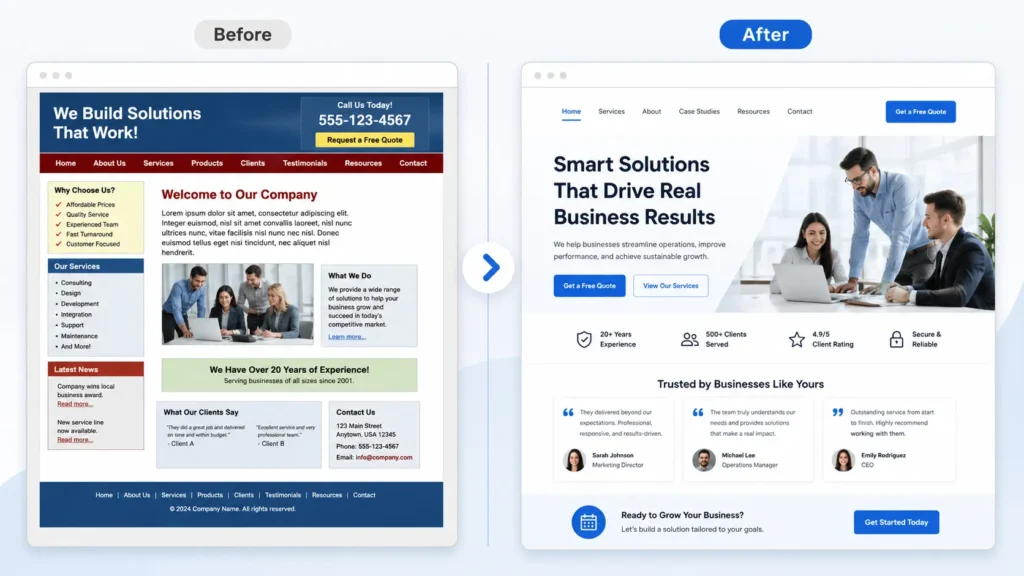
Too many websites hide the most important details under fancy sections. The better option is to lead with clarity first, then support it with design.
If your website feels cluttered, slow, or hard to use, it may be time to explore website design & development services that focus on both appearance and performance.
The Best Trust Signals to Add to Your Website
Trust signals are small details that help visitors feel comfortable choosing you. They work best when they are placed close to decision points, not hidden on one separate page.
For example, a review beside a “Book a Consultation” button can be more powerful than a testimonials page that users never visit. A portfolio link inside a service section can help visitors see proof right when they are considering your offer.
Reviews and Testimonials
Reviews should be short, specific, and easy to scan. Instead of adding a long wall of praise, choose reviews that mention real outcomes.
A strong review might say: “Our new website loads faster, looks more professional, and brought in quote requests within the first month.”
That is better than: “Great service!”
Why? Because it gives people a result they can imagine for themselves.
Portfolio and Sample Work
Your portfolio should not only show screenshots. Add short context when possible. Tell visitors what the client needed, what changed, and what the result was.
A simple project note could look like this:
“Local contractor needed a cleaner site that explained services better. We simplified the navigation, added project photos, improved mobile layout, and made quote requests easier.”
That makes your work easier to understand and more persuasive. You can also send visitors to your portfolio highlights when they want to see examples before reaching out.
Real Contact Information
Contact details should be visible and consistent. Add them in the header, footer, contact page, and key call-to-action areas.
A business with no phone number, no service area, and no clear contact page can feel risky. Even if you prefer forms, showing a real way to reach you helps people feel safer.
How Content Helps Build Website Trust
Your words matter as much as your design. A professional-looking site can still feel weak if the copy is vague, thin, or too focused on the business instead of the customer.
Strong website content explains the problem, the solution, the process, and the next step. It should make visitors feel like you understand what they need.
For example, instead of saying:
“We offer high-quality websites.”
Say:
“We design fast, professional websites that help small businesses explain their services clearly and turn visitors into leads.”
The second version is stronger because it explains the benefit.
If you want to improve content and visibility together, read this guide on how to rank a small business website. It fits naturally with building trust because search visibility works better when your pages are useful, clear, and complete.
Which Website Pages Matter Most for Credibility
Not every page has the same job. Some pages build trust, while others drive action. The best website structure includes both.
| Page | Main Purpose | What to Include |
|---|---|---|
| Homepage | Make a strong first impression | Clear headline, services, proof, CTA |
| Services page | Explain what you offer | Process, benefits, deliverables, FAQ |
| About page | Show the real people behind the business | Story, values, team photo, experience |
| Portfolio page | Prove quality of work | Samples, short project notes, results |
| Contact page | Make reaching out easy | Form, phone, email, location, service area |
| Blog | Answer questions and support SEO | Helpful guides, tips, comparisons |
For most small businesses, the services page and homepage need the most attention first. These pages usually receive the highest buyer-intent visits. If those pages are unclear, improving the blog will not fix the main conversion problem.
Common Website Mistakes That Make a Business Look Less Credible
Some credibility problems are easy to miss because business owners get used to their own websites. Visitors, however, notice them quickly.
| Mistake | Why It Hurts Trust | Better Fix |
|---|---|---|
| Outdated design | Makes the business feel inactive | Refresh layout, fonts, and images |
| No reviews | Gives visitors no proof | Add testimonials near CTAs |
| Slow pages | Creates frustration | Compress images and reduce heavy scripts |
| Stock photos only | Feels generic | Mix in real team or project photos |
| Vague copy | Confuses visitors | Use direct service-based messaging |
| Broken links | Makes the site feel neglected | Check links monthly |
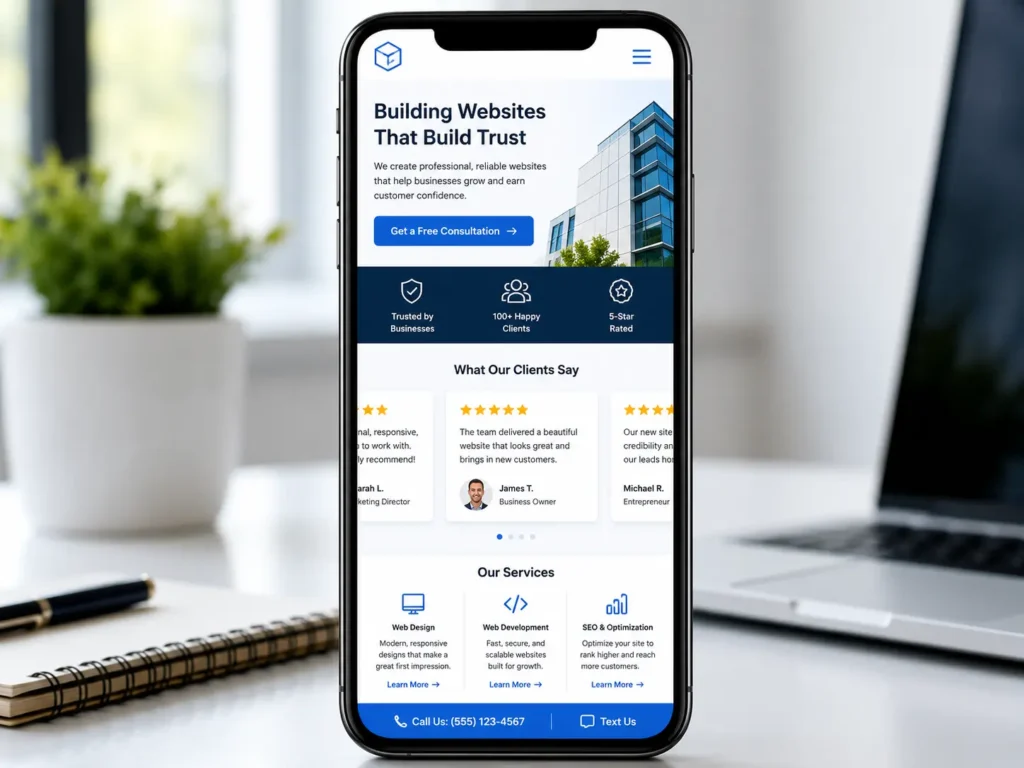
| No mobile polish | Hurts most local visitors | Test every key page on mobile |
The best fix is not always a full rebuild. Sometimes, improving your homepage, services page, and contact flow can make a major difference.
For example, a local service provider may only need better headlines, stronger reviews, clearer buttons, and a faster mobile layout to look more professional. But if the site is old, hard to edit, or built on a weak structure, a redesign may be the better long-term option.
How SEO and Trust Work Together
SEO brings people to your website, but credibility helps them stay and take action. You need both.
A page can rank well and still fail if visitors do not trust what they see. On the other hand, a beautiful site will not help much if no one can find it. That is why website design, SEO structure, and content should work together from the start.
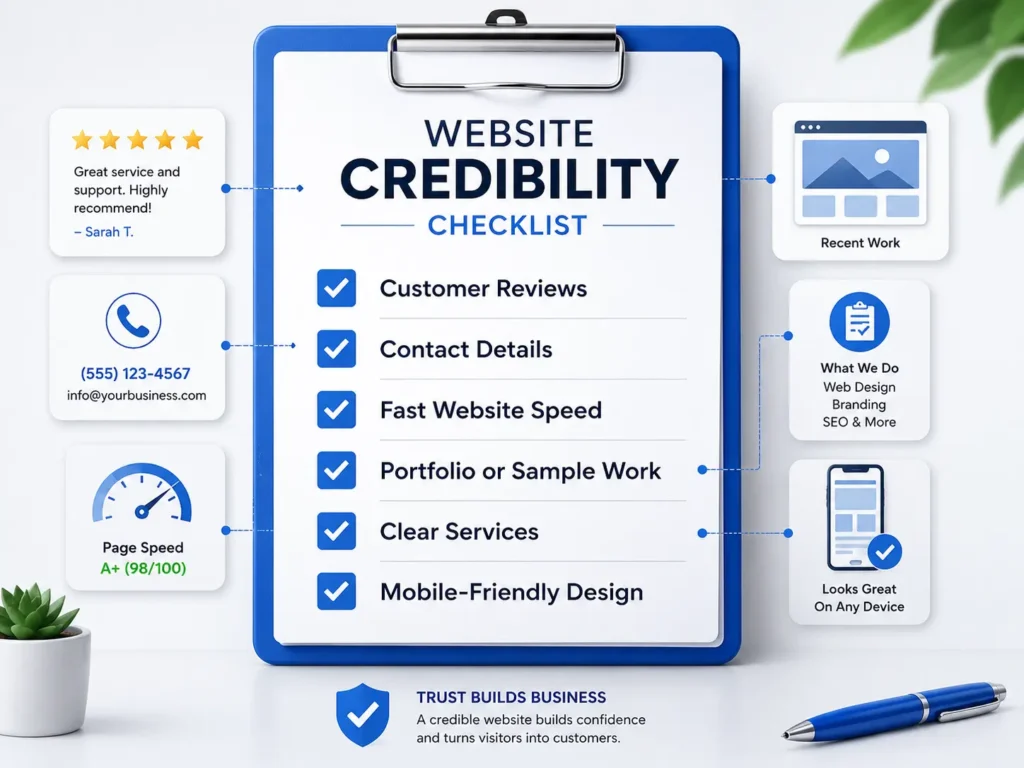
Good SEO trust signals include:
✅ Helpful page titles and headings
✅ Clear service descriptions
✅ Internal links to related pages
✅ Fast loading speed
✅ Mobile-friendly design
✅ Content that answers real customer questions
If your site uses WordPress, this guide on WordPress SEO for business can help you understand how your platform, content, and technical setup work together.
Internal linking also supports trust. When a visitor can move from a blog to a service page, then to a sample work page, the journey feels natural. It also helps search engines understand which pages matter most on your site.
How to Design a Website That Converts Visitors Into Leads
A trustworthy website should not only look good. It should guide people toward action.
Your call to action needs to be clear and repeated in the right places. For a web designer, that might be “Book a Free Website Audit,” “View Sample Work,” or “Start Your Website Project.”
The best CTA depends on the visitor’s stage.
A new visitor may want to see your work first. A warmer visitor may want to request pricing. Someone with an outdated site may want an audit.
This is why one button is not always enough. You can use a primary CTA for people ready to act and a secondary CTA for people still researching.
Example:
Primary CTA: “Get a Free Website Audit”
Secondary CTA: “View Recent Projects”
That gives visitors a choice without overwhelming them.
Want to improve the trust flow of your site? Start with a get a free website audit style offer so visitors can take a low-pressure first step.
Practical Tips to Improve Credibility This Week
You do not need to wait months to make your website more trustworthy. Start with small improvements that visitors can notice right away.
✅ Add one clear headline to your homepage that says what you do and who you help.
✅ Place one strong review near your main call-to-action button.
✅ Update your footer with contact details, service area, and important links.
✅ Replace one generic stock photo with a real project or team photo.
✅ Check your site on mobile and fix spacing, buttons, and hard-to-read text.
✅ Add a short “how it works” section to your service page.
✅ Link your blog content to your services naturally.
For a deeper trust-focused approach, read this related guide on building a website that builds trust. It pairs well with this article because credibility is not just about design style. It is about the full customer journey.
Which Website Option Is Best: Template, DIY, or Custom Design?
The best option depends on your stage, budget, and goals.
A DIY website can work if you are just starting and need a simple online presence. It is usually the cheapest option, but it can take a lot of time and may not look as polished.
A template website is better if you need a faster launch with a cleaner structure. The risk is that many templates still need strong copy, branding, SEO setup, and conversion planning.
Custom web design is best when your business needs a stronger brand presence, better lead generation, and a site built around your services. It costs more, but it usually gives you more control over layout, messaging, speed, and user flow.
For service-based businesses that rely on trust, custom or professionally guided design is usually the best long-term choice. Your website should not only exist. It should help people understand your value and feel confident enough to contact you.
Final Thoughts on credible business website
Building a credible business website is about making visitors feel confident from the first click. Clear messaging, professional design, real proof, fast performance, and helpful content all work together to make your business easier to trust.
If your current site feels outdated or does not bring enough leads, start by improving the pages that matter most: homepage, services, portfolio, and contact page. Once those are strong, use blog content and SEO to bring in more qualified visitors.
A trusted website does not happen by accident. It is planned, written, designed, and improved with the customer in mind.
Frequently Asked Questions About Website Credibility
1. What makes a website look professional for a small business?
A professional website needs clear design, simple navigation, and real trust signals. Visitors should quickly understand what you offer, where you serve, and how to contact you. Use consistent colors, readable fonts, strong images, testimonials, and clear calls to action. For small businesses, the best design is not always the fanciest one. It is the one that makes people feel confident enough to call, book, or request a quote.
2. How can web design help customers trust my business?
Web design builds trust by making your business feel organized, active, and easy to verify. A clean layout shows professionalism, while reviews, project examples, and contact details show that real customers have worked with you before. Good design also removes friction. When visitors can find answers quickly, read comfortably on mobile, and see proof of your work, they are more likely to believe your business can help them.
3. Should I redesign my website if it looks outdated?
A redesign is worth considering if your website looks old, loads slowly, or no longer reflects your services. An outdated site can make visitors wonder if your business is still active or reliable. Before redesigning, check your homepage message, mobile layout, page speed, service pages, and contact flow. If several of these areas are weak, a professional redesign can help improve trust, SEO, and lead generation.
4. What should a web designer include to make a business site trustworthy?
A web designer should include clear messaging, mobile-friendly layouts, reviews, portfolio examples, contact details, and strong service pages. These elements help visitors understand the business and feel safer taking the next step. The designer should also think about SEO structure, page speed, accessibility, and conversion flow. A trustworthy website is not just visually appealing. It is easy to use, easy to understand, and built around real customer questions.
