
A website that builds trust makes visitors feel safe, informed, and ready to take the next step before they ever fill out a form. The best way to create one is to combine clear design, real proof, secure pages, helpful content, and simple calls to action.
When someone lands on your site, they quickly decide if your business feels real, reliable, and worth contacting. This decision can happen before they read every word on the page. That is why trust is not just a design detail. It affects leads, sales, rankings, and brand reputation.
A trustworthy site answers three questions fast: Who are you? Can you help me? Why should I believe you?
If your website looks outdated, hides pricing, loads slowly, or has unclear contact details, people may leave even if your service is excellent. But when your site shows proof, experience, and a clear path forward, visitors feel more confident taking action.
For small businesses, trust can be the difference between a visitor browsing and a visitor booking a call. If you need help improving the look, message, and conversion flow of your website, you can start with small business web design experts.
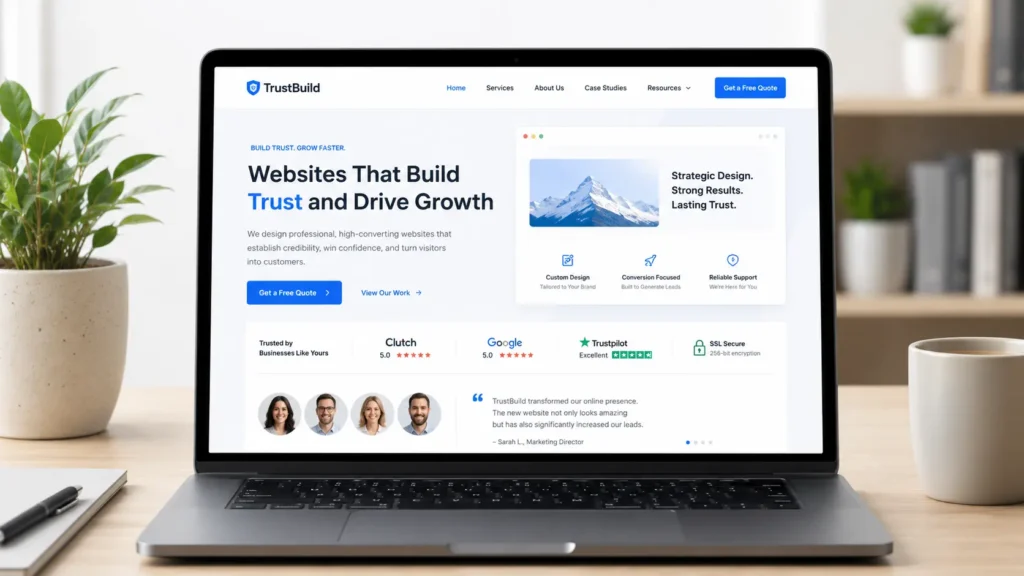
Why Website Trust Matters
Trust matters because visitors are cautious. They compare your business with competitors, check your credibility, and look for signs that you can deliver what you promise.
A good website does not only look nice. It reduces doubt.
For example, a local contractor may get more quote requests by showing completed projects, license details, testimonials, and clear service areas. A consultant may earn more calls by showing case studies, media mentions, and a strong about page. An online shop may improve conversions by showing secure checkout, return policies, delivery details, and real reviews.
According to the Stanford Web Credibility Guidelines, websites become more credible when they show real people behind the organization and make contact information easy to find. That fits what users expect today. People want transparency before they share their time, money, or personal details.
Trust also helps SEO. Search engines want to recommend useful, reliable pages. When your site has helpful content, clear ownership, strong internal links, and a better user experience, it becomes easier for both people and search engines to understand your value.
What Makes a Website Feel Trustworthy
A trustworthy website feels clear, human, and easy to use. It does not force visitors to guess where to click, what you offer, or whether your business is legitimate.
The biggest trust signals are usually simple:
✅ Clear headline that explains what you do
✅ Professional design that fits your brand
✅ Fast page speed and mobile-friendly layout
✅ Real testimonials or client results
✅ Easy-to-find contact information
✅ Service pages with helpful details
✅ Secure browsing with HTTPS
✅ Fresh content that shows the business is active
✅ Strong calls to action without pressure
These elements work because they answer visitor doubts before those doubts become objections.
For example, “We design websites for local service businesses” is stronger than “We build digital experiences.” The first one is clear. The second one sounds polished, but it may confuse people.
The best websites do not try to impress everyone. They guide the right people toward the right action.
Trust Signals That Improve Conversions
| Trust Signal | Why It Works | Best Placement |
|---|---|---|
| Testimonials | Shows that real people had a good experience | Homepage, service pages, landing pages |
| Portfolio samples | Proves your work quality before visitors ask | Homepage and sample work page |
| Clear pricing or process | Reduces confusion and hesitation | Service pages |
| About section | Shows the people behind the business | Homepage and about page |
| Contact details | Makes the business feel reachable and real | Header, footer, contact page |
| Security indicators | Helps visitors feel safe using forms or checkout | Entire site, checkout, forms |
| Helpful blog content | Builds authority before a sales conversation | Blog and internal links |
A strong trust signal should be specific. “Great service” is helpful, but “They redesigned our site and helped us get more quote requests within 60 days” is better. Specific proof feels more believable because it shows a real result.
If you already have completed work, add it to your website with context. Do not only show screenshots. Explain the goal, the challenge, and what improved. You can see how this type of proof can be organized through portfolio highlights.
How to Build Trust in a Website
The best way to build trust is to improve the full visitor journey, from first impression to final action. Each section of your site should make the next step feel easier.
Start with the homepage. Your homepage should quickly explain who you help, what problem you solve, and what visitors should do next. Avoid vague headlines and long intros. Make the first screen useful.
Next, improve your service pages. Each service page should answer what is included, who it is for, how the process works, and why your approach is different. Visitors should not need to contact you just to understand the basics.
Then, strengthen your proof. Add reviews, results, before-and-after examples, certifications, client logos, project photos, or case studies. Proof should support your claims, not sit randomly at the bottom of the page.
Finally, make your calls to action feel low-friction. Instead of using only “Contact Us,” try direct but helpful language like “Book a Website Audit,” “View Our Work,” or “Start Your Website Redesign.”
If your current site feels unclear, outdated, or hard to navigate, a strategic redesign can help. A good place to start is with website design & development services.
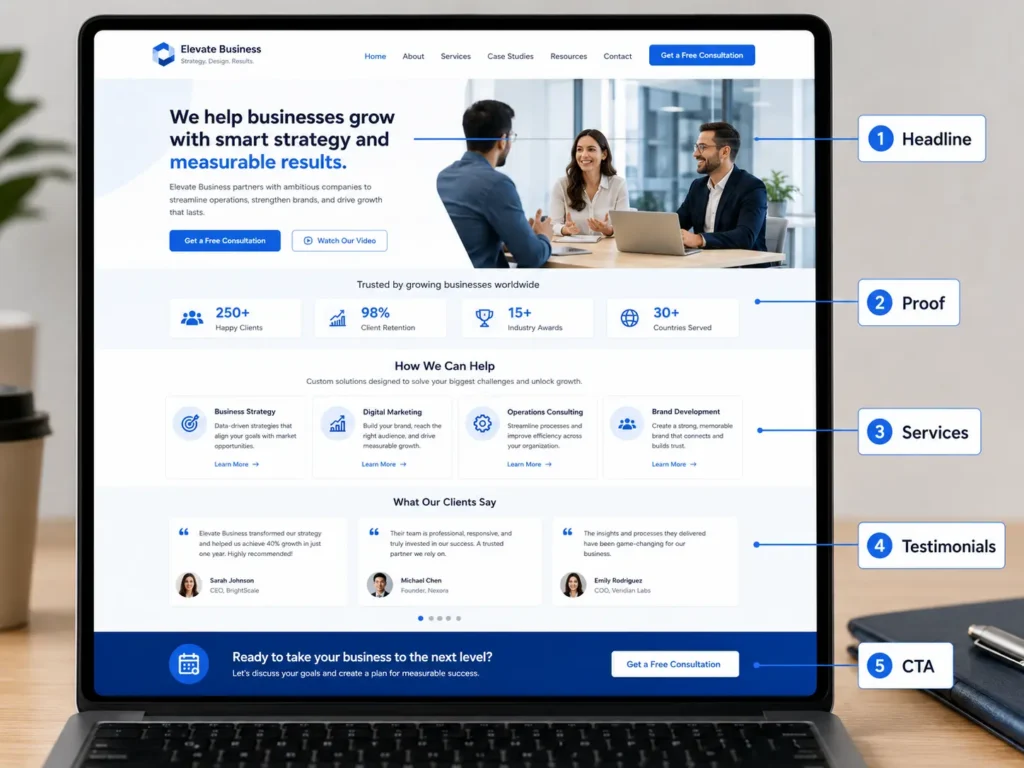
Which Website Trust Elements Should You Fix First
Not every business needs to fix the same thing first. The best option depends on where visitors are losing confidence.
| Business Situation | Best Trust Fix First | Why This Option Works |
|---|---|---|
| New business with little proof | Add founder story, process, and clear contact details | Shows there are real people behind the brand |
| Service business with traffic but few leads | Improve service pages and calls to action | Visitors may understand the offer but not know what to do next |
| Local business with weak visibility | Add location pages, reviews, and local proof | Builds relevance for nearby customers |
| Website with outdated design | Redesign homepage and key service pages | First impressions may be hurting conversions |
| Business with strong results but low inquiries | Add case studies and portfolio examples | Visitors need evidence before they trust the offer |
For most small businesses, the best first fix is the homepage message. If people cannot understand your offer in a few seconds, they may never reach your testimonials, portfolio, or contact form.
After the homepage, focus on your service pages. These pages usually have the strongest buying intent. A visitor reading a service page is often closer to making a decision than someone casually reading a blog post.
Then improve proof. Trust grows faster when your claims are supported by real examples.
How Design Builds Confidence
Design builds trust before visitors read deeply. A clean layout, consistent colors, readable fonts, and strong spacing all make your business feel more professional.
A cluttered design can make visitors feel overwhelmed. Too many buttons, popups, animations, or competing messages can create doubt. Good design makes the next step obvious.
Your website should also work well on mobile. Many users check websites from their phones before calling, booking, or visiting. If buttons are too small, pages load slowly, or text is hard to read, trust drops quickly.
Design also affects how people judge your price. A premium service with a weak website can feel risky. A simple but polished website can make the same service feel more credible and worth paying for.
Practical tip: Open your homepage on your phone and give yourself five seconds. Can you tell what the business does, who it helps, and where to click next? If not, your visitors may feel the same confusion.
How Content Builds Trust
Content builds trust by answering questions before visitors ask them. This includes your homepage copy, service page content, blog posts, FAQs, project descriptions, and even button text.
Good content is clear, specific, and helpful. It avoids exaggerated claims and explains what the customer actually gets.
For example, instead of saying:
“We create amazing websites that change everything.”
Say:
“We design clean, mobile-friendly websites for small businesses that need clearer messaging, faster pages, and more qualified leads.”
The second version is easier to trust because it explains the value in plain language.
Helpful blog content also supports authority. If you want more organic visibility, publish content that answers real customer questions. For example, you can support your service pages with topics like how to rank a small business website and WordPress SEO for business.
This type of internal linking helps visitors keep learning while also helping search engines understand how your pages connect.
How Proof Builds Trust Faster
Proof is one of the fastest ways to reduce doubt. Visitors expect you to say your own business is good. They trust it more when others say it too.
The strongest proof includes details. A short testimonial with a name, business type, and result is better than a generic quote. A project example with the challenge and outcome is better than a screenshot alone.
Here are a few practical ways to add proof:
✅ Add client testimonials near your main CTA
✅ Show before-and-after website examples
✅ Mention industries you have worked with
✅ Add short case studies for important projects
✅ Include review snippets from trusted platforms
✅ Show process photos or behind-the-scenes work
Proof should appear throughout the website, not only on one page. Add a testimonial after explaining your service. Add a project example before a contact section. Add trust badges near forms.
This placement matters because visitors need reassurance at decision points.
How Technical Details Affect Trust
Technical issues can quietly damage trust. A visitor may not know why a website feels unreliable, but they notice slow pages, broken links, missing images, confusing forms, and browser warnings.
Your site should have HTTPS, fast loading speed, working links, and a mobile-friendly layout. Forms should confirm when a message is sent. Pages should not show outdated copyright years, old promotions, or broken social media icons.
These details may seem small, but they tell visitors whether your business pays attention.
A trustworthy website should also be accessible. Use readable font sizes, clear contrast, descriptive buttons, and logical headings. Accessibility improves user experience for more people and makes your content easier to understand.
If your site is on WordPress, keep plugins, themes, and security settings updated. A neglected backend can lead to broken layouts or security risks, both of which hurt trust.
Is AI Content Good or Bad for Trust
AI can help create outlines, organize ideas, and speed up website content. But AI should not replace real expertise, accurate details, or honest brand messaging.
Using AI is not automatically bad for SEO. Google’s guidance on AI-generated content focuses on content quality, originality, and helpfulness rather than how the content was produced.
The trust issue starts when a business publishes generic AI text with no real examples, no proof, and no human review. Visitors can often feel when content says a lot but explains very little.
The best approach is to use AI as support, then add your own experience, project details, customer insights, and expert review.
For example, AI may help draft a service page outline. But you should add your real process, actual turnaround times, team details, examples, and customer objections. That is what makes the page feel human and believable.
Common Website Trust Mistakes to Avoid
Many websites lose trust because they make visitors work too hard. The offer is unclear, the proof is hidden, or the page looks abandoned.
Avoid these common mistakes:
✅ Using vague headlines that do not explain the service
✅ Hiding contact information
✅ Using stock photos that do not match the brand
✅ Making big claims without proof
✅ Having no testimonials or project examples
✅ Letting pages load too slowly
✅ Adding too many popups
✅ Forgetting mobile design
✅ Publishing thin blog posts with no useful details
One of the biggest mistakes is focusing only on design while ignoring strategy. A beautiful website can still fail if the message is unclear. A simple website can perform well if it answers the right questions and guides users clearly.
Another mistake is copying competitor websites. Your site should reflect your offer, your proof, your market, and your customer journey.
For more help understanding what a strong business site should include, read this professional business website guide.
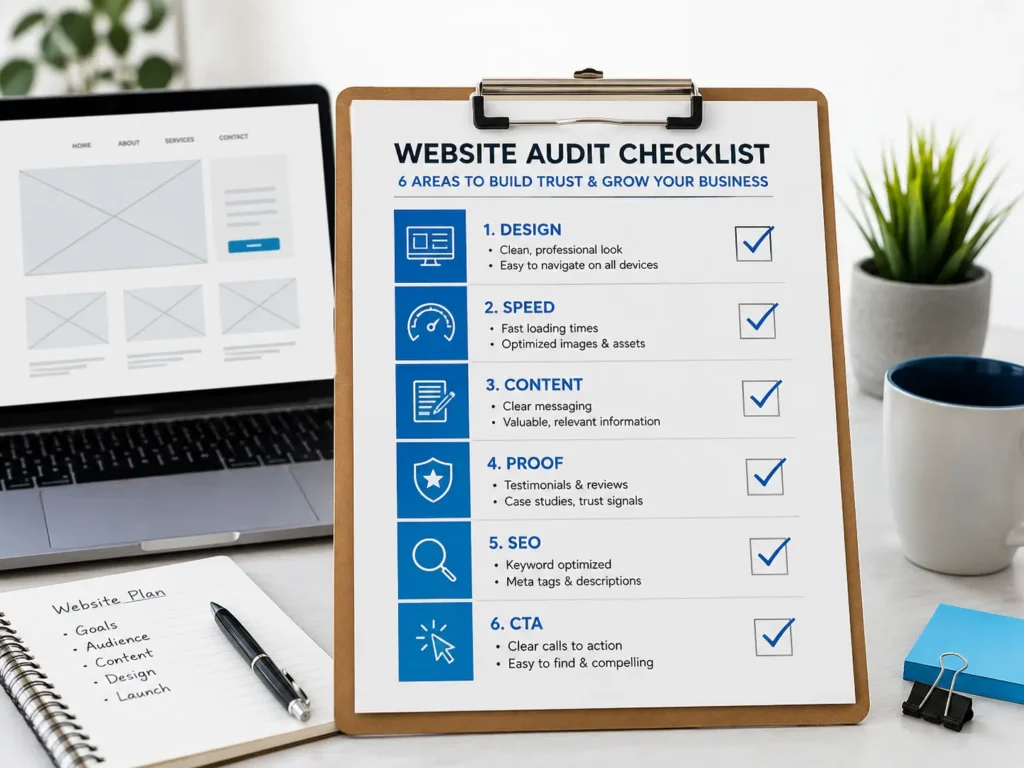
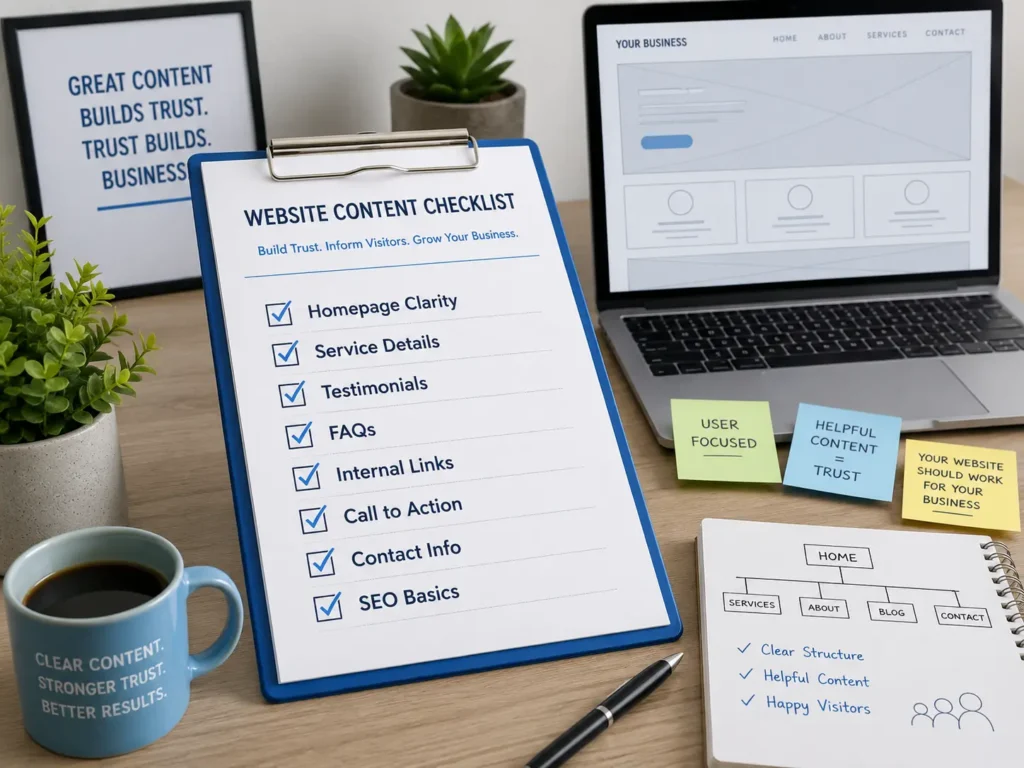
Quick Trust Checklist for Your Website
Use this checklist to review your site before making major changes:
✅ Does the first screen clearly explain what you do?
✅ Can visitors contact you without searching?
✅ Are your services easy to understand?
✅ Do you show real proof, reviews, or project examples?
✅ Is your website fast on mobile?
✅ Are your calls to action clear and helpful?
✅ Do your blog posts answer real customer questions?
✅ Are your links, forms, and buttons working?
✅ Does your site feel current and active?
✅ Is your content honest, specific, and easy to read?
If you answered no to several items, start with the pages that matter most: homepage, service pages, portfolio, and contact page. These usually have the biggest impact on conversions.
Final Takeaway: Create a website that builds trust
A trustworthy website does more than look professional. It helps visitors feel confident that your business is real, capable, and easy to work with.
The best strategy is to combine clear messaging, helpful content, strong proof, clean design, secure pages, and simple next steps. Start with the homepage, improve your service pages, add real examples, and make every important page easier to use.
When your website reduces doubt, visitors stay longer, understand your value faster, and feel more comfortable taking action.
Frequently Asked Questions
1. Is it legal to use AI to create a website?
Yes, it is generally legal to use AI to create a website, but you still need to use it responsibly. AI can help with layout ideas, content drafts, image concepts, coding support, and SEO planning. However, you should check the final work for accuracy, originality, copyright issues, privacy concerns, and misleading claims. The safest approach is to review all AI-assisted content before publishing and make sure it reflects your real business, services, and policies.
2. How to build trust in a website?
The best way to build trust in a website is to make it clear, useful, secure, and proof-driven. Start with a strong headline, simple navigation, real contact details, testimonials, service explanations, and examples of past work. Then improve technical trust by using HTTPS, fast loading pages, mobile-friendly design, and working forms. Trust grows when visitors do not feel confused, pressured, or unsure about who they are dealing with.
3. What builds trust fastest?
Real proof builds trust fastest because it supports your claims with evidence. This can include customer reviews, project samples, case studies, before-and-after examples, certifications, team photos, and clear contact information. Visitors expect every business to say it is reliable, but proof helps them believe it. Place trust signals near important decision points, such as service descriptions, pricing sections, contact forms, and call-to-action buttons.
4. What are the 5 C’s of trust?
The 5 C’s of trust are clarity, consistency, credibility, connection, and competence. Clarity means visitors understand your offer quickly. Consistency means your design, message, and service details match across the site. Credibility comes from proof and honest claims. Connection makes your business feel human and approachable. Competence shows that you can deliver through examples, process details, helpful content, and professional presentation.
