
A professional business website helps customers understand what you offer, trust your brand, and take the next step without confusion. The best version is clear, fast, mobile-friendly, and built around real business goals like calls, bookings, quotes, and sales.
If your website looks outdated, loads slowly, or feels hard to use, visitors may leave before they ever contact you. A strong website does more than look nice. It guides people from “I’m interested” to “I’m ready to reach out.”
In this guide, we’ll explain what makes a business website look professional, why it matters, how to build one, and which option is best depending on your budget, timeline, and goals.
Need help turning your site into a lead-focused asset? Start with conversion-focused web design for a cleaner, faster, and more strategic online presence.
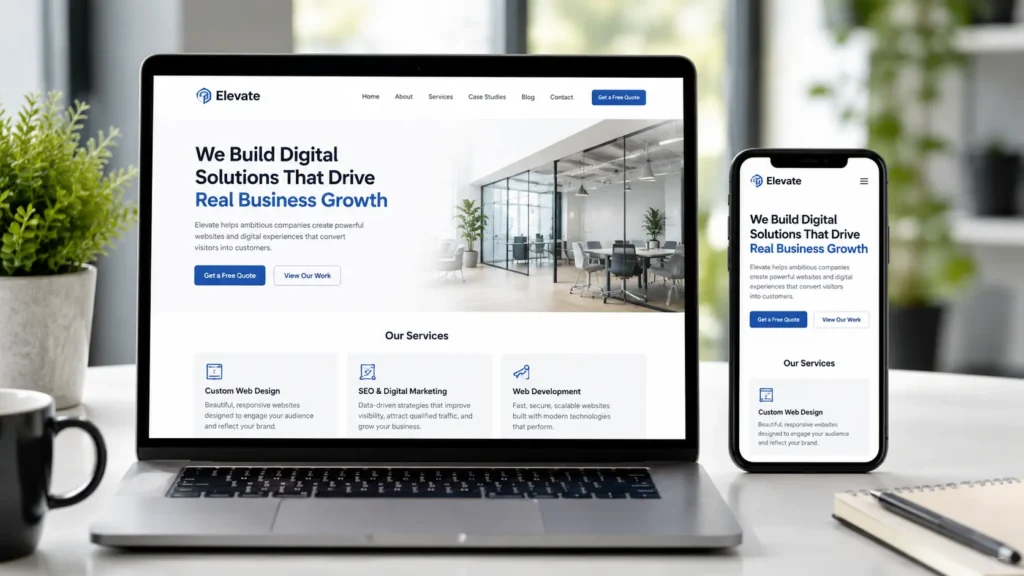
What Makes a Website Look Professional
A professional-looking website is not just about colors, fonts, or fancy animation. It is about how quickly people understand your business and how easy it feels to take action.
Your site should answer these questions right away:
✅ What does your business do?
✅ Who do you help?
✅ Why should someone trust you?
✅ What should they do next?
A good business website usually has a clear homepage, service pages, contact options, trust signals, reviews, examples of work, and simple navigation. It should also work well on mobile because many customers will visit from a phone before they ever use a desktop.
Google also recommends building websites with users in mind while helping search engines understand your content through clear structure, helpful pages, and accessible information.
Why Your Business Website Matters
Your website is often the first place people check before they call, book, or buy. Even if someone finds you through social media, referrals, Google Business Profile, or a local ad, they usually visit your website to confirm you are real and trustworthy.
A weak website can make a good business look less reliable. A strong website can make a small business look established, organized, and ready to serve.
Here’s why it matters:
✅ It builds trust before the first conversation.
✅ It explains your services clearly.
✅ It helps people compare you with competitors.
✅ It supports Google rankings and local visibility.
✅ It turns visitors into leads with better calls to action.
For example, a plumbing company may not need a complicated website. But it does need service pages, emergency contact buttons, reviews, location signals, and a fast mobile experience. A design studio may need stronger visuals, portfolio examples, and a more polished brand story.
The best website is not always the most expensive one. It is the one that matches your customer’s decision-making process.
Essential Features of a Strong Business Website
A good website needs structure. Without it, visitors may feel lost even if the design looks modern.
| Website Element | Why It Matters | Best Practice |
|---|---|---|
| Clear headline | Explains your offer fast | Say what you do and who you help |
| Service pages | Helps users and Google understand your work | Create one page for each main service |
| Mobile layout | Most visitors browse on phones | Test buttons, menus, forms, and text size |
| Fast loading speed | Reduces drop-offs | Compress images and avoid bloated plugins |
| Trust signals | Builds confidence | Add reviews, testimonials, case studies, and certifications |
| Contact options | Makes action easy | Use forms, phone links, email, and booking buttons |
| Portfolio or samples | Shows proof | Add real projects or before-and-after results |
| SEO structure | Supports search visibility | Use headings, meta titles, internal links, and helpful content |
If you already have a website but it is not bringing leads, you may not need to start from zero. A redesign may be enough. You can explore website design & development services if you want a better structure, stronger visuals, and conversion-focused improvements.
How to Make a Professional Website for Your Business
Start with strategy before design. Many business owners jump straight into templates, colors, or platforms, but the real foundation is your message.
First, define your main website goal. Do you want calls, online bookings, quote requests, ecommerce sales, or consultation forms? Once you know the goal, every page should support that action.
Next, map your core pages. Most small businesses need a homepage, about page, service pages, portfolio or sample work page, blog, contact page, and privacy policy. If you serve local areas, add location pages only when you can make them genuinely useful.
Then write clear content. Avoid vague lines like “we provide quality solutions.” Say what you do, who it is for, and what result people can expect. For example, “Website design for service businesses that need more local leads” is stronger than “We build beautiful websites.”
Finally, build with SEO and user experience in mind. Google’s SEO Starter Guide is a helpful resource for understanding how search engines discover and interpret your pages.
Which Website Option Is Best
The best website option depends on your budget, comfort with technology, and how important your website is to your sales process.
| Option | Best For | Pros | Watch Out For |
|---|---|---|---|
| DIY builder | Very small budget or temporary site | Fast and affordable | Can look generic and may limit growth |
| Elementor on WordPress | Small businesses that want design flexibility | Easy editing, good layout control | Needs proper setup for speed and SEO |
| Custom WordPress website | Businesses that rely on leads | Flexible, scalable, SEO-friendly | Requires planning and professional build |
| Full redesign | Existing sites with poor performance | Keeps useful assets while improving results | Needs audit before rebuilding |
| Agency-built site | Businesses that want strategy, design, and support | Stronger process and better execution | Higher investment |
For many service businesses, WordPress with Elementor is a practical option because it gives you design control while still allowing SEO structure, service pages, blog content, and future updates. Elementor says its builder powers over 21 million sites, and the WordPress plugin page describes it as a no-code drag-and-drop website builder.
However, the tool is only one part of the result. A poorly planned Elementor site can still be slow, cluttered, or confusing. The strategy, layout, content, and performance setup matter just as much as the builder.
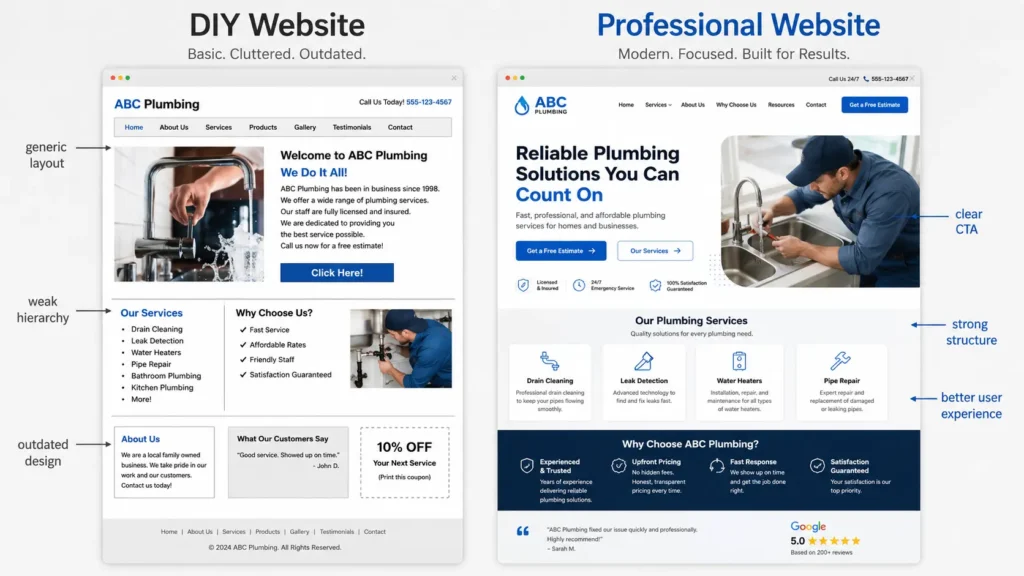
What a Professional Website Example Looks Like
A strong example is a local service business website with a clear homepage and focused service pages. The homepage should quickly explain the main offer, show proof, and guide people toward a quote or booking.
For example, a local remodeling company could structure its homepage like this:
Opening section: “Kitchen and bathroom remodeling for homeowners in [City].”
Proof section: Reviews, years in business, license information, and project photos.
Service section: Kitchen remodeling, bathroom remodeling, basement finishing, and custom cabinets.
Process section: Consultation, design plan, estimate, build, final walkthrough.
CTA section: “Request a free estimate.”
That structure works because it answers what, why, how, and next step. It also gives Google clear context about the business.
For inspiration, browse the project gallery to see how real website layouts can communicate services, trust, and brand personality.
Website Design and SEO Should Work Together
A beautiful website is not enough if people cannot find it. SEO helps search engines understand your pages, but the content still needs to help real users.
This is where many websites fail. They either look nice but have thin content, or they have content but poor design. The best approach combines both.
Your website should include:
✅ Descriptive title tags and meta descriptions
✅ One clear H1 per page
✅ Helpful H2 and H3 sections
✅ Internal links to related services and blogs
✅ Optimized images with descriptive alt text
✅ Fast loading pages
✅ Local business information when relevant
If your goal is to get found in Google, read this guide on how to rank a small business website. It pairs well with a new website build because SEO should be planned before launch, not added as an afterthought.
Why Speed and Mobile Experience Matter
A professional website must feel smooth. If users tap a button and nothing happens, or if the layout jumps while loading, trust drops quickly.
Core Web Vitals focus on loading speed, responsiveness, and visual stability. Web.dev explains that good user experience includes Largest Contentful Paint within 2.5 seconds, Interaction to Next Paint of 200 milliseconds or less, and Cumulative Layout Shift of 0.1 or less.
For business owners, this simply means your site should load quickly, respond fast, and stay visually stable while people browse. You can learn more from web.dev’s Core Web Vitals guide.
Practical tips:
✅ Compress large photos before uploading.
✅ Avoid too many animations.
✅ Use only necessary plugins.
✅ Choose reliable hosting.
✅ Test the site on mobile before launch.
A fast website feels more professional because it respects the visitor’s time.
Content That Helps Visitors Decide
Your content should not sound like filler. It should help people understand whether you are the right choice.
Strong business website content usually includes:
Your main services
Who you serve
Problems you solve
Your process
Pricing guidance or starting points
Proof of results
Common questions
Clear next steps
For example, instead of saying, “We offer web design solutions,” say, “We design WordPress websites for small businesses that need better leads, faster pages, and easier updates.”
That small change makes the message more specific and useful.
If your website runs on WordPress, this guide on WordPress SEO for business can help you understand how content, structure, and optimization work together.
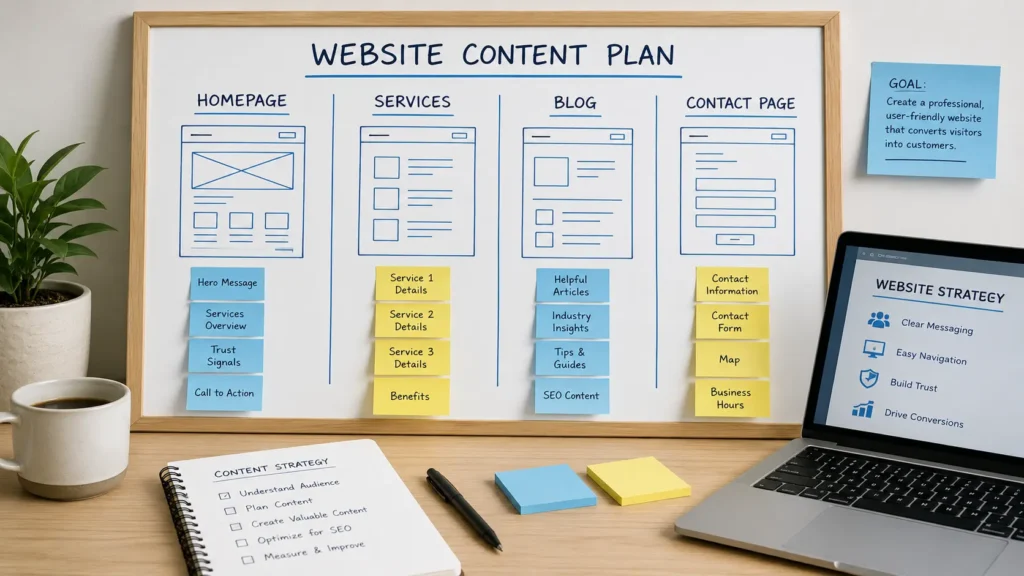
How Internal Links Help Your Website
Internal links help users move through your website and help search engines understand how your pages connect. A service page can link to a related blog. A blog can link back to the right service. A homepage can guide users to your portfolio or contact page.
For example, if you write about improving website rankings, that article should link to your SEO or web design service page. If you write about WordPress setup, it should link to your service pages and related tutorials.
Good internal linking is not about stuffing links everywhere. It is about placing helpful links where they make sense.
You can also use your blog to support buyer questions. A post like small business WordPress site guide can help visitors understand platform choices before they ask for a quote.
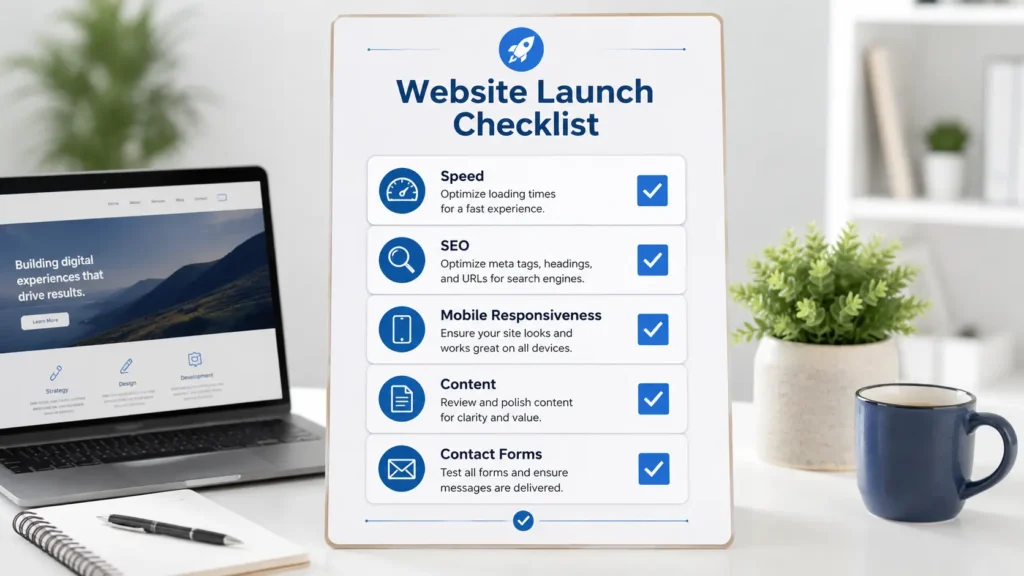
Practical Tips Before You Launch
Before publishing your website, test it like a real customer.
Open the site on your phone. Can you read the text easily? Can you tap the buttons? Is the contact form simple? Does the homepage explain the business within a few seconds?
Then check your trust signals. Add reviews, project samples, business photos, badges, or client logos when available. If you are a local business, make sure your name, address, phone number, and service areas are consistent.
Also test the technical basics:
✅ Submit your sitemap.
✅ Install analytics.
✅ Connect Google Search Console.
✅ Check broken links.
✅ Test forms and phone buttons.
✅ Set up redirects if replacing an old site.
✅ Review page titles and meta descriptions.
A launch checklist prevents small errors from hurting performance after your site goes live.
Common Website Mistakes to Avoid
Many business websites struggle because they focus too much on design trends and not enough on clarity.
Avoid these common mistakes:
Using generic stock photos everywhere
Hiding contact information
Adding too many menu items
Writing vague service descriptions
Skipping mobile testing
Ignoring page speed
Not adding calls to action
Publishing thin service pages
Forgetting internal links
Not showing proof of work
A professional website does not need to be complicated. It needs to be clear, trustworthy, and useful.
Final Takeaway: Professional Business Website
A professional business website is one of the most important digital assets your company can own because it supports trust, visibility, and conversions. The best site is not just attractive. It is clear, fast, search-friendly, mobile-ready, and built around what your customers need to know before they contact you.
If your current site feels outdated or does not bring results, a strategic redesign can improve how people see your business and how often they take action. Focus on the right structure, helpful content, strong calls to action, and a smooth user experience.
Frequently Asked Questions
1. How do I make a professional website for my business?
Start with your business goal, then build the site around that goal. Decide whether you want more calls, bookings, quote requests, online sales, or consultation forms. From there, create a clear homepage, focused service pages, trust sections, a contact page, and helpful blog content. Choose a platform like WordPress if you want flexibility. Then optimize for mobile, speed, SEO, and simple navigation so visitors can understand your offer quickly.
2. What is a professional website example?
A professional website example is one that clearly explains the business, proves credibility, and guides users to act. For a local service company, that may include a homepage, service pages, reviews, project photos, FAQs, and a quote form. For a consultant, it may include expertise, case studies, testimonials, and booking options. The design should look clean, but the real strength comes from clarity, trust, and easy next steps.
3. What are the top 5 most used websites?
The top 5 most visited websites globally can change by month, but recent Similarweb data listed Google, YouTube, Facebook, Instagram, and ChatGPT as the top five for April 2026. These sites are useful examples because they make core actions simple. Google focuses on search, YouTube on watching, Facebook and Instagram on social interaction, and ChatGPT on asking questions. Business websites can learn from that clarity by making the main action obvious.
4. Can ChatGPT actually create a website?
ChatGPT can help plan, write, and generate website code, but it does not replace a full professional web design process. It can create page copy, suggest layouts, write HTML or CSS, and help organize SEO content. Still, a real business website needs branding, hosting, security, performance testing, forms, analytics, mobile checks, and launch support. ChatGPT is useful as an assistant, but strategy and implementation still need human review.
