
A small business wordpress site is best when it clearly explains what you offer, builds trust, loads fast, and makes it easy for visitors to contact you. For most service-based businesses, WordPress is a strong choice because it gives you flexible design, SEO-friendly pages, and room to grow without rebuilding from scratch.
If your website looks outdated, feels confusing, or does not bring in enough leads, the problem is usually not WordPress itself. It is the strategy, page layout, copy, speed, and conversion flow behind the design.
In this guide, we’ll explain why WordPress works well for small businesses, how to design it properly, which website option is best, and what pages you should build first.
Need help turning your website into a lead-generating asset? Start with our website design & development services and see how a better structure can support your business goals.
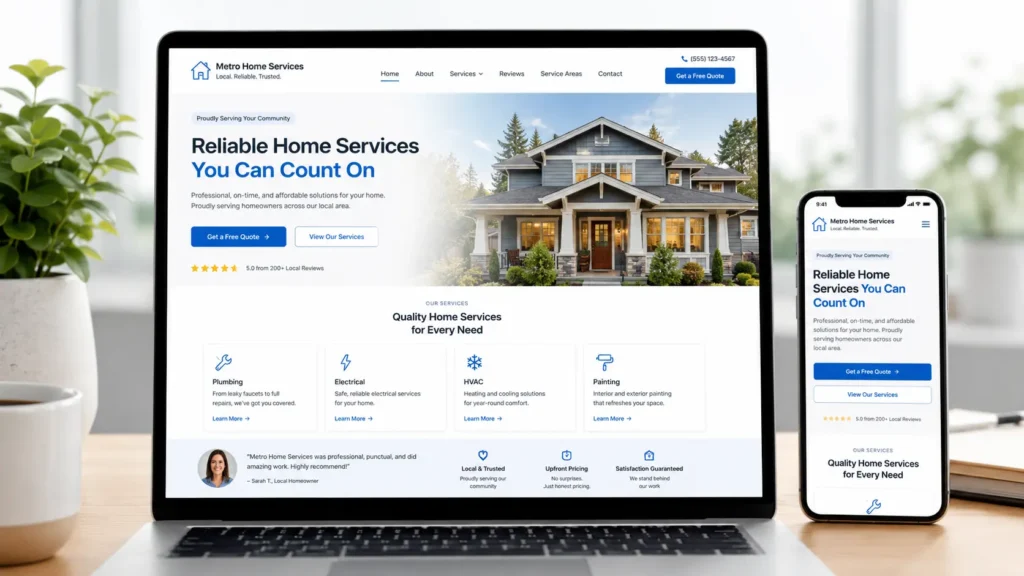
Why a small business wordpress site Works for Local Service Brands
A website should do more than sit online. It should answer questions, show proof, and help people decide if your business is the right fit.
WordPress is useful for small businesses because it gives you control over your pages, service content, blog posts, images, forms, and SEO settings. You are not locked into a basic one-page builder where everything looks the same.
Google’s own SEO Starter Guide explains that SEO helps search engines understand your content and helps users decide whether they should visit your site from search results. That is why a website needs clear content, useful page structure, and simple navigation, not just a nice-looking homepage. You can read more from the Google SEO Starter Guide.
For example, a local contractor, consultant, med spa, coach, or home service provider should not rely only on social media. Social posts disappear fast. A well-built website gives your services a permanent place to rank, explain, and convert.
A good WordPress website helps you:
✅ Show what you do clearly
✅ Build trust with reviews, photos, and proof
✅ Rank service pages and blog posts
✅ Collect calls, form submissions, and quote requests
✅ Update your content as your business grows
This is also why design should not start with colors first. It should start with the visitor’s decision process.
What Makes a Small Business Website Actually Work
A website works when visitors can quickly understand three things: what you offer, who you help, and what they should do next.
Most small business websites fail because they are either too vague or too cluttered. The homepage says things like “quality service you can trust,” but it does not explain the actual service, location, pricing direction, results, or next step.
Your design should guide the visitor naturally. The top section should say what you do. The next section should explain the main problem you solve. Then show services, proof, process, and a clear call to action.
A helpful layout usually looks like this:
✅ Clear headline
✅ Short benefit-focused subheading
✅ Main call-to-action button
✅ Service overview
✅ Why choose you section
✅ Testimonials or proof
✅ Portfolio or examples
✅ Contact form or booking option
This structure matters because website visitors scan before they read. If they cannot understand your offer in a few seconds, they may leave and choose another business.
If you already have a site but it is not converting, review your homepage like a customer. Ask: “Can someone tell what I do without scrolling?” If the answer is no, the design needs work.
You can also explore our portfolio highlights to see how layout, visual hierarchy, and page flow can change the way a business is presented online.
How to Plan the Right Website Pages
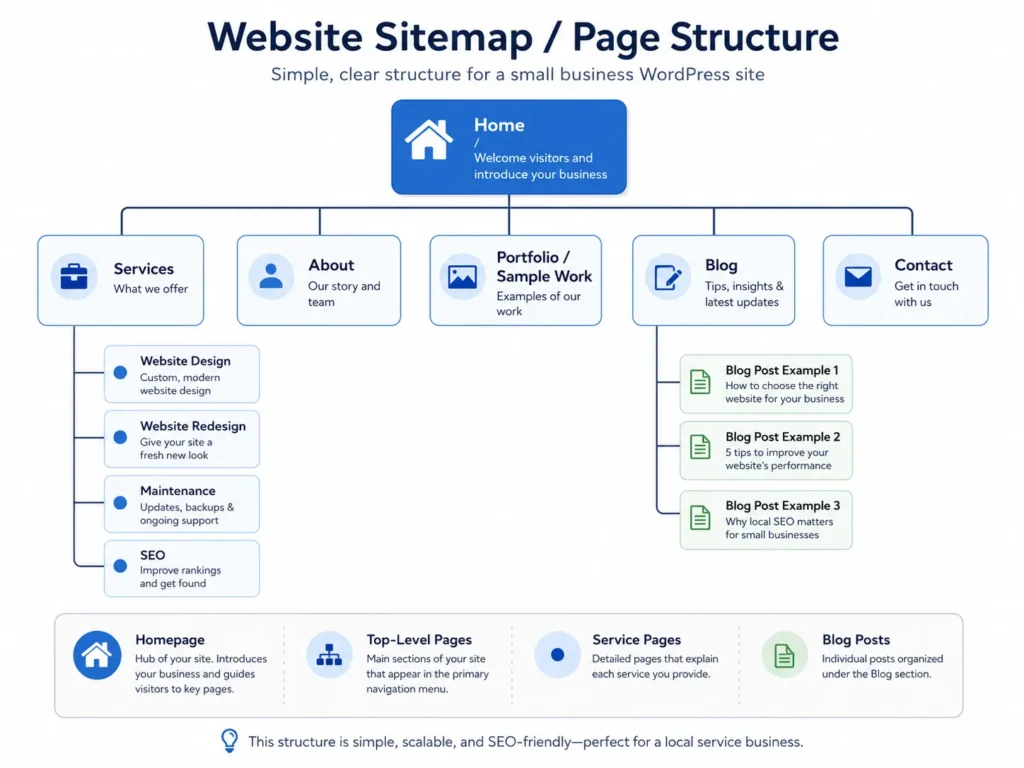
Your website pages should match how people search and decide. A small business does not always need 30 pages on day one, but it does need the right core pages.
A simple website can still perform well if each page has a purpose. Your homepage introduces the business. Your service pages explain specific offers. Your about page builds connection. Your contact page removes friction.
Here is a practical page plan:
| Page | Purpose | Best Design Tip |
|---|---|---|
| Home | Gives a quick overview of your business | Use a clear headline, proof, and direct CTA |
| Services | Explains what you offer | Create separate sections or pages for each main service |
| About | Builds trust and connection | Share your story, values, and real photos |
| Portfolio | Shows your past work | Use before-and-after images or project summaries |
| Blog | Helps with SEO and education | Answer real customer questions |
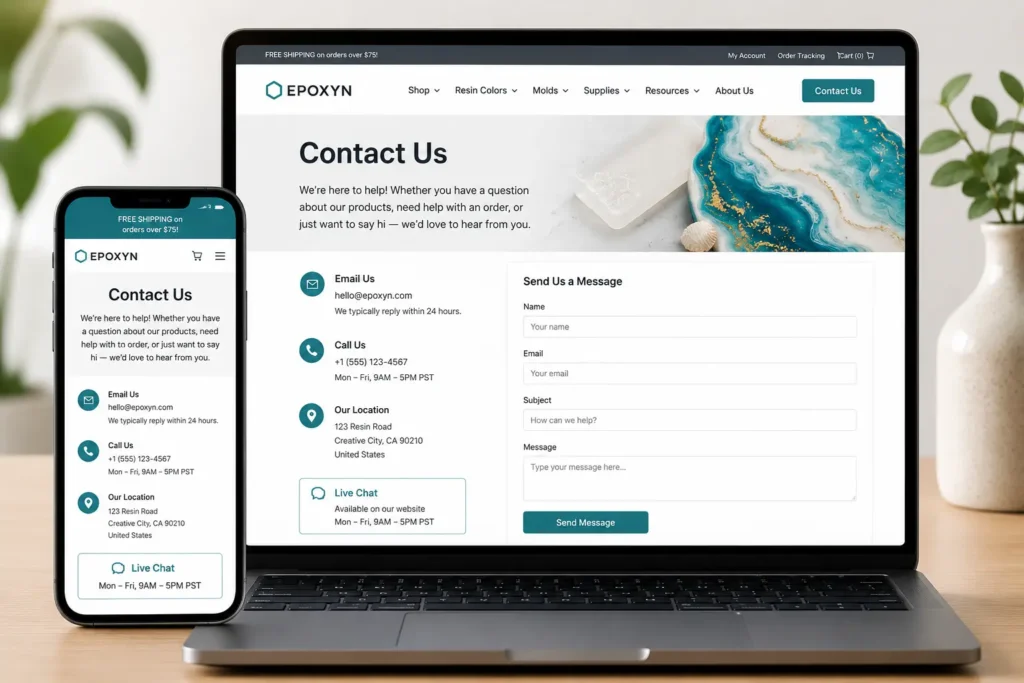
| Contact | Turns visitors into leads | Keep the form short and easy to complete |
The best approach is to build pages based on buyer intent. Someone reading your homepage may still be learning. Someone on your service page may be closer to requesting a quote.
That means your service pages should be more specific than your homepage. Do not only say “web design.” Explain who it is for, what is included, how the process works, and what result the client can expect.
How to Design for Trust and Conversions
Website design is not only about making something beautiful. It is about making a visitor feel confident enough to take action.
Trust comes from clarity, consistency, and proof. A clean design with weak content will still struggle. A strong offer with messy design can also lose leads. The best website combines both.
Start with your first screen. This is the area visitors see before scrolling. It should include your main message, a visual that matches your business, and one clear button.
For example, instead of saying:
“Helping businesses grow online.”
Say something more specific:
“Custom WordPress websites for local service businesses that need more calls, quote requests, and trust online.”
That second version tells the visitor what you do and why it matters.
Your call-to-action should also be specific. “Submit” is weak. “Request a Website Quote” or “Book a Free Consultation” feels clearer.
Good conversion design also includes:
✅ Short forms
✅ Clickable phone number
✅ Visible contact button
✅ Real client reviews
✅ Service area or location details
✅ Project photos or case examples
✅ Simple navigation
If you want a professional site that is built around leads, not just looks, work with a local website design team that understands strategy, layout, and customer behavior.
Which Website Option Is Best for a Small Business
There are several ways to build a website, but not every option is right for every stage of business.
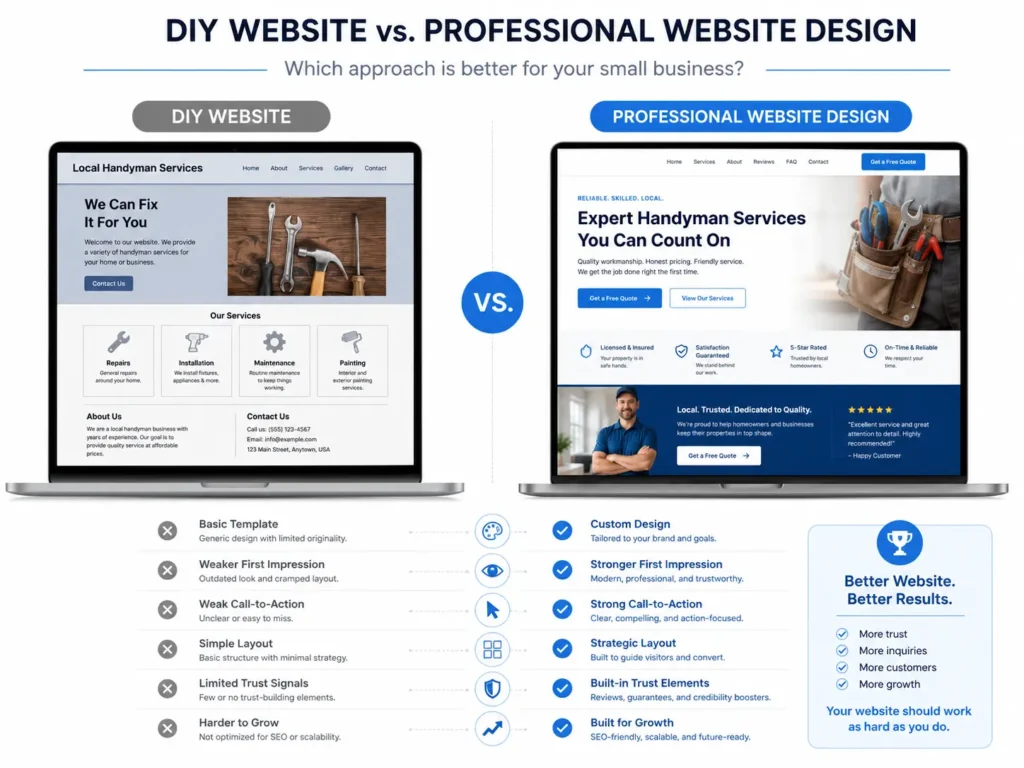
A new business with a tiny budget may start with a basic template. A growing business that depends on leads should usually invest in a professional design. A larger company with complex systems may need a bigger agency or custom development team.
Here is a simple comparison:
| Website Option | Best For | Pros | Cons |
|---|---|---|---|
| DIY Template | Very new businesses testing an idea | Lower cost, fast setup | Can look generic and may not convert well |
| Freelancer | Small projects with clear scope | More affordable than agencies | Quality and strategy can vary |
| Web Designer or Studio | Service businesses that need leads | Custom layout, better UX, SEO-friendly structure | Higher upfront investment |
| Large Agency | Bigger brands with complex needs | Full team and advanced support | Can be expensive for small businesses |
For most local service businesses, the best option is a professional web designer or small studio. You get strategy, custom design, cleaner structure, and more attention than a DIY template usually provides.
The key is not just hiring someone who can “make a website.” You want someone who understands user experience, mobile layout, SEO basics, lead generation, and WordPress management.
If your goal is ranking, stronger branding, and more inquiries, a professional design usually.
If your goal is ranking, stronger branding, and more inquiries, a professional design usually saves time in the long run. You avoid rebuilding later because the first version was not planned properly.
How WordPress Supports SEO for Small Businesses
WordPress is not automatic SEO magic. However, it gives you a strong foundation when set up correctly.
You can create optimized service pages, publish helpful blog content, improve internal linking, edit title tags, add schema with plugins, compress images, and build location-specific pages.
A smart SEO structure usually includes:
✅ One main page for each service
✅ Clear headings that match search intent
✅ Internal links between related pages
✅ Fast-loading images
✅ Helpful blog articles
✅ Local trust signals
✅ Simple URL slugs
For example, a web designer could create separate pages for WordPress design, redesigns, maintenance, and SEO-focused website improvements. Each page can answer a different search need.
Internal links also help. If someone is learning about ranking, send them to your guide on how to rank a small business website. If they want deeper SEO help, guide them to WordPress SEO for business.
This keeps visitors moving through your site and helps search engines understand how your content connects.
What to Check Before Building in WordPress
Before designing, make sure your technical setup is strong. A beautiful website can still underperform if the hosting is slow, insecure, or outdated.
WordPress.org recommends modern server support, including PHP 8.3 or greater, MariaDB 10.6 or greater or MySQL 8.0 or greater, and HTTPS support. These basics help your site run properly and stay secure. You can check the official Wornts before choosing a host. citeturn478159search2
Here are the main setup items to review:
✅ Reliable hosting
✅ SSL certificate
✅ Clean theme
✅ Mobile-friendly design
✅ Backup system
✅ Security plugin or protection
✅ Image compression
✅ SEO plugin
✅ Contact form testing
Do not install too many plugins. Every plugin should have a purpose. Too many unnecessary tools can slow the site down and create maintenance issues.
A practical tip: before launch, test your contact form on mobile and desktop. Many businesses lose leads because the form looks fine but does not send messages correctly.
How to Make the Homepage Stronger
Your homepage should act like a guided introduction. It should not try to say everything, but it should say enough to move people forward.
Start with one clear headline. Avoid clever wording that hides the offer. A visitor should know what you do immediately.
Then add a short paragraph that explains who you help and what outcome you support. After that, use a button that leads to your contact page, services page, or booking form.
A strong homepage usually includes these sections:
✅ Hero section with clear offer
✅ Quick service summary
✅ Trust section with reviews or stats
✅ Process section
✅ Portfolio or sample work
✅ Short FAQ
✅ Final call to action
Use real images when possible. Stock photos can work in some cases, but real team photos, project screenshots, or workspace images create stronger trust.
Also, keep the navigation simple. Too many menu items can overwhelm people. For most small businesses, Home, Services, Portfolio, About, Blog, and Contact are enough.
How Service Pages Should Be Designed
Service pages are where many buying decisions happen. A visitor on this page wants details. They may be comparing you with other providers.
Your service page should answer the questions people are already thinking:
What is included?
Who is this for?
How does the process work?
How much does it roughly cost?
Why should I trust you?
What is the next step?
A good service page should not feel like a brochure. It should feel like a helpful explanation.
Use headings that match customer concerns. For example:
“What’s Included in Our Website Redesign Service”
“Who This Is Best For”
“How the Design Process Works”
“Why a Better Website Can Improve Lead Quality”
This makes the page easy to scan and easier for search engines to understand.
You can also add a short “not sure where to start?” section that links to your main services. For example: Explore our website redesign that converts if your current site feels outdated or does not bring in enough leads.
Practical Tips Before You Launch
Before launching your website, review it like a customer. Do not only check if it looks good. Check if it works.
Here are simple launch checks:
✅ Is the phone number clickable on mobile?
✅ Does the contact form send to the right email?
✅ Are buttons easy to see?
✅ Do all pages have clear headings?
✅ Are images compressed?
✅ Does the website load quickly?
✅ Is the menu simple?
✅ Are service areas mentioned if you serve local clients?
Another useful test is the “five-second test.” Show your homepage to someone for five seconds, then ask what the business offers. If they cannot answer clearly, your message needs to be sharper.
Also, check your website on a real phone. Many small business sites look good on desktop but feel cramped on mobile. Since many local visitors search from phones, mobile design should be a priority.
If you are unsure whether you need a full redesign or a focused improvement, read this WordPress web designer guide to understand what a designer can help with.
Final Takeaway: Build the small business wordpress site Around Trust
A strong website is not just a design project. It is a business tool that should help visitors understand your offer, trust your brand, and take the next step.
The best small business wordpress site has clear pages, simple navigation, fast performance, helpful content, and strong calls to action. WordPress gives you the flexibility, but the real results come from smart planning and professional execution.
If your current website feels outdated, confusing, or hard to update, improving the design can help your business look more credible and capture better leads.
Need a cleaner, more strategic website? View our project gallery or start your project with our conversion-focused web design.
Frequently Asked Questions
1. Is WordPress good for a small business website?
WordPress is a strong choice for small businesses because it gives you control over your pages, blog content, service details, images, and SEO settings. It works well for service providers, local companies, consultants, and growing brands that need flexibility. The key is having it designed properly. A basic template may get you online, but a custom layout, fast hosting, clear copy, and strong calls to action will usually perform better.
2. How much does a WordPress website cost for a small business in the USA?
The cost depends on the design depth, page count, features, and strategy involved. A simple starter website may cost less, while a custom business website with service pages, SEO setup, forms, copy support, and speed optimization will require a higher investment. Instead of choosing only by price, look at what is included. A cheaper site can become expensive later if it needs to be rebuilt because it was not planned for leads or growth.
3. Should I hire a web designer or use a WordPress template?
Hiring a web designer is usually better when your website needs to generate leads. A template can work for a very new business that only needs a basic online presence. However, templates often need heavy editing to match your services, brand, and customer journey. A web designer can plan the layout, improve trust, create better mobile flow, and make sure each page supports your business goals.
4. What pages should a small business WordPress website have?
Most small business websites should start with Home, Services, About, Portfolio, Blog, and Contact pages. These pages cover the main things visitors want to know before reaching out. Your services page explains what you offer, your portfolio shows proof, your about page builds connection, and your contact page makes the next step easy. As your SEO grow
