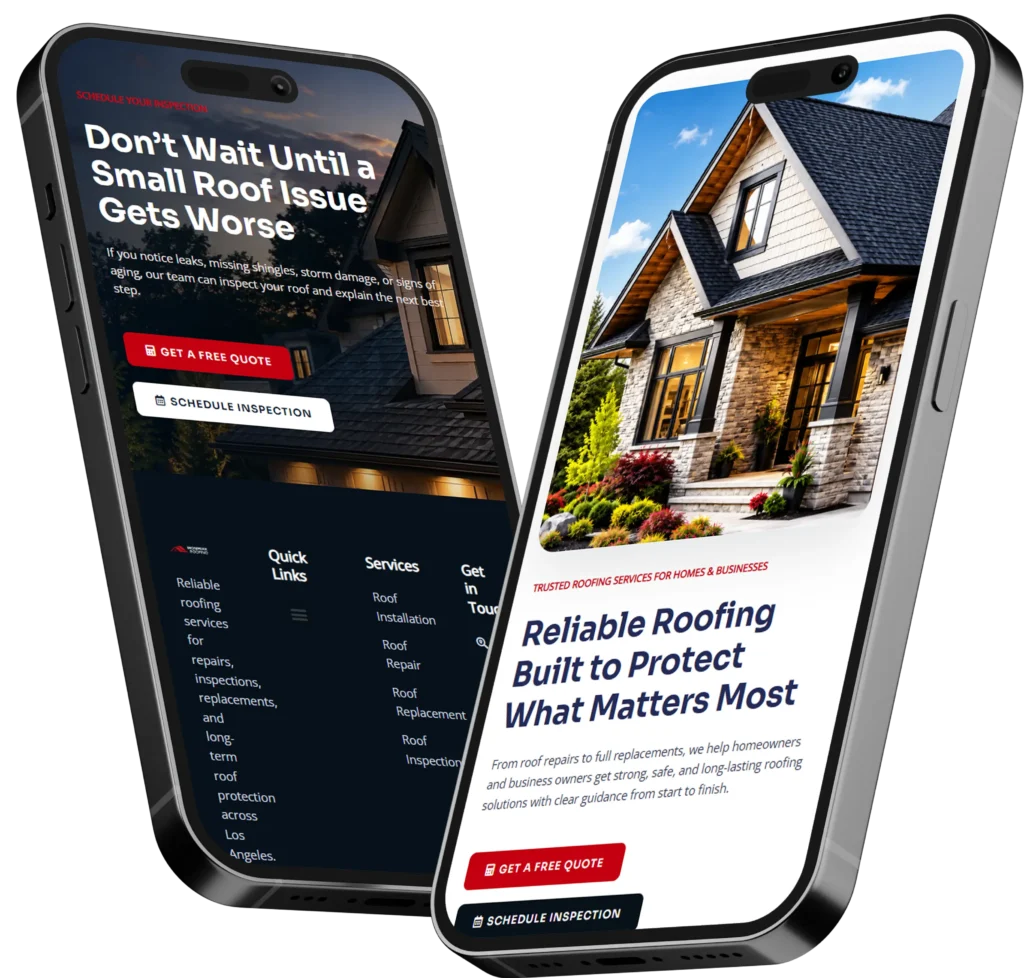
A homepage layout for small business should immediately explain what you do, who you help, and why visitors should trust you. A well-structured homepage makes it easier for potential customers to call, book, or request a quote instead of leaving your website.
Your homepage is often the first impression of your business. Whether people find you through Google, social media, or referrals, they usually decide within a few seconds whether to stay or leave. That’s why every section should have a purpose, from introducing your services to building credibility and encouraging action.
If your current website feels outdated or isn’t generating inquiries, learning the right homepage structure can make a significant difference.
Why Your Homepage Matters More Than Ever
Think of your homepage as your digital storefront. Unlike a physical store where customers can ask questions, your website has to answer those questions immediately.
A visitor typically wants to know:
- ✅ What does this business do?
- ✅ Can they solve my problem?
- ✅ Can I trust them?
- ✅ What should I do next?
If your homepage doesn’t answer these questions quickly, visitors often leave and continue searching elsewhere.
According to Google’s guidance on creating helpful websites, pages should focus on providing a great user experience while making information easy to understand and navigate.
You can also see how usability experts at Nielsen Norman Group emphasize clear visual hierarchy and user-centered layouts that reduce confusion and improve conversions.
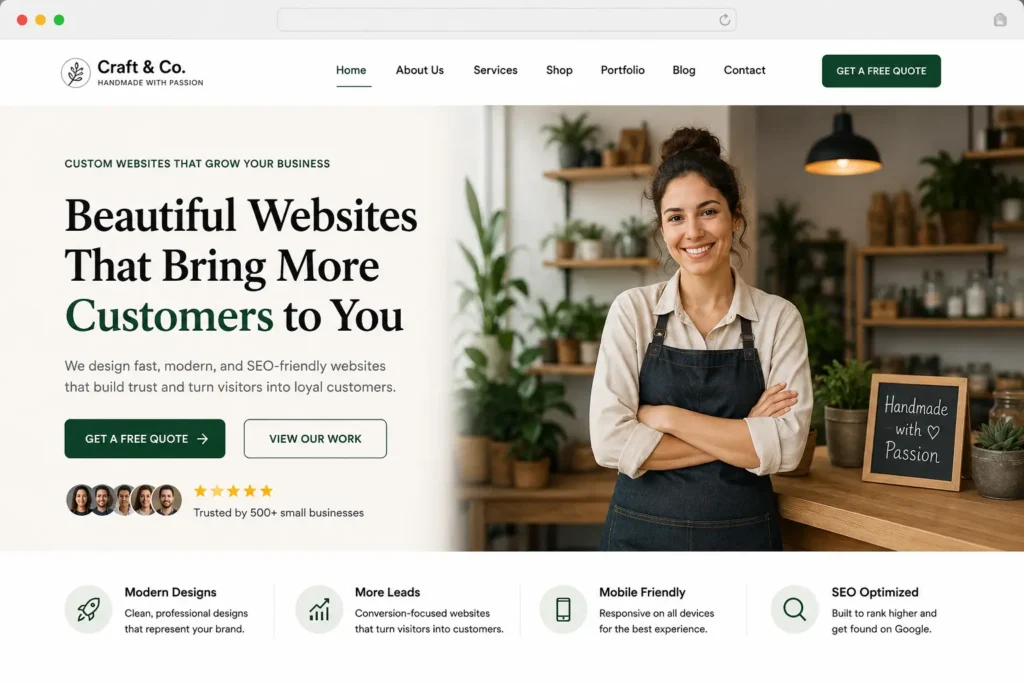
What Makes a High-Converting Homepage Layout?
Instead of filling every inch with information, successful small business websites guide visitors through a logical journey.
| Homepage Section | Primary Goal |
|---|---|
| Hero Section | Explain your offer immediately |
| Benefits | Show why customers should choose you |
| Services | Introduce your solutions |
| Trust Signals | Build credibility |
| Portfolio | Prove your expertise |
| CTA | Encourage visitors to contact you |
Each section should naturally lead to the next without overwhelming the visitor.
Start With a Strong Hero Section
The hero section is the first thing visitors see.
It should clearly communicate:
- Who you help
- What you offer
- Why you’re different
- What visitors should do next
Avoid generic headlines like:
Welcome to Our Website
Instead, use a benefit-focused headline.
For example:
Custom Websites That Help Small Businesses Generate More Calls and Leads
Include one primary call-to-action such as:
- Get a Quote
- Book a Consultation
- View Our Work
Keep supporting text short. Visitors shouldn’t have to read a long paragraph before understanding your business.
Explain Your Services Clearly
After the hero section, visitors want to know exactly what you offer.
Instead of listing every possible service, focus on your primary solutions.
A website designer might highlight:
- Website Design
- Website Redesign
- Landing Pages
- SEO Optimization
- Website Maintenance
This section is also a great place to naturally link your services.
If you’re planning a redesign, explore our website design & development services to see solutions tailored for small businesses.
Show the Benefits Instead of Features
Many websites talk only about what they do.
Visitors care more about what they’ll gain.
Instead of saying:
Responsive Design
Say:
Your website looks professional on every device, helping you capture more leads from mobile visitors.
Instead of:
Fast Hosting
Say:
Faster loading pages reduce visitor drop-offs and improve Google rankings.
Benefits connect with customer goals much better than technical features.
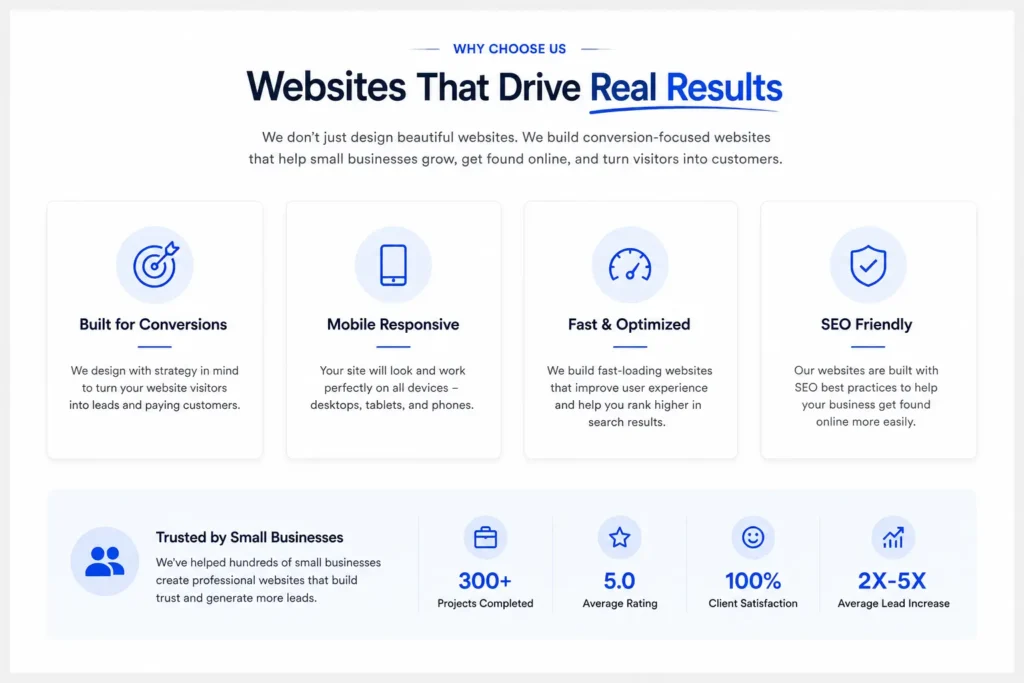
Build Trust Early
Trust is one of the biggest factors influencing whether someone contacts your business.
Even if your design looks beautiful, visitors still want proof.
Include elements such as:
- ⭐ Client testimonials
- ⭐ Google Reviews
- ⭐ Certifications
- ⭐ Years in business
- ⭐ Number of completed projects
- ⭐ Trusted brands you’ve worked with
Social proof reduces hesitation and makes visitors feel more comfortable reaching out.
If you’d like inspiration, browse our portfolio highlights to see how effective homepage layouts look in real projects.
Introduce Your Process
People like knowing what happens after they contact you.
A simple process section works well.
| Step | What Happens |
|---|---|
| Discovery | Learn about your goals |
| Strategy | Plan the website structure |
| Design | Create the homepage and key pages |
| Launch | Publish and optimize the website |
Simple processes reduce uncertainty and encourage more inquiries.
Showcase Your Best Work
A homepage shouldn’t become a massive portfolio page.
Instead, highlight only a few of your strongest projects.
Include:
- Before & After screenshots
- Business industry
- Challenge
- Results
Then link visitors to your complete project gallery.
Too many examples can overwhelm visitors.
A curated selection performs much better.
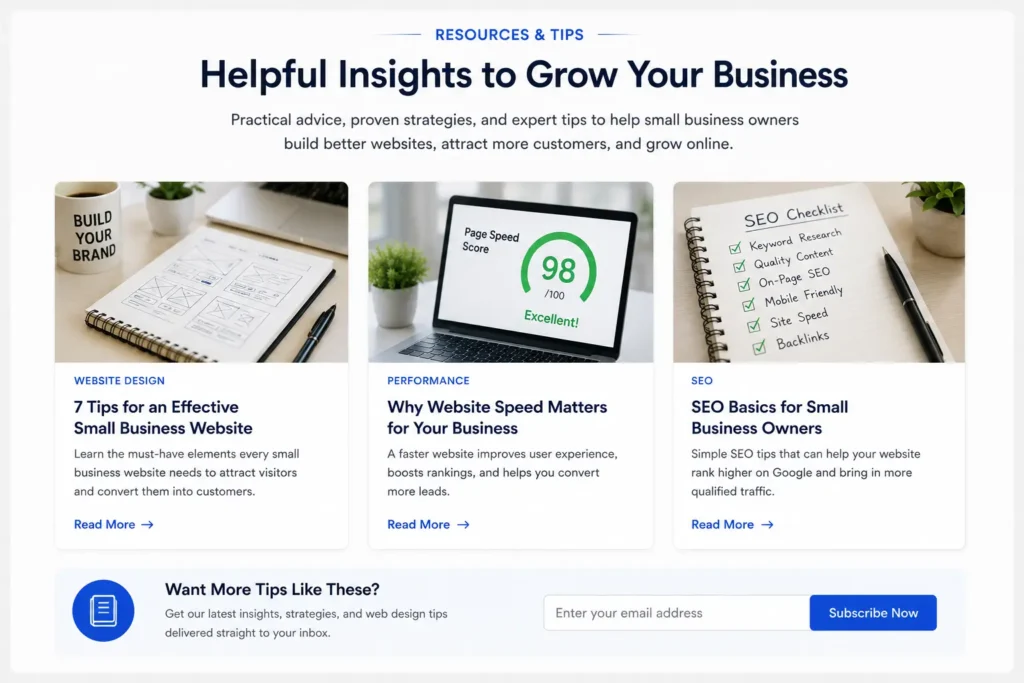
Add Helpful Content
Many visitors aren’t ready to hire immediately.
Educational content builds authority while supporting SEO.
For example, someone comparing websites may benefit from reading:
- service page copy for small business
- website messaging for small business
- small business homepage tips
Internal links also help search engines better understand your site’s structure while keeping visitors engaged longer.
Use Strong Calls-to-Action Throughout the Page
Many websites only ask visitors to contact them at the very bottom.
Instead, place calls-to-action naturally throughout the homepage.
Examples include:
- After explaining services
- After testimonials
- After portfolio
- Near the footer
This gives visitors multiple opportunities to convert whenever they’re ready.
You can also encourage visitors to explore growth-driven web design if they want a website focused on generating measurable business results.
Common Homepage Mistakes That Cost Small Businesses Leads
Even businesses with great services can lose potential customers because of a confusing homepage. Visitors expect to find information quickly, and if they cannot, they’ll often leave and visit a competitor.
Some of the most common mistakes include:
✅ Trying to say everything at once
Many homepages become cluttered with too much text, multiple offers, and competing calls-to-action. A clean structure helps visitors understand your business faster.
✅ Weak headlines
Your headline should immediately tell visitors what you do and who you help. Avoid vague phrases like “Welcome to Our Website.”
✅ No trust signals
Without testimonials, reviews, certifications, or examples of your work, visitors have little reason to trust your business.
✅ Poor navigation
Menus with too many options make it difficult for users to know where to click next. Keep navigation simple and organized.
✅ Hidden contact information
Your phone number, contact button, or booking option should always be easy to find.
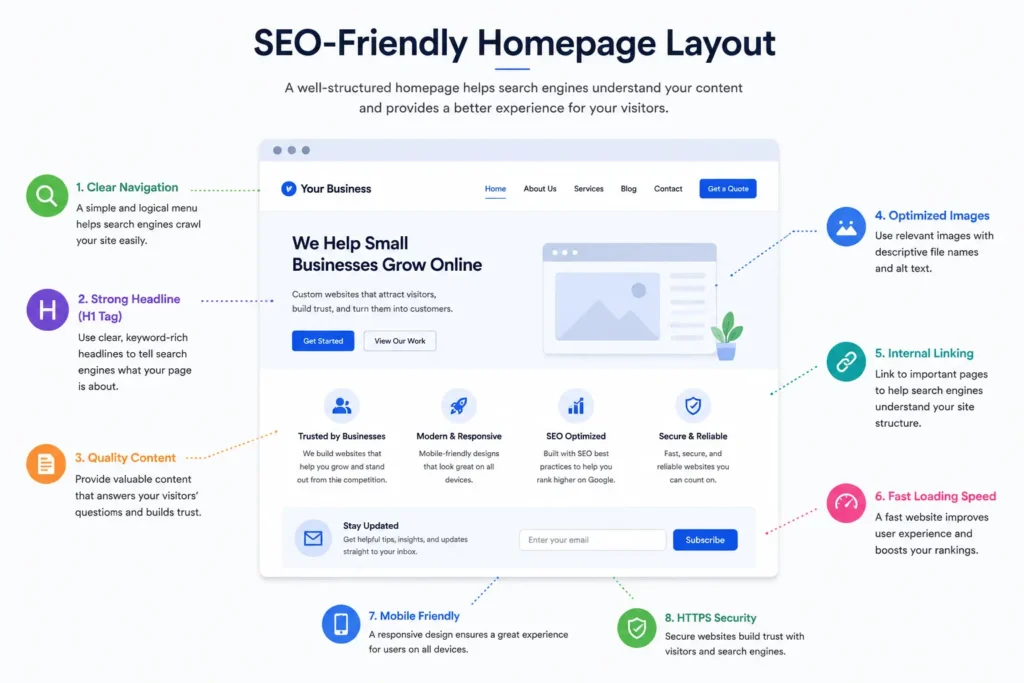
Make Your Homepage SEO-Friendly
A beautiful homepage won’t generate traffic if search engines struggle to understand it.
Here are several SEO best practices that improve both rankings and user experience.
Use One Primary Keyword
Your homepage should focus on one primary topic.
Instead of trying to rank for dozens of different keywords, organize your content around a single search intent while naturally supporting related phrases.
Write Helpful Content
Google rewards pages that answer real user questions instead of simply repeating keywords.
Helpful content should:
- Explain your services clearly
- Answer common customer concerns
- Demonstrate expertise
- Encourage users to continue exploring your website
Optimize Your Images
Large images can slow down your website.
Compress images before uploading and include descriptive alt text to improve accessibility and image search visibility.
Improve Internal Linking
Your homepage should naturally guide visitors toward important pages.
Examples include:
- Services
- Portfolio
- Contact
- Helpful blog articles
This improves navigation while helping search engines discover your most valuable pages.
Google’s SEO Starter Guide explains how search engines discover, understand, and rank webpages while providing best practices for improving your site’s visibility.
Mobile Optimization Is No Longer Optional
More than half of website traffic now comes from smartphones.
If your homepage isn’t mobile-friendly, visitors may struggle to read content, click buttons, or navigate your website.
A mobile-friendly homepage should include:
- ✅ Large readable headings
- ✅ Easy-to-tap buttons
- ✅ Fast loading speed
- ✅ Responsive images
- ✅ Simple navigation
- ✅ Short paragraphs
Always test your homepage on multiple devices before publishing.
Build a Homepage That Encourages Action
Many websites provide information but never encourage visitors to take the next step.
Every homepage should guide users toward one primary conversion goal.
Depending on your business, that could be:
- Request a Quote
- Schedule a Consultation
- Book an Appointment
- Call Your Office
- Fill Out a Contact Form
Keep your primary call-to-action consistent throughout the page.
Visitors shouldn’t have to search for how to contact you.
Homepage Layout Checklist
Before publishing your website, review each section to ensure nothing important is missing.
| Homepage Element | Why It Matters |
|---|---|
| Clear Hero Section | Explains your business immediately |
| Services Overview | Helps visitors understand what you offer |
| Benefits | Focuses on customer outcomes instead of features |
| Testimonials | Builds credibility and trust |
| Portfolio | Demonstrates experience |
| Process Section | Removes uncertainty |
| Strong CTA | Generates inquiries and bookings |
| Internal Links | Improves SEO and navigation |
| Mobile Optimization | Provides a better user experience |
| Contact Information | Makes it easy for visitors to reach you |
This simple checklist helps ensure your homepage works as both a marketing tool and a lead-generation asset.
Final Thoughts on Homepage Layout for Small Business
A well-planned homepage layout for small business is much more than an attractive design. It helps visitors understand your services, builds confidence in your brand, and encourages them to take action. Every section should guide users toward becoming customers while making navigation simple and intuitive.
If your homepage isn’t generating enough inquiries, it may be time to rethink its structure. Focusing on clear messaging, trust-building elements, strong calls-to-action, and user-friendly design creates a better experience for both visitors and search engines. When your homepage is built around your customers’ needs, it becomes one of the most valuable marketing tools for growing your business.
Frequently Asked Questions
1. What should every homepage layout for a small business include?
A successful homepage layout for a small business should include a clear headline, service overview, trust signals, calls-to-action, and contact information. Visitors want to understand what your business offers within seconds. Including testimonials, recent projects, frequently asked questions, and easy navigation helps build confidence while encouraging users to contact your business or request a quote. A structured homepage also improves user experience and supports better search engine rankings.
2. How do I know if my small business homepage needs a redesign?
Your homepage may need a redesign if visitors leave quickly, conversions are low, or the design no longer reflects your business. Other warning signs include slow loading times, poor mobile responsiveness, outdated branding, and confusing navigation. A modern homepage should clearly communicate your value, guide visitors through your services, and make it simple for them to call, book, or submit an inquiry. Regular updates also help maintain SEO performance.
3. Can a better homepage improve SEO and generate more leads?
Yes. A properly optimized homepage can improve both search visibility and lead generation. Search engines evaluate content quality, page speed, mobile usability, and user experience when determining rankings. At the same time, visitors are more likely to contact businesses that present information clearly and establish trust. Combining strong SEO with conversion-focused design helps attract qualified traffic while increasing inquiries from potential customers.
4. Should I hire a professional web designer for my small business homepage?
Hiring a professional web designer can save time while creating a homepage that is optimized for both search engines and conversions. An experienced designer understands website structure, user behavior, responsive design, page speed, SEO, and persuasive messaging. Rather than simply creating a visually appealing website, they build pages that encourage visitors to become customers, making your website a long-term investment for business growth.