
how to plan a small business website starts with defining your goal, choosing the right pages, writing trust-building content, and mapping one clear action for every visitor. A good plan should connect your services, local SEO, calls, forms, booking links, and proof so the website can turn traffic into real leads.
Many business owners jump straight into colors, fonts, or templates. Those details matter, but they should come after strategy. Your website is not only a digital brochure. It is often the first place a customer checks before calling, booking, requesting a quote, or comparing you with another provider.
If you want help turning your website idea into a clean, lead-focused build, visit growth-driven web design.

Why Planning a Small Business Website Matters
A website plan helps you avoid random pages, unclear messaging, slow decisions, and wasted redesign costs. It gives your designer the right direction before development starts.
For small businesses, the website usually needs to do three jobs:
✅ Explain what you offer
✅ Build trust quickly
✅ Make it easy to contact, call, book, or buy
Without a plan, your site may look nice but fail to convert. Visitors may leave because they cannot understand your service, pricing direction, location, proof, or next step.
Google’s SEO Starter Guide explains that SEO is about improving a site’s presence in Search and making content easier for search engines to crawl, index, and understand. That is why planning pages, headings, internal links, and helpful content before launch is important. You can also review Google’s SEO Starter Guide for more search basics.
Start With the Main Goal of the Website
Before choosing a layout, decide what the website must produce for your business. A restaurant may need bookings. A contractor may need estimate requests. A coach may need discovery calls. A local service provider may need phone calls and quote forms.
Your main website goal should shape every page.
| Website Goal | Best Website Direction | Main Call to Action |
|---|---|---|
| Get more calls | Service pages, local SEO, click-to-call buttons | Call now |
| Get more bookings | Booking page, calendar integration, trust sections | Book an appointment |
| Sell services | Service landing pages, proof, FAQs, pricing guidance | Request a quote |
| Build trust | About page, reviews, portfolio, case studies | View our work |
| Launch a new brand | Homepage, core pages, clear positioning | Start your project |
The best option for most small businesses is a conversion-focused website with a strong homepage, service pages, about page, contact page, and proof sections. This gives visitors enough information to trust you without overwhelming them.
Know Your Customer Before You Write Pages
A small business website should be built around what customers need to know before they take action. This includes their problem, location, budget concerns, trust questions, and urgency.
Ask yourself:
✅ What problem is the customer trying to solve?
✅ What makes them hesitate before contacting us?
✅ What proof do they need to feel safe?
✅ Are they comparing prices, experience, speed, or quality?
✅ What action do we want them to take first?
The U.S. Small Business Administration says market research helps businesses find customers and use consumer behavior and economic trends to improve a business idea. That same thinking applies to your website because your pages should match real customer intent, not just what the business owner wants to say. The SBA’s market research and competitive analysis guide is a helpful reference for understanding your audience.
Choose the Right Website Pages
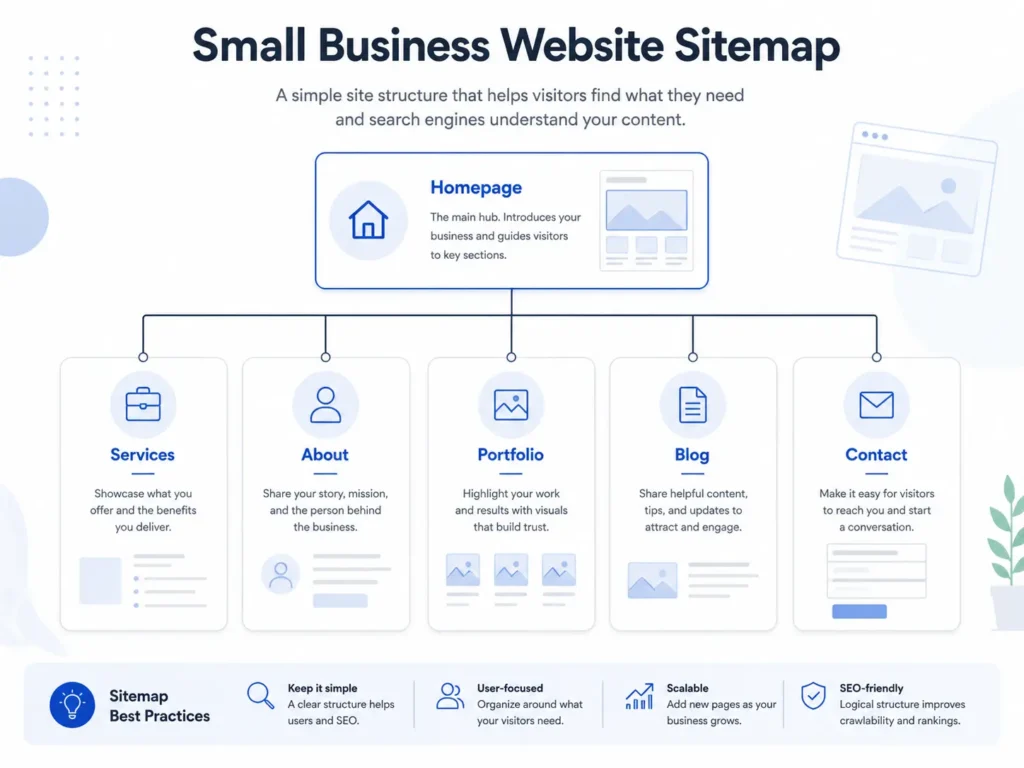
Your pages should match your business model. A five-page website may be enough for a simple local service business, while a growing company may need location pages, landing pages, blog content, and individual service pages.
Here is a practical starting structure:
✅ Homepage
✅ About page
✅ Services page
✅ Individual service pages
✅ Portfolio or sample work page
✅ Contact page
✅ Blog or resource section
✅ FAQ section
For many small businesses, the homepage should not carry all the SEO and conversion weight. Individual service pages often rank better because they target specific searches. For example, “website redesign for small business” is more specific than “web design services.”
If you are preparing content for a designer, this guide on what information a web designer needs can help you organize the right details before the build.
Plan Your Homepage Like a Sales Path
Your homepage should guide visitors from “Am I in the right place?” to “I trust this business enough to act.”
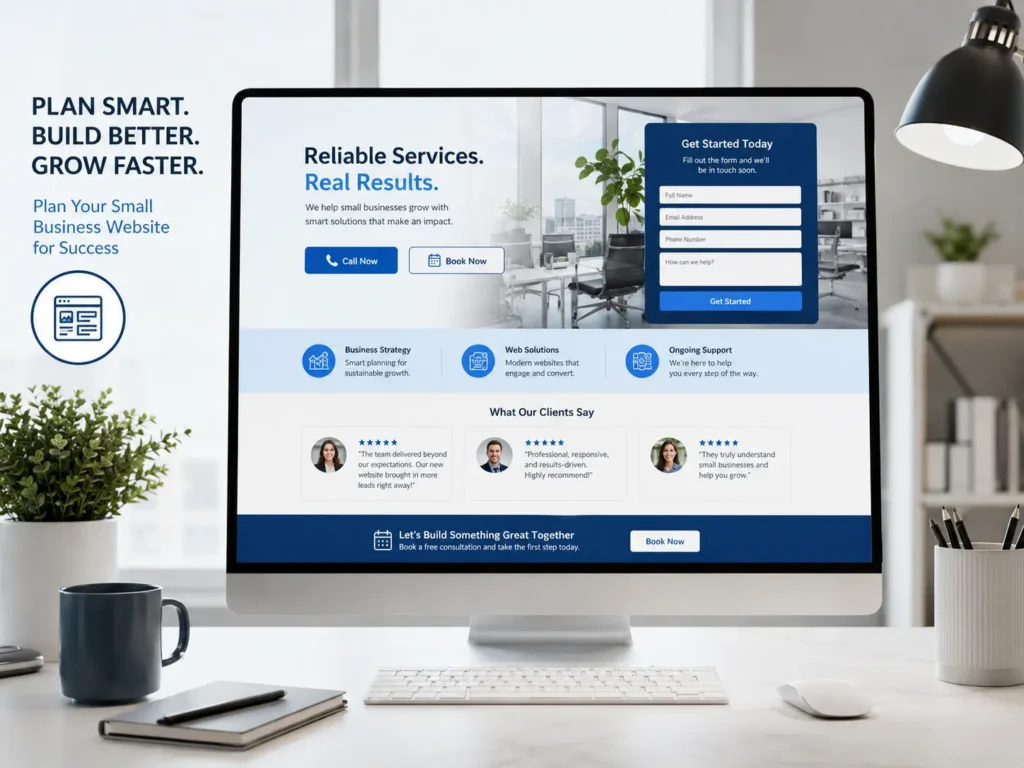
A strong homepage usually includes:
✅ Clear headline
✅ Short explanation of who you help
✅ Main services
✅ Trust proof
✅ Simple process
✅ Testimonials or reviews
✅ Portfolio or examples
✅ FAQ preview
✅ Contact section
Do not make people guess what you do. The first screen should say who you help, what result you provide, and what they should do next.
Example:
“Professional website design for small businesses that need more calls, bookings, and leads.”
That is clearer than:
“Creative digital solutions for modern brands.”
The first version explains the service and the business outcome. The second sounds polished but vague.
Build Trust Before Asking for the Lead
People are careful online. They want to know if your business is real, reliable, and worth contacting. Trust sections help reduce doubt.
Add trust signals such as:
✅ Real project photos
✅ Before and after website examples
✅ Client testimonials
✅ Years of experience
✅ Service areas
✅ Clear contact information
✅ Case studies
✅ Professional email address
✅ Fast-loading pages
✅ Secure website setup
A small business website does not need to look complicated to feel trustworthy. It needs to feel clear, current, and honest.
If you have past work, show it. A project page or portfolio can help visitors imagine what you can do for them. You can see examples in the portfolio highlights.
Decide Which Website Option Is Best
Not every small business needs the same website option. The best choice depends on your budget, timeline, growth stage, and how much leads matter to your business.
| Website Option | Best For | Limitations |
|---|---|---|
| DIY website builder | Very small budget, simple temporary site | Can look generic and may lack strategy |
| Template website | Fast launch with basic customization | Limited flexibility and weaker brand fit |
| Custom website design | Businesses needing trust, SEO, and conversions | Requires more planning and investment |
| Website redesign | Existing site with poor leads or outdated design | Needs audit, migration, and content cleanup |
| Landing page | One campaign, one offer, one audience | Not enough for full SEO strategy alone |
For most service-based small businesses, a custom website or strategic redesign is the best option. It gives you room to create service-specific pages, improve calls to action, add trust sections, and structure content for SEO.
If your current website looks outdated or does not generate leads, explore website redesign that converts.
Plan Your Calls to Action
Every important page needs one primary action. Too many choices can slow people down.
Your call to action should match the visitor’s intent.
✅ For urgent services: “Call Now”
✅ For quote-based work: “Request a Quote”
✅ For appointments: “Book a Consultation”
✅ For high-ticket services: “Schedule a Discovery Call”
✅ For portfolio-heavy services: “View Our Work”
Place your CTA near the top, after service explanations, after proof sections, and again near the bottom. This keeps the next step easy without making the page feel pushy.
A good CTA is specific. “Submit” is weak. “Request a Free Website Audit” is stronger because it tells people what they are getting.
Prepare Website Content Before Design
Content should come before design whenever possible. If your designer knows your services, target customers, service areas, testimonials, and goals, the layout will be much stronger.
Prepare these details:
✅ Business name and contact details
✅ Services and descriptions
✅ Service area or location
✅ Customer pain points
✅ Photos or brand assets
✅ Reviews and testimonials
✅ FAQs
✅ Competitor examples
✅ Preferred calls to action
✅ Booking or form requirements
If you are unsure what to send, use this helpful checklist on what to send to a web designer.
Plan SEO From the Beginning
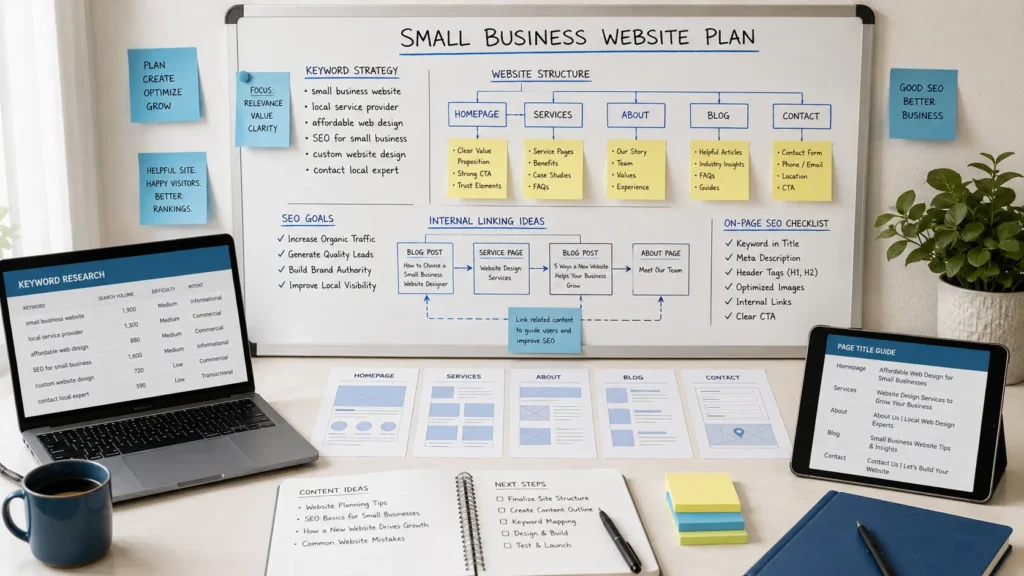
SEO should not be added after the website is finished. It should guide the page structure, headings, URLs, internal links, and content.
Start with the keywords your customers actually search. For example, a web design business may target terms around website design, redesign, landing pages, service pages, SEO, and local web designer searches.
A basic SEO plan includes:
✅ One main topic per page
✅ Clear URL structure
✅ Helpful page title
✅ Strong meta description
✅ Descriptive headings
✅ Internal links
✅ Image alt text
✅ Fast mobile experience
✅ FAQ content
✅ Local service area details
Google’s Search Essentials explain that there is no guarantee a site will be added to Google’s index, but sites that follow the essentials are more likely to appear in Google Search results. This makes technical quality, helpful content, and accessibility important from the start.
Make Landing Pages for Specific Offers
A landing page is different from a regular website page. It is built around one offer, one audience, and one action.
A small business may need landing pages for:
✅ Google Ads campaigns
✅ Seasonal offers
✅ Local services
✅ Free consultations
✅ Lead magnets
✅ New service launches
For example, a general “Services” page may introduce everything you offer. A landing page for “small business website redesign” can focus only on redesign pain points, before and after proof, process, pricing direction, and a clear consultation CTA.
Landing pages work best when they remove distractions. They should answer the visitor’s main concern and make the next step simple.
Add Local SEO and Contact Details
Local businesses need clear location signals. Even if you serve clients online, people often search for nearby providers or U.S.-based specialists.
Add details such as:
✅ City or service area
✅ Phone number
✅ Contact form
✅ Business hours
✅ Google Business Profile link, if available
✅ Embedded map, if useful
✅ Local testimonials
✅ Location-specific service pages
Your contact page should be simple. Avoid asking for too much information. Long forms can reduce leads. Ask only what you need to respond well.
A good contact form may include name, email, phone, service needed, budget range, timeline, and message.
Plan for Speed, Mobile, and User Experience
A website that looks good on desktop but feels messy on mobile can lose leads. Many customers will visit from their phone, especially when searching for local services.
Check for:
✅ Easy-to-read text
✅ Large buttons
✅ Fast loading images
✅ Simple navigation
✅ Clickable phone number
✅ Short forms
✅ Clear spacing
✅ No confusing popups
Mobile planning is not only a design issue. It affects SEO, trust, and conversions. If a visitor cannot tap the button, read the service, or load the page quickly, they may choose another business.
Connect the Website to Real Business Results
A good website plan should include tracking. Otherwise, you will not know what is working.
Track:
✅ Contact form submissions
✅ Phone clicks
✅ Booking clicks
✅ Quote requests
✅ Top landing pages
✅ Search queries
✅ Traffic sources
✅ Conversion rate
This helps you improve the website over time. If a service page gets traffic but no leads, the issue may be the CTA, proof, offer, form, or page clarity.
For businesses that depend on leads, the website should be treated as a growth asset, not a one-time design project.
Common Website Planning Mistakes
Many small business websites underperform because of planning gaps. These mistakes are common but fixable.
✅ Using vague headlines
✅ Hiding contact information
✅ Having only one general services page
✅ Forgetting mobile users
✅ Not adding testimonials
✅ Using stock photos only
✅ Writing thin content
✅ Missing local SEO details
✅ Making forms too long
✅ Launching without tracking
The biggest mistake is building a website around the business owner’s preferences instead of the customer’s decision process. Your website should answer what buyers need to know before they trust you.
Rank Math SEO Checklist Before Publishing
To help your article or website page perform better in Rank Math, check the basics before publishing.
✅ Use the focus keyword naturally in the first paragraph
✅ Add a clear SEO title
✅ Keep the meta description helpful
✅ Use short URLs
✅ Add internal links
✅ Add external links to trusted sources
✅ Use image alt text
✅ Add FAQs
✅ Make headings easy to scan
✅ Avoid thin sections
✅ Add a clear CTA
This article includes internal links, external authority links, FAQs, tables, practical examples, and answer-focused formatting to support SEO and AEO visibility.
Final Thoughts: how to plan a small business website
Learning how to plan a small business website is really about connecting strategy, content, design, SEO, and conversion into one clear path. When each page has a purpose, visitors understand your value faster and feel more confident taking action.
Start with your goal, choose the right pages, prepare useful content, add trust signals, and make every call to action easy to follow. If your website needs to bring in better leads, work with small business web design experts who understand strategy before design.
For a deeper service-focused build, review our website design & development services or read this guide on choosing a website designer for U.S. small businesses.
Frequently Asked Questions
1. What should a small business website include?
A small business website should include clear services, trust signals, contact options, and a strong call to action. At minimum, plan a homepage, about page, services page, contact page, and proof section with reviews or portfolio examples. If you want SEO traffic, add individual service pages and helpful blog content. The goal is to answer customer questions before they call, book, or request a quote.
2. How much does a small business website redesign help with leads?
A website redesign can help leads when it improves clarity, speed, mobile experience, trust, and calls to action. A redesign is not just about changing colors or layouts. It should fix weak messaging, confusing navigation, outdated pages, poor SEO structure, and missing proof. If visitors already come to your site but do not contact you, a strategic redesign can make the path to inquiry much easier.
3. Do landing pages work for small business websites?
Yes, landing pages work well when they focus on one offer, one audience, and one conversion goal. They are useful for ads, local campaigns, special services, consultations, and seasonal promotions. Unlike a homepage, a landing page removes extra distractions and answers a specific need. For example, a landing page for website redesign can focus only on redesign problems, proof, process, and booking a consultation.
4. Should I hire a web designer or build my website myself?
You can build it yourself if you only need a simple starter site with basic information. However, hiring a professional web designer is usually better when your website needs to generate leads, rank in search, build trust, or support paid campaigns. A designer can plan page structure, conversion flow, mobile layout, SEO basics, and visual credibility so the site works better as a business tool.
