
Small business websites perform best when they load quickly, explain services clearly, and make the next step obvious. That is why website optimization for small business should start with mobile layout, page speed, trust signals, and a homepage that guides visitors toward one clear action.
A lot of business owners think optimization only means adding keywords, installing Rank Math, or publishing more blog posts. In reality, the bigger issue is usually design friction. Visitors land on the site, feel unsure within seconds, and leave before they ever reach the contact form. A site can look modern and still underperform if the message is vague, the service pages are thin, or the mobile version feels cramped.
This is where good web design and SEO should work together. Google’s SEO Starter Guide explains SEO as helping search engines understand content while also helping users decide whether they should visit your site. That makes design clarity part of the ranking conversation, not a separate task.
In this guide, you will see what website optimization really covers, why it matters for lead generation, how to improve the pages that move the needle fastest, and which option usually makes the most sense for a growing service business.
What small business website optimization really covers
For a service-based company, optimization means improving how the site communicates, loads, and converts. It is not only about technical settings behind the scenes. It is also about whether your homepage answers the right questions fast enough, whether your service pages build trust, and whether your calls to action feel easy to follow.
A well-optimized website usually has a sharp headline, clear service structure, proof close to the offer, and a layout that feels just as strong on mobile as it does on desktop. That matters because Google uses the mobile version of a site’s content for indexing and ranking, and it recommends that the mobile version keep the same core content and metadata as the desktop.
Here is the practical difference between a site that feels polished and one that quietly loses leads:
| Website Area | Strong Version | Weak Version |
|---|---|---|
| Homepage message | Says who you help, what you do, and what to do next | Generic welcome text with no clear offer |
| Service pages | Specific outcomes, process, proof, and CTA | Broad descriptions with little detail |
| Mobile design | Easy to read, tap, and scroll | Cramped sections and awkward spacing |
| Speed | Compressed images and cleaner code | Heavy media and bloated plugins |
| Trust elements | Reviews, sample work, local proof, contact details | Little proof and no confidence builders |
When those pieces work together, a business site stops acting like a digital brochure and starts acting like a salesperson that is available all day.
Why this matters for rankings and leads
Most small business buyers are not doing deep research on your brand before they land on your site. They are scanning. They want to know whether you offer the right service, whether you feel trustworthy, and whether reaching out will be easy. If the design slows that process down, ranking alone will not save the page.
That is why good optimization improves two things at once. First, it helps search engines understand the page more clearly. Second, it helps real visitors feel more certain about taking action. Google’s guidance around mobile-first indexing makes this especially important. If your mobile pages hide key content, strip away useful text, or create a weaker version of the page, you can lose both usability and search visibility.
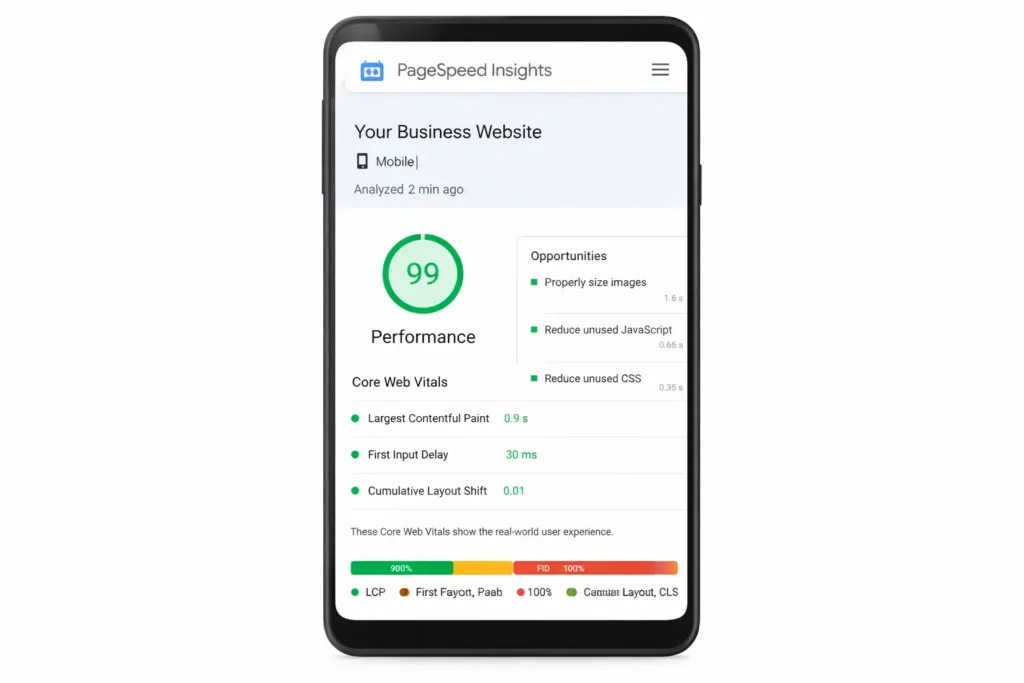
There is also a speed factor. PageSpeed Insights surfaces Core Web Vitals and, when data is available, shows how real Chrome users experienced your page over the last 28 days. That makes it one of the fastest ways to spot whether your site only feels fast to you, or actually feels fast to visitors on real devices.
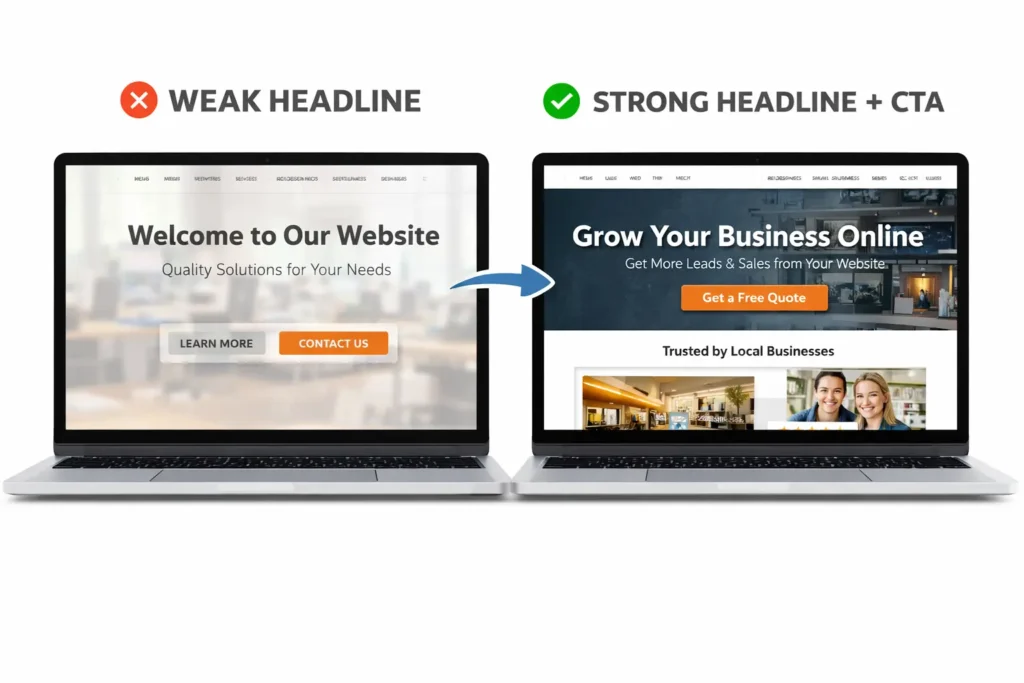
For a small business, that matters because every delay has a cost. A slow hero image, an unclear headline, or a cluttered services section can weaken trust before your sales pitch even starts. In most cases, the best-performing sites do three simple things well: they explain the offer quickly, make proof visible, and reduce friction around the next step.
If you want that structure built into the site from the start, take a look at our website design & development services.
Signs your current website needs work
A lot of underperforming sites do not look “bad” at first glance. The problem shows up in the behavior. People visit, scroll a bit, then disappear. You get traffic but not enough inquiries. Some pages rank, but the leads are weak. That usually points to a design and messaging problem, not just a traffic problem.
One common issue is a homepage that tries to say everything at once. When the first screen is crowded with sliders, stock photos, several buttons, and vague phrases like “quality solutions,” visitors have to do too much decoding. Your homepage should not make people interpret your business. It should make them understand it in seconds.
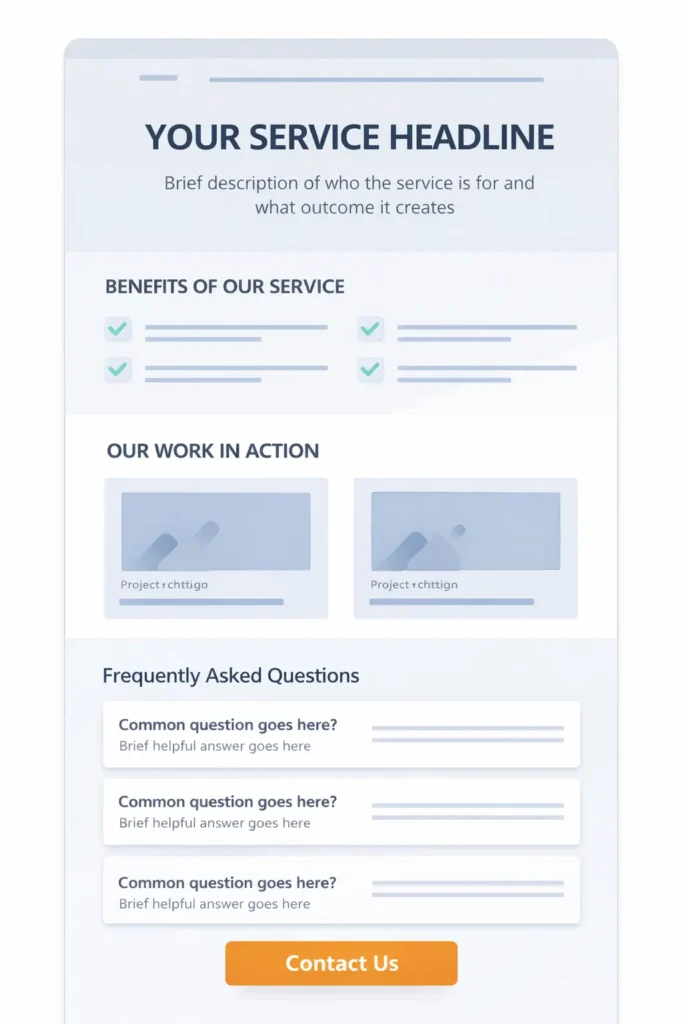
Another issue is service pages that feel too thin. If every service page uses the same short paragraph and a recycled call to action, the site misses a major chance to rank for intent-driven searches and persuade the reader at the same time. Strong service pages usually include who the service is for, what results it aims to create, what the process looks like, and why your company is credible.
Navigation is another silent problem. Many small business sites have too many menu items, not enough hierarchy, or inconsistent page titles. That makes the site feel harder to use than it should. Rank Math can help organize metadata and schema, but it cannot fix a layout that leaves visitors uncertain about where to click next.
You should also pay close attention to mobile design. If buttons are too close together, text blocks are too wide, or essential content is pushed far below the fold, you create friction at the exact moment when users want the fastest answer. Google also warns against loading primary content only after user interaction, because that content may not be seen the way you expect.
A good next step is to run a few important pages through PageSpeed Insights and compare them with the basic checks in Google’s SEO Starter Guide. That gives you a useful blend of technical signals and on-page clarity.
How to optimize the pages that matter most
The fastest wins usually come from improving the pages that already influence decisions. For most service businesses, that means the homepage, the main service pages, the about page, and the contact page. Blog posts can support visibility, but they should not carry the whole conversion job by themselves.
Start with the first screen of the homepage. Your heading should clearly state what you do and who you help. The supporting line should reduce uncertainty, not add clever wording. Then place one primary action where people can find it quickly, whether that is booking a call, requesting a quote, or viewing your work. If your first screen is visually nice but unclear, visitors will hesitate.
Next, strengthen your service pages. This is where many small business websites leave money on the table. Each service page should have its own angle, not just a duplicated layout with a few words swapped out. Explain the problem, the outcome, and why your approach is worth trusting. Add proof where it feels natural. Testimonials, project snapshots, service areas, and process steps all help people move from curiosity to intent.
You should also trim anything that steals attention without adding value. Heavy sliders, auto-rotating banners, oversized background videos, and too many popups often make a small site feel busier but not better. Most of the time, clean sections with better spacing outperform flashy motion.
Internal linking deserves more attention, too. When related pages support one another, users stay oriented, and search engines get clearer pathways through the site. For example, if you want readers to build on the design side with local visibility, our guide on local SEO for small business website fits naturally after this topic. If the next focus is search growth, you can continue with how to rank a small business website.
Speed improvements should be practical, not random. Compress large images, remove unused scripts, review unnecessary plugins, and simplify above-the-fold sections. A lot of small business sites are weighed down by design choices that look premium but behave poorly on mobile. Better speed usually comes from restraint, not more effects.
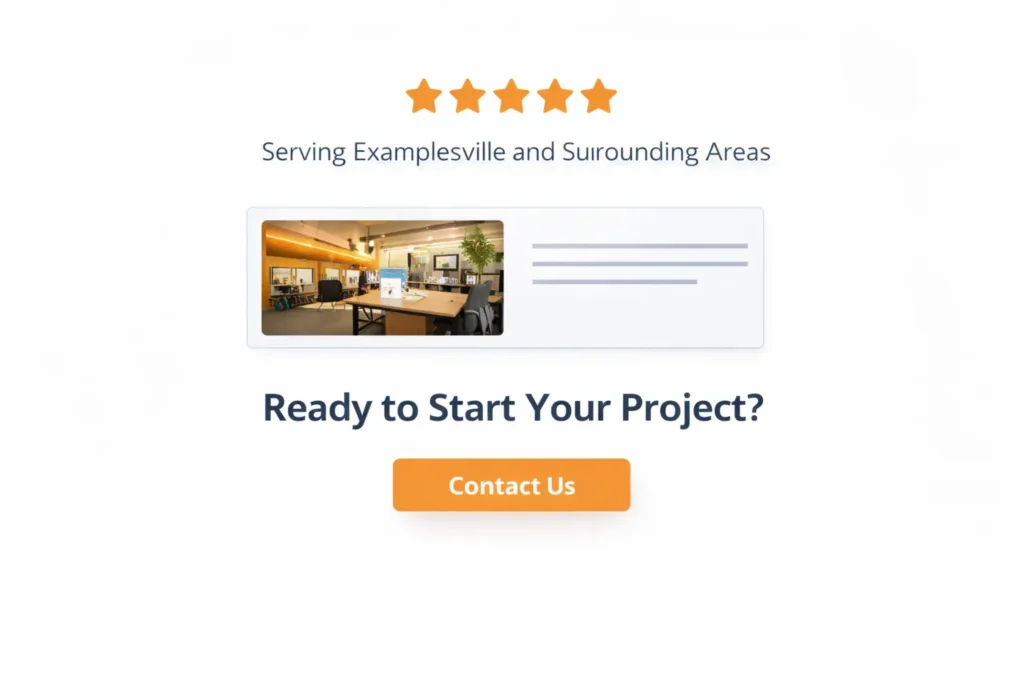
Trust signals should be visible long before the contact form. Add real project images, recognizable service areas, short proof statements, and a clear contact path. If you want visitors to believe you can help, show them you have done it before. This is one reason a focused portfolio often matters more than a long about page. You can see that kind of proof-driven flow inside our portfolio highlights.
Which option usually fits best
Not every business needs a full redesign. In many cases, the smartest move is the smallest one that fixes the biggest conversion blocker. If your site already has a decent structure, a focused improvement sprint on the homepage, service pages, speed, and trust elements may be enough. If the site is outdated, hard to edit, inconsistent across devices, and missing key service content, a larger redesign will usually be more cost-effective.
This is where business owners often waste budget. They either keep patching a weak foundation for too long, or they rebuild everything before testing what actually drives leads. The better question is not “Should I redesign?” It is “Which parts of the site are costing me the most opportunities right now?”
| Current Situation | Best Option | Why It Makes Sense |
|---|---|---|
| Site looks acceptable, but messaging is weak | Content and CTA refresh | Faster improvement without rebuilding everything |
| Mobile layout feels awkward and inconsistent | Partial redesign | Fixes usability on the pages that matter most |
| The site is slow, outdated, and hard to manage | Full redesign | Better long-term foundation for design and SEO |
| Rankings are decent, but leads are low | Conversion-focused optimization | Improves the path from traffic to inquiry |
For many service businesses, the best middle ground is a targeted redesign of the homepage, top service pages, and contact flow. That usually gives you stronger results than spending months rebuilding pages that barely influence sales.
If you want to compare that approach with real examples, start with our studio and then review the project gallery.
Common mistakes that quietly hurt performance
One of the biggest mistakes is treating optimization like a plugin setting instead of a customer experience issue. Tools matter, but no plugin can fix unclear messaging, weak design hierarchy, or service pages that never answer the visitor’s real question.
Another mistake is writing for search engines first and people second. Yes, titles, headings, and internal links matter. But if the page reads like it was built only to squeeze in keywords, trust drops fast. The strongest pages feel useful first, optimized second.
Small businesses also hurt themselves when they hide the most persuasive information. Reviews get buried, sample work is hard to find, and the process is never explained. That forces visitors to do more work than necessary. People are more likely to contact you when the page feels complete, not mysterious.
A final issue is creating a weaker mobile experience than a desktop. Since Google indexes the mobile version, a stripped-down mobile page can reduce what search engines and users both understand about the offer. That is why the mobile experience should feel like a clean version of the full message, not a reduced version of it.
If your site runs on WordPress, our guide on WordPress SEO for business is a strong next read once the design structure is in place.
A Better Path to Website Optimization for Small Business
The best-performing small business websites are rarely the flashiest ones. They are the ones who explain the offer quickly, feel trustworthy on mobile, and make the next step easy to take. When a site does that well, rankings become more valuable because the traffic has somewhere clear to go.
If your current website gets some visits but not enough qualified leads, focus on the fundamentals first. Tighten the message, improve the structure of your service pages, reduce speed issues, and place proof closer to the decision point. That is usually where the strongest gains begin.
Frequently Asked Questions
1. What should a web designer optimize first on a small business website?
Start with the homepage message, mobile layout, and the main call to action. Those three elements shape the first impression faster than anything else. If visitors cannot tell what you do, who you help, or how to contact you within a few seconds, the rest of the site has less chance to work. A good web designer will usually review the first screen, service-page structure, and mobile experience before worrying about smaller visual details.
2. How do I know if my website design is hurting conversions?
The clearest sign is when traffic reaches the site, but inquiries stay low. That usually means people are finding you, but the page is not giving them enough confidence or clarity to take the next step. Weak headlines, cluttered layouts, poor mobile spacing, missing trust signals, and vague service copy are common causes. A web designer can often spot these issues quickly by reviewing your homepage flow, CTA placement, and the structure of your most important service pages.
3. Should I redesign the whole website or only improve a few pages?
Most small businesses should improve the pages that influence buying decisions first. A full redesign makes sense when the site is outdated, hard to manage, or inconsistent across devices. But if the foundation is still usable, updating the homepage, top service pages, contact flow, and trust sections can produce faster returns. The best choice depends on whether the current site has a structural problem or simply needs stronger messaging and a cleaner design.
4. How can a web designer help with rankings if this is mainly a design project?
A strong web designer improves rankings by making the site easier to understand, easier to use, and easier to trust. That includes better page hierarchy, cleaner internal linking, stronger service-page content, faster loading assets, and a more effective mobile experience. Search visibility improves when important pages become clearer for both users and search engines. In other words, design does not replace SEO, but it gives SEO a much better page to work with.
