
A business website makeover helps improve how your website looks, works, loads, and turns visitors into leads. If your site feels outdated, slow, confusing, or no longer matches your brand, a redesign can make your business look more trusted and easier to contact.
For small businesses, your website is often the first place people judge your quality. A clean design, clear message, strong call-to-action, and mobile-friendly layout can help visitors understand what you offer faster.
Read on to learn when your website needs a refresh, what to fix first, which redesign option is best, and how to plan it without wasting time or money.
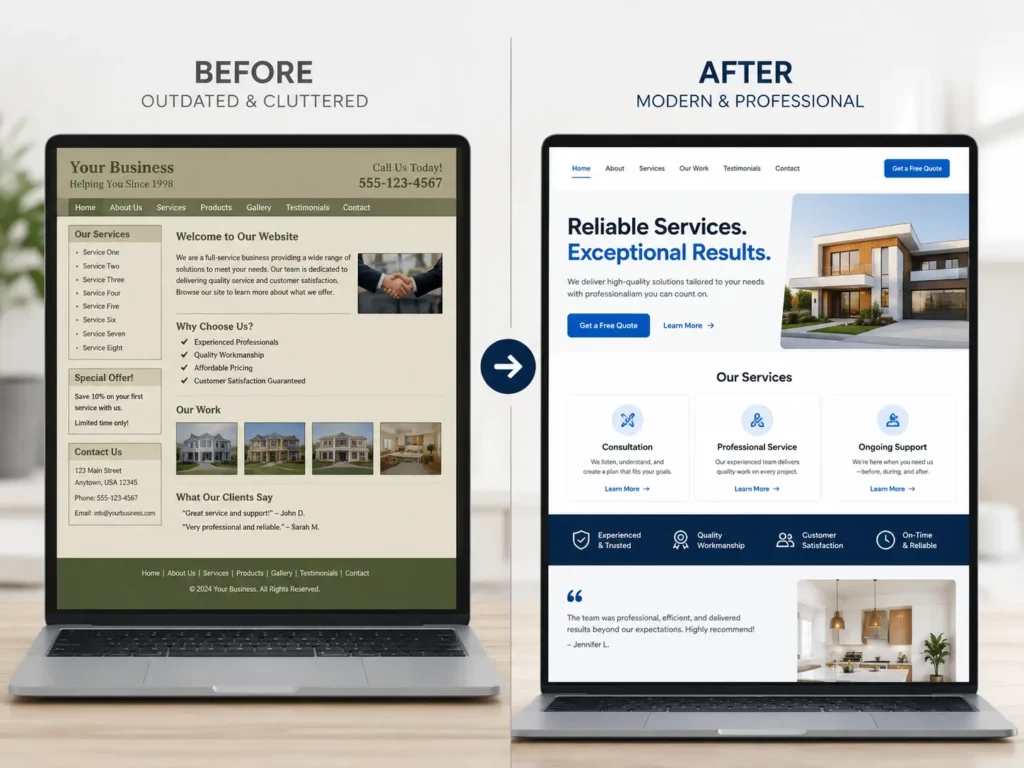
Why Your Website May Need a Makeover
Your website should not just look nice. It should guide people toward a simple action, such as calling, booking, requesting a quote, or viewing your services.
Many business owners wait too long before updating their website. They only think about redesigning it when sales slow down, competitors look better, or customers start asking questions that the website should already answer.
A website makeover matters because it affects trust. If your site looks old, visitors may assume your business is inactive or less professional. Even if your service is excellent, poor design can make people hesitate.
It also affects usability. A beautiful website that is hard to navigate can still lose leads. Visitors should know where to click, what makes you different, and how to contact you within a few seconds.
For SEO, your site structure, page titles, content quality, mobile experience, and speed all matter. Google’s SEO Starter Guide is a helpful external resource if you want to understand how search engines read your website.
Signs Your Website Is Holding Your Business Back
A website does not need to be broken to need improvement. Sometimes the biggest problem is that it looks “okay” but does not help your business grow.
Here are signs your website may need attention:
✅ Your design looks older than your competitors’ websites
✅ Your homepage does not clearly explain what you do
✅ Your website loads slowly on mobile
✅ Your contact form is hard to find
✅ Your services are hidden or not explained well
✅ Your photos, colors, or copy no longer match your brand
✅ Your site brings traffic but not enough inquiries
✅ Your website is not easy to update
The most important sign is poor conversion. If people visit your site but rarely call, book, or request a quote, the design may not be doing its job.
📌 If your main issue is SEO, you may also find this helpful: WordPress SEO for business guide.
What a Website Makeover Usually Includes
A makeover is not only changing colors or adding new photos. A good redesign reviews the full experience from the visitor’s point of view.
| Website Area | What Gets Improved | Why It Matters |
|---|---|---|
| Homepage | Clear message, stronger layout, better CTA | Helps visitors understand your offer quickly |
| Navigation | Simpler menu and page flow | Makes it easier to find services and contact info |
| Service pages | Better explanations, benefits, and proof | Helps visitors decide if you are the right fit |
| Mobile design | Responsive layout and tap-friendly buttons | Most visitors browse from phones |
| Speed | Image compression, cleaner setup, fewer delays | Better user experience and fewer drop-offs |
| SEO basics | Titles, headings, meta descriptions, content structure | Helps Google understand your pages |
| Trust signals | Testimonials, portfolio, FAQs, process, reviews | Reduces hesitation before contacting you |
This is why working with small business web design experts can be helpful. A designer can look at your website as both a visual project and a lead-generation tool.
Why Design Alone Is Not Enough
A site can look modern and still fail. This usually happens when the redesign focuses only on appearance and ignores strategy.
A strong website needs four things working together:
✅ Clear message
✅ Easy navigation
✅ Strong calls-to-action
✅ Fast, mobile-friendly performance
For example, a local service business may have a beautiful homepage but no clear “Book a Consultation” button above the fold. A visitor may like the design but leave because the next step is not obvious.
Another common issue is vague copy. Phrases like “quality solutions for your needs” sound polished, but they do not tell visitors what you actually do. Clear copy works better. Say who you help, what you provide, and what result the customer can expect.
📌 For more design guidance, read professional website design tips.
How to Know What to Fix First
Before redesigning everything, start with the areas that affect trust and leads the most. This keeps the project focused.
Start With Your Homepage
Your homepage should answer three questions fast:
✅ What do you offer?
✅ Who do you help?
✅ What should visitors do next?
If those answers are unclear, your homepage should be the first priority.
Review Your Service Pages
Service pages are where visitors compare options. Each page should explain the service, who it is for, what is included, and why your business is a good choice.
A strong service page does not just list tasks. It explains the outcome.
For example, instead of saying “web design,” say “custom website design that helps small businesses look professional and generate more inquiries.”
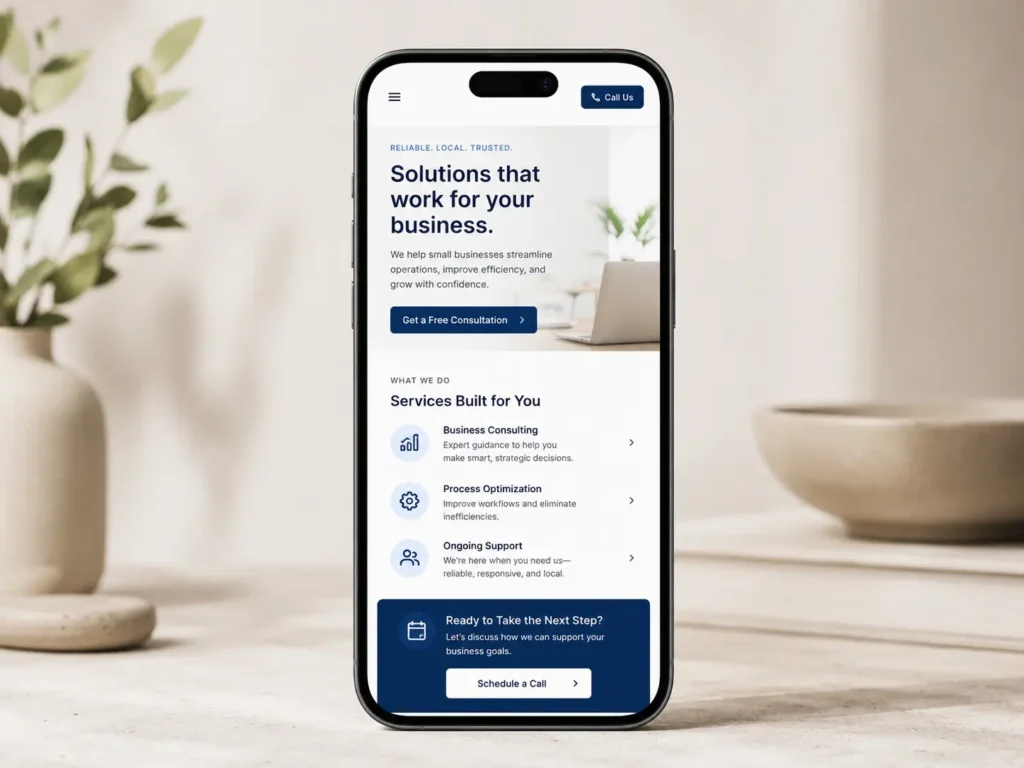
Check Your Mobile Experience
Open your website on your phone. Try to read the homepage, click the menu, fill out the contact form, and tap your call button.
If anything feels frustrating, visitors may feel the same way.
Google’s Core Web Vitals guide is another helpful external resource because it explains page experience signals like loading performance, interactivity, and visual stability.
Which Website Makeover Option Is Best?
Not every business needs a full redesign. The best option depends on your website’s current condition, budget, and goals.
| Option | Best For | What It Usually Includes |
|---|---|---|
| Light refresh | Site looks decent but needs polish | Updated colors, images, spacing, CTA buttons, minor copy edits |
| Strategic redesign | Site looks outdated or does not convert | New layout, improved copy, mobile updates, SEO structure, better service pages |
| Full rebuild | Site is slow, hard to edit, or technically messy | New platform setup, full design, migration, page cleanup, performance work |
| Conversion upgrade | Site gets traffic but few leads | CTA testing, stronger offers, trust signals, contact flow, landing page improvements |
The best option for a business website makeover is usually a strategic redesign if your site looks outdated and is not bringing enough leads. This gives you more than a visual update. It improves the message, layout, mobile experience, and conversion path at the same time.
A light refresh works if your website is fairly new and only needs better visuals. A full rebuild is better if the current site has technical problems, poor speed, broken pages, or an outdated platform.
For help choosing the right direction, review the available website design & development services.
How to Plan a Website Makeover Step by Step
A good redesign starts with planning. Jumping straight into design can lead to a website that looks nice but misses business goals.
Step 1: Define the Main Goal
Choose one main goal before anything else. Do you want more calls, more quote requests, more bookings, or more portfolio views?
Your goal affects the layout. A service business may need a stronger contact flow. A creative studio may need a better portfolio. A consultant may need a booking-focused site.
Step 2: Review Your Current Website
Look at your pages and ask what is working and what is not.
Check:
✅ Which pages get traffic
✅ Which pages bring inquiries
✅ Which pages feel outdated
✅ Which pages are missing important details
✅ Which pages are hard to use on mobile
This helps you avoid deleting useful content during the redesign.
Step 3: Update Your Messaging
Your website copy should be clear, not just creative. Visitors should quickly understand your value.
A simple structure works well:
What you do
Who you help
What problem you solve
Why you are trusted
What the visitor should do next
This is especially important for service businesses because people often compare several providers before reaching out.
Step 4: Improve the Layout
The layout should guide the eye naturally. Important information should appear near the top, while supporting details can come later.
A strong homepage flow often looks like this:
✅ Hero section with clear offer and CTA
✅ Problem or benefit section
✅ Services overview
✅ Proof or portfolio section
✅ Process section
✅ Testimonials
✅ FAQ
✅ Final CTA
Do not make visitors search for the next step. Every important page should lead them closer to contacting you.
Step 5: Add Trust Signals
Trust signals help visitors feel safe choosing your business.
Examples include:
✅ Client testimonials
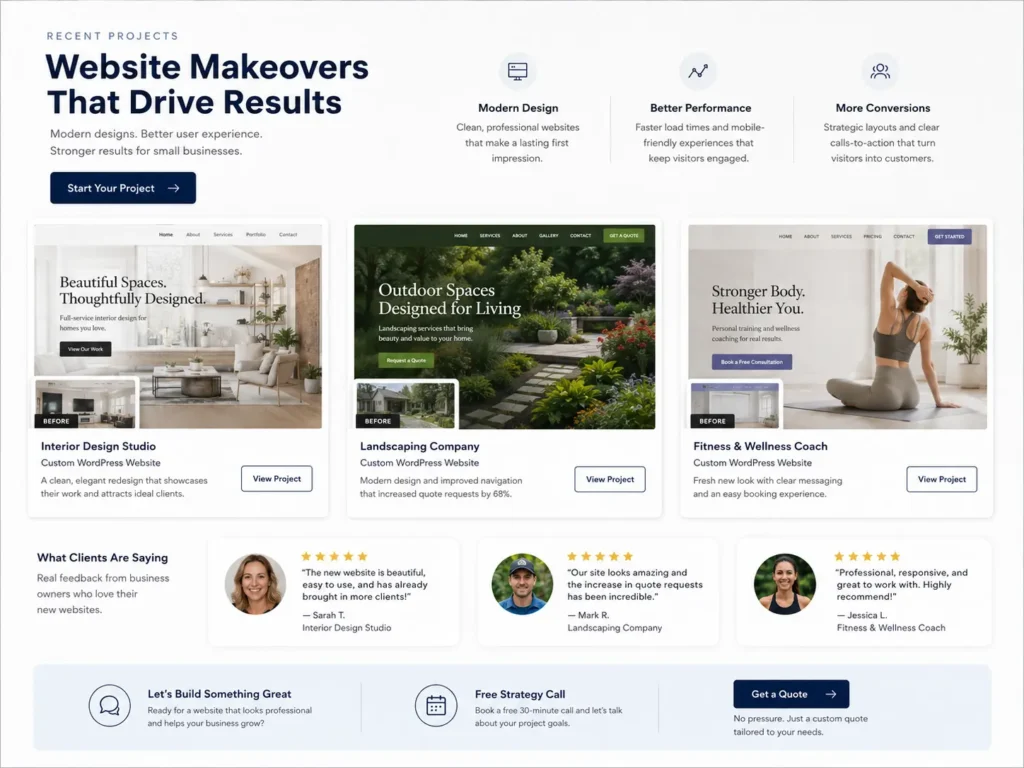
✅ Before-and-after examples
✅ Portfolio work
✅ Years of experience
✅ Service process
✅ Clear pricing direction or consultation offer
✅ Frequently asked questions
If you have completed projects, show them. Your portfolio highlights can help visitors see your style and quality before contacting you.
Practical Tips That Make a Website Look More Professional
Small design changes can make a big difference. You do not always need flashy animations or complicated layouts.
Use More White Space
White space makes your content easier to read. It also helps your site feel cleaner and more premium.
Crowded sections make visitors work harder. Give each section room to breathe.
Keep Your Fonts Simple
Use one or two fonts across the website. Too many styles can make the design look messy.
Headings should be easy to scan. Body text should be large enough to read on mobile.
Make Buttons Clear
Buttons should use action words. Instead of “Submit,” use “Request a Quote,” “Book a Call,” or “Start My Website.”
Your CTA should match what the visitor wants to do.
Use Real Photos When Possible
Stock photos can work, but real photos often feel more trustworthy. Use images of your team, workspace, projects, or results when available.
For service businesses, even a few authentic photos can make the website feel more personal.
Keep the Menu Short
A crowded menu can confuse visitors. Keep only the most important pages in the main navigation.
Common menu items include:
Home
Services
Portfolio
About
Blog
Contact
Simple navigation helps visitors move faster.
Website Makeover Mistakes to Avoid
A redesign can help your business, but only if it is done carefully. Some mistakes can hurt SEO, traffic, and user experience.
Removing Useful Content
Do not delete pages just because they look old. Some pages may already rank on Google or bring traffic.
Instead, update and improve them.
Ignoring SEO During the Redesign
SEO should be part of the process, not something added later. Page titles, meta descriptions, headings, image names, internal links, and redirects should be planned before launch.
📌 If you are redesigning soon, this guide on a website redesign that looks professional may help you understand what to improve.
Using Too Many Effects
Animations can look nice, but too many effects can slow the site and distract visitors.
Use movement only when it supports the message.
Forgetting About Contact Options
Your contact button should be easy to find. Add it in the header, near important sections, and at the bottom of service pages.
For local businesses, a click-to-call button on mobile can be especially useful.
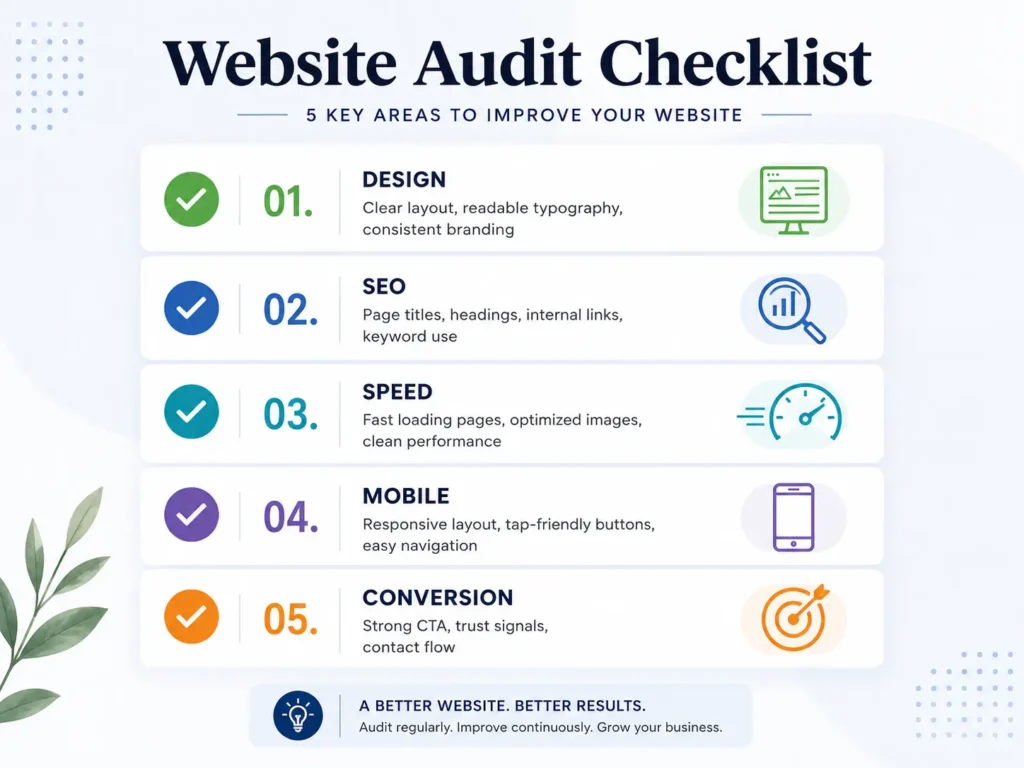
Rank Math Friendly On-Page Checklist
If you use WordPress, Rank Math can help you check the basics before publishing. However, the goal is not just to turn every score green. The goal is to make the page useful and easy to understand.
Before publishing, check:
✅ Focus keyword appears naturally in the intro
✅ SEO title is clear and clickable
✅ Meta description explains the page benefit
✅ Headings follow a logical structure
✅ Images have descriptive alt text
✅ Internal links point to helpful pages
✅ External links support the topic
✅ URL slug is short and readable
✅ FAQ section answers real search questions
Good SEO starts with helpful content. A polished design supports it by making the content easier to read, trust, and act on.
How a Web Designer Helps With the Process
A web designer does more than make a website look better. The right designer helps connect business goals with user experience.
They can help with layout, branding, mobile design, page structure, calls-to-action, image placement, and user flow. Some designers also help with SEO setup, speed improvements, and content organization.
This matters because business owners often know their service well but may not know how visitors behave online. A designer can turn your knowledge into a website that feels clear and easy to use.
For example, you may think your “About” page is the most important page. But your designer may notice that visitors need a stronger service page first. This kind of guidance helps the site work better as a sales tool.
Final Thoughts on a Business Website Makeover
A business website makeover is worth it when your current site no longer reflects your quality, explains your services clearly, or turns visitors into leads. The best redesign is not just prettier. It is clearer, faster, easier to use, and built around the actions you want visitors to take.
Start with the most important pages, improve your message, strengthen your calls-to-action, and make the mobile experience smooth. If your website is outdated or not helping your business grow, a strategic redesign can make your online presence feel more trustworthy and professional.
To get started, explore Salt Web Designer’s redesign and migration services and see how a cleaner, conversion-focused website can support your next stage of growth.
Frequently Asked Questions
1. How much does it cost to redesign a small business website?
The cost of a small business website redesign depends on the size of the site, the number of pages, the design style, and whether you need copywriting, SEO, booking tools, or e-commerce features. A simple refresh may cost less than a full rebuild because it updates the existing layout. A custom redesign usually costs more because it includes strategy, design, mobile optimization, and technical setup. The best approach is to request an audit first so the designer can recommend only what your website actually needs.
2. How often should a business update its website design?
Most businesses should review their website design every 2 to 3 years, but updates may be needed sooner if the site looks outdated, loads slowly, or no longer matches your services. You do not always need a full redesign each time. Sometimes updating images, service pages, calls-to-action, and mobile layouts is enough. If your competitors look more modern or your website is no longer bringing quality inquiries, it is a good sign that a refresh should move higher on your priority list.
3. Will redesigning my website improve my SEO?
A website redesign can improve SEO when it is planned correctly. Better page structure, faster loading, cleaner navigation, stronger service content, internal links, and optimized meta descriptions can help search engines understand your site. However, redesigning without an SEO plan can also hurt rankings if important pages are deleted or URLs change without redirects. A good web designer should protect valuable content, keep useful pages, improve technical performance, and make sure each main service page has a clear search purpose.
4. What should I prepare before hiring a web designer?
Before hiring a web designer, prepare your main goals, current website link, brand assets, service list, preferred examples, customer questions, and any content you already have. You should also know what action matters most, such as calls, bookings, quote requests, or purchases. This helps the designer create a site that supports your business instead of guessing. You do not need everything perfect before starting, but having clear goals and examples makes the process faster, smoother, and more strategic.
